
CWWK OpenCIaw NUC Intel® Core™ 3 N350

$304.82
 Amazon.com
| Processor | 5.6 |
|---|---|
| RAM | 6 |
| Hard Disk | 6.5 |
| Connectivity | 7.2 |
CWWK OpenCIaw NUC: compact aluminium mini PC with Intel® Core™ 3 N350 (Twin Lake, 8 cores / 8 threads, up to 3.9 GHz, 7 W) or Intel® Processor N95 (4 cores, up to 3.4 GHz), Intel Graphics 32 EU, no NPU, 1× SO-DIMM DDR5 4800 up to 48 GB (CWWK; not soldered), barebone or 8–16 GB + 128–512 GB NVMe, 2× M.2 2280 (SATA/PCIe ×2 + PCIe ×2), microSD slot, 2× Intel i226-V 2.5GbE, optional Wi-Fi 6 / Bluetooth 5.3 (M.2 Key E), HDMI 2.1 + DP 1.4 + USB-C (three 4K@60 displays), 2× USB 3.2 Gen2, 2× USB 2.0, PWM fan, DC 12 V / 5 A, Windows / Linux. 129.5 × 129.5 × 53.5 mm.

$304.82
CWWK OpenCIaw NUC Intel® Core™ 3 N350 Prices

Price History
Description
CWWK OpenCIaw NUC
Compact Aluminium Mini PC With Intel® Core™ 3 N350 or N95, DDR5 up to 48 GB, Dual 2.5GbE, Two M.2 Slots and Triple 4K Display
The CWWK OpenCIaw NUC is a small, all-aluminium mini PC built around Intel’s low-power N-class chips: the eight-core Intel® Core™ 3 N350 (Twin Lake) or the four-core Intel® Processor N95. It pairs them with a DDR5 SO-DIMM slot (up to 48 GB according to CWWK), two M.2 slots, a microSD reader, two Intel i226-V 2.5GbE ports, 10 Gbps USB and three 4K outputs (HDMI, DisplayPort and USB-C), all in a 129.5 mm square case with a temperature-controlled fan.
CWWK — the Shenzhen brand also known as Changwang, best known for its firewall boxes and NAS boards — launched it on 20 April 2026. It is sold as a barebone or with 8–16 GB of RAM and up to 512 GB of SSD, from US $214 (N95 barebone) and US $253 (N350 barebone) in the official store. Windows 10, Windows 11 and Linux are supported.
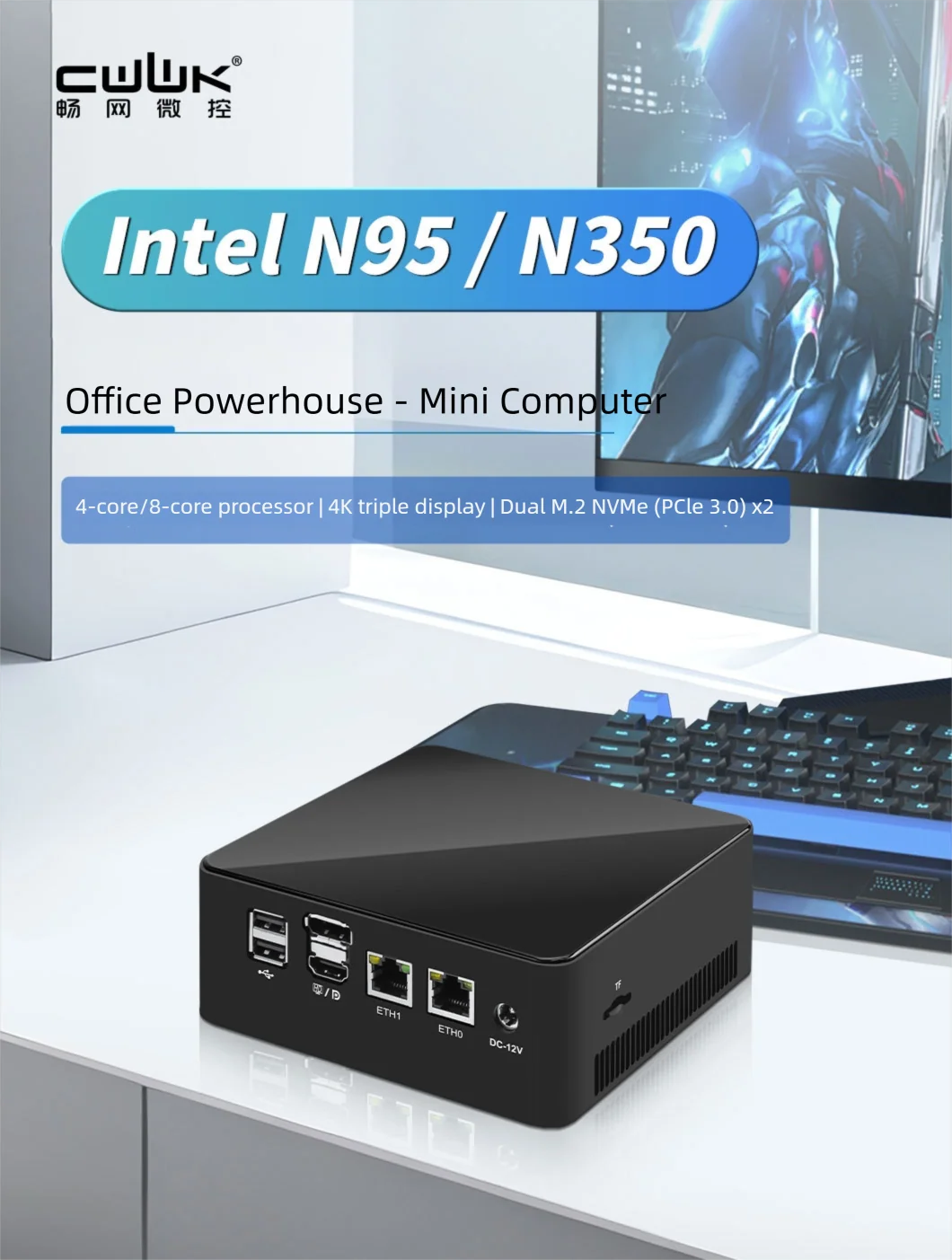
| CWWK OpenCIaw NUC — Intel® Core™ 3 N350 | |
|---|---|
| CPU | Intel® Core™ 3 N350 (Twin Lake) Up to 3.9 GHz 8 Cores / 8 Threads (efficient cores) 6 MB Intel® Smart Cache Intel 7 process NPU: No Option: Intel® Processor N95 (Alder Lake-N) — 4 Cores / 4 Threads, up to 3.4 GHz |
| GPU | Intel® Graphics (32 EU, Xe-LP) — up to 1.35 GHz N95 option: Intel® UHD Graphics (16 EU) — up to 1.2 GHz |
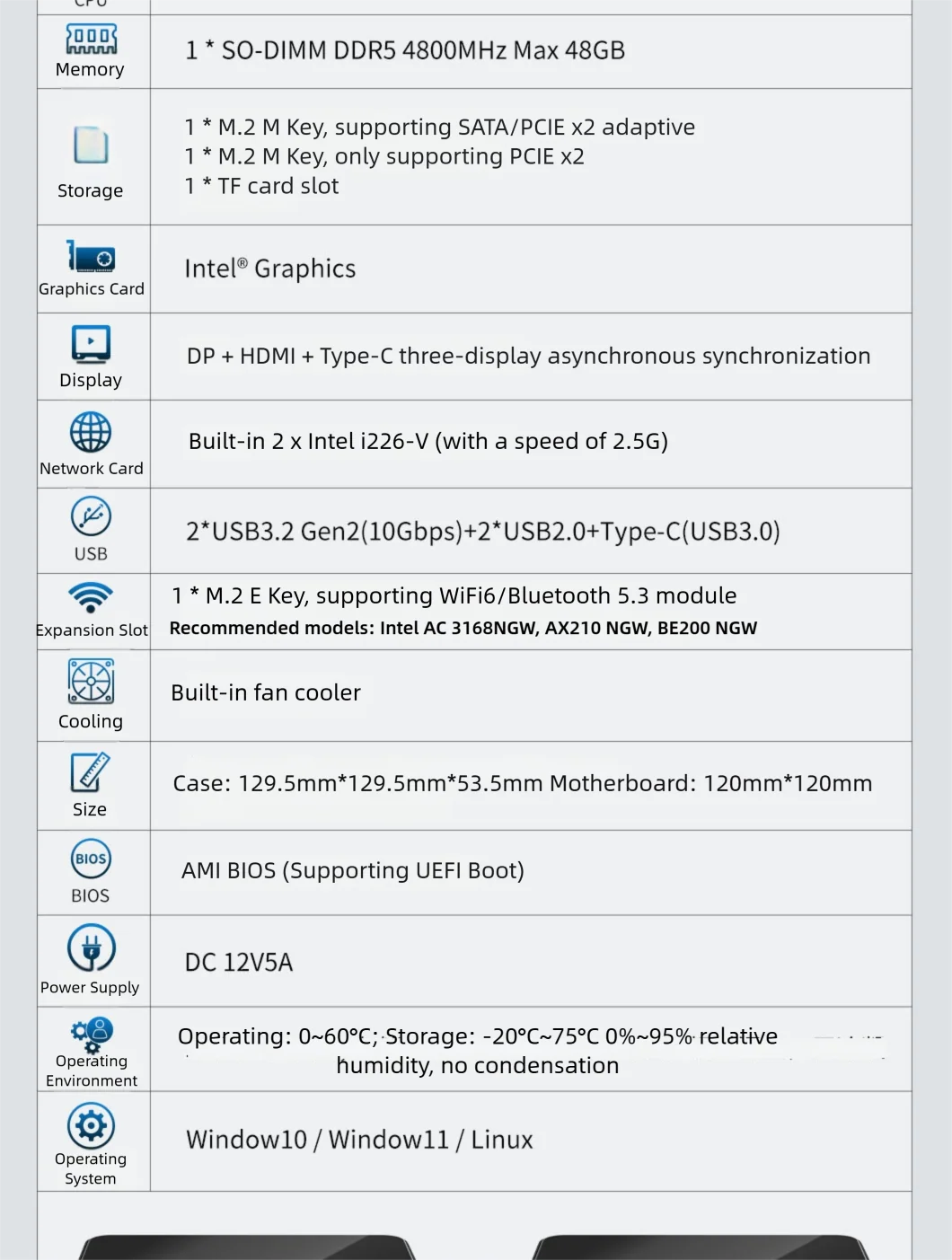
| Memory | Barebone, 8 GB or 16 GB DDR5 1× SO-DIMM DDR5 4800 MT/s (single channel) Up to 48 GB (according to CWWK) FULLY USER-UPGRADEABLE (NOT soldered) |
| Storage | None (barebone), 128 GB, 256 GB or 512 GB M.2 2280 NVMe SSD |
| Storage Expansion | 1× M.2 2280 M-key — SATA or PCIe ×2 1× M.2 2280 M-key — PCIe ×2 only 1× microSD (TF) card slot |
| Wireless Connectivity | Optional M.2 Key E module Wi-Fi 6 / Bluetooth 5.3 (Intel AC 3168, AX210 or BE200 recommended by CWWK) |
| Ethernet | 2× 2.5 Gigabit Ethernet RJ45 (Intel i226-V) |
| Video Output | 1× HDMI 2.1 — 4K @ 60 Hz 1× DisplayPort 1.4 — 4K @ 60 Hz 1× USB-C with video — 4K @ 60 Hz Up to three displays |
| Audio Output | 1× 3.5 mm audio jack (front) Audio over HDMI / DisplayPort |
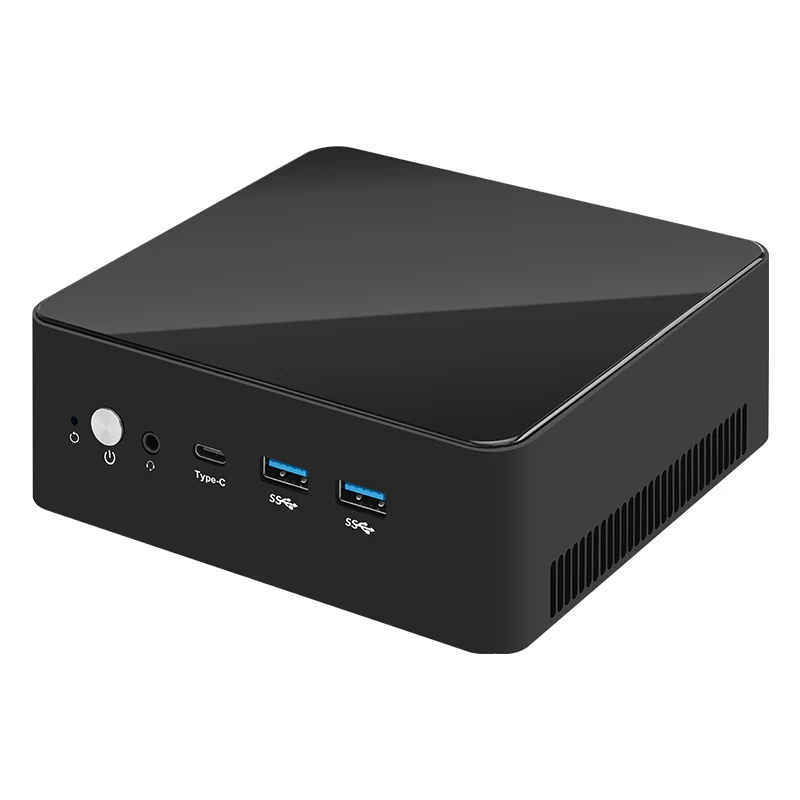
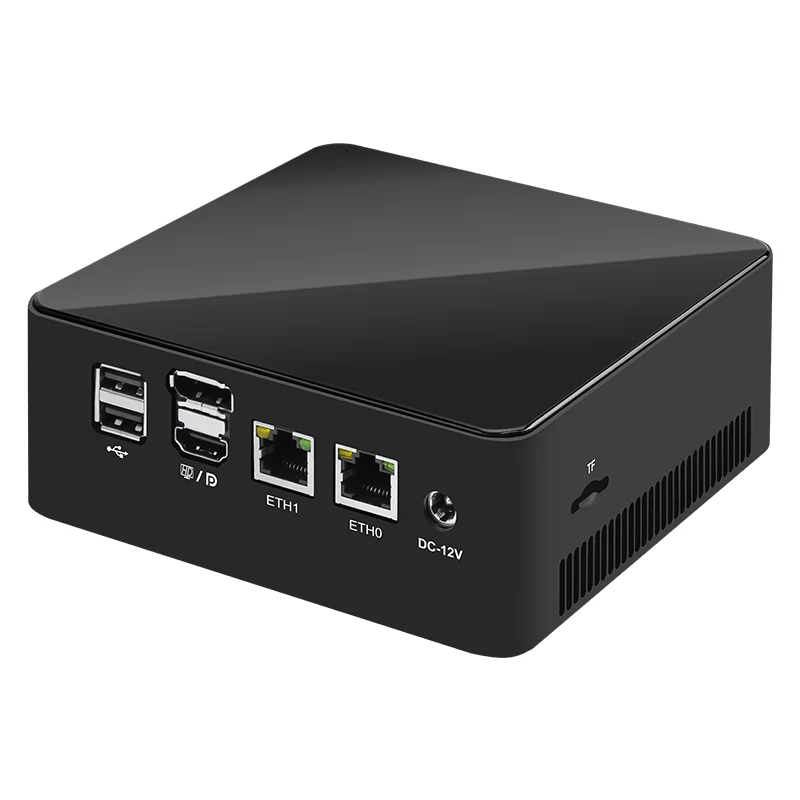
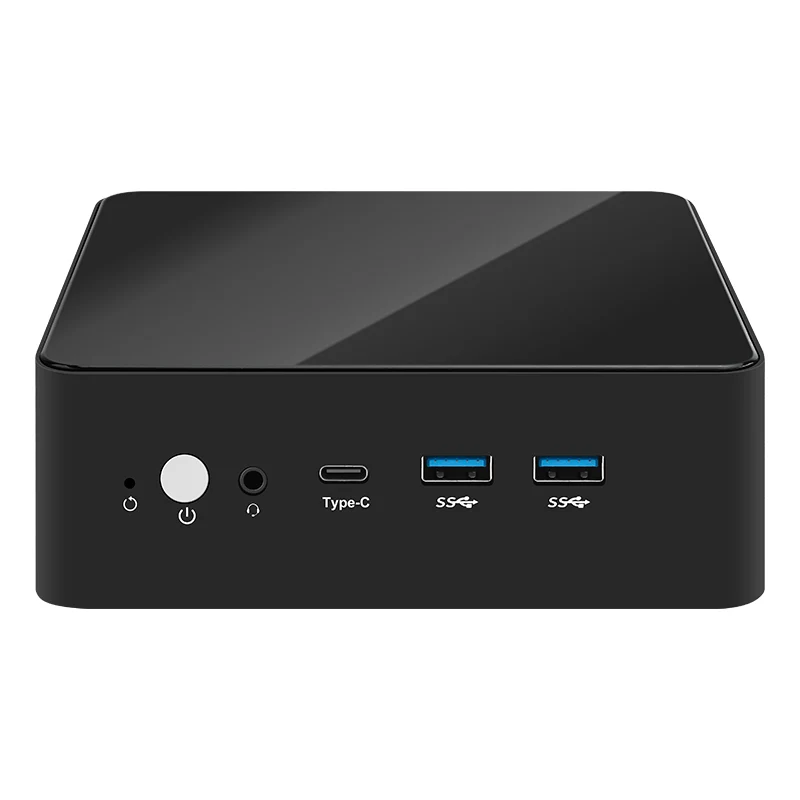
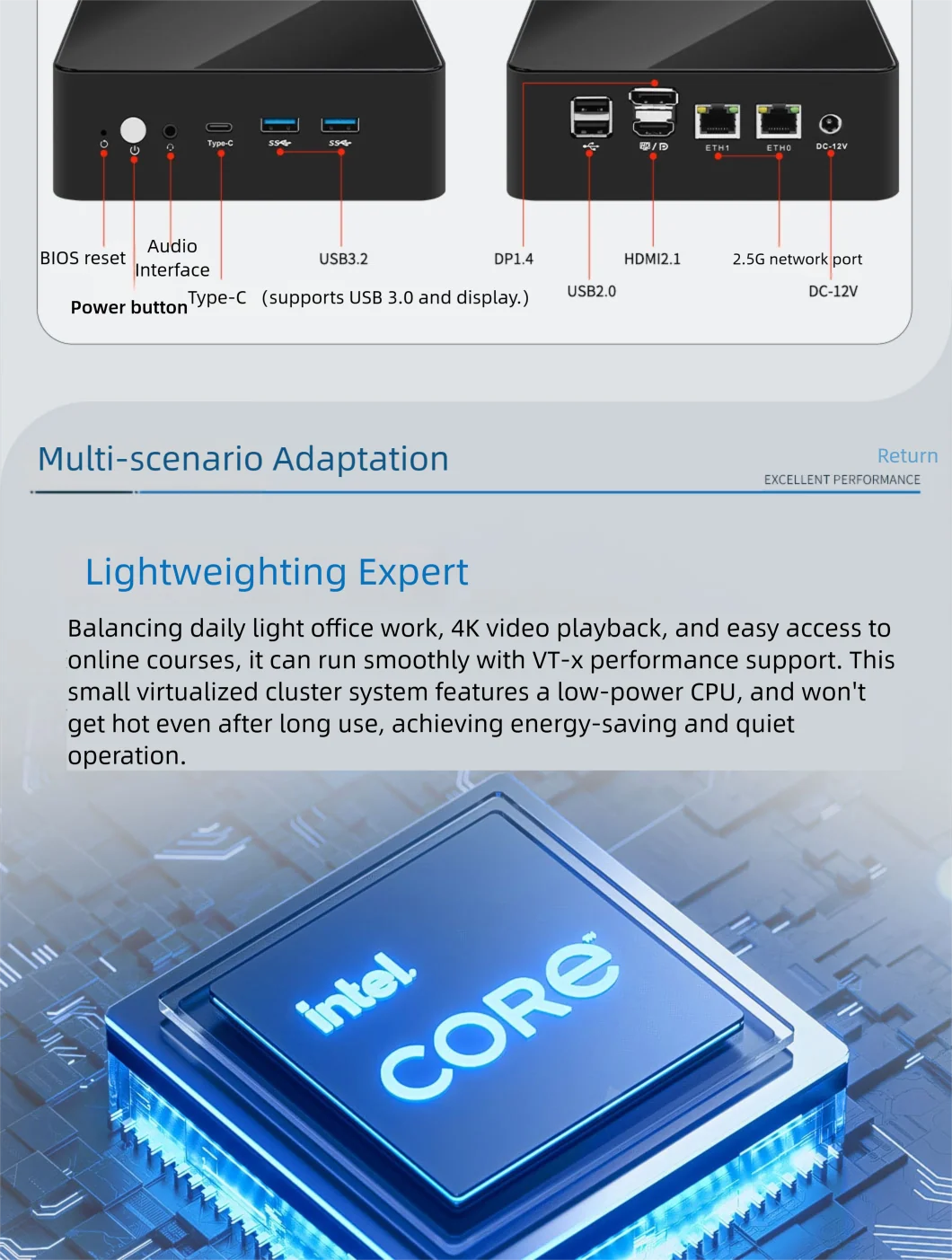
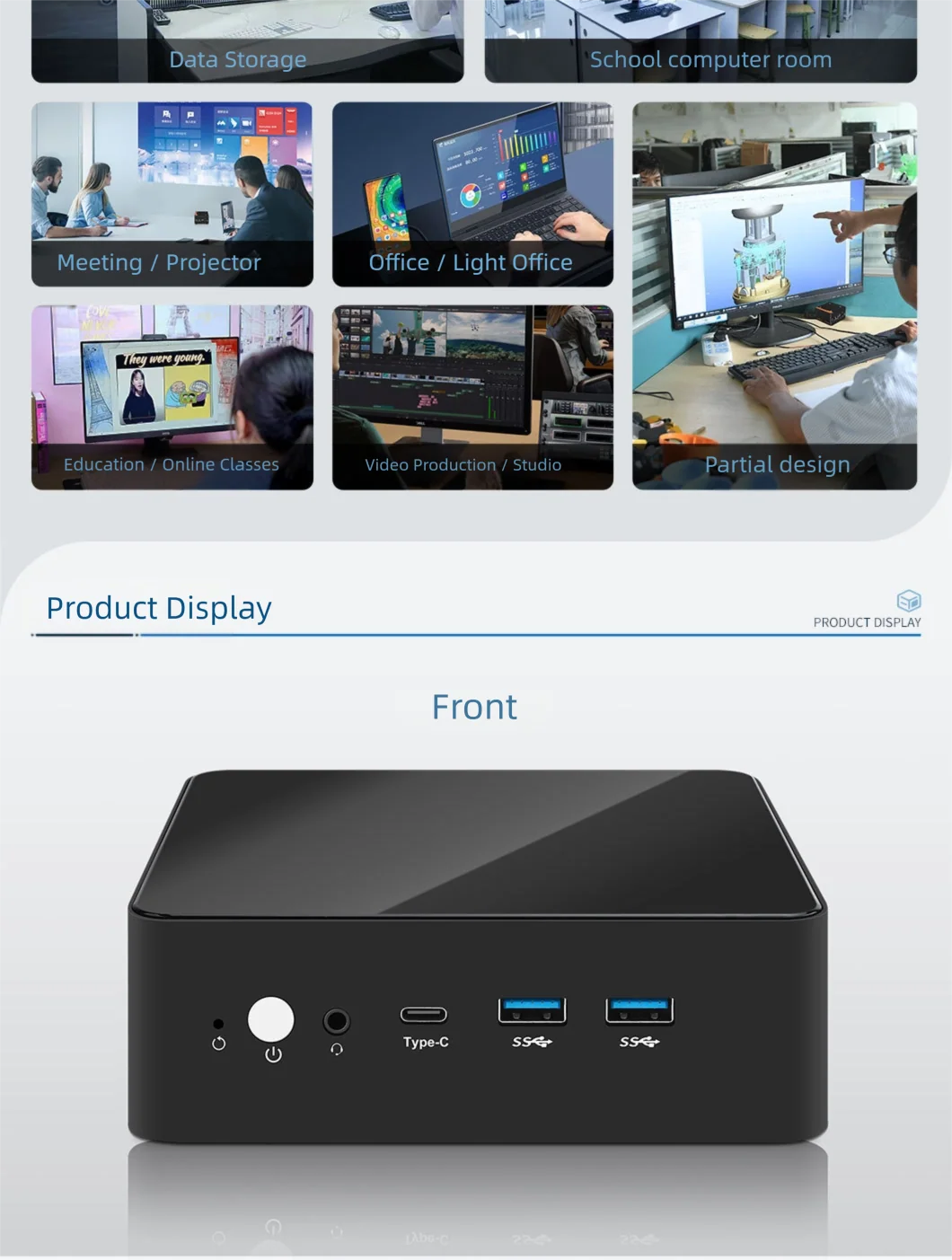
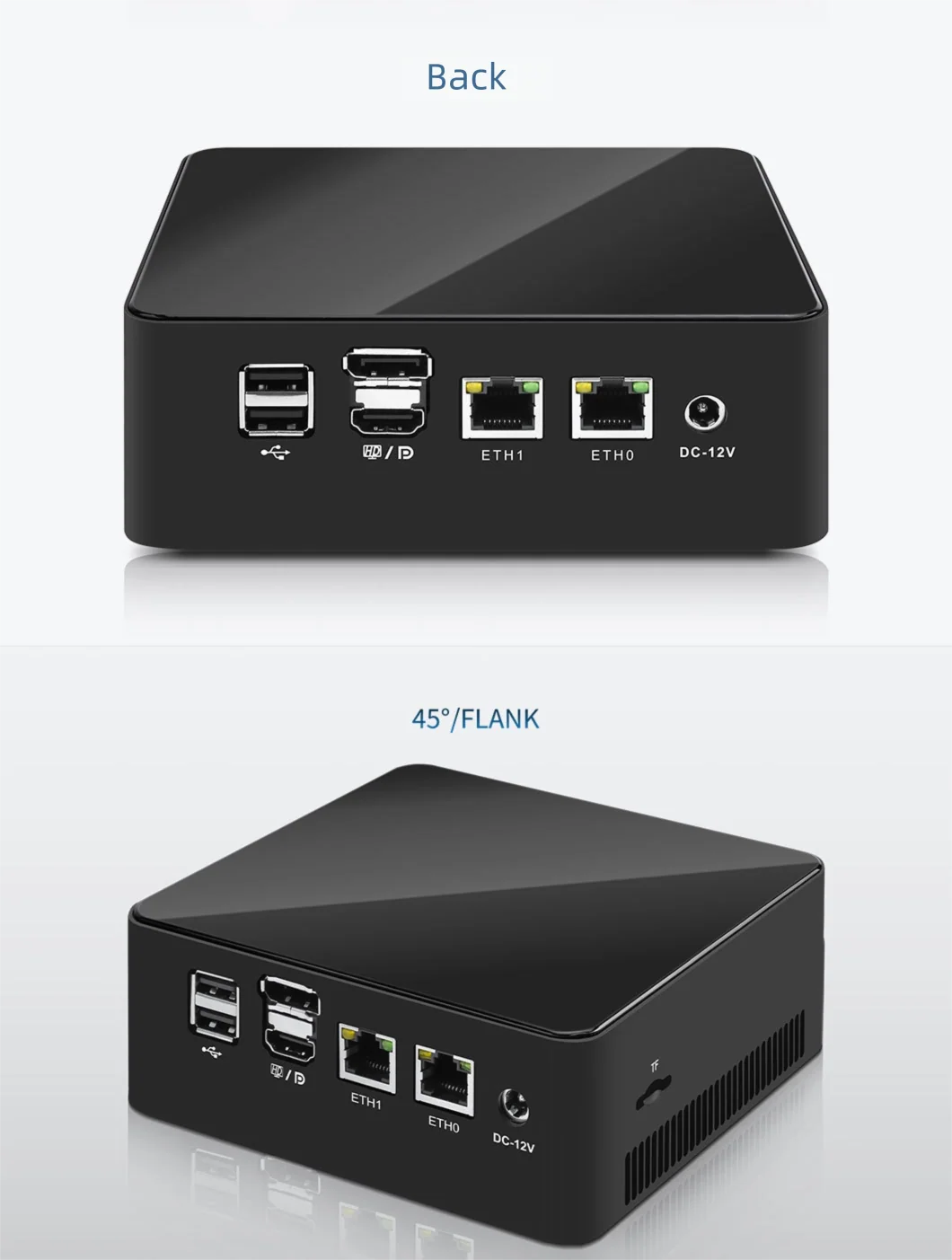
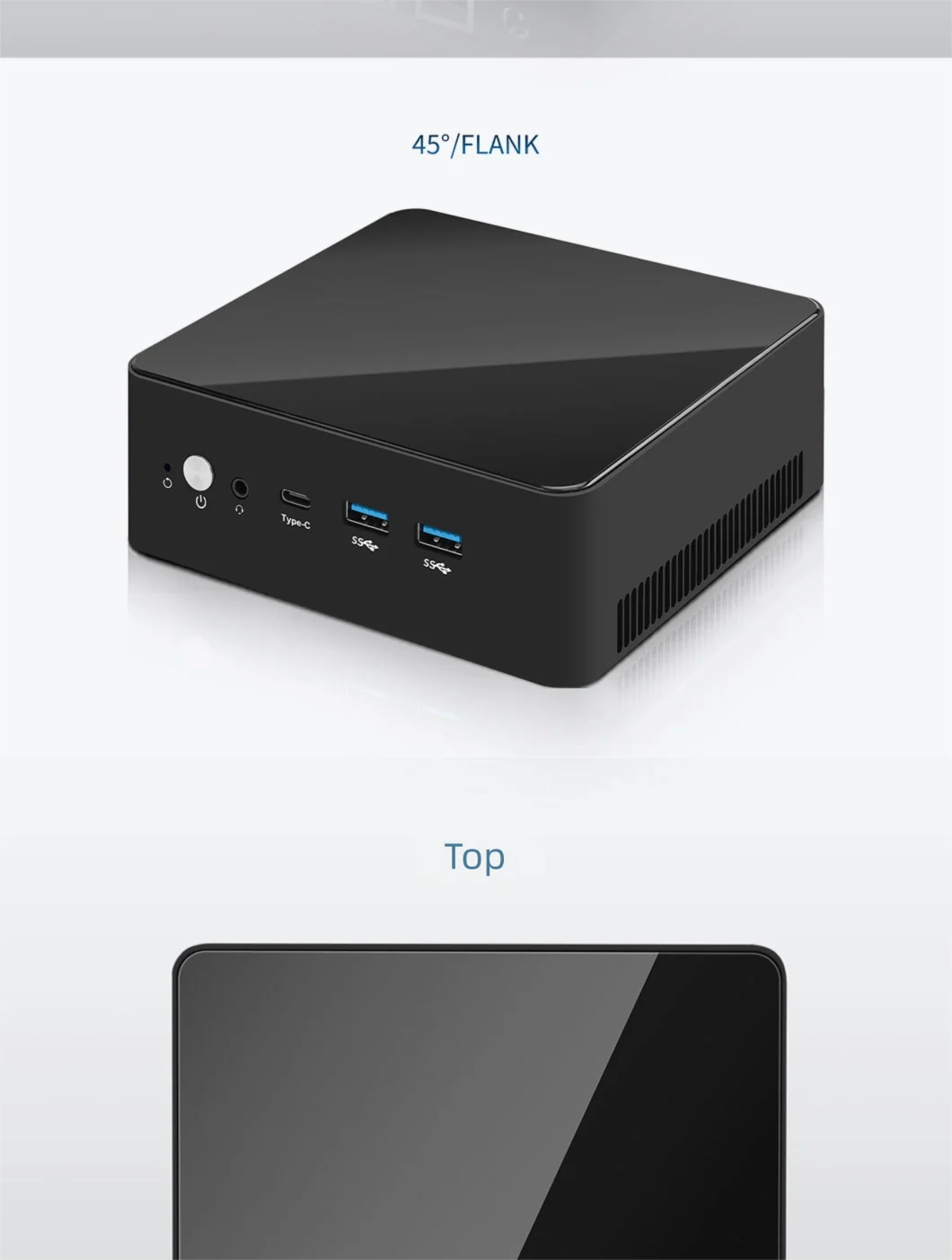
| Ports & Buttons | Front: Power button BIOS reset button 1× 3.5 mm audio jack 1× USB-C (USB 3.0 data + display) 2× USB 3.2 Gen2 Type-A, 10 Gbps Rear: 2× USB 2.0 Type-A 1× DisplayPort 1.4 1× HDMI 2.1 2× 2.5 Gigabit RJ45 DC-in 12 V Other: 1× microSD (TF) card slot (position not specified by CWWK) |
| Performance Modes | Core 3 N350: 7 W processor base power (Intel) N95: 15 W TDP (Intel) |
| System | Windows 10 / Windows 11 Linux |
| Product Dimension | 129.5 × 129.5 × 53.5 mm Motherboard 120 × 120 mm |
| Power | External adapter DC 12 V / 5 A (60 W) |
Available Configurations
| Processor | Memory | Storage | Official price |
|---|---|---|---|
| Intel N95 | None (barebone) | None | US $214.41 |
| Intel N95 | 8 GB DDR5 | 128 GB NVMe | US $355.96 |
| Intel N95 | 8 GB DDR5 | 256 GB NVMe | US $379.12 |
| Intel N95 | 16 GB DDR5 | 256 GB NVMe | US $496.10 |
| Intel N95 | 16 GB DDR5 | 512 GB NVMe | US $550.78 |
| Core 3 N350 | None (barebone) | None | US $252.94 |
| Core 3 N350 | 8 GB DDR5 | 128 GB NVMe | US $394.30 |
| Core 3 N350 | 8 GB DDR5 | 256 GB NVMe | US $417.65 |
| Core 3 N350 | 16 GB DDR5 | 256 GB NVMe | US $474.63 |
| Core 3 N350 | 16 GB DDR5 | 512 GB NVMe | US $528.31 |
Processor: Intel Core 3 N350 or Intel N95
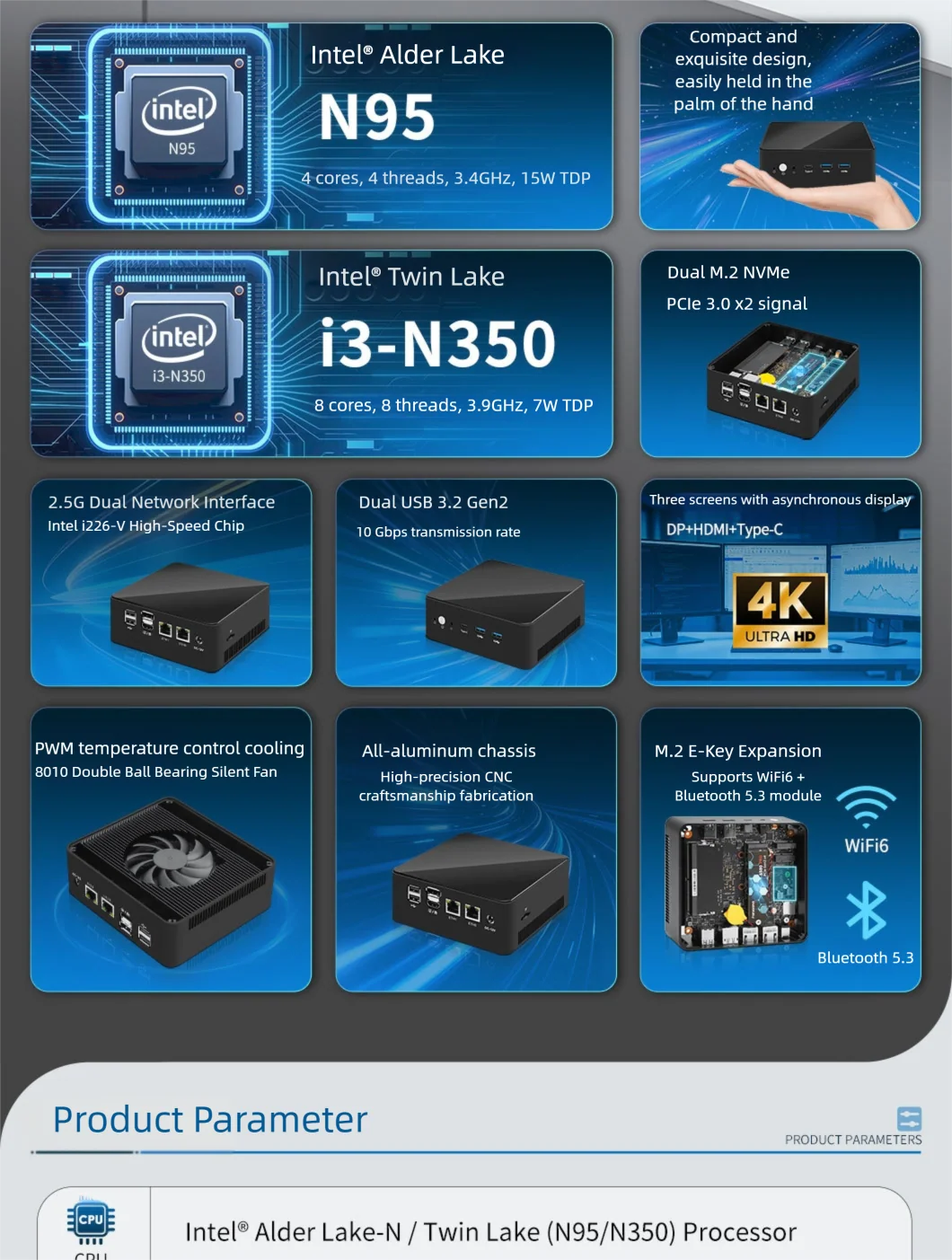
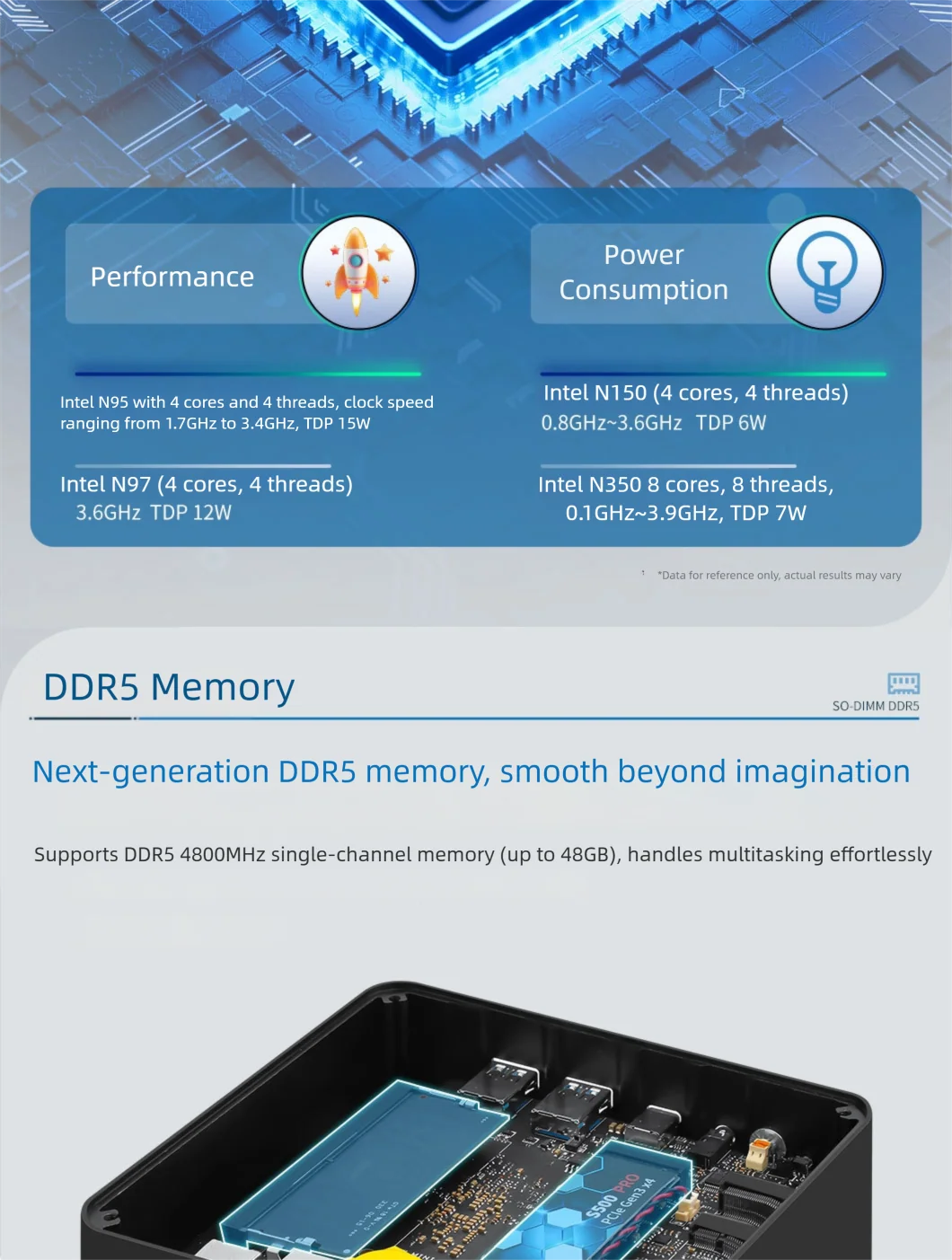
CWWK offers two chips. The more interesting one is the Intel® Core™ 3 N350, part of the 2025 Twin Lake refresh of Intel’s N-series. It has eight efficient cores and eight threads, a boost of up to 3.9 GHz, 6 MB of cache and a processor base power of only 7 W. Eight cores make a real difference for a box that runs several things at once: a handful of containers, a light virtual machine, a firewall plus a file share, or a busy browser alongside office apps. Single-core speed is similar to other N-class chips, so the N350 feels like a well-tuned entry PC rather than a mid-range one.
The cheaper option is the Intel® Processor N95 (Alder Lake-N): four cores and four threads, up to 3.4 GHz, 6 MB of cache and a 15 W TDP. It is enough for office work, streaming and a simple router or home server, but has half the cores of the N350. Since the price difference in CWWK’s store is small, the N350 is the version we recommend. Both chips support Intel VT-x, which CWWK highlights for light virtualisation.
Note that CWWK’s own images call the processor “i3-N350”; Intel’s official name is Core 3 N350.
AI capabilities
Neither processor has a neural processing unit: No NPU — not a Copilot+ PC. Local AI can still run on the CPU or the integrated GPU (small speech-to-text or language models, for example), but slowly. This is a mini PC for networking, small servers and office tasks, not for AI work.
Graphics
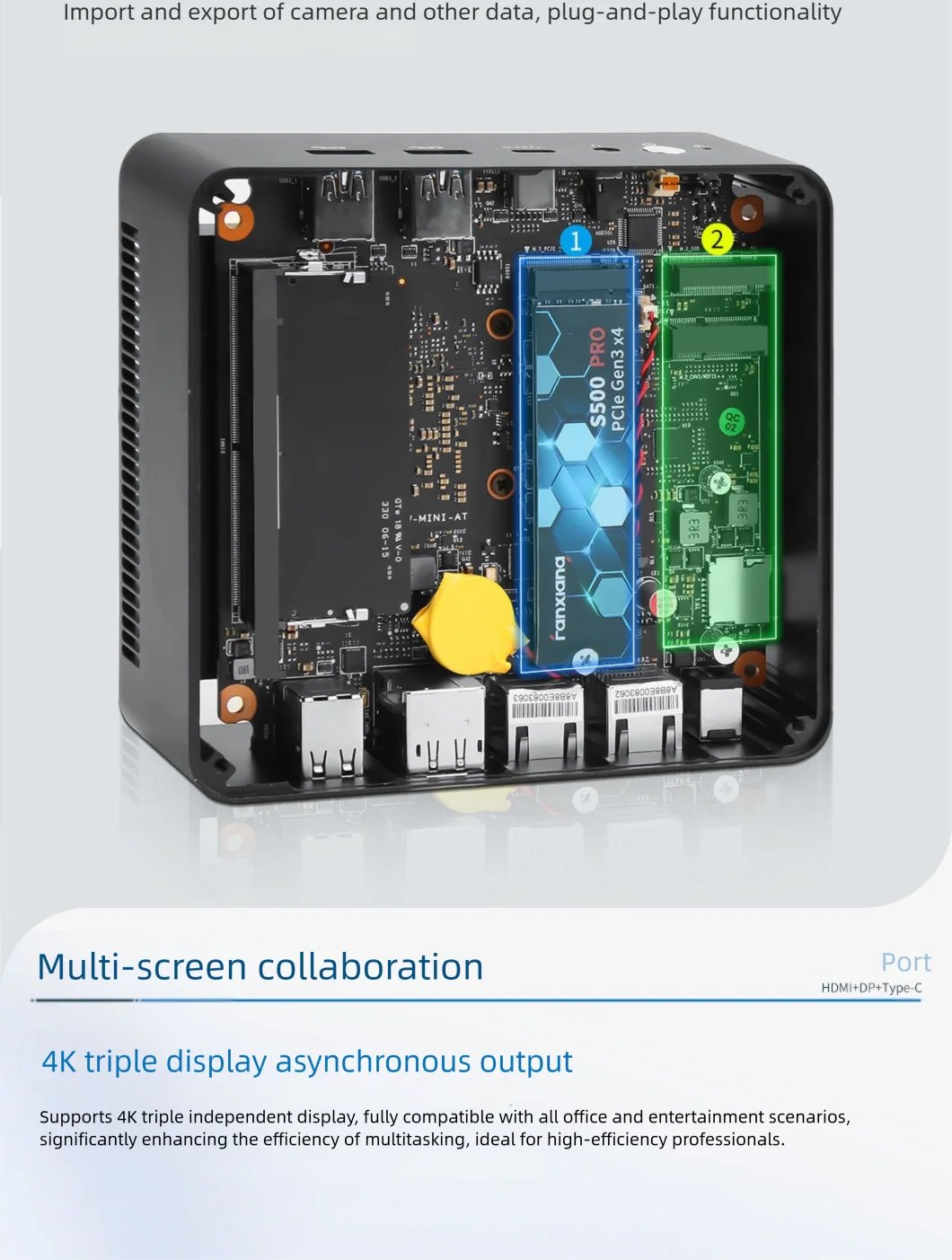
With the N350 the integrated Intel® Graphics has 32 execution units at up to 1.35 GHz; the N95 has a 16 EU Intel UHD Graphics. Both are based on the Xe-LP architecture, decode modern video codecs in hardware (including AV1 on the N350) and handle 4K video and office desktops well. They are not meant for modern 3D games. The OpenCIaw NUC drives three displays at 4K and 60 Hz through HDMI 2.1, DisplayPort 1.4 and the USB-C port, which is unusual at this price and useful for multi-screen offices, control rooms and digital signage.
Memory
There is one SO-DIMM DDR5 slot at 4800 MT/s, so the memory is FULLY USER-UPGRADEABLE (NOT soldered). N-series processors have a single memory channel, which is why there is only one slot. CWWK states that a 48 GB module is supported; Intel’s official specification for the N350 lists 16 GB as the maximum, so larger modules work in practice on many N-series boards but are not guaranteed by Intel. For a home server with containers or a VM, 16 or 32 GB is a sensible target.
Storage
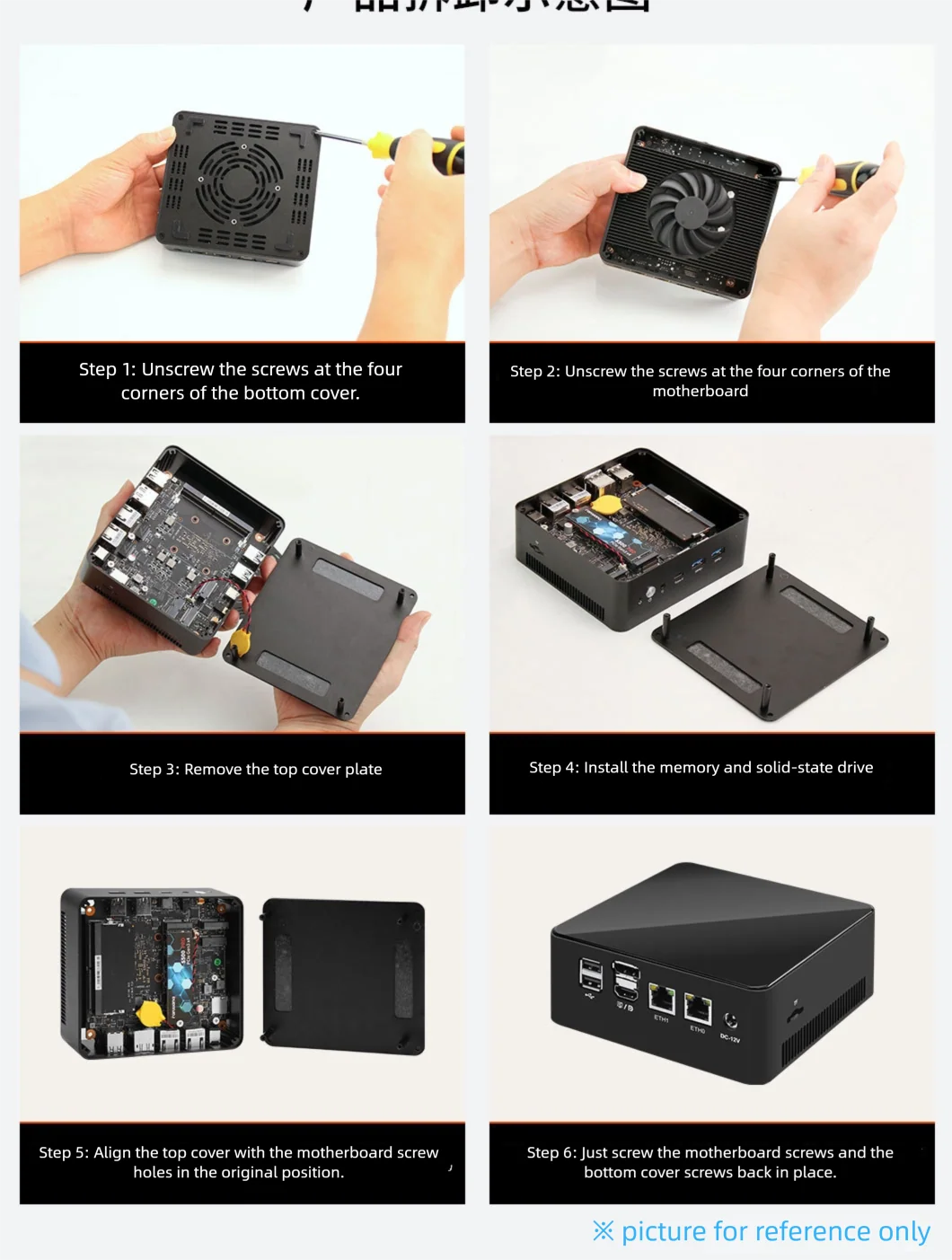
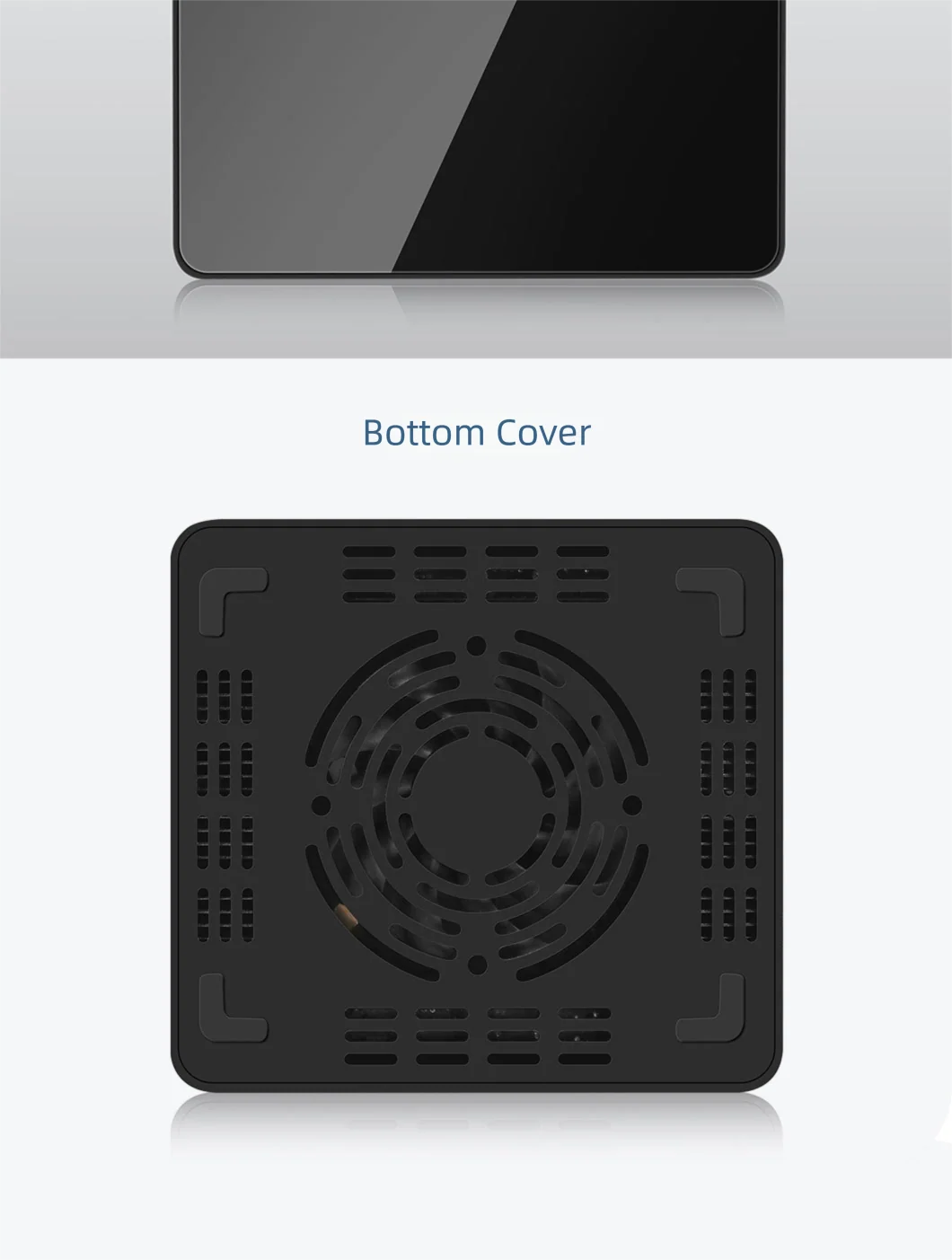
Storage is generous for such a small case: two M.2 2280 slots. The first accepts either a SATA or an NVMe SSD (PCIe ×2); the second takes NVMe only (PCIe ×2). Each NVMe link is limited to two lanes, so sequential speeds top out at roughly 1.5–2 GB/s, which is more than enough for an operating system, Docker volumes or a small mirrored NAS. A microSD (TF) card slot is also included. There is no 2.5-inch bay. CWWK shows the case opening with four screws on the bottom, giving direct access to the memory slot and the M.2 slots.
Connectivity
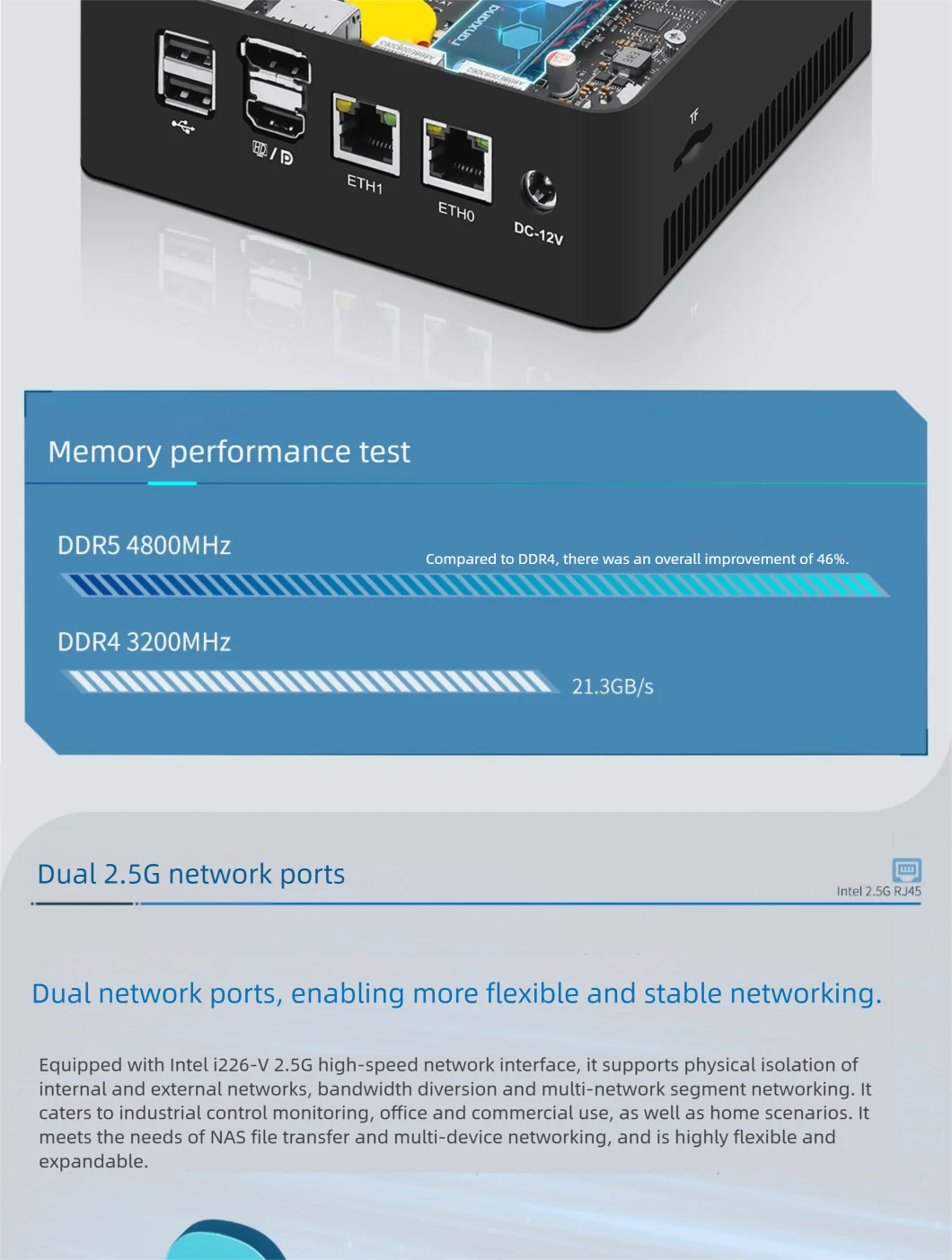
The key feature is the pair of Intel i226-V 2.5GbE ports, the controller favoured by pfSense, OPNsense and OpenWrt users. One port can serve as WAN and the other as LAN, or both can connect a NAS to a 2.5GbE switch. USB is well balanced: two 10 Gbps USB 3.2 Gen2 ports and a USB-C port (USB 3.0 data plus video) at the front, and two USB 2.0 ports at the rear for a keyboard and mouse.
Wi-Fi is not built in: there is an M.2 Key E slot for a Wi-Fi 6 and Bluetooth 5.3 card, and CWWK recommends the Intel AC 3168, AX210 or BE200 modules. Check whether your configuration includes the card before buying, because the store lists only RAM and SSD options.
Ventilation and thermal design
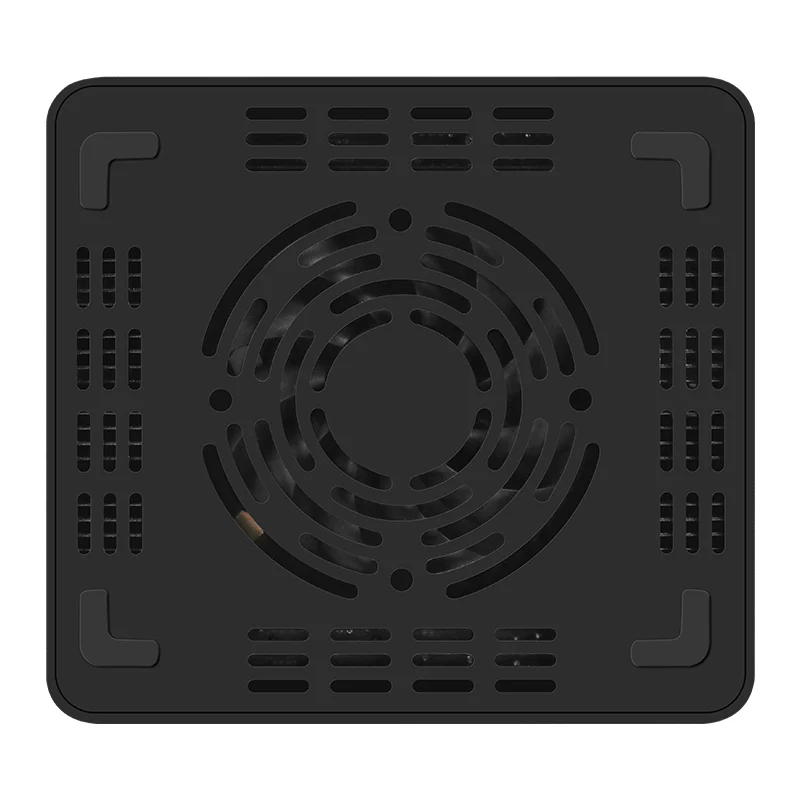
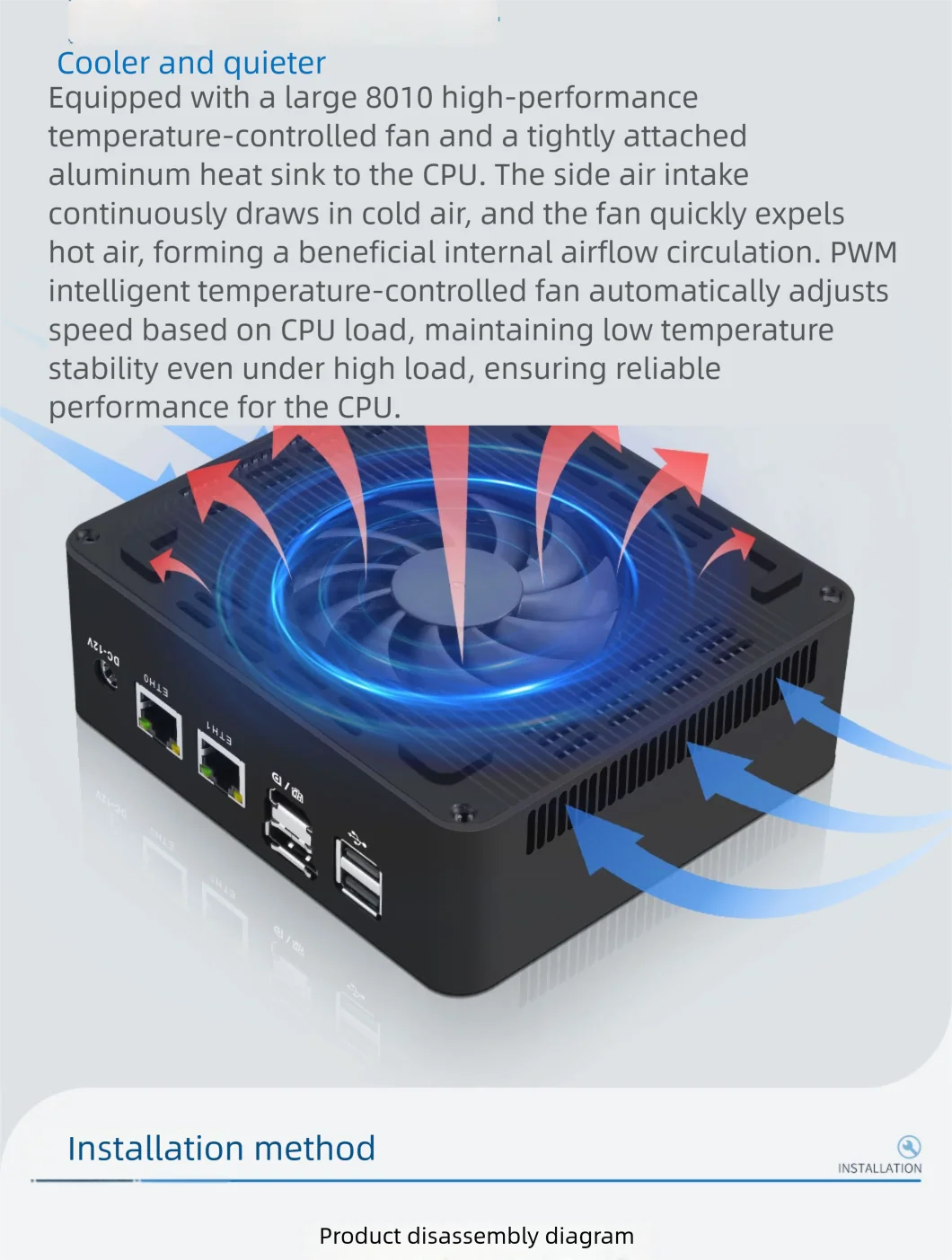
Unlike most CWWK boxes, which are passively cooled, the OpenCIaw NUC uses an 8010 dual ball-bearing fan with PWM temperature control on top of a large aluminium heatsink in direct contact with the processor. Air enters through the sides and is exhausted through the vents, and the bottom cover is perforated around the fan. CWWK says the fan adjusts its speed to the load and stays quiet in office use. With a 7 W processor, it should rarely spin up; under sustained full load on all eight cores it becomes audible but moderate.
Design
The case is made of CNC-machined aluminium with a glossy top and measures 129.5 × 129.5 × 53.5 mm, around a 120 × 120 mm motherboard. All the everyday ports are at the front, and the network, display and power connectors are at the rear, which keeps cables tidy on a shelf or in a network cabinet. CWWK does not mention a VESA bracket or a security slot for this model.
Power
A 12 V / 5 A (60 W) external adapter powers the system. That is far more than the N350 needs; idle consumption of N-series mini PCs is usually only a few watts, which makes the OpenCIaw NUC cheap to leave on 24 hours a day. Operating temperature is 0–60 °C according to CWWK.
Software
The AMI UEFI BIOS supports Windows 10, Windows 11 and Linux. Barebone units ship without an operating system, so you are free to install Proxmox VE, a router distribution such as OPNsense or OpenWrt, a NAS system or a regular desktop Linux.
Who is it for?
Ideal for: home lab users who want a quiet, low-power box for Docker, Home Assistant or a small Proxmox node; a firewall or router with two 2.5GbE ports; a compact NAS with two SSDs; and offices or shops that need three 4K screens from a tiny PC.
Not for: gaming, video editing or local AI, users who need built-in Wi-Fi out of the box, anyone who wants more than two network ports, or buyers looking for a 2.5-inch drive bay.
Specifications from CWWK’s official store and Intel. The 48 GB memory limit is CWWK’s figure; Wi-Fi depends on the module installed.
Compare with similar mini PCs
| Mini PC | Processor | Score | |
|---|---|---|---|
 | CWWK OpenCIaw NUC Intel® Core™ 3 N350 (this one) | Intel® Core™ 3 N350 (Twin Lake) | 6.3 |
 | Beelink EQi Intel® Core™ 3 304 | Intel® Core™ 3 304 (Wildcat Lake) | 7.1 |
 | GMKtec NucBox M3S Intel® Core™ 3 304 | Intel® Core™ 3 304 (Wildcat Lake) | 6.8 |
 | BOSGAME E6 ECO Intel® Core™ 3 304 | Intel® Core™ 3 304 (Wildcat Lake) | 7 |
Compatible upgrades & accessories
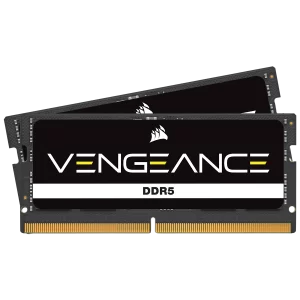 CORSAIR VENGEANCE DDR5 SODIMM 5600 MT/s CL48 (16–96 GB)
 Samsung 990 EVO Plus NVMe M.2 SSD PCIe 4.0 ×4 / 5.0 ×2
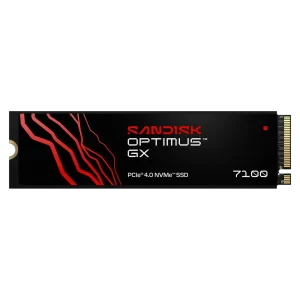 SANDISK Optimus GX 7100 NVMe M.2 2280 SSD PCIe 4.0 ×4
Selected by matching this mini PC's specifications (memory type, M.2 slots and ports). Always check compatibility with the manufacturer before buying.
Disclaimer: The specifications, features, prices and availability shown on this page are provided for information purposes only. They may contain errors or change without notice. Please always check them on the manufacturer's official product page before buying.
Additional information
Specification: CWWK OpenCIaw NUC Intel® Core™ 3 N350
| Configuration Options | ||||||||||||||||||||||||||
|---|---|---|---|---|---|---|---|---|---|---|---|---|---|---|---|---|---|---|---|---|---|---|---|---|---|---|
|
||||||||||||||||||||||||||
| AI Capabilities | ||||||||||||||||||||||||||
|
||||||||||||||||||||||||||
| Processor | ||||||||||||||||||||||||||
|
||||||||||||||||||||||||||
| Ports | ||||||||||||||||||||||||||
|
||||||||||||||||||||||||||
| Network | ||||||||||||||||||||||||||
|
||||||||||||||||||||||||||
| GPU | ||||||||||||||||||||||||||
|
||||||||||||||||||||||||||
| Internal Ports | ||||||||||||||||||||||||||
|
||||||||||||||||||||||||||
| Storage & RAM | ||||||||||||||||||||||||||
|
||||||||||||||||||||||||||
| Power | ||||||||||||||||||||||||||
|
||||||||||||||||||||||||||
| Others Specifications | ||||||||||||||||||||||||||
|
||||||||||||||||||||||||||
| Specification | ||||||||||||||||||||||||||
|
||||||||||||||||||||||||||


