
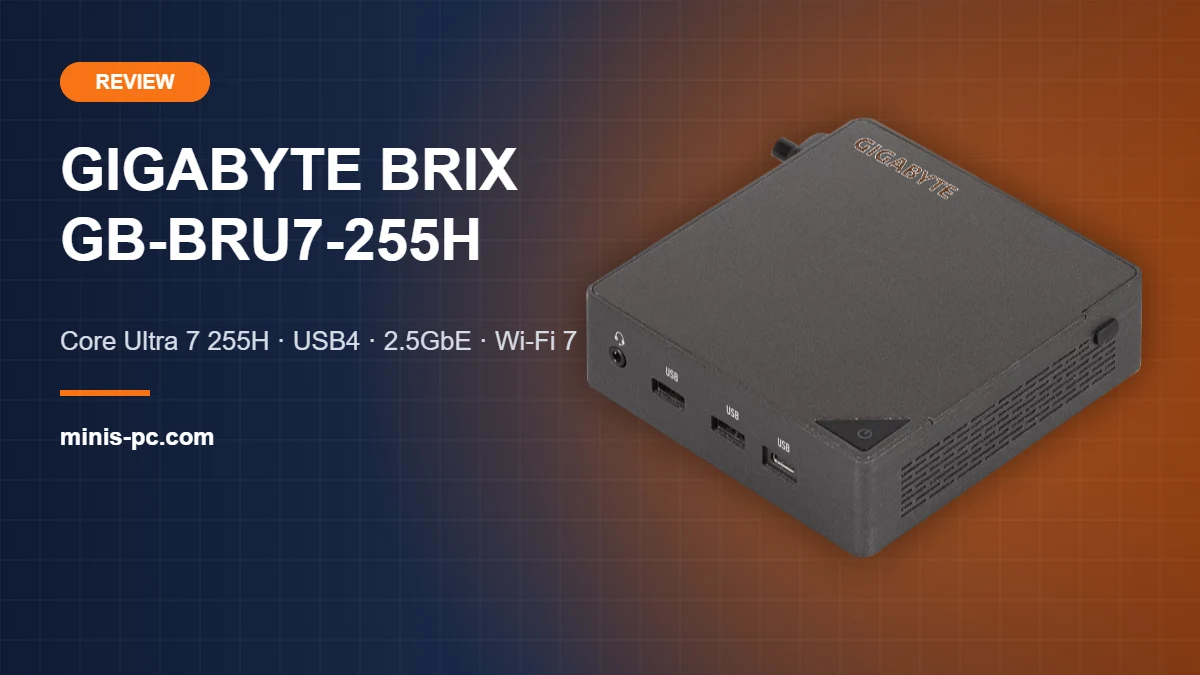
Long before most people had heard of mini PCs, GIGABYTE’s BRIX kits were among the smallest Intel computers you could buy. After a few quiet years, the BRIX is back with a modern platform: the GB-BRU7-255H pairs Intel’s Core Ultra 7 255H with Arc 140T graphics, the new CSO-DIMM memory standard, a PCIe Gen5-ready M.2 slot, USB4, 2.5GbE and Wi-Fi 7, all in a chassis smaller than a paperback book. Because it is a barebone, it is aimed at users who want to choose their own components. We look at how to configure it and how it compares with ready-made mini PCs.
What you get in the box
The BRIX comes as a kit: the PC itself with processor, motherboard, cooling and a Wi-Fi 7 module (depending on region), a 100 W USB-C power adapter and a power cord. There is no memory, no SSD and no operating system. That keeps the price down and avoids paying for parts you might replace anyway, but it means the real cost depends on what you add.
Arrow Lake-H performance
The Core Ultra 7 255H is one of the best laptop processors in Intel’s current range for a compact PC. It has 16 cores: six performance cores, eight efficient cores and two low-power cores, with a 5.1 GHz boost and 24 MB of cache. GIGABYTE quotes 14% better single-thread and 19% better multi-thread performance than the previous Core Ultra generation. In practice it handles heavy office work, programming, virtual machines and photo and video editing comfortably, while staying efficient at 28 W base power.
Configure it right: memory in pairs
The most important advice for the BRIX is to install two memory modules. With a single module, the integrated graphics run as basic “Intel Graphics”; with two modules in dual channel, they run as Arc 140T, with eight Xe-cores, ray tracing and much better performance in creative applications and games. The BRIX supports both standard DDR5 SO-DIMMs (up to 5600 MT/s) and the newer CSO-DIMMs (clocked SO-DIMMs, up to 6400 MT/s), with up to 96 GB in total. CSO-DIMMs are faster but still more expensive and less common; for most users, 2 × 16 GB DDR5-5600 is the best value, and 2 × 32 GB or 2 × 48 GB suits virtualisation and local AI.
Storage: two slots, one ready for Gen5
There are two M.2 2280 slots. The first runs at PCIe Gen4 ×4 but GIGABYTE describes it as a Gen5-ready design; the second supports PCIe Gen4 ×4 or SATA, which lets you reuse an older SATA M.2 drive. Because the chassis is only 34.4 mm tall, single-sided drives are recommended. A fast 1 TB Gen4 SSD for the system plus a second drive for data is the ideal setup.
Ports and displays
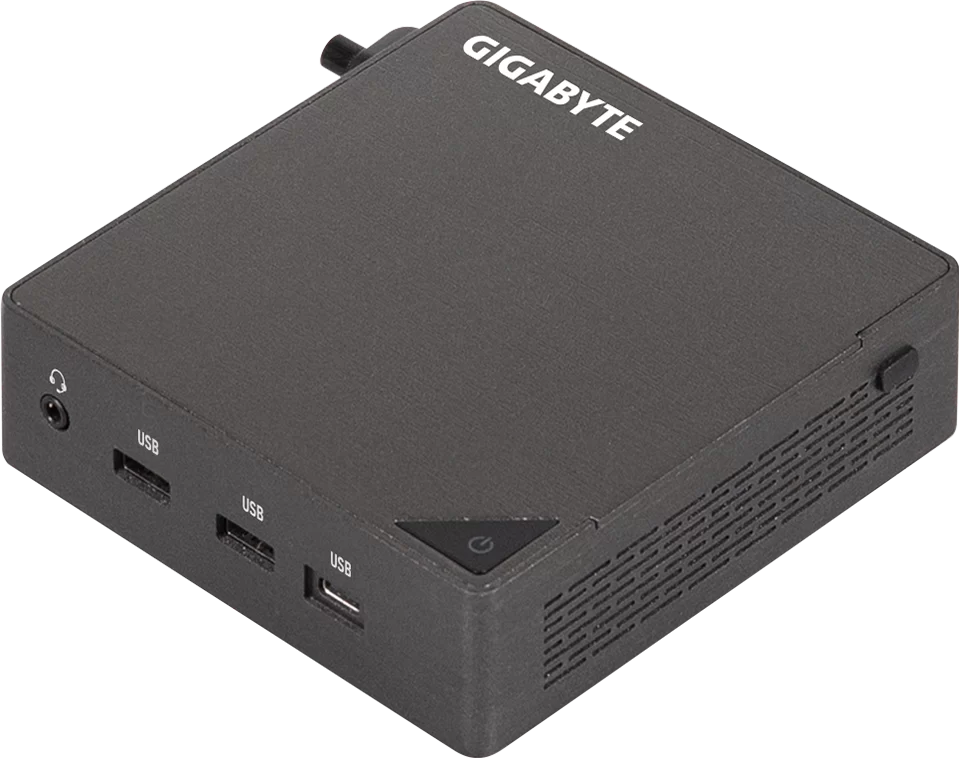
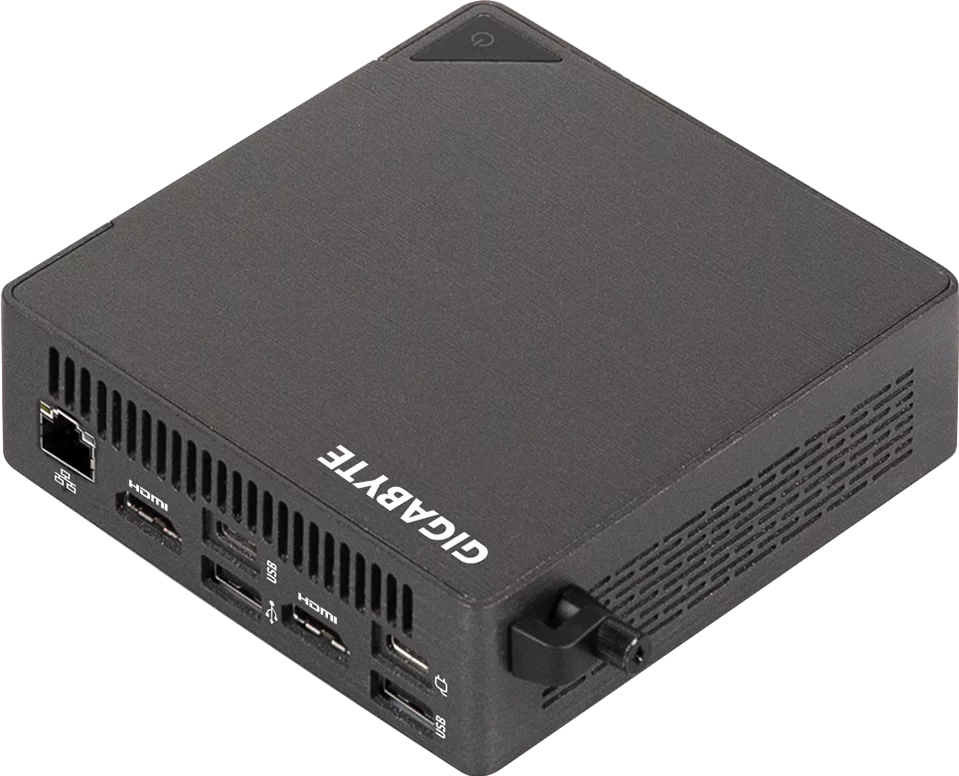
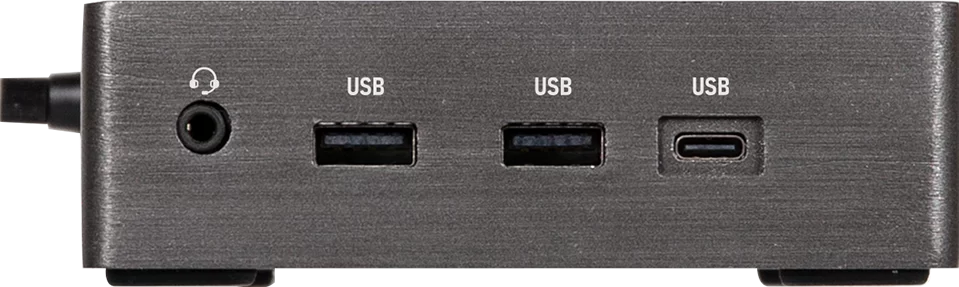
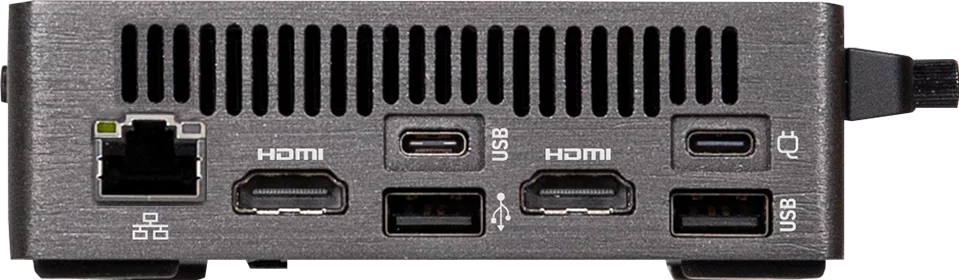
For its size, the BRIX is very well connected. The front offers a headset jack, two 10 Gbps USB-A ports and a 10 Gbps USB-C port with DisplayPort output. The rear has two HDMI 2.1 ports, a USB4 port, a USB-C port for power input, another 10 Gbps USB-A, a USB 2.0 port and 2.5GbE from Intel’s reliable i226-V controller. Together, the HDMI and USB-C ports drive four 4K displays, which is unusual in such a small PC. Wi-Fi 7 with Bluetooth 5.4 completes the package, though GIGABYTE warns that the wireless module may vary by region.
USB-C power: a practical detail
The BRIX is powered by a 100 W USB-C PD adapter, following the EU’s common charger rules. That has real advantages: a lost or broken adapter can be replaced with any suitable 100 W USB-C charger, and travelling with the BRIX is easier because a laptop charger can power it. It also simplifies installations where the PC sits behind a TV or monitor.
Installing memory, SSD and Windows
Assembling the BRIX takes about ten minutes. Remove the screws on the bottom, lift the cover, and you have direct access to the two memory slots and two M.2 slots. Insert both memory modules, fit the SSD into the Gen5-ready slot, close the case and connect the USB-C power adapter. Windows 11 can be installed from a USB drive; GIGABYTE provides chipset, graphics, network and audio drivers on its support page, and it recommends using its validated versions for best compatibility. If you install Linux instead, use a recent distribution so that the Arrow Lake graphics and the Wi-Fi 7 module are recognised.
Daily use
Once built, the BRIX behaves like a responsive, quiet desktop. It boots quickly from an NVMe drive, handles dozens of browser tabs and office applications easily, and its graphics are strong enough for 4K video, photo editing and light games when dual-channel memory is installed. The USB-C power input and small size also make it easy to move between home and office.
Noise and cooling
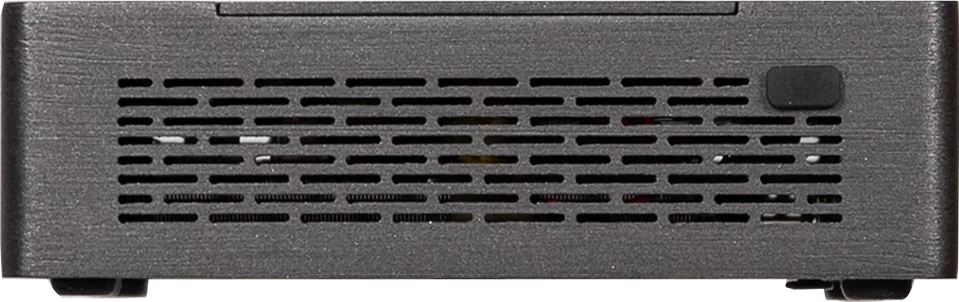
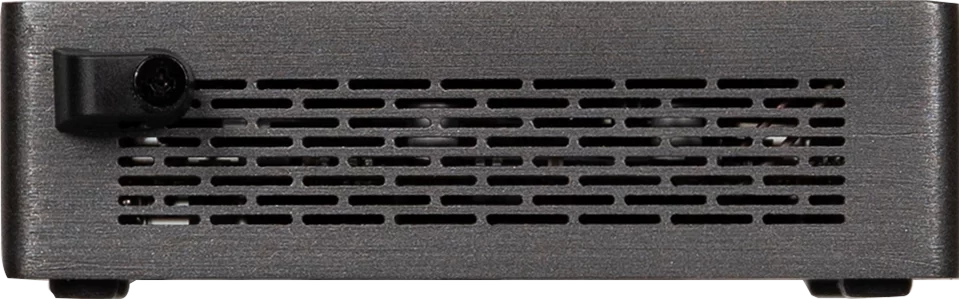
GIGABYTE designed the new BRIX for low noise. With a 28 W processor and a slim fan, it is quiet in everyday tasks; long renders or compiles make the fan audible, as in any very thin mini PC. Because the chassis is so small, keep the side vents clear when mounting it on a VESA bracket.
Where it fits
The BRIX is a good choice for several scenarios:
- Office and multi-monitor desks: four 4K displays from a box mounted behind a screen.
- Home theatre PC: HDMI 2.1 with CEC, AV1 decoding and a tiny, quiet chassis.
- Home lab and small server: 16 cores, up to 96 GB, two NVMe slots and 2.5GbE for Proxmox or Docker.
- Standardised IT builds: companies can fit the same memory and SSD they use elsewhere.
How it compares
Ready-made mini PCs with the same processor, such as the Khadas Mind 2s, offer a more premium, portable design with 64 GB soldered memory and a 2 TB SSD included, but at a much higher price and without Ethernet. Mainstream Chinese mini PCs with the 255H often include RAM and an SSD for a similar total price, but rarely support CSO-DIMM, a Gen5-ready slot or VESA 75 and 100 mounting from a brand with GIGABYTE’s motherboard experience. The BRIX makes most sense if you already own memory and storage, or if you prefer to choose components yourself.
If your budget is tighter, the GB-BRU5-225H uses the Core Ultra 5 225H with fewer performance cores at a significantly lower price, with the same ports and chassis.
Total cost
On Amazon USA the GB-BRU7-255H costs around US $609 as a barebone. Adding 2 × 16 GB DDR5-5600, a 1 TB Gen4 SSD and a Windows 11 licence brings the total to a level comparable with ready-made mini PCs of the same class, but with parts you have chosen and a cleaner software installation without preloaded extras.
Who should buy it
Buy it if you like to choose your own components, want a very small VESA-mountable PC with USB4, 2.5GbE, Wi-Fi 7 and four display outputs, or are building several identical office or lab machines.
Skip it if you want a ready-to-use PC, need Copilot+ AI features or a dedicated graphics card, or prefer not to install memory, an SSD and an operating system yourself.
Verdict
The GIGABYTE BRIX GB-BRU7-255H is a welcome return of a classic. The Core Ultra 7 255H is fast and efficient, support for CSO-DIMM and up to 96 GB adds headroom, and USB4, 2.5GbE, Wi-Fi 7 and four 4K outputs make it one of the best-connected kits of its size. Remember to install memory in pairs, and it becomes an excellent, flexible base for an office, home theatre or home lab PC.
| Configuration Options | ||||||||||||||||||||||||
|---|---|---|---|---|---|---|---|---|---|---|---|---|---|---|---|---|---|---|---|---|---|---|---|---|
|
||||||||||||||||||||||||
| AI Capabilities | ||||||||||||||||||||||||
|
||||||||||||||||||||||||
| Processor | ||||||||||||||||||||||||
|
||||||||||||||||||||||||
| Ports | ||||||||||||||||||||||||
|
||||||||||||||||||||||||
| Network | ||||||||||||||||||||||||
|
||||||||||||||||||||||||
| GPU | ||||||||||||||||||||||||
|
||||||||||||||||||||||||
| Internal Ports | ||||||||||||||||||||||||
|
||||||||||||||||||||||||
| Storage & RAM | ||||||||||||||||||||||||
|
||||||||||||||||||||||||
| Power | ||||||||||||||||||||||||
|
||||||||||||||||||||||||
| Others Specifications | ||||||||||||||||||||||||
|
||||||||||||||||||||||||
| Specification | ||||||||||||||||||||||||
|
||||||||||||||||||||||||


More information: GIGABYTE BRIX GB-BRU7-255H on minis-pc.com
Discover our full Mini PC comparison: minis-pc.com
Article written for minis-pc.com — Mini PC Comparisons and Reviews
Our 2026 Buying Guides & Deals
Disclaimer: This article is for information purposes only. Specifications, prices, coupons and availability may change at any time or contain errors, so please check them on the manufacturer's official website or store before buying. Some links on this page are affiliate links: if you buy through them we may earn a small commission at no extra cost to you.