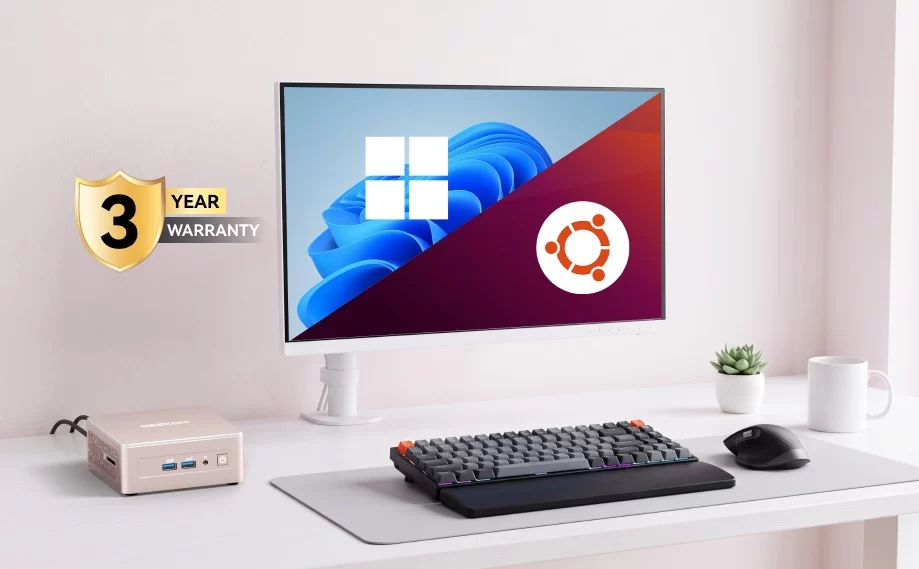
Mini PCs and Linux are a natural match. They are small, efficient and quiet, ideal for a developer desktop, a home server, a media centre or simply a fast, private everyday computer. Most modern mini PCs run Linux very well — but a few components, especially Wi-Fi cards and very new chips, can cause problems if you do not know what to look for. This guide explains how to choose a Linux-friendly mini PC and how to get the best out of it.
Linux-friendly mini PCs we recommend
| Mini PC | Processor | Linux highlights | Best for |
|---|---|---|---|
| Beelink SER8 | Ryzen 7 8745HS | Radeon 780M, Intel Wi-Fi, 2× M.2 | Linux desktop and gaming |
| Beelink EQ14 | Intel N150 | Quick Sync, 2× 2.5GbE, built-in PSU | Home server, Jellyfin, Home Assistant |
| GEEKOM A9 Max 2026 Edition | Ryzen AI 9 HX 470 | Radeon 890M, upgradeable DDR5 | Developer workstation |
| MINISFORUM MS-S1 MAX | Ryzen AI Max+ 395 | 2× 10GbE, up to 128 GB | Proxmox, local AI, home lab |
| GMKtec NucBox K6 | Ryzen 7 7840HS | 2× 2.5GbE, barebone option | Router, firewall, home lab |
AMD or Intel?
Both work well, with slightly different strengths:
- AMD Ryzen: Radeon graphics use open-source drivers built into the Linux kernel and Mesa, so they work out of the box with excellent gaming support through Steam and Proton. Ryzen 7 and Ryzen AI systems with Radeon 780M, 880M or 890M graphics are among the best Linux mini PCs. For brand-new chips such as Strix Halo, use a recent kernel and Mesa version for full performance.
- Intel: integrated graphics and Quick Sync video engines are very well supported, which makes Intel N-series and Core systems ideal for media servers with Jellyfin or Plex. Intel Wi-Fi cards also have reliable open-source drivers. Very new Core Ultra chips benefit from the latest kernels.
- NPUs: Linux support for AMD and Intel NPUs exists but is still developing, and Windows Copilot+ features are not available on Linux. Do not buy a mini PC for its NPU if you plan to use Linux.
Wi-Fi and Bluetooth: the most common problem
Wireless cards are where most compatibility issues appear. Intel cards (AX200, AX210, BE200 and similar) are the safest choice and work on almost every distribution. MediaTek cards, such as the RZ616 used in several AMD mini PCs, work well on recent kernels but can be unreliable on older long-term-support releases. Some Realtek cards need newer kernels or extra drivers. If the Wi-Fi does not work, use Ethernet during installation, then update the system — the problem is often solved by a newer kernel. As a last resort, the M.2 Wi-Fi card in most mini PCs can be replaced with an inexpensive Intel card.

Which distribution?
- Ubuntu and Linux Mint: the easiest choice for beginners. Use the latest release or a hardware-enablement kernel on new mini PCs.
- Fedora: very recent kernels and Mesa — a great match for the newest AMD and Intel chips.
- Debian: rock-solid for servers; on very new hardware, consider the backports kernel.
- Proxmox VE, TrueNAS and OpenMediaVault: for home labs, virtual machines and NAS setups. See our home server guide.
- Bazzite and SteamOS-based systems: for a living-room gaming mini PC with Radeon graphics.
Installation tips
- Update the BIOS before installing Linux; new versions often improve compatibility and power management.
- Enter the BIOS or boot menu by pressing Delete, F7 or F12 at start-up (it varies by brand), then boot from the USB stick.
- Secure Boot: most major distributions boot with Secure Boot enabled; if yours does not, disable it in the BIOS.
- Dual boot: mini PCs with two M.2 slots make it easy to install Windows and Linux on separate drives — the safest way to keep both. Our SSD upgrade guide explains how to add a second drive.
- Auto power-on and Wake-on-LAN: enable them in the BIOS for servers that must restart after a power cut.
Hardware to check before buying
- Wi-Fi chip: Intel is the safest; MediaTek and Realtek may need a recent kernel.
- Ethernet: Intel and Realtek 2.5GbE and 10GbE controllers are well supported on current kernels.
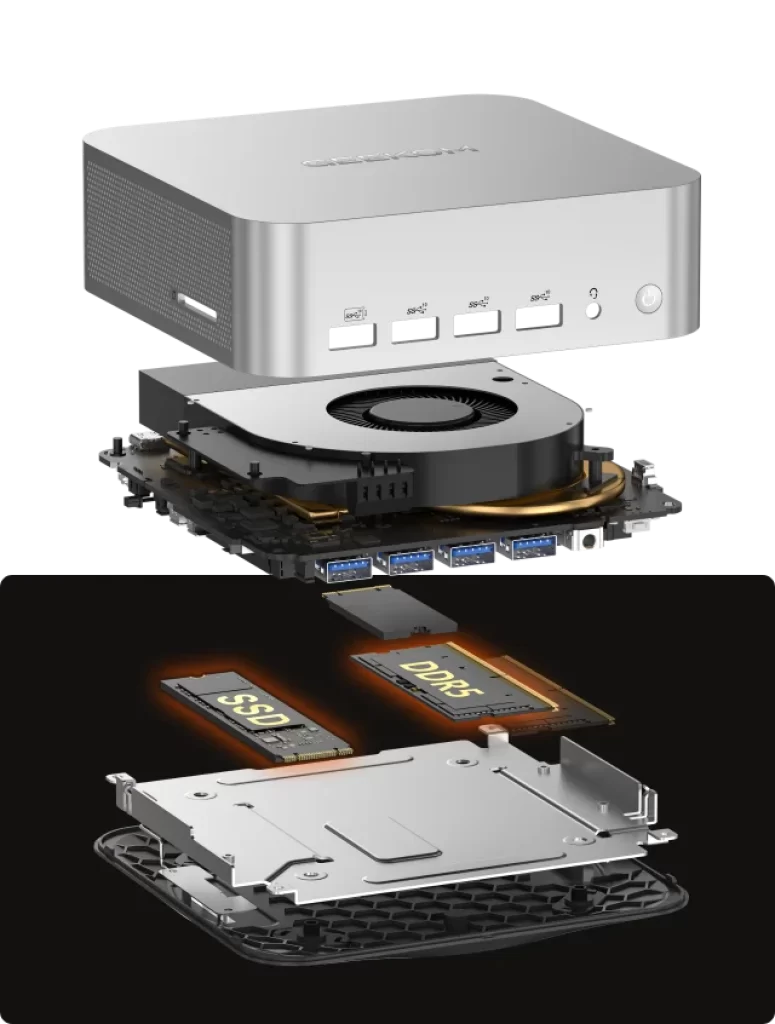
- Memory: upgradeable DDR5 is useful for virtual machines and containers. See our guide to soldered vs upgradeable RAM.
- Fingerprint readers and special buttons: often Windows-only; do not count on them under Linux.
- USB4 and Thunderbolt: work well on modern kernels for docks, storage and displays; external GPUs need more setup.
Power, noise and temperatures
Linux handles power management well on modern mini PCs, but default settings vary by distribution. Tools such as power-profiles-daemon (built into GNOME and KDE) let you switch between power-saver, balanced and performance modes, similar to Windows. The BIOS power mode still applies — our guide to fan noise and BIOS power modes explains how to make a mini PC quieter. For servers, enabling all processor idle states in the BIOS keeps power consumption at a few watts.
Gaming on Linux
With Steam and Proton, a large part of the Windows game library runs on Linux, and AMD’s Radeon graphics have the best support. A Ryzen mini PC with Radeon 780M or 890M graphics, or a Strix Halo system, makes an excellent Linux gaming machine for 1080p. Games with certain anti-cheat systems may not work, so check before you switch.
Conclusion
For Linux, the safest mini PCs combine an AMD Ryzen or Intel processor with an Intel Wi-Fi card, standard Ethernet controllers and upgradeable memory. Use a recent distribution on new hardware, update the BIOS, and keep Ethernet handy during installation. With these simple precautions, a mini PC becomes one of the best Linux computers you can buy.
Our 2026 Buying Guides & Deals
Disclaimer: This article is for information purposes only. Specifications, prices, coupons and availability may change at any time or contain errors, so please check them on the manufacturer's official website or store before buying. Some links on this page are affiliate links: if you buy through them we may earn a small commission at no extra cost to you.