
Most mini PCs with serious graphics are built for gamers: GeForce laptop chips, RGB lighting and aggressive fan curves. The Dell Pro Max Micro FCM2250 takes a different route. It is a compact workstation that pairs a full 65 W desktop processor, here the Intel Core Ultra 7 265, with a professional NVIDIA RTX A1000 card, certified drivers, ECC memory options, three M.2 slots and optional 10GbE networking. At 2.9 litres it is larger than a typical mini PC, but a fraction of the size of the Precision towers it replaces. We look at what it offers, which configuration to choose and who should consider it.
From Precision to Pro Max
In 2025 Dell simplified its brands: OptiPlex became Dell Pro, and Precision workstations became Dell Pro Max. The Pro Max Micro is the smallest model in the new workstation family, designed for engineers, architects, designers and developers who need certified hardware but have little desk space. It shares Dell’s management, security and warranty services with the rest of the Pro range, and it is tested with professional applications such as SolidWorks, AutoCAD, Revit and Creo.
Desktop performance in a small box
The key difference from consumer mini PCs is the processor class. The Core Ultra 7 265 is a 65 W desktop chip with 20 cores (8 performance and 12 efficient), a boost of up to 5.3 GHz and 30 MB of cache. Most mini PCs use 28–45 W laptop processors that slow down under long loads. Dell says its new cooling system lets the Pro Max Micro run these processors at up to 85 W continuously, so rendering, simulation, code compilation and video exports run close to the speed of a full tower.
Dell also offers the Core Ultra 5 235 and 245 for lighter CAD work and the 24-core Core Ultra 9 285 for heavy multi-threaded tasks. For most users the Core Ultra 7 265 offers the best balance of price, performance and heat.
Which graphics card to choose
The Pro Max Micro accepts low-profile professional cards in its PCIe slot:
- Integrated Intel Graphics: enough for 2D CAD, office work and development without GPU acceleration.
- RTX A400 (4 GB): entry-level certified card for light 3D and multi-monitor setups.
- RTX A1000 (8 GB): the model on this page and the sweet spot for mainstream CAD, BIM and design. Ampere architecture, about 50 W, four Mini DisplayPort outputs.
- RTX 2000 Ada (16 GB) and RTX 4000 SFF Ada (20 GB): for large assemblies, rendering, simulation and local AI models that need more memory.
Dell’s US configurator also lists AMD Radeon Pro W7400 and NVIDIA RTX PRO 2000 Blackwell options in some configurations. With 8 GB, the A1000 handles most CAD models comfortably, but if you plan to run local AI models or GPU renderers, the extra memory of the Ada cards is worth the price.
AI: NPU and GPU
The Core Ultra 7 265 includes a 13 TOPS NPU for Windows Studio Effects and other low-power AI features. It does not qualify for Copilot+, which needs 40 TOPS. In practice, the GPU does the heavy AI lifting: the RTX A1000’s Tensor Cores and CUDA support accelerate AI features in Adobe applications, denoising in renderers and small local language models. For serious AI development the Pro Max Micro supports Ubuntu 24.04 and Red Hat Enterprise Linux 9.4 officially, which makes it easy to set up NVIDIA’s CUDA toolkit and frameworks.
Memory and storage
Memory is DDR5 at 5600 or 6400 MT/s, up to 64 GB in two modules, with ECC options for workloads where data integrity matters. That ceiling is lower than a tower workstation, but sufficient for most CAD and design work. Storage is a highlight: three M.2 2280 slots, two at PCIe Gen4 and one at PCIe Gen5, for a fast system drive, a project drive and a cache or scratch drive. Self-encrypting SSDs up to 2 TB are available from Dell.
Connectivity and expansion
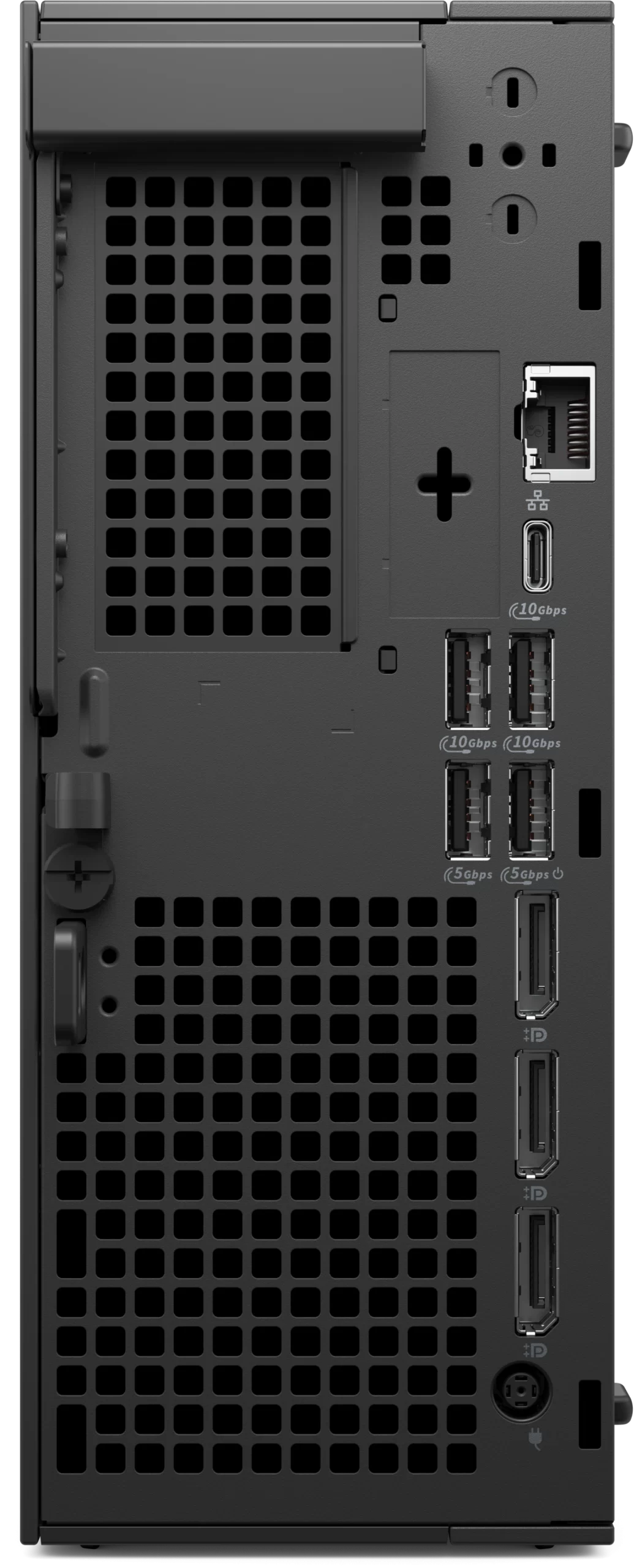
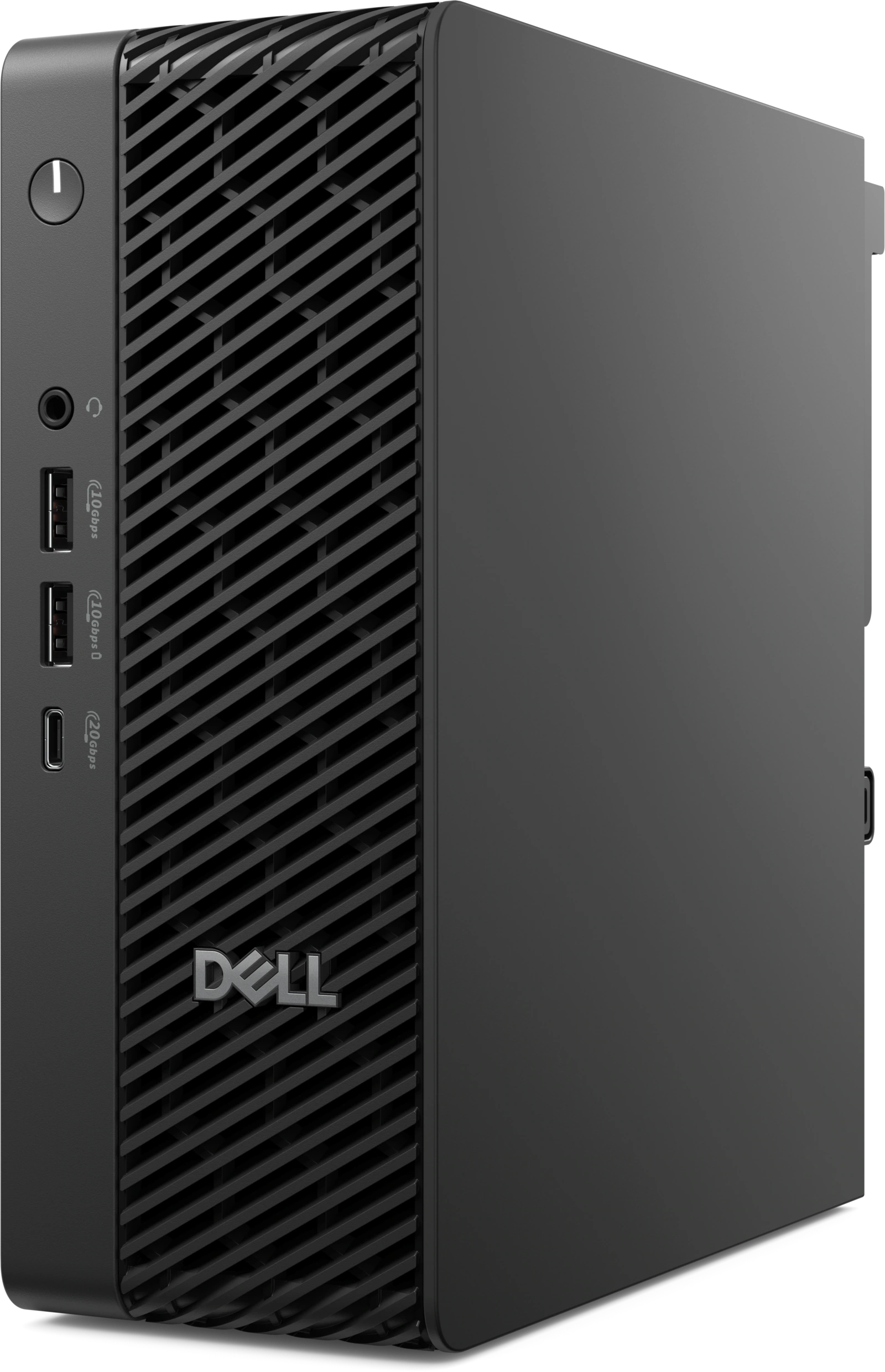
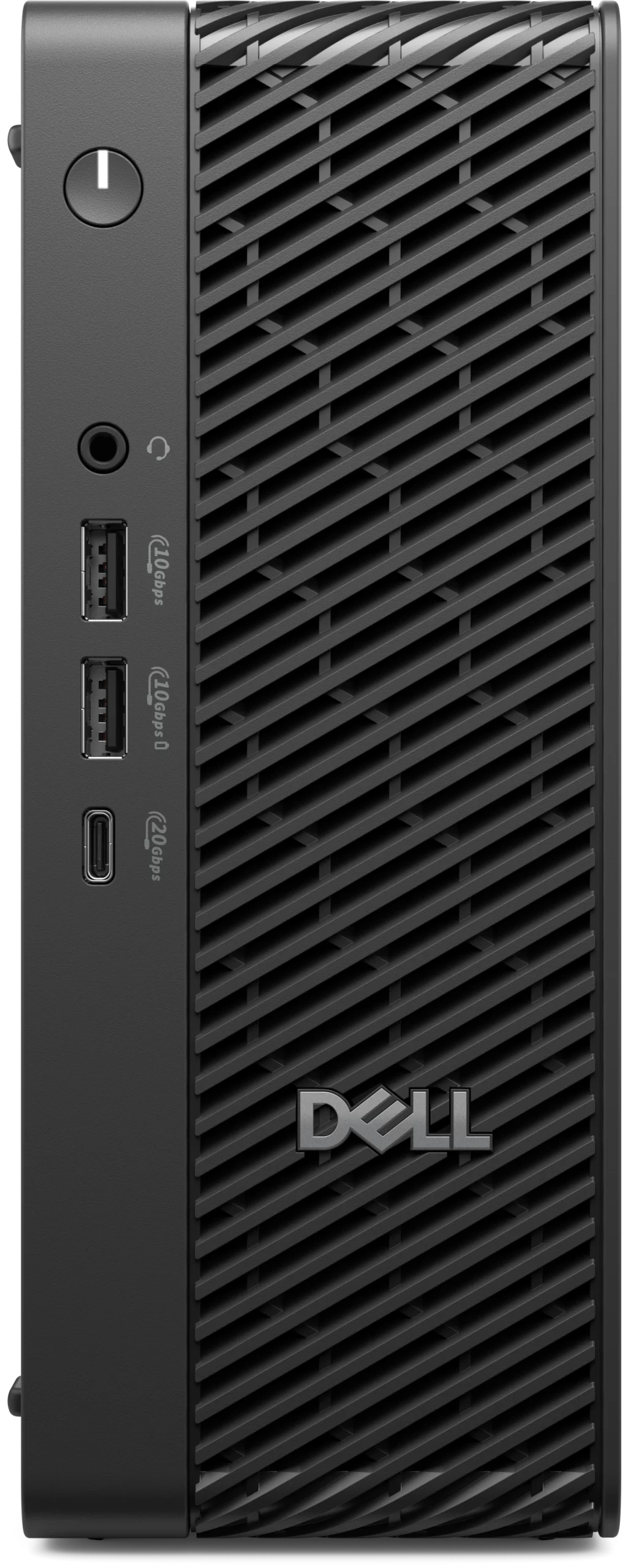
For a small PC, the port selection is excellent. The front has a 20 Gbps USB-C port and two 10 Gbps USB-A ports, ideal for fast external drives. The rear adds a 10 Gbps USB-C, four more USB-A, three DisplayPort outputs from the integrated graphics and Gigabit Ethernet, plus the four Mini DisplayPort outputs of the RTX card. Two PCIe Gen4 slots (×8 and ×1 electrical) hold the graphics card and an optional network card: 2.5GbE, 5GbE or dual 10GbE. Wi-Fi 7 with Bluetooth 5.4 is optional.
Dell’s optional module port adds more flexibility: Thunderbolt 4 with USB-C, HDMI 2.1 FRL, DisplayPort 2.1, VGA, serial, PS/2, 5G optical fibre or a 5GbE NIC. The only real omission is built-in Thunderbolt or USB4 as standard.
Noise, cooling and power
Pushing 85 W through a desktop processor plus a 50 W graphics card in 2.9 litres requires active cooling, and the Pro Max Micro is audible under full load. In normal CAD work, where the GPU and CPU are only partially loaded, it stays reasonably quiet. Power comes from an external adapter: 180 W for integrated graphics or 280 W with a discrete card. Keep in mind that the 280 W brick is large; plan where to put it if you mount the PC under a desk or behind a monitor.
Upgrades over time
One advantage of a workstation over a sealed mini PC is that it can grow. The memory is not soldered, the three M.2 slots can be filled later, and the PCIe slots allow a graphics upgrade within the low-profile, power-limited cards Dell supports, plus a faster network card when your office moves to 10GbE. Dell publishes service manuals and spare parts for its business products, so a failed component can be replaced rather than the whole machine.
Mounting and design
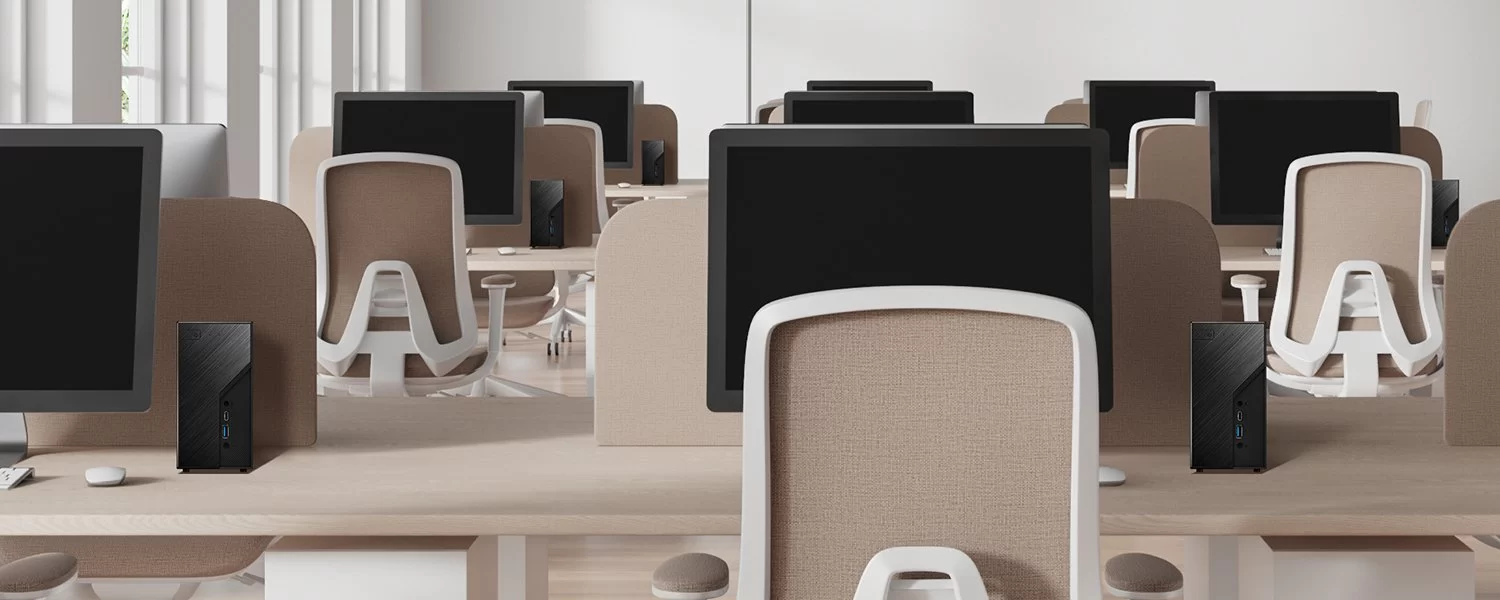
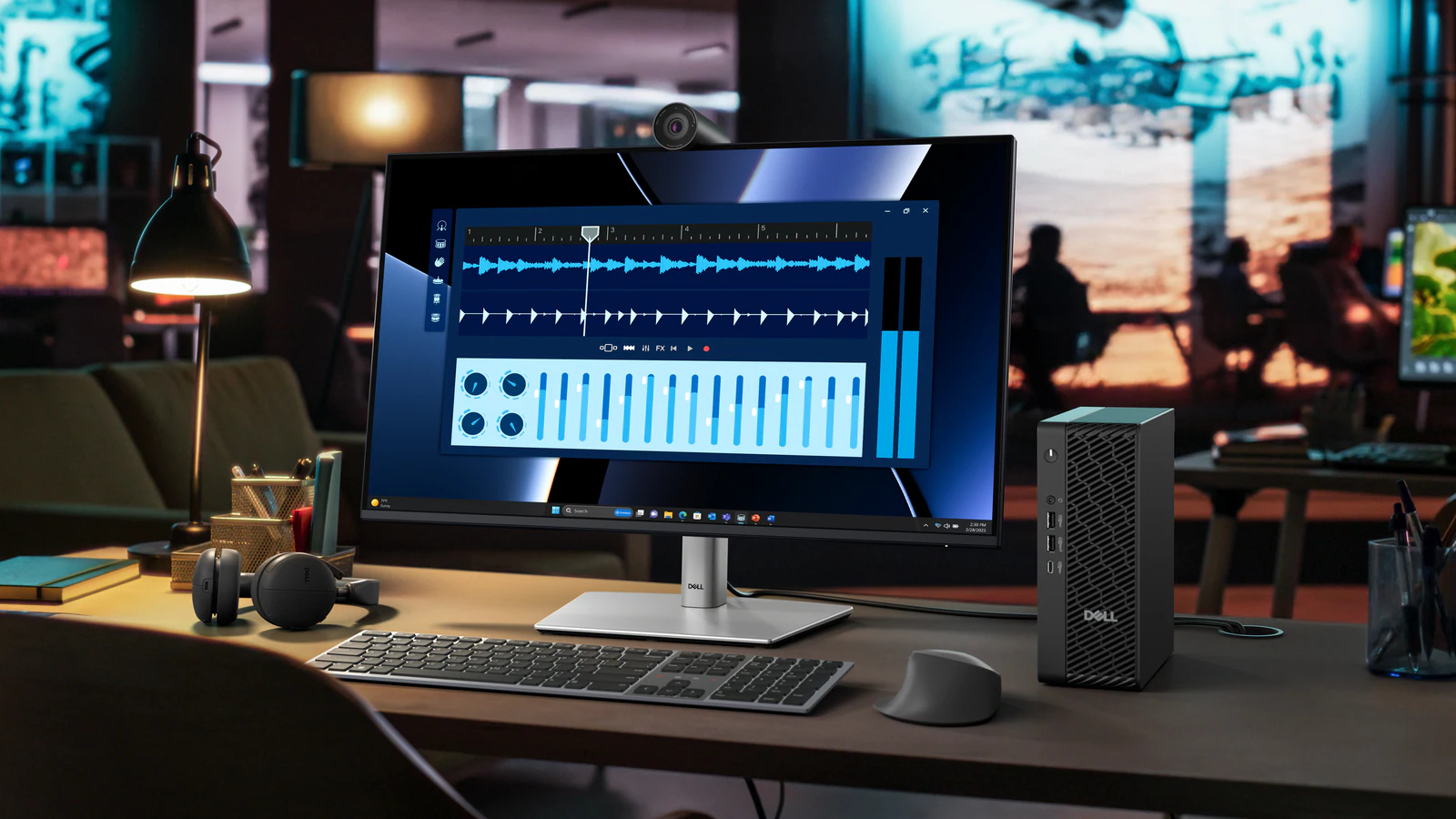
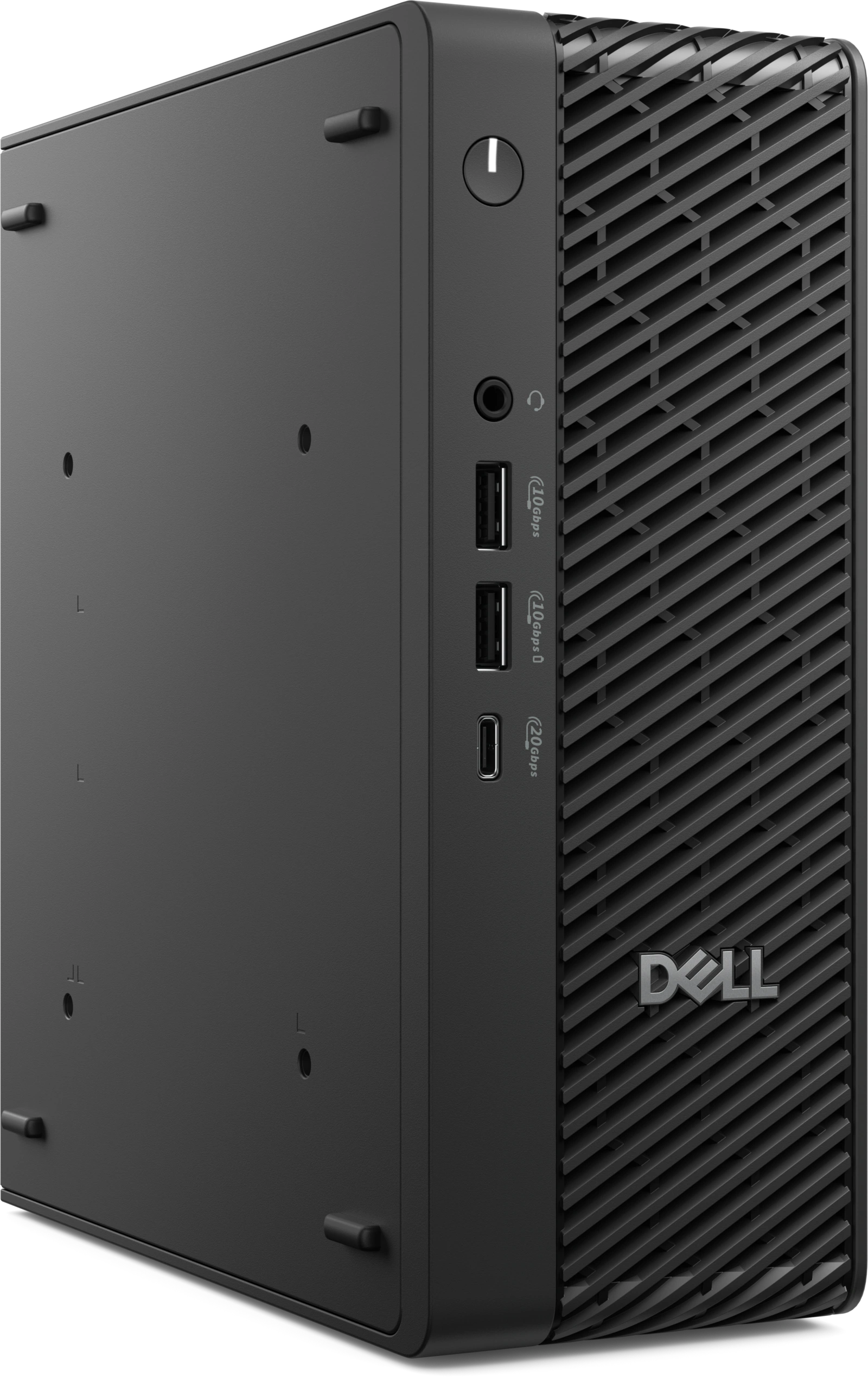
The black chassis (206 × 79.3 × 178 mm, about 2.5 kg) stands upright on the desk, or can be mounted under a desk, behind a monitor, on a wall or on Dell’s all-in-one stand. A patterned front panel and perforated sides provide airflow, and a Kensington slot plus padlock ring protect it in shared offices and labs.
Configurations we recommend
- 2D CAD and development: Core Ultra 5 245 or Core Ultra 7 265, integrated graphics, 32 GB DDR5, 1 TB SSD. The 180 W adapter keeps the setup compact.
- Mainstream 3D CAD and BIM: Core Ultra 7 265, RTX A1000, 32 GB in two modules, 1 TB Gen4 plus a second SSD for projects. This is the configuration on this page.
- Rendering, simulation and local AI: Core Ultra 9 285, RTX 2000 Ada or RTX 4000 SFF Ada, 64 GB ECC, Gen5 SSD for scratch data and a 10GbE card for the file server.
Whatever the configuration, avoid single-module memory builds for workstation use: two modules double the memory bandwidth, which benefits both the CPU and the integrated graphics.
Software, security and management
Dell ships the Pro Max Micro with Windows 11 Pro or Windows 11 Pro for Workstations, the edition designed for high-end hardware with ReFS file system support and better handling of large memory. Ubuntu and Red Hat are offered for Linux teams. Dell’s toolset includes SafeBIOS and off-host BIOS verification, SafeID credential protection, Secured-core PC features, Dell Optimizer, SupportAssist and Dell Command for remote configuration. With vPro processors, IT staff can also manage the machine out of band through Intel AMT. For companies, these tools are as important as the hardware, and they are the main reason to choose a Dell workstation over a consumer mini PC with similar specifications.
Prices
Dell’s US site lists the Pro Max Micro from about US $1,305 with a Core Ultra 5 and integrated graphics. With the Core Ultra 7 265, 32 GB and the RTX A1000, Dell’s promotional prices start at roughly US $1,530, while list prices are much higher. It is also available on Amazon USA. As always with Dell business products, prices change frequently, so compare the configurator with ready-to-ship models.
How it compares
Compared with Dell’s own Pro Micro, the Pro Max Micro is more than twice the size, but it offers a 65 W processor instead of 35 W, discrete graphics, an extra M.2 slot (Gen5), faster USB and 10GbE options. Against consumer gaming mini PCs such as the ASUS ROG NUC 16 or the ACEMAGIC M1A Pro with GeForce RTX graphics, the Dell is slower in games and more expensive, but it offers certified professional drivers, ECC memory, Linux support from the manufacturer, on-site warranty and fleet management. For a design office, those advantages often outweigh raw frame rates, and the Dell’s three M.2 slots and two PCIe slots also leave more room to grow than most sealed gaming boxes.
Against small tower workstations, the Pro Max Micro gives up some memory capacity (64 GB maximum) and the option of large full-height GPUs, in exchange for a much smaller footprint and lower power use.
Who should buy it
Buy it if you work with CAD, BIM, design or engineering software that requires certified graphics, you want desktop-class CPU performance in a compact case, or you need a managed workstation with Linux support, fast storage and optional 10GbE.
Skip it if you mainly play games (a GeForce mini PC is better and cheaper), you only need an office PC (choose the Dell Pro Micro), or you need more than 64 GB of memory or a full-size GPU (choose a tower).
Verdict
The Dell Pro Max Micro is one of the most capable small workstations available. A 65 W Core Ultra 7 265 running at up to 85 W, an NVIDIA RTX A1000 with certified drivers, three fast M.2 slots including Gen5, Wi-Fi 7 and optional 10GbE make it a genuine replacement for a tower in many design offices. It is not cheap, not tiny by mini PC standards and not a gaming machine, but for professionals who value certified performance, Dell support and a small footprint, it is an excellent choice.
| Configuration Options | ||||||||||||||||||||||||||
|---|---|---|---|---|---|---|---|---|---|---|---|---|---|---|---|---|---|---|---|---|---|---|---|---|---|---|
|
||||||||||||||||||||||||||
| AI Capabilities | ||||||||||||||||||||||||||
|
||||||||||||||||||||||||||
| Processor | ||||||||||||||||||||||||||
|
||||||||||||||||||||||||||
| Ports | ||||||||||||||||||||||||||
|
||||||||||||||||||||||||||
| Network | ||||||||||||||||||||||||||
|
||||||||||||||||||||||||||
| GPU | ||||||||||||||||||||||||||
|
||||||||||||||||||||||||||
| Internal Ports | ||||||||||||||||||||||||||
|
||||||||||||||||||||||||||
| Storage & RAM | ||||||||||||||||||||||||||
|
||||||||||||||||||||||||||
| Power | ||||||||||||||||||||||||||
|
||||||||||||||||||||||||||
| Others Specifications | ||||||||||||||||||||||||||
|
||||||||||||||||||||||||||
| Specification | ||||||||||||||||||||||||||
|
||||||||||||||||||||||||||

More information: Dell Pro Max Micro FCM2250 on minis-pc.com
Discover our full Mini PC comparison: minis-pc.com
Article written for minis-pc.com — Mini PC Comparisons and Reviews
Our 2026 Buying Guides & Deals
Disclaimer: This article is for information purposes only. Specifications, prices, coupons and availability may change at any time or contain errors, so please check them on the manufacturer's official website or store before buying. Some links on this page are affiliate links: if you buy through them we may earn a small commission at no extra cost to you.