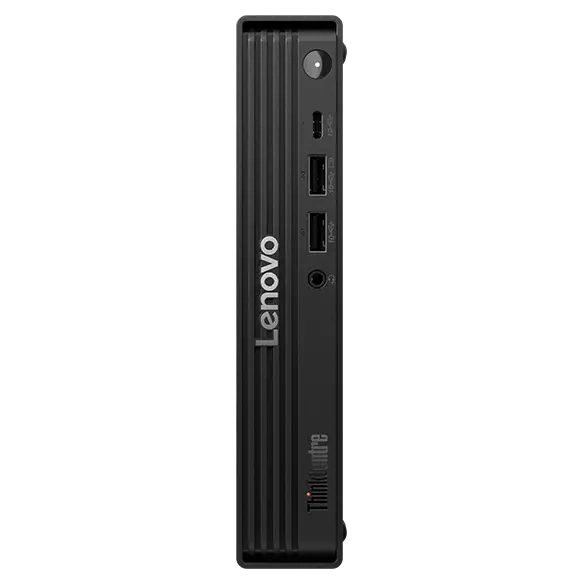
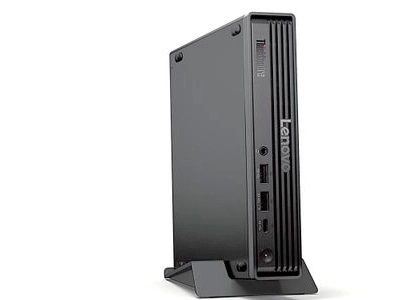
The Lenovo ThinkCentre Tiny is the mini PC most companies buy, and the M70q Gen 6 brings the range to Intel’s Core Ultra 200S processors. With the Core Ultra 5 225T, it offers ten cores, DDR5 memory up to 64 GB, two PCIe 4.0 SSD slots, configurable ports and the security features IT departments expect. It is not a cheap computer: Lenovo US lists the base Core Ultra 5 225T build from about US $1,177 (November 2026). We analyse what businesses and home users get for that money.
A Different Kind of Mini PC
Consumer mini PCs from GMKtec, Beelink or Minisforum compete on performance per dollar. The ThinkCentre M70q Gen 6 competes on something else: manageability, security, reliability and service. It offers Intel vPro Enterprise on vPro models, a discrete TPM 2.0, a self-healing BIOS, MIL-STD-810H testing, configurable ports for specific business needs and up to three years of on-site warranty. For a company that deploys hundreds of identical desktops, these features matter more than benchmark results.
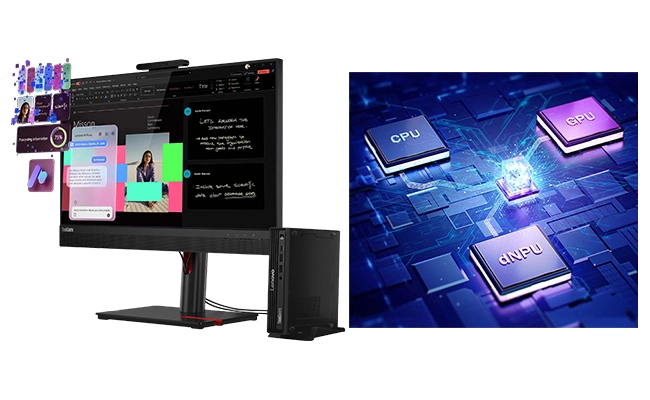
Specifications at a Glance
- CPU: Intel® Core™ Ultra 5 225T — 10 Cores / 10 Threads — up to 4.9 GHz
- GPU: Intel® Graphics — up to 4 displays
- AI Engine: Intel AI Boost NPU up to 13 TOPS — not a Copilot+ PC
- Memory: 8 GB DDR5-5600 (base) — 2× SO-DIMM, up to 64 GB — FULLY USER-UPGRADEABLE (NOT soldered)
- Storage: 256 GB PCIe 4.0 (base) — two SSD slots, up to 2 TB each
- Network: Gigabit Ethernet, optional 2.5 GbE, Wi-Fi 6 / 6E / 7 depending on configuration
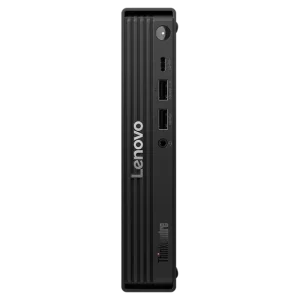
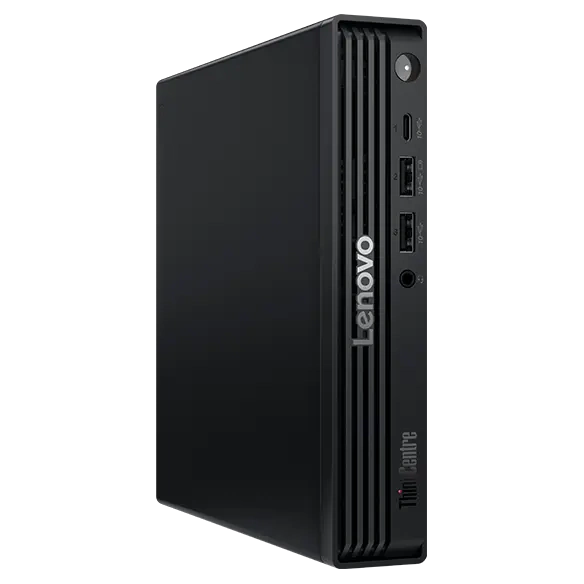
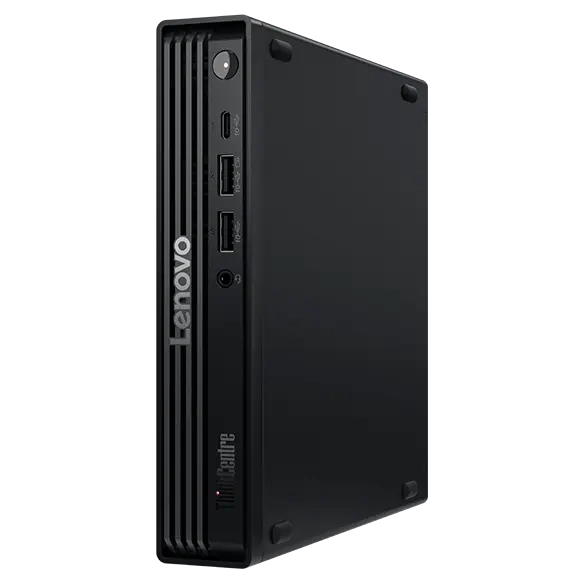
- Size: 179 × 182.9 × 36.5 mm, about 1.18 kg
Performance for Office Work
The Core Ultra 5 225T has six performance cores and four efficient cores, up to 4.9 GHz, and is designed to run at a moderate power level inside the one-litre chassis. For office applications, browsers, ERP and CRM software, video meetings and development tools, it is fast and responsive. Heavy creative work and gaming are outside its purpose, and the integrated graphics are designed for displays rather than 3D.
The Base Configuration Problem
The configuration Lenovo US lists from about US $1,177 includes only 8 GB of memory in a single module and a 256 GB SSD. In 2026 that is too little for a comfortable Windows 11 experience over several years, and single-channel memory also reduces graphics performance. The good news is that the M70q Gen 6 is easy to upgrade: two DDR5 SO-DIMM slots accept up to 64 GB, and there are two M.2 SSD slots. Companies usually order 16 GB and 512 GB from the start; home buyers can add a second memory module and a larger SSD themselves.

Ports Built Around Your Needs
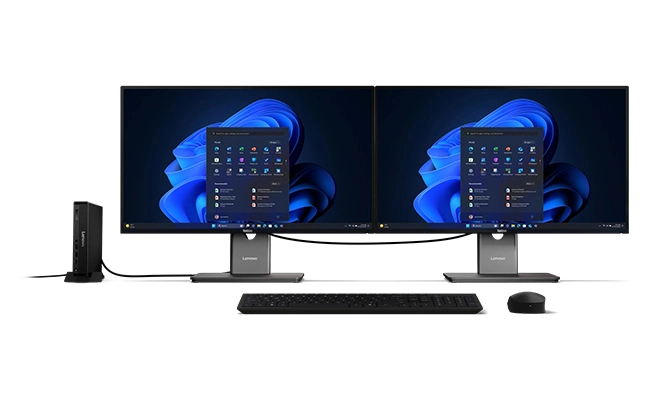
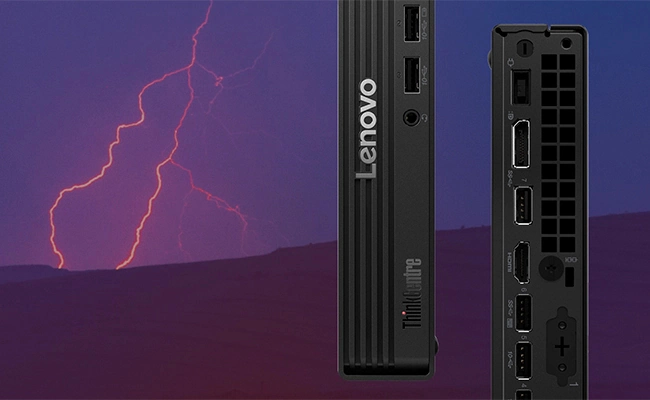
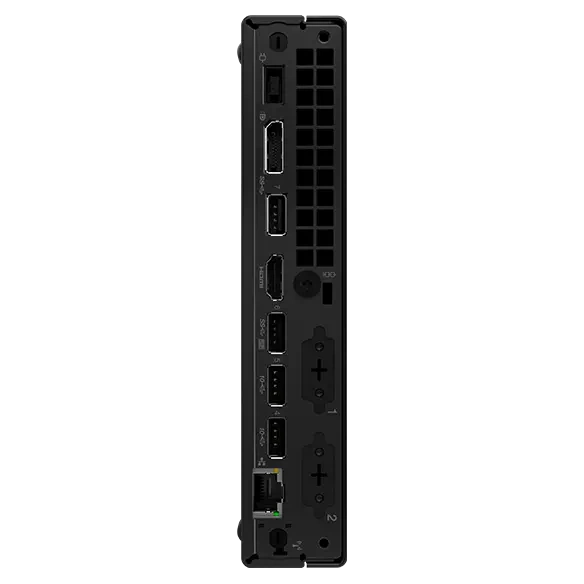
The ThinkCentre’s punch-out ports are one of its most practical features. Besides the standard USB-C, six USB-A, HDMI, DisplayPort and Ethernet ports, two optional rear slots can hold VGA for older projectors, an extra DisplayPort or HDMI (including 8K-capable HDMI 2.1 FRL), a serial port for point-of-sale equipment, a second 2.5 GbE port, USB-C with power input or Thunderbolt 4. No consumer mini PC offers this flexibility.
AI: An AI PC, but Not Copilot+
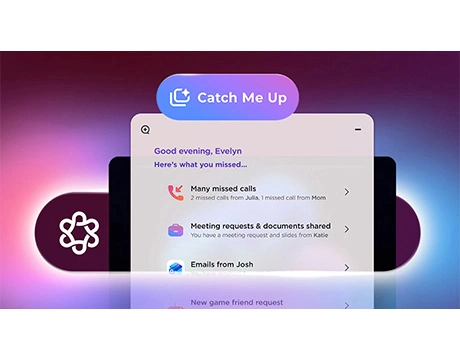
Lenovo lists the M70q Gen 6 among its AI PCs because the processor includes an NPU of up to 13 TOPS, which accelerates features such as video-call effects. It does not qualify for Copilot+ features, which require 40 TOPS. Lenovo offers an optional discrete NPU card of up to 30 TOPS on selected models, which still falls short of the Copilot+ threshold. Buyers who want Copilot+ features in a mini PC should look at Lunar Lake or Ryzen AI 300 models.
Security and Manageability
Security is the main reason companies choose ThinkCentre: a FIPS-certified discrete TPM 2.0, Secure Boot, Intel BIOS Guard, a self-healing BIOS, configuration change detection, per-port USB disabling, secure data wipe and Absolute persistence for device tracking. On vPro models, IT teams can manage computers remotely even when the operating system does not start. These features have real value in business environments and little relevance for most home users.

How It Compares
Against the ThinkCentre M70q Gen 5, the Gen 6 moves from 14th-gen Core to Core Ultra 200S, adds an NPU, Wi-Fi 7 options and Thunderbolt 4 as a punch-out option. Against business rivals such as the Dell Pro Micro and HP Pro Mini, it offers similar positioning, with Lenovo’s punch-out flexibility as a differentiator. Against consumer mini PCs such as the Beelink SER9 Pro or the GEEKOM A9 Max, the M70q Gen 6 is much more expensive for its performance and has a weaker NPU, but provides business security, on-site service and configurability that consumer brands do not match.
Who Gains Most From It
The M70q Gen 6 is ideal for companies, schools, clinics and shops that need secure, manageable and reliable desktops with on-site support, and for professionals who need specific ports such as VGA, serial or Thunderbolt. Home users seeking the most performance for their money, gamers and buyers who want Copilot+ features will find better options among consumer mini PCs.
What to Check Before Buying
- Memory: avoid single 8 GB configurations — choose 16 GB in two modules
- Storage: 256 GB is small — choose 512 GB or add a second SSD
- Wi-Fi: some configurations ship without wireless or with Wi-Fi 6 only
- Punch-out ports: they must be chosen at purchase in custom builds
- Power adapter: 65 W, 90 W or 135 W depending on processor and options
- Windows edition: base models include Windows 11 Home
Long-Term Value
ThinkCentre Tiny computers are known for long service lives in offices, with replacement parts, BIOS updates and drivers available for years. Upgradeable memory and storage extend that life further. For a business, the total cost over five or more years — including support, security and downtime — often matters more than the purchase price, and that is where the M70q Gen 6 makes its case.
Deploying It in an Office
The ThinkCentre Tiny format is designed for fleets. IT teams can order identical configurations, mount them behind monitors with Lenovo’s brackets, lock them with a Kensington cable and manage them remotely with vPro on vPro models. Lenovo’s tools help with BIOS updates, driver deployment and asset tracking, and the self-healing BIOS reduces the risk of a failed update leaving a computer unusable. The optional dust filter is useful in shops, warehouses and receptions, and the MIL-STD-810H tests show the chassis is built to survive knocks, vibration and temperature changes.
For a small business without a dedicated IT team, the main advantage is predictability: standard parts, clear documentation in Lenovo’s PSREF specifications and on-site service if something fails.
Choosing the Right Configuration
- Basic office use: Core Ultra 5 225T, 16 GB (2× 8 GB), 512 GB, Wi-Fi 6E, Windows 11 Pro
- Heavier multitasking or development: Core Ultra 5 245T or Core Ultra 7 265T, 32 GB, 1 TB
- Point of sale: add a serial port or VGA through the punch-out slots and the dust filter
- Multi-monitor desks: add a second video output or Thunderbolt 4 punch-out port
- Secure environments: vPro Enterprise, no wireless module, chassis intrusion switch
For Home Users
Some home buyers choose a ThinkCentre for its reputation and build quality, and refurbished units of previous generations are very popular. A new M70q Gen 6, however, is expensive for home use: consumer mini PCs with Ryzen 7 or Core Ultra H processors, 32 GB of memory and 1 TB of storage cost much less and perform better. The ThinkCentre makes most sense at home when quiet, reliable operation, upgradeable memory and long-term support matter more than raw performance — for example, as a family computer that should last many years, or as a home server built on business-grade hardware.
Upgrading It Yourself
One of the reasons ThinkCentre Tiny computers last so long is how easy they are to service. The cover slides off after removing a single screw (or without tools on models with the tool-less option), giving access to the two DDR5 SO-DIMM slots, the two M.2 SSD slots and the wireless card. Upgrading a base 8 GB / 256 GB model to 16 or 32 GB in dual channel and adding a second SSD takes a few minutes and uses standard parts, which is often much cheaper than choosing those options at purchase. Lenovo publishes detailed hardware maintenance manuals, and replacement parts such as fans and adapters remain available for years.
Noise and Everyday Comfort
With a 35 W-class T processor, the M70q Gen 6 is designed for quiet office operation. In typical work — email, documents, browser applications and video calls — the fan stays at low speed and is hard to hear in a normal office. During long, heavy tasks the blower becomes audible, as in any one-litre desktop. Lenovo offers optional TÜV Rheinland Ultra Low Noise certification on some configurations, which is worth considering for quiet spaces such as libraries, clinics and meeting rooms. Its low idle consumption also matters in offices with many computers: over a year, efficient T processors and modern standby features add up to a noticeable saving on electricity compared with older desktops, and ENERGY STAR and EPEAT Gold registrations are available on qualifying configurations for organisations with sustainability requirements. Because the power supply is external, the chassis itself stays compact and cool, and the 2 W internal speaker is enough for system sounds and occasional calls without external speakers.
Price and Value
Lenovo US lists the Core Ultra 5 225T configuration with 8 GB and 256 GB from about US $1,177–1,199, while better-equipped Core Ultra 7 265T vPro models with 32 GB and 1 TB appear with large discounts around US $1,549 (November 2026; Lenovo prices change constantly). For home users, the value is poor compared with consumer mini PCs. For businesses, the price includes security, management and service that justify part of the difference.
Strengths and Limitations
Strengths:
- Ten-core Core Ultra 5 225T
- Upgradeable memory and storage
- Configurable punch-out ports
- Business-grade security and warranty
Limitations:
- Expensive base configuration
- 8 GB / 256 GB base is too small
- Not a Copilot+ PC
- Gigabit Ethernet as standard
Verdict
The Lenovo ThinkCentre M70q Gen 6 with Core Ultra 5 225T is a solid, secure and highly configurable business mini PC. It is the right choice for organisations that value manageability, security and on-site service, especially when ordered with 16 GB and 512 GB. For home users focused on performance per dollar, consumer mini PCs offer far more for less.
| AI Capabilities | ||||||||||||||
|---|---|---|---|---|---|---|---|---|---|---|---|---|---|---|
|
||||||||||||||
| Processor | ||||||||||||||
|
||||||||||||||
| Ports | ||||||||||||||
|
||||||||||||||
| Network | ||||||||||||||
|
||||||||||||||
| GPU | ||||||||||||||
|
||||||||||||||
| Internal Ports | ||||||||||||||
|
||||||||||||||
| Storage & RAM | ||||||||||||||
|
||||||||||||||
| Power | ||||||||||||||
|
||||||||||||||
| Others Specifications | ||||||||||||||
|
||||||||||||||
| Specification | ||||||||||||||
|
||||||||||||||

More information: Lenovo ThinkCentre M70q Gen 6 Tiny on minis-pc.com
Discover our full Mini PC comparison: minis-pc.com
Article written for minis-pc.com — Mini PC Comparisons and Reviews
Our 2026 Buying Guides & Deals
Disclaimer: This article is for information purposes only. Specifications, prices, coupons and availability may change at any time or contain errors, so please check them on the manufacturer's official website or store before buying. Some links on this page are affiliate links: if you buy through them we may earn a small commission at no extra cost to you.