
When Intel stopped making its own NUC mini PCs, several manufacturers stepped in. ASRock’s industrial division was one of the most consistent, and the NUC BOX-325 is its first model with Panther Lake, Intel’s Core Ultra Series 3. It is not a flashy consumer box with RGB and a pre-installed copy of Windows: it is a barebone designed to be deployed, managed and left running. That makes it interesting for businesses, but also for home users who want quality hardware and prefer to choose their own memory and SSD.
What you get
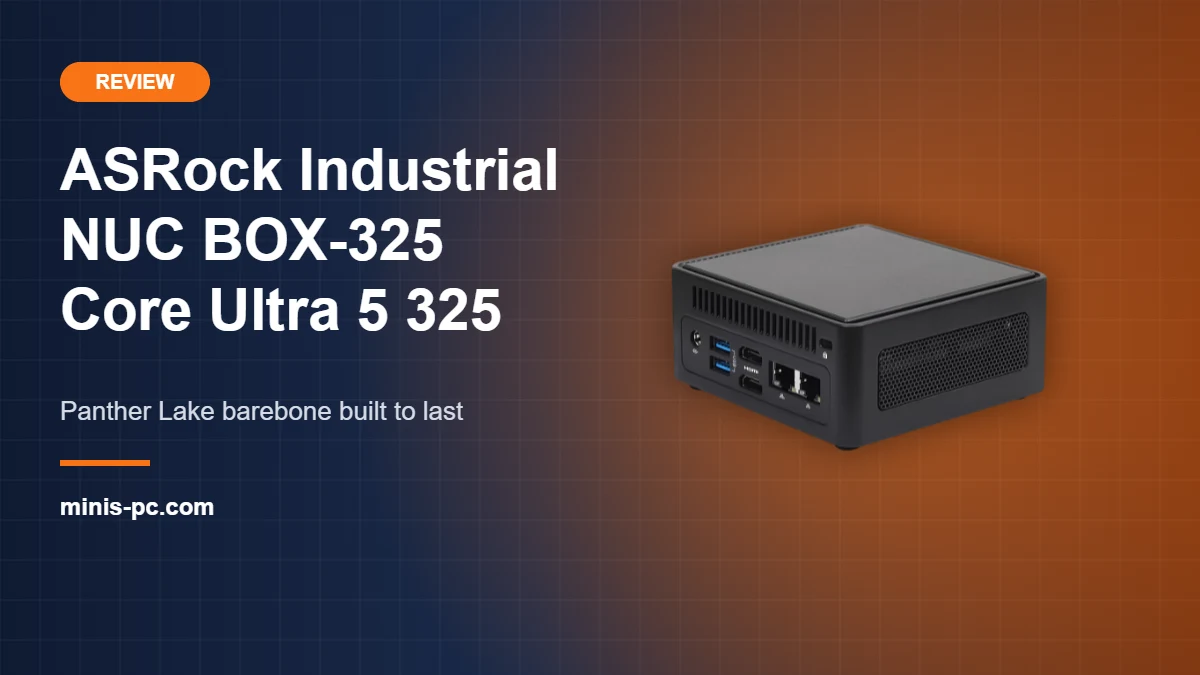
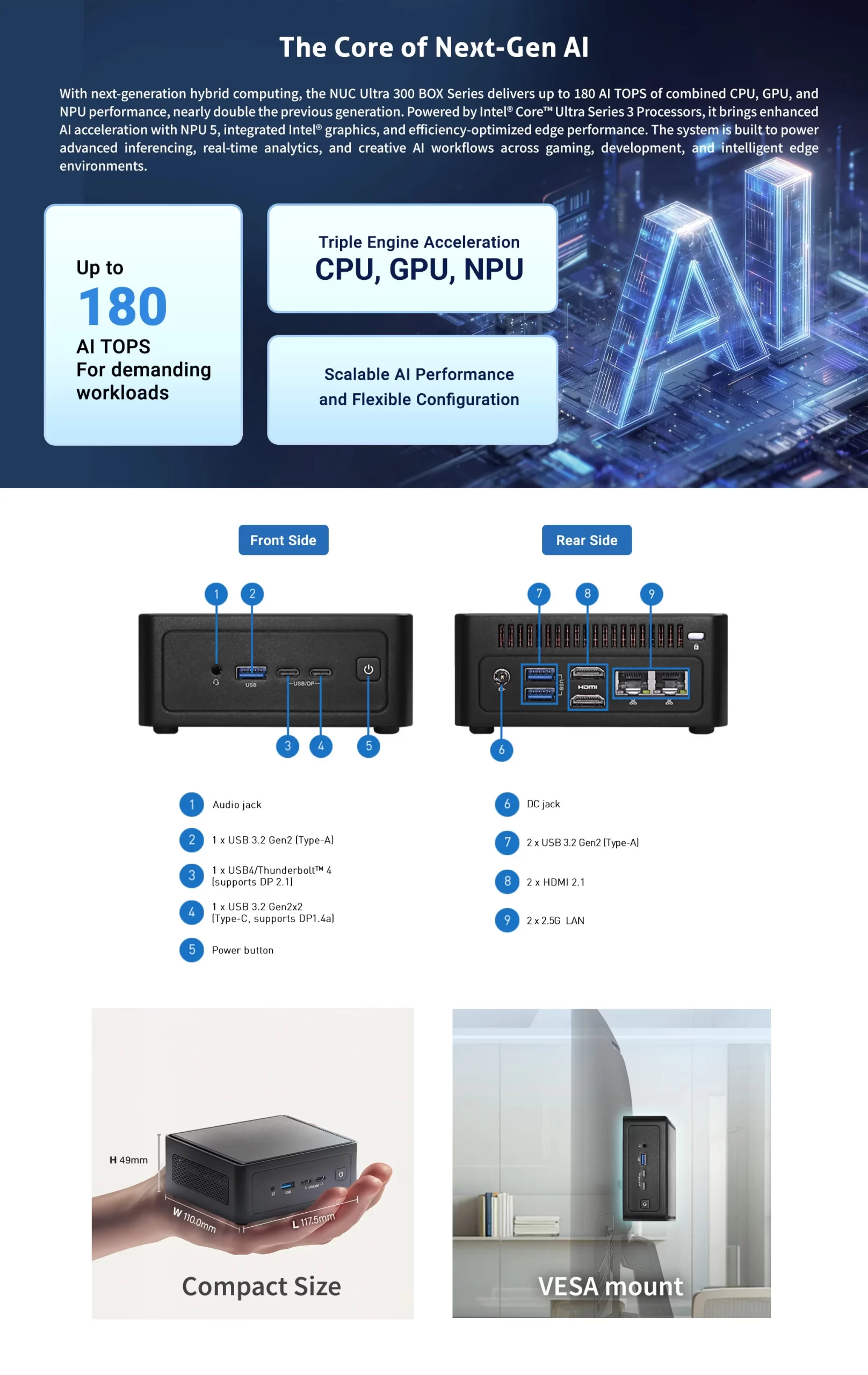
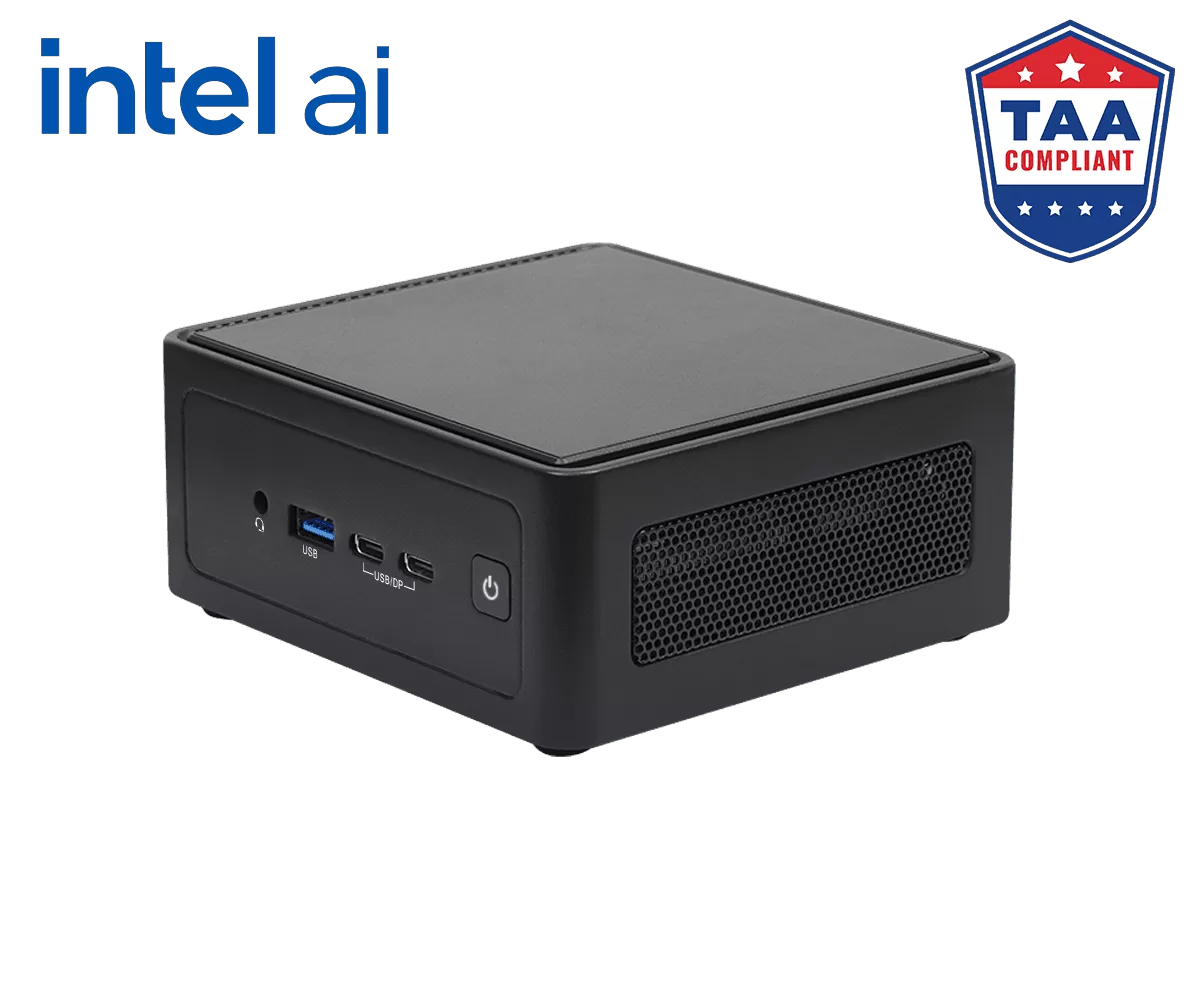
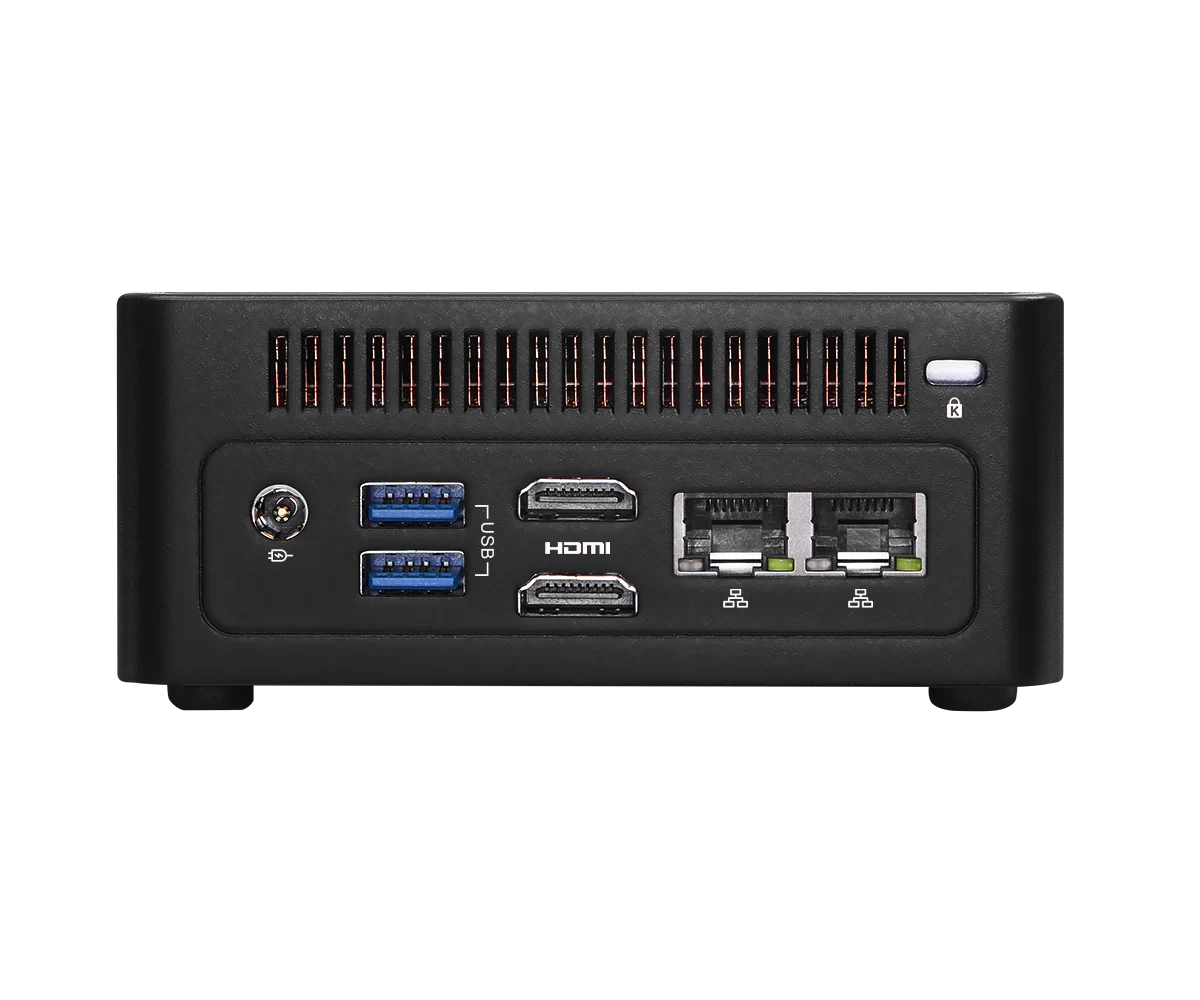
Inside the 117.5 × 110 × 49 mm metal box is a Core Ultra 5 325 with eight cores, an NPU of about 47 TOPS, two DDR5 slots for up to 128 GB, one PCIe 5.0 ×4 M.2 slot and one PCIe 4.0 ×4 slot, a front USB4 / Thunderbolt 4 port, a 20 Gbps USB-C port, three 10 Gbps USB-A ports, two HDMI 2.1 outputs, two Intel 2.5GbE ports, Wi-Fi 7 and Bluetooth 6.0. In the box you find the 120 W power adapter and a VESA bracket. Memory, storage and operating system are up to you.
The processor: efficient rather than brutal
The Core Ultra 5 325 is the entry point of Panther Lake H. Its layout is unusual: four performance cores and four low-power efficient cores, with no standard E-cores in between, for eight threads in total and boost up to 4.5 GHz. In everyday use this is a responsive chip. Office suites, dozens of browser tabs, video calls, remote desktop sessions, light photo editing and code editors all run smoothly, and the low-power cores keep consumption down when the machine is idle or doing background work.
Where it shows its limits is in sustained multi-threaded work. With eight threads it is behind the 12- and 16-core chips in long compiles, video exports and 3D rendering. If that is your main workload, the same chassis is available with the Core Ultra X7 358H (16 cores and Arc B390 graphics), at a higher price.
A Copilot+ class NPU in an industrial box
The NPU is rated at about 47 TOPS, which places this box above Microsoft’s 40 TOPS line for Copilot+ PCs. The graphics add around 40 TOPS for frameworks that use the GPU. For a business PC, the real benefit is not marketing: it is the ability to run speech transcription, video call effects, document classification or vision models locally, without sending data to the cloud and without loading the CPU. Intel’s OpenVINO toolkit makes it straightforward to target the NPU on both Windows and Linux.
Memory and storage: the strongest part
This is where the NUC BOX-325 clearly beats most consumer mini PCs at its level. The two DDR5 SO-DIMM slots accept up to 128 GB, and nothing is soldered. With the Core Ultra 5 the memory runs at DDR5-6400. For virtual machines, containers, large spreadsheets or running local AI models on the CPU, being able to install 64 or 96 GB is a real advantage over machines with 16 GB of soldered LPDDR5X.
Storage is equally generous for the size. The main M.2 slot runs at PCIe 5.0 ×4 and accepts 2242 or 2280 drives, so you can install one of the fastest SSDs available. The second slot runs at PCIe 4.0 ×4 but only fits short 2242 drives, which limits capacity and choice. Intel VMD supports RAID 1 to mirror the system drive, a feature usually reserved for business desktops.
Connectivity for the office and the home lab
The two Ethernet ports are both Intel 2.5GbE; the I226LM supports vPro remote management, which IT departments value for maintenance without physical access. For home lab use, two Intel network ports make the box a good candidate for a firewall, a router or a Proxmox host. Wi-Fi 7 and Bluetooth 6.0 are on a replaceable M.2 module.
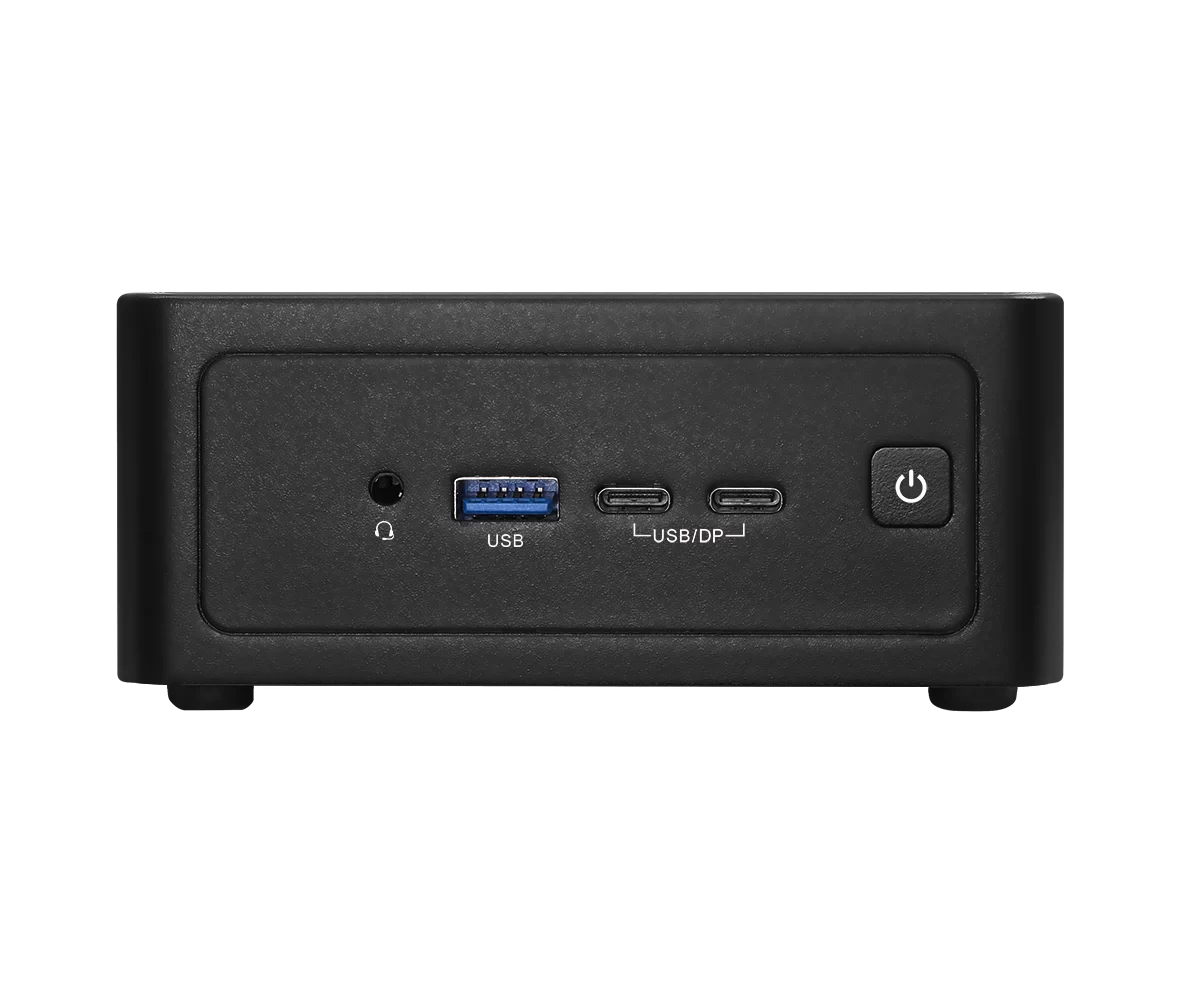
At the front, the USB4 / Thunderbolt 4 port handles fast external SSDs, docks and a monitor over DisplayPort 2.1. The second Type-C port runs at 20 Gbps and also outputs DisplayPort. Together with the two HDMI 2.1 ports on the back, the box can drive four displays at once, which suits control rooms, trading desks and digital signage.
Cooling and noise
The NUC BOX-325 is a fanned design. With a 25 W base power, the cooling system works comfortably, and in office use the fan should stay quiet. Under sustained full load it will become audible, as in any small box with a fan. If you need a completely silent or dust-proof unit, ASRock’s fanless iBOX-325 uses the same processor in a passive chassis designed for harsher environments.
Industrial features that matter
Several details reveal its industrial origin. The board accepts any 12–24 V DC input, not just the supplied 19 V adapter. AT mode makes the PC start automatically when power returns after an outage, which is essential for kiosks and signage. A watchdog timer restarts the system if the software hangs. It is TAA compliant and CE/FCC certified. None of these features matter to most home users, but for unattended installations they can save a site visit.

Graphics: the main compromise
The integrated GPU has only 4 Xe cores. It decodes 4K and 8K video efficiently and handles multiple displays without trouble, but it is not a gaming GPU. Older and lighter titles will run at 1080p with modest settings; modern AAA games will not. Without OCuLink or a PCIe slot, the only path to stronger graphics is an external Thunderbolt enclosure, with the bandwidth limits that implies.
Setting it up
Installing the components takes a few minutes: open the base, insert two matched DDR5 SO-DIMMs, a 2280 NVMe SSD in the PCIe 5.0 slot, and close it. Install Windows 11 from a USB drive and then Intel’s chipset, graphics, NPU and network drivers from ASRock’s support page. Linux is not officially listed, but Panther Lake support is present in recent kernels; choose an up-to-date distribution for the best results with the GPU and NPU.
What Panther Lake changes
Panther Lake is the first Intel client platform built on the Intel 18A process for its compute tile, and its main goal is efficiency. Compared with the Core Ultra 100 and 200 generations, Intel focused on lower power at idle and in light work, a faster NPU and new Xe3 graphics. In a mini PC that is always on, this translates into lower electricity costs, less heat and a quieter fan over the course of a normal working day. For an office fleet of dozens of machines, the difference adds up.
The real cost of a barebone
Because the NUC BOX-325 is sold without memory or storage, the price you see is not the final price. Budget for two DDR5-6400 SO-DIMMs (16 GB or 32 GB each for most users), an NVMe SSD and a Windows licence if you need one. With memory prices high in 2026, this can add a significant amount to the total. On the other hand, if you already own compatible DDR5 modules or an SSD, or if you need a specific configuration such as 128 GB of RAM, the barebone approach is cheaper and more flexible than paying for components you would replace.
Alternatives
Among consumer mini PCs, models with the Core Ultra 7 255H or Core Ultra 9 285H (Arrow Lake H) offer more cores and stronger graphics at similar prices, but usually with a single network port, no PCIe 5.0 slot and no industrial features. The ASUS NUC 15 Pro is the closest business alternative with a long support cycle. Within ASRock’s own range, the NUCS BOX-325 is 11 mm slimmer with one network port, and the 4X4 BOX-AI350 offers an AMD Ryzen AI 7 350 with much stronger Radeon 860M graphics.
Who should buy it?
The NUC BOX-325 makes sense for businesses, integrators and home lab users who value upgradeable memory, a fast PCIe 5.0 slot, two Intel 2.5GbE ports, vPro, USB4 and the reliability features of an industrial board. It is less suitable for people who want an inexpensive, ready-to-use PC, or who care about gaming performance.
Verdict
The ASRock Industrial NUC BOX-325 is a well-built, very flexible Panther Lake barebone. The Core Ultra 5 325 is efficient and quick for everyday work, the NPU puts it in the Copilot+ class, and the combination of 128 GB DDR5 support, a PCIe 5.0 slot, USB4 and dual Intel 2.5GbE is rare at this size. Its weak points are the small integrated GPU, the short second M.2 slot and the extra cost of memory and storage — reasonable compromises for a machine designed to work reliably for years.
| AI Capabilities | ||||||||||||||||||||||
|---|---|---|---|---|---|---|---|---|---|---|---|---|---|---|---|---|---|---|---|---|---|---|
|
||||||||||||||||||||||
| Processor | ||||||||||||||||||||||
|
||||||||||||||||||||||
| Ports | ||||||||||||||||||||||
|
||||||||||||||||||||||
| Network | ||||||||||||||||||||||
|
||||||||||||||||||||||
| GPU | ||||||||||||||||||||||
|
||||||||||||||||||||||
| Internal Ports | ||||||||||||||||||||||
|
||||||||||||||||||||||
| Storage & RAM | ||||||||||||||||||||||
|
||||||||||||||||||||||
| Power | ||||||||||||||||||||||
|
||||||||||||||||||||||
| Others Specifications | ||||||||||||||||||||||
|
||||||||||||||||||||||

More information: ASRock Industrial NUC BOX-325 on minis-pc.com
Discover our full Mini PC comparison: minis-pc.com
Article written for minis-pc.com — Mini PC Comparisons and Reviews
Our 2026 Buying Guides & Deals
Disclaimer: This article is for information purposes only. Specifications, prices, coupons and availability may change at any time or contain errors, so please check them on the manufacturer's official website or store before buying. Some links on this page are affiliate links: if you buy through them we may earn a small commission at no extra cost to you.