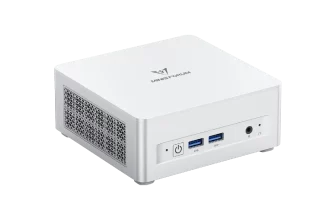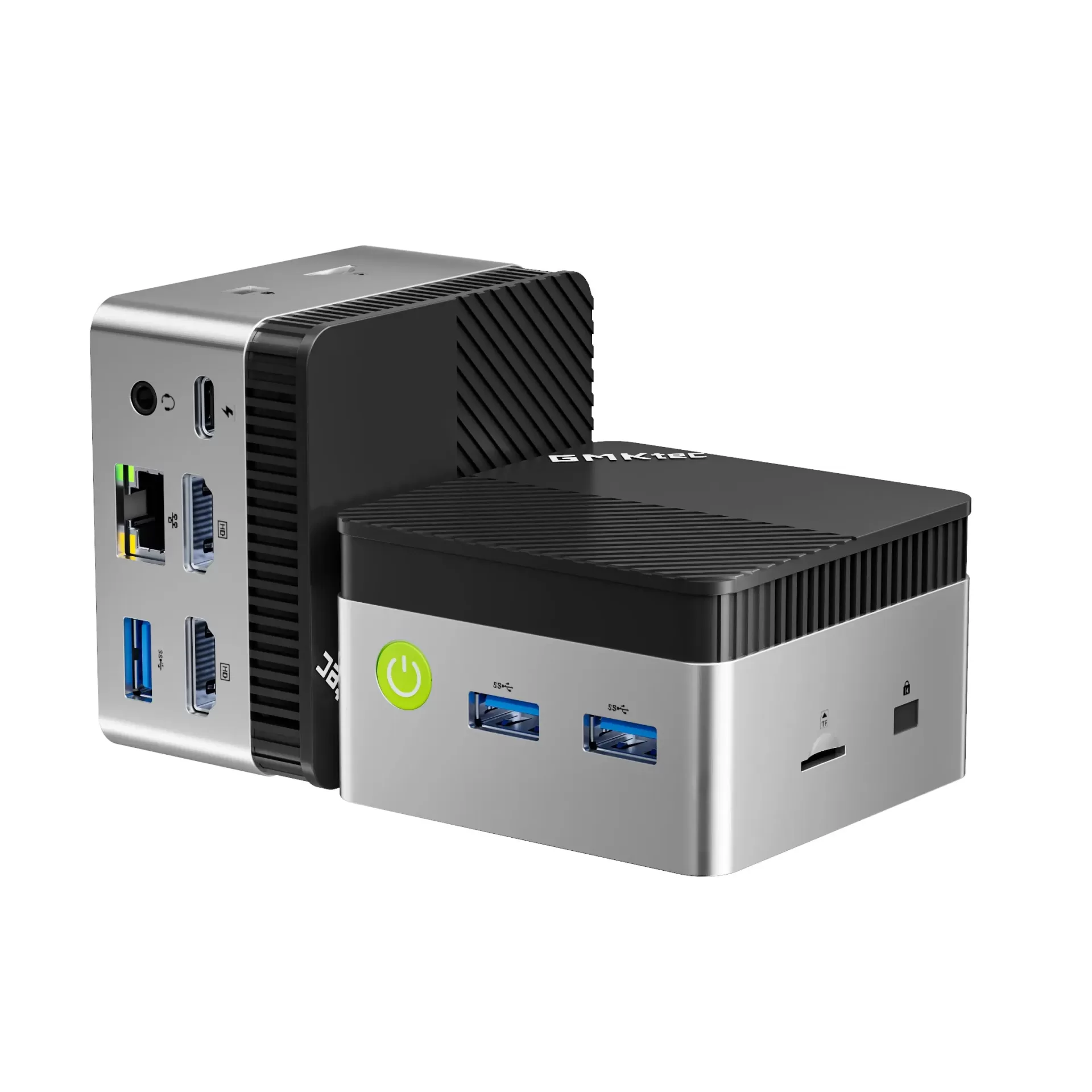
The GMKtec NucBox G5S answers a simple question: how small and how cheap can a usable Windows 11 desktop be? The answer is a 72 mm cube-like box weighing about 206 grams, powered through USB Type-C, with dual 4K HDMI output and Windows 11 Pro for US $229.99 at the manufacturer store (November 2026 price). We have analysed the hardware in detail to see where this palm-sized computer makes sense and where it falls short.

A Palm-Sized Computer With a Familiar Processor
The G5S is not a new platform. Its processor, the Intel® Celeron® N5095, was launched in 2021, and GMKtec has offered the G5 family for several years. The G5S revision appears in the current catalogue as a refreshed listing rather than as a technological leap. That matters when comparing it with other budget mini PCs: in 2026, most new entry-level models use the Intel® N100 or N150, which are clearly faster per core and more efficient.
What the G5S still offers that few rivals match is its size. At 72 × 72 × 44.5 mm it is smaller than most N100 machines, and the USB-C power input makes it possible, as GMKtec itself suggests, to run it from a sufficiently powerful USB-C charger when travelling (the official adapter is rated at 12 V / 3 A).
Specifications at a Glance
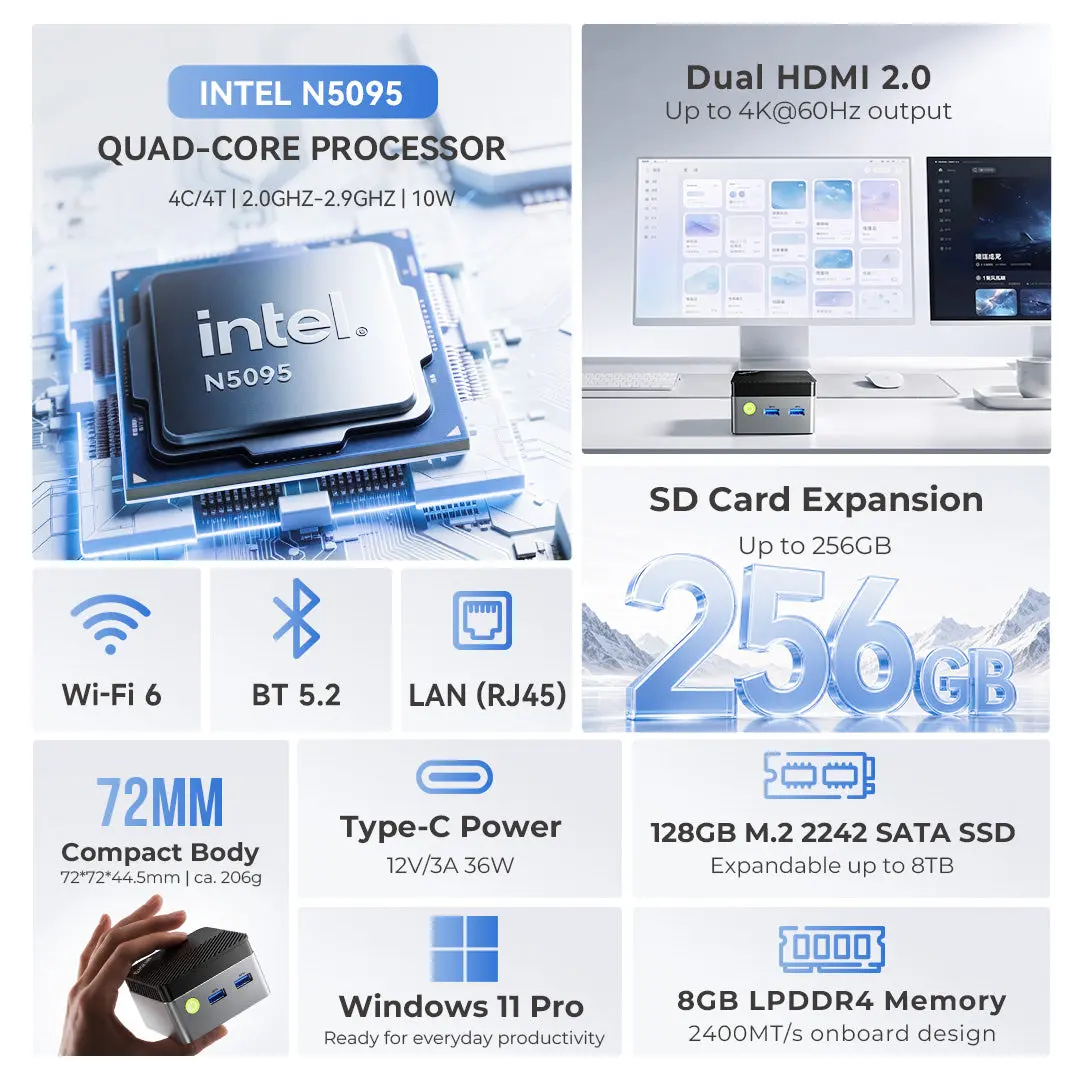
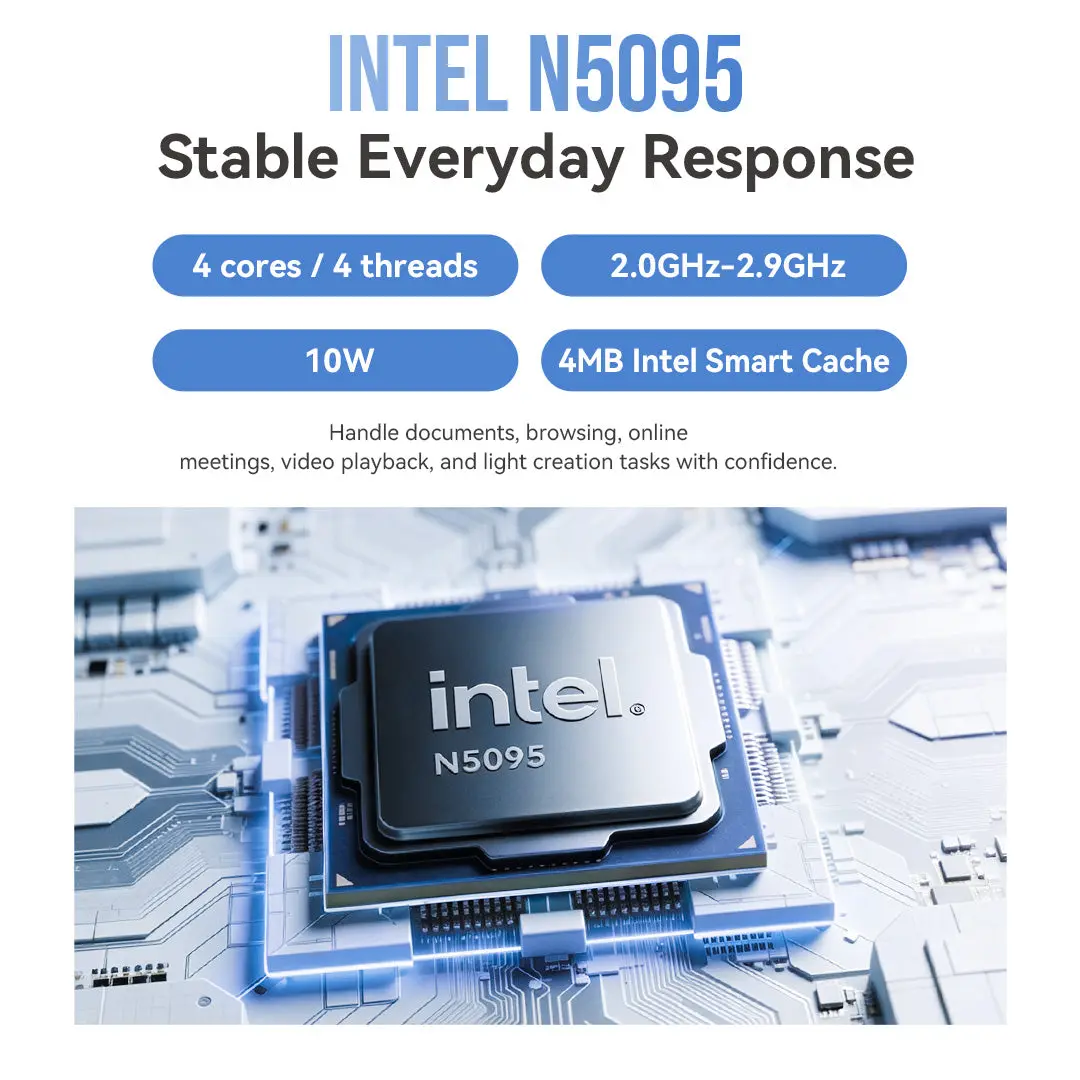
- CPU: Intel® Celeron® N5095 — 4 Cores / 4 Threads — 2.0 to 2.9 GHz — 4 MB cache — 10 W configured
- GPU: Intel® UHD Graphics — 16 EU — up to 750 MHz
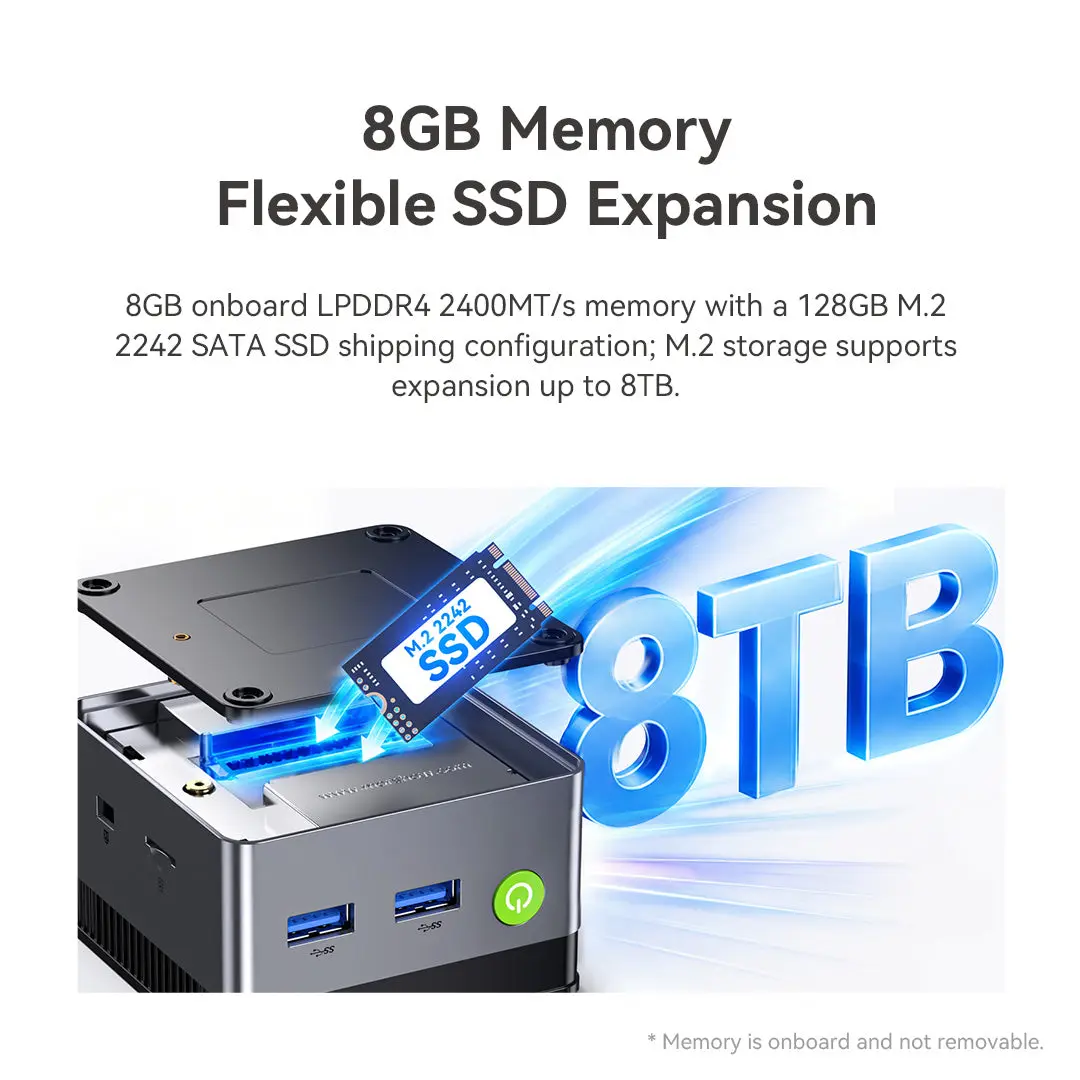
- Memory: 8 GB LPDDR4 2400 MT/s — SOLDERED — non-upgradeable
- Storage: 128 GB M.2 2242 SATA SSD — slot also accepts PCIe Gen3 ×2 NVMe — up to 8 TB
- Connectivity: Wi-Fi 6, Bluetooth 5.2, Gigabit Ethernet
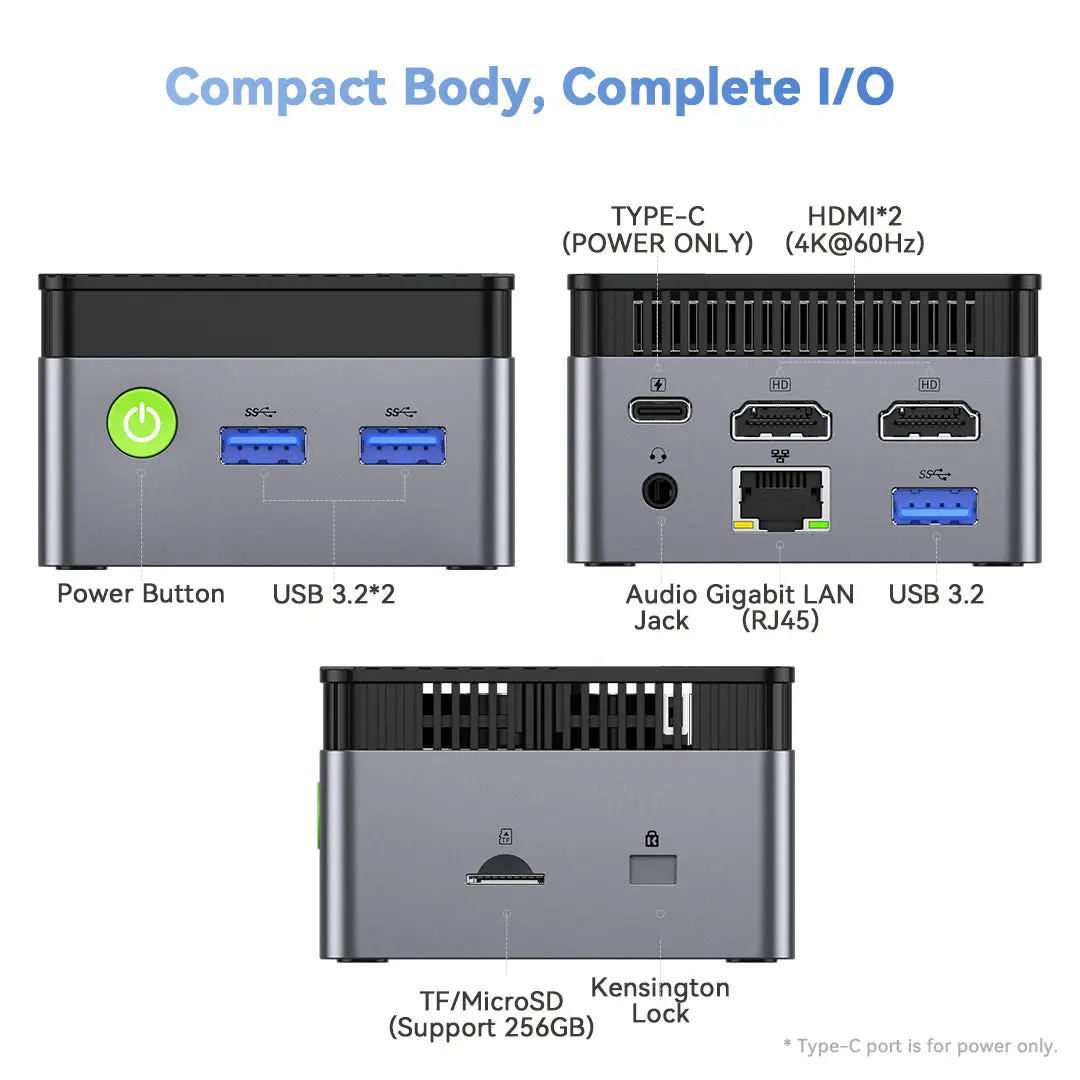
- Video: 2× HDMI 2.0 — two 4K@60Hz displays
- Size: 72 × 72 × 44.5 mm — about 206 g
Performance: What 4 Jasper Lake Cores Can Do
In our assessment, the N5095 is comfortable with the tasks it was designed for: web browsing, office documents, e-mail, Teams or Zoom calls, remote desktop and 4K streaming. Windows 11 opens and responds acceptably once updates are installed, although the 128 GB SATA drive and the 8 GB of memory are the two components that make the machine feel slower than an N100-based model when several applications are open at once.
The limitation comes from the age of the platform. The Tremont cores inside the N5095 deliver roughly 30–40 % less single-thread performance than the Gracemont cores of the N100 and N150 (approximate figure based on typical browser and office benchmarks). The gap is visible in heavy web applications and when opening large spreadsheets. In multi-thread tasks the difference is smaller, because both chips have four cores, but the N100 still leads.

Graphics and Multimedia
The Intel® UHD Graphics unit is modest. It drives two 4K displays at 60 Hz, which is useful for an office desk with two monitors or for signage, and it decodes H.264, HEVC and VP9 in hardware. It does not support AV1 decoding, which some streaming platforms are adopting, so in those cases the CPU has to work harder or the service falls back to another codec. Gaming is limited to light 2D titles, retro emulation and browser games.
Memory and Storage: The Two Compromises
The 8 GB of LPDDR4 are soldered and cannot be expanded. For a single-purpose machine (signage, kiosk, home automation) this is irrelevant, but for a general family computer it sets a firm ceiling for the coming years. The storage situation is better: the 128 GB SATA drive is small, yet the M.2 2242 slot also accepts faster PCIe NVMe drives and GMKtec indicates capacities up to 8 TB. Replacing the drive with a 512 GB or 1 TB NVMe unit is the most effective upgrade a G5S owner can make, and the microSD slot adds inexpensive extra space for media.
Connectivity and Ports
For a device this small, the port selection is generous: three USB-A 3.2 Gen1, two HDMI 2.0, Gigabit Ethernet, a 3.5 mm combo jack and a microSD reader. Wi-Fi 6 and Bluetooth 5.2 are adequate for the price. What is missing compared with larger models is a 2.5 GbE port, any USB-C data or display port, and USB 3.2 Gen2 speeds.

Cooling, Noise and Power
GMKtec has chosen a 10 W configuration for the N5095, with a copper heat pipe and a single fan. This keeps temperatures and noise low in normal use. The fan is small, so under a long full load it can be heard in a silent room, but the G5S is not a machine that spends long periods at full load. Power consumption is low enough for 24/7 operation, and the auto power-on option in the BIOS makes it suitable for unattended installations.
Setting It Up: First Steps and Worthwhile Upgrades
Out of the box, the G5S needs the usual first hours of any Windows 11 machine: system updates, driver updates and the removal of software the user does not need. On a 128 GB drive this initial phase matters, because Windows updates temporarily take several gigabytes. Our recommendation is to run Disk Cleanup after the first round of updates and to move personal folders such as Downloads and Videos to a microSD card or to network storage.
The only internal upgrade available is the SSD. Replacing the original 128 GB SATA drive with an M.2 2242 NVMe unit of 512 GB or 1 TB brings two benefits at once: much more space and faster loading of applications. Before buying, check that the new drive is the short 2242 format, not the common 2280 size, which will not fit. Memory cannot be changed, so the 8 GB the machine is sold with are the 8 GB it will always have.
Using It as a Small Always-On Server
With its low power consumption, Gigabit Ethernet and automatic power-on after a power cut, the G5S can run permanently as a small server at home or in an office. Typical roles that fit its four cores and 8 GB are a home automation controller, a network-wide ad blocker or DNS filter, a VPN endpoint, a print server, a light file share or a media server that streams files without heavy transcoding. In these roles the lack of an NPU, the modest GPU and the age of the processor are hardly relevant. The limits are the single internal drive and the absence of 2.5 GbE, which make larger network-attached storage roles better suited to bigger machines.
Two Screens, One Tiny Box
Dual 4K output is one of the strongest arguments for the G5S. Two HDMI 2.0 ports at 4K and 60 Hz allow a classic two-monitor office desk, a pair of signage screens showing different content, or a main display plus a projector in a meeting room. For office work at 4K, Windows scaling at 150 % keeps text readable, and the integrated graphics handle the desktop and video playback without problems. Demanding content on two 4K screens at the same time, such as two 4K videos plus browser work, pushes the processor to its limit, so for signage it is wise to use efficient video formats (HEVC or H.264) and to avoid heavy animated web pages.
Price and Value in 2026
At US $229.99 in the manufacturer store (November 2026), the G5S is not the cheapest way to get a mini PC: many N100 and N150 models sell at similar or slightly higher prices with faster processors and larger drives. Its value therefore depends on how much its size and USB-C power are worth to the buyer. For an installation where the computer must disappear behind a screen or travel in a small bag, those features justify the choice. For a general-purpose desktop, the price should be compared carefully with the N100/N150 alternatives of the same week, because discounts on both sides change the balance quickly.
How It Compares
The most direct comparisons on minis-pc.com are other N5095 and N5105 machines, and the newer N100/N150 generation:
- Acemagician T8 PRO (N5095) and Blackview MP60 (N5095): the same processor in larger chassis, which can leave more room for internal expansion (check the specifications of each model); the G5S wins on size, weight and the USB-C power input.
- GEEKOM Mini Air 11 (N5095 / N5105): a similar class of machine with a different port layout; check the memory configuration, since upgradability varies by model.
- N100 / N150 mini PCs (for example GMKtec G3 Plus, Beelink EQ12 / EQ14 class): faster per core, often with upgradeable DDR4/DDR5 and sometimes 2.5 GbE. If the price difference is small, they are the better long-term purchase.
Strengths and Limitations
Strengths:
- Extremely compact (72 × 72 × 44.5 mm, about 206 g) and VESA-mountable
- Dual 4K@60Hz output through two HDMI 2.0 ports
- Wi-Fi 6, Bluetooth 5.2 and Gigabit Ethernet
- USB-C power input and auto power-on for unattended use
- M.2 slot accepts NVMe drives, up to 8 TB
Limitations:
- 2021 processor, clearly slower than N100/N150 rivals
- 8 GB soldered memory — cannot be upgraded
- Small 128 GB SATA SSD as standard
- No AV1 decoding, no NPU, no USB-C data or display
- Single fan can be audible under sustained load
Who Should Buy the GMKtec NucBox G5S?
The G5S is a sensible purchase for users who value size above everything else: a signage player behind a screen, a terminal at a shop counter, a classroom computer, a travel PC for presentations, or a small always-on box for home automation. For a family desktop or a home office that will be used for years, an N100 or N150 model with upgradeable memory is a better investment unless the G5S is on a clear discount.
Verdict
The GMKtec NucBox G5S is a well-built, honest ultra-compact PC with a dated heart. It does exactly what its specifications promise — dual 4K, Windows 11 Pro, modern wireless connectivity — in one of the smallest boxes on the market. Buy it for its size and price, and keep expectations for performance within the limits of a 2021 entry-level processor.
GMKtec NucBox G5S Intel® Celeron® N5095
| AI Capabilities | ||||||||||||||||
|---|---|---|---|---|---|---|---|---|---|---|---|---|---|---|---|---|
|
||||||||||||||||
| Processor | ||||||||||||||||
|
||||||||||||||||
| Ports | ||||||||||||||||
|
||||||||||||||||
| Network | ||||||||||||||||
|
||||||||||||||||
| GPU | ||||||||||||||||
|
||||||||||||||||
| Internal Ports | ||||||||||||||||
|
||||||||||||||||
| Storage & RAM | ||||||||||||||||
|
||||||||||||||||
| Power | ||||||||||||||||
|
||||||||||||||||
| Others Specifications | ||||||||||||||||
|
||||||||||||||||

More information: GMKtec NucBox G5S on minis-pc.com
Discover our full Mini PC comparison: minis-pc.com
Article written for minis-pc.com — Mini PC Comparisons and Reviews