
AYANEO Mini PC AM03 Intel® Core™ i9-12900H




| Processor | 7.5 |
|---|---|
| RAM | 7.8 |
| Hard Disk | 7.5 |
| Connectivity | 7.8 |
AYANEO Mini PC AM03 — Artistic design mini PC with Intel® Core™ i9-12900H (Alder Lake-H). 14 cores / 20 threads up to 5.0 GHz. No NPU — not a Copilot+ PC. Intel® UHD Graphics 770 — 32 EUs up to 1.45 GHz. Up to 64 GB DDR5 SO-DIMM UPGRADEABLE (2 slots). 2× M.2 2280 — PCIe 4.0 ×4 + PCIe 3.0 ×4 — up to 8 TB. HDMI 2.1 + DisplayPort 1.4 + USB-C DP Alt Mode — triple display. Dual 2.5 GbE Ethernet. Wi-Fi 6 + BT 5.2. Built-in stereo speakers. Foldable front panel. Skyline curved RGB ambient lighting. 5 top-panel buttons (Power / RGB / Mute / 2× custom). Dual aluminum heat pipes + high-pressure turbofan. AYASpace 3.0 pre-installed. Available in Ink Black and Cyan Sky. From $399 barebone.

Description
AYANEO Mini PC AM03
Artistic Design Mini PC — Intel® Core™ i9-12900H (Alder Lake-H)
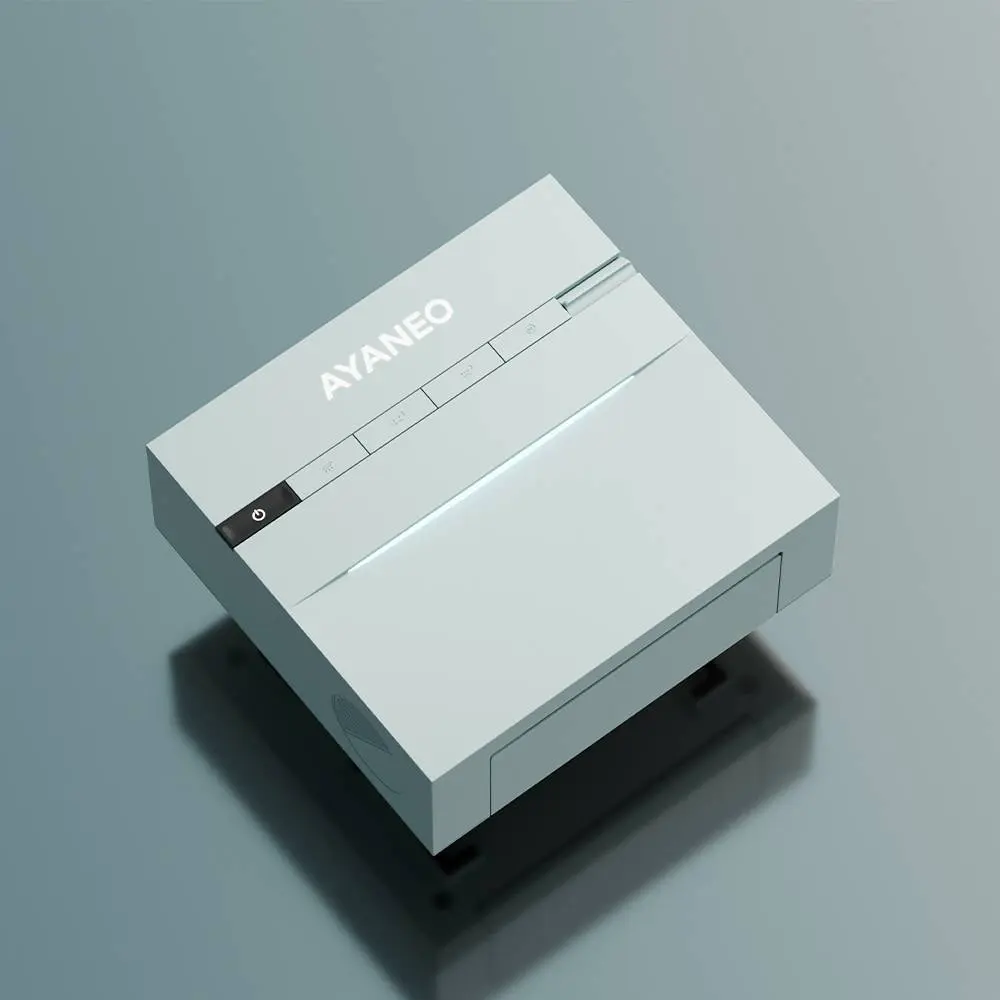
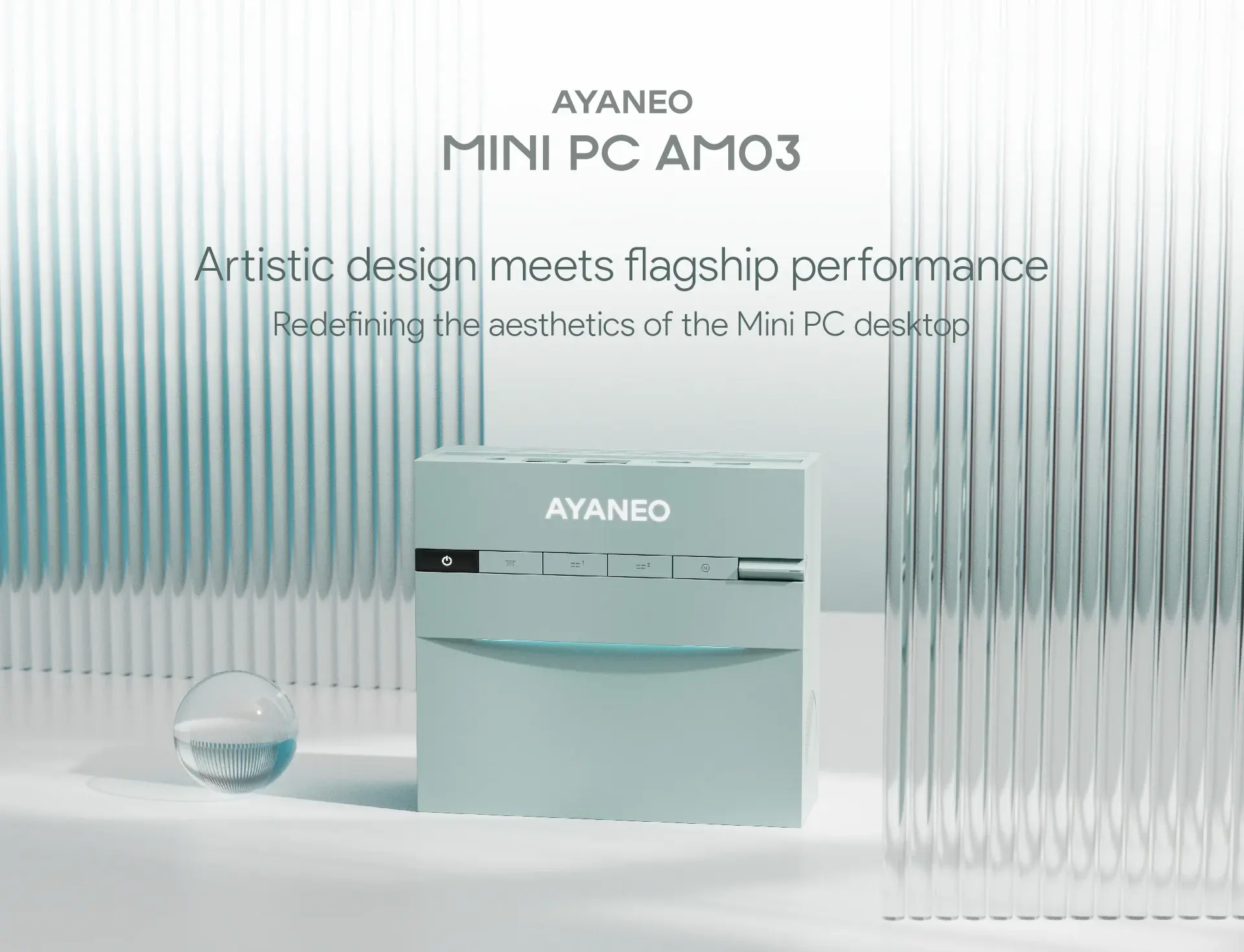
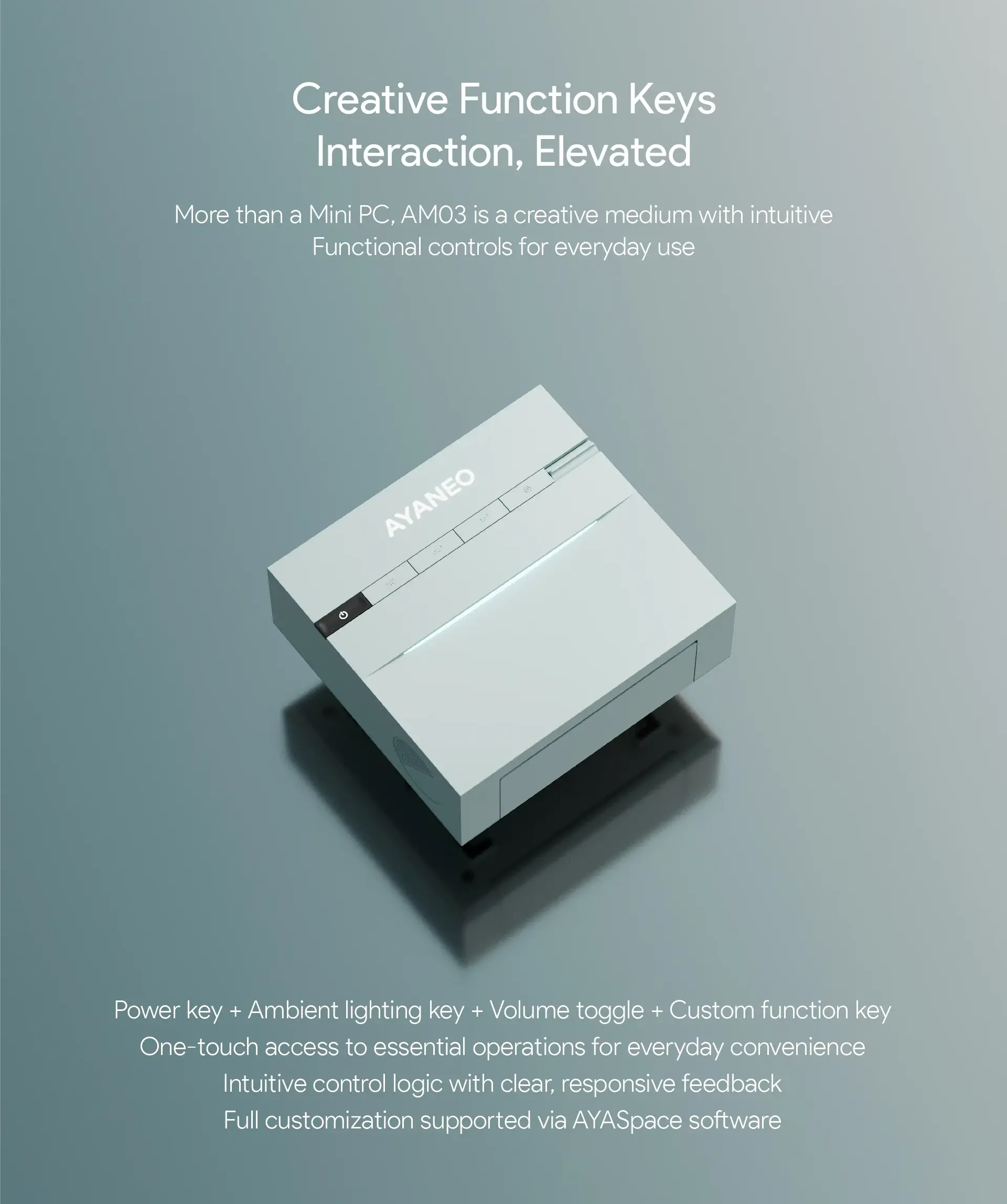
The AYANEO Mini PC AM03 was officially launched on January 7, 2026, at CES week — and it arrived with a clear mission statement: to be a piece of desktop art as much as it is a computing device. AYANEO describes it as “redefining desktop aesthetics,” and while the hardware inside is deliberately conservative, the design language outside is unlike anything else in the mini PC market at its price point. A curved Skyline RGB ambient lighting strip, a foldable front panel that conceals the IO ports when not in use, built-in stereo speakers integrated into both sides of the chassis, and five ergonomically placed top-panel buttons — including two fully customisable via the AYASpace 3.0 software — combine to create a machine that functions as the visual centrepiece of a desk setup rather than something to hide behind a monitor.
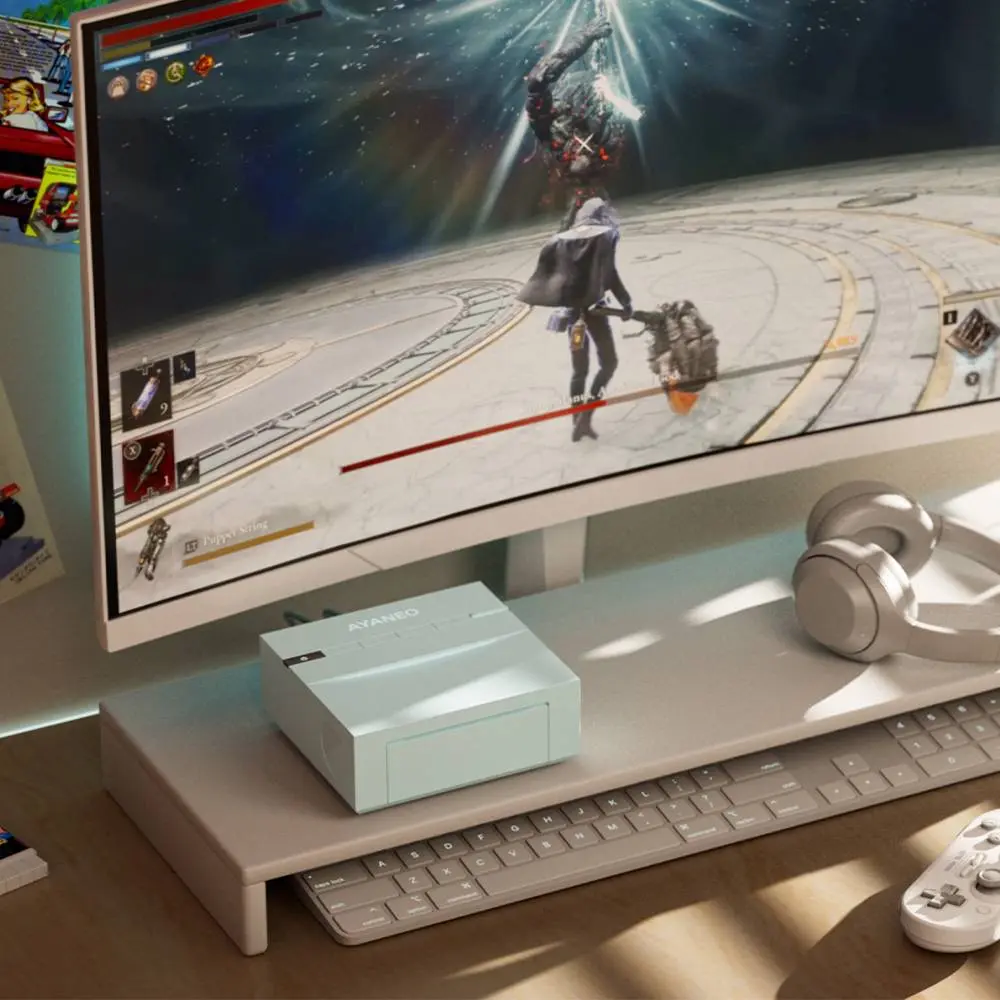
The honest assessment that every publication covering the AM03 has offered — and this review will offer the same — is that the Intel Core i9-12900H inside is a four-year-old processor from 2022, and the Intel UHD Graphics 770 is not competitive with the integrated GPU leaders of 2026 for gaming. Liliputing’s reviewer noted that the AM03 “is not going to be competitive with new Intel Panther Lake or AMD Gorgon Point chips announced at CES this week.” Teknowire concluded that “the hardware places the AM03 at a disadvantage against newer rivals.” Both assessments are accurate. The AM03 is not the machine to buy if maximum computing performance per dollar is the primary criterion. It is the machine to buy if you want a capable, quiet, elegant, and characterful compact desktop that runs office applications, streams media, handles everyday productivity, and looks genuinely beautiful on a desk — at a starting price of $399 for the barebone.

| AYANEO Mini PC AM03 — Intel® Core™ i9-12900H | |
|---|---|
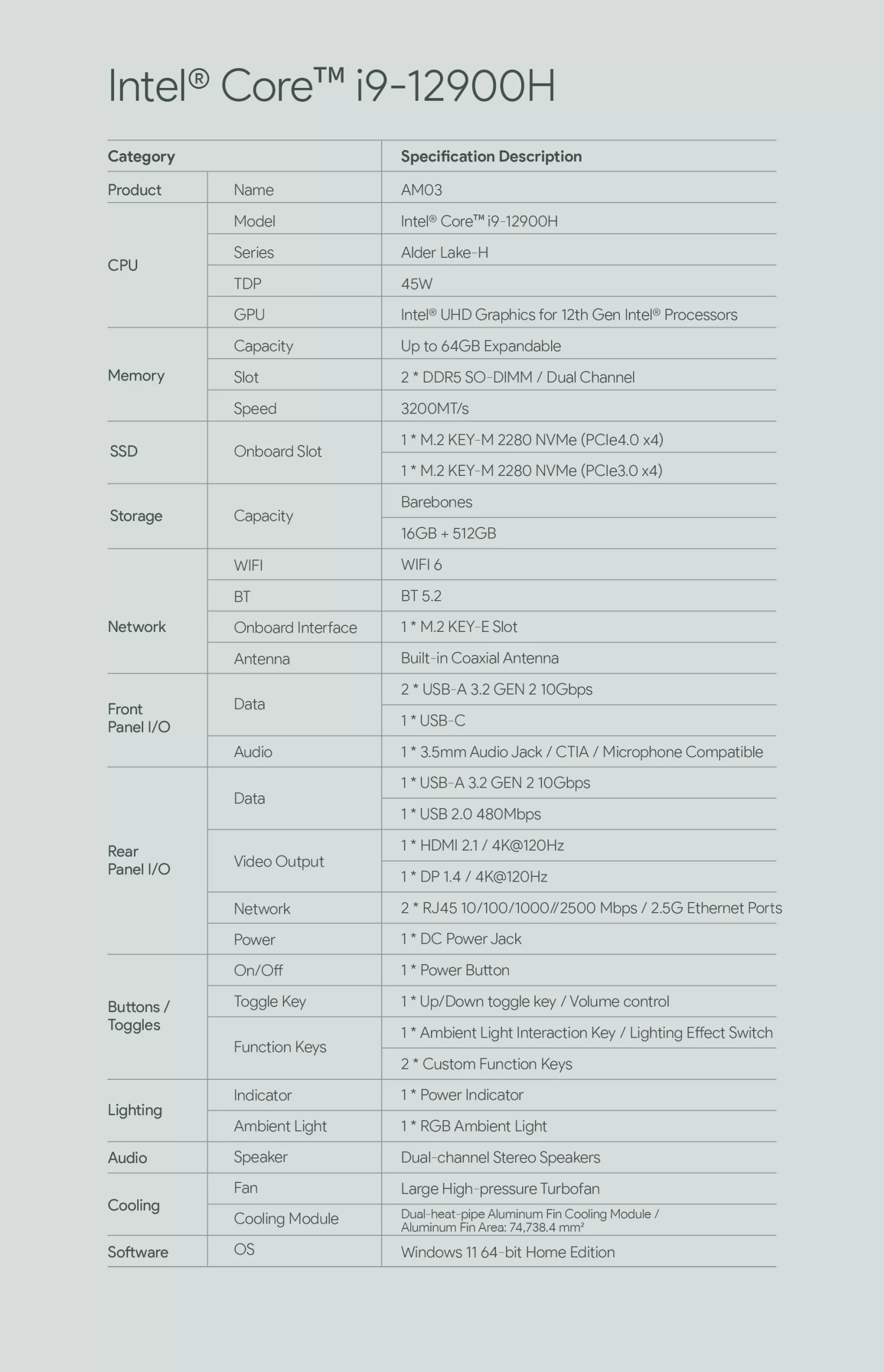
| CPU | Intel® Core™ i9-12900H (Alder Lake-H) — 2.5 GHz base (P-cores), up to 5.0 GHz boost — 14 Cores / 20 Threads (6P-cores + 8E-cores) — 24 MB Intel® Smart Cache — Intel 10 nm — No NPU — not a Copilot+ PC. |
| GPU | Intel® UHD Graphics 770 — 32 EUs — up to 1.45 GHz — DirectX 12 Ultimate — hardware H.265 / AV1 decode |
| Memory | 16 GB / 32 GB DDR5 SO-DIMM (2× SO-DIMM slots — expandable up to 64 GB — fully user-upgradeable) |
| Storage | 512 GB M.2 2280 PCIe 4.0 ×4 NVMe SSD (primary) + 1× M.2 2280 PCIe 3.0 ×4 NVMe slot (secondary — empty) — up to 8 TB total |
| Storage Expansion | 1× M.2 2280 PCIe 3.0 ×4 NVMe slot (secondary — empty) — up to 4 TB additional storage |
| Wireless Connectivity | Wi-Fi 6 (802.11ax) dual-band 2.4 GHz + 5 GHz + Bluetooth 5.2 |
| Ethernet | 2× 2.5 Gigabit Ethernet Ports (dual independent networks) |
| Video Output |
|
| Audio Output | 1× 3.5mm combo audio jack (under front foldable panel) + Built-in stereo speakers (left and right side of chassis) |
| Ports & Buttons | Under front foldable panel:
Rear:
Top panel:
|
| System | Windows 11 Home (pre-installed) + AYASpace 3.0 (pre-installed) — Barebone option available (no RAM / no SSD / no OS) |
| Product Dimension | ~148 × 148 × 52 mm — Weight: ~750 g (without power adapter) |
| Power | External DC power adapter (included) — TDP: 45W |
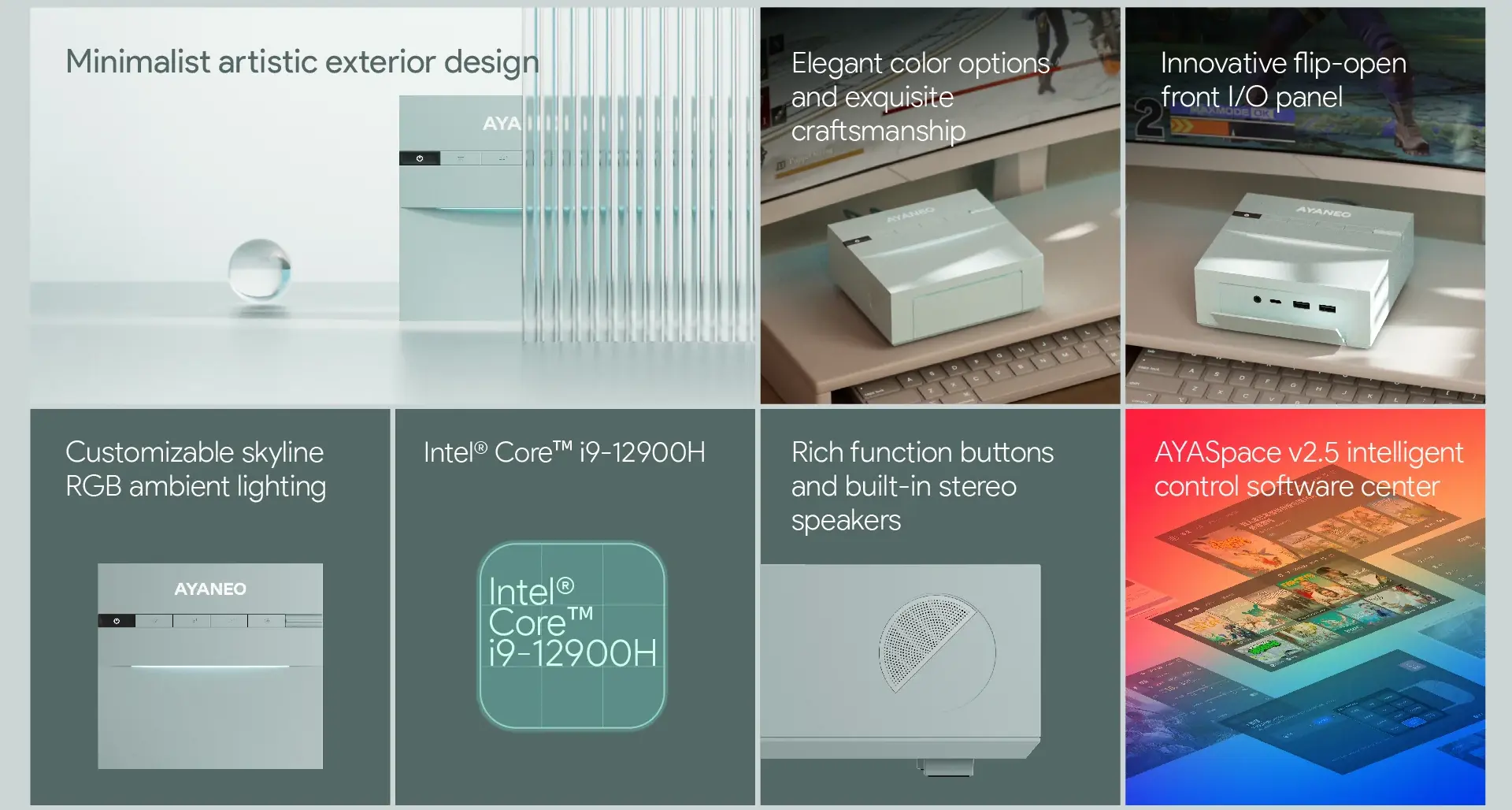
Processor — Intel® Core™ i9-12900H: Alder Lake-H, 14 Cores, 5.0 GHz
The Core i9-12900H is Intel’s flagship Alder Lake-H mobile processor — a hybrid architecture combining six Performance cores and eight Efficiency cores for a total of 14 cores and 20 threads, with a single-core boost frequency of 5.0 GHz. Manufactured on Intel’s 10 nm (Intel 7) process node, it was a genuinely powerful chip when released in Q1 2022 and remains capable for the workloads the AM03 targets: office productivity, web browsing, video conferencing, media playback, and light creative work. In multi-threaded benchmarks, the i9-12900H competes respectably with many current-generation efficiency chips despite its age, particularly in burst workloads where the P-core boost to 5.0 GHz provides strong single-threaded responsiveness.
The i9-12900H does not include an NPU of any kind. The AM03 is not a Copilot+ PC and does not support Windows 11 AI features including Recall, live caption translation, or AI image generation. For the productivity and entertainment use cases the AM03 targets, this has no practical impact — none of these features are required for web browsing, office applications, video streaming, or media playback. For buyers who specifically want AI acceleration, the ACEMAGIC Retro X5 or Minisforum EliteMini AI 370 — both with AMD Ryzen AI 9 HX 370 and 50 TOPS NPUs — are the appropriate alternatives, though at substantially higher price points.
- 14 cores / 20 threads (6× P-cores + 8× E-cores — Alder Lake-H hybrid)
- Base 2.5 GHz (P-cores) — Boost up to 5.0 GHz
- 24 MB Intel® Smart Cache
- Intel 10 nm process node (Intel 7)
- TDP: 45W
- No NPU — not a Copilot+ PC

Graphics — Intel® UHD Graphics 770: Everyday Display, Not a Gaming GPU
The Intel UHD Graphics 770 integrated GPU features 32 execution units running at up to 1.45 GHz. It is capable of driving multiple external displays simultaneously, playing hardware-accelerated H.265 and AV1 video content without CPU overhead, and handling the 2D and light 3D workloads that office and productivity applications demand. It is not designed for gaming — the 32 EU configuration delivers frame rates in the single digits or low teens in any modern 3D title at 1080p, and Teknowire explicitly noted the AM03 is “expected to struggle with recent triple-A games beyond low settings.” The UHD 770 supports triple simultaneous display output through the combination of HDMI 2.1, DisplayPort 1.4, and the USB-C port under the foldable front panel, making it a capable multi-monitor productivity GPU for office and desk setups.
Design — The AM03’s Defining Characteristic
The AM03’s design is the product’s most compelling argument, and understanding it requires understanding what AYANEO is trying to do with the AM0 series as a whole. Unlike the AM01 and AM02 — which directly referenced the NES hardware aesthetic — the AM03 takes a more original direction. VideoCardz described it as “borrowing cues from older game consoles” while developing its own visual language; Liliputing noted it “doesn’t look like a clone of 1980s-era PCs or consoles so much as it takes some design cues from that era.” FULLSYNC described it as “smooth lines and a premium finish, making it feel more like a piece of desk decor than a normal computer.”
The Skyline RGB ambient lighting is the AM03’s most visually distinctive feature — a curved strip integrated into the top portion of the chassis that produces a soft, diffused glow across the desk surface. Unlike the aggressive RGB lighting found on gaming peripherals, the Skyline strip is positioned to be atmospheric rather than attention-demanding. It is controllable via a dedicated physical button on the top panel and through AYASpace 3.0, allowing brightness adjustment, colour selection, and animation modes without opening any software. The available colours — Ink Black and Cyan Sky — both serve the lighting well, with the Cyan Sky variant being particularly striking when the Skyline strip is active.
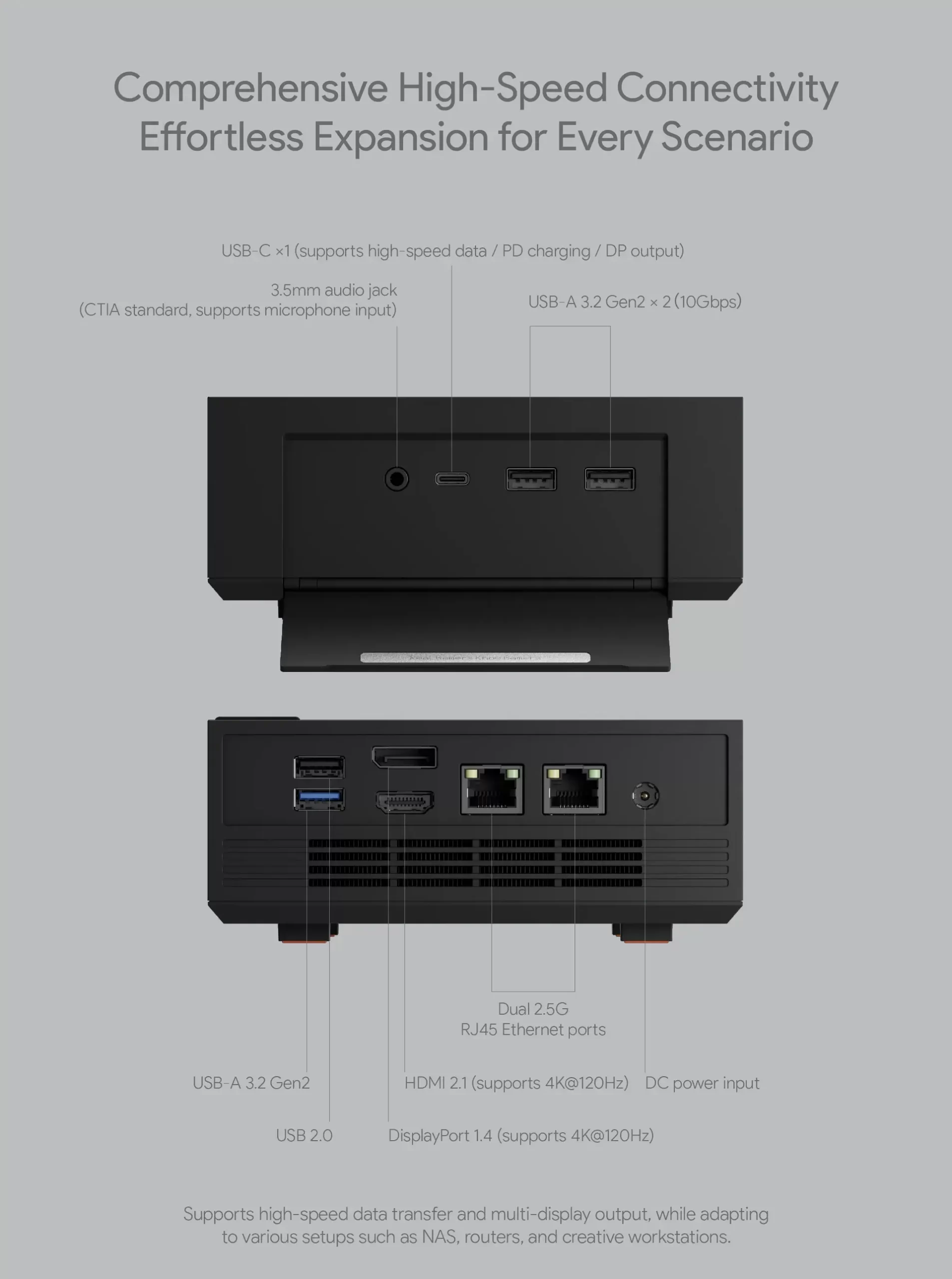
The foldable front panel is both a functional and aesthetic decision. When closed, the front of the AM03 presents an uninterrupted clean surface with no visible ports, cables, or connectors — giving the machine its desk-art character. When opened by pressing or pulling the panel forward, the front IO becomes accessible: two USB 3.2 Gen2 Type-A ports, one USB-C with DisplayPort Alt Mode and Power Delivery, and a 3.5mm combo audio jack. The mechanism is solid and feels deliberate rather than flimsy — reviewers who handled the machine consistently described the panel as well-engineered. The only practical downside is that placing the machine in vertical orientation makes the front panel ports inaccessible, so rear-port planning is important for vertical users.


Top-Panel Buttons and Built-In Stereo Speakers
Five buttons are ergonomically integrated into the top surface of the AM03 chassis: a power button, an RGB lighting control button, a mute button, and two fully programmable custom function buttons configurable through AYASpace 3.0. The programmable buttons can be assigned to application launches, system commands, media controls, and custom macros — making them genuinely useful rather than decorative. Built-in stereo speakers are integrated into the left and right sides of the chassis, providing audio output without any external devices. AYANEO describes the speakers as suitable for “office or light entertainment” — a reasonable characterisation. They are not high-fidelity audio, but they are substantially better than the single mono speaker found in many compact desktops and eliminate the need for a USB speaker or audio adapter for casual use.

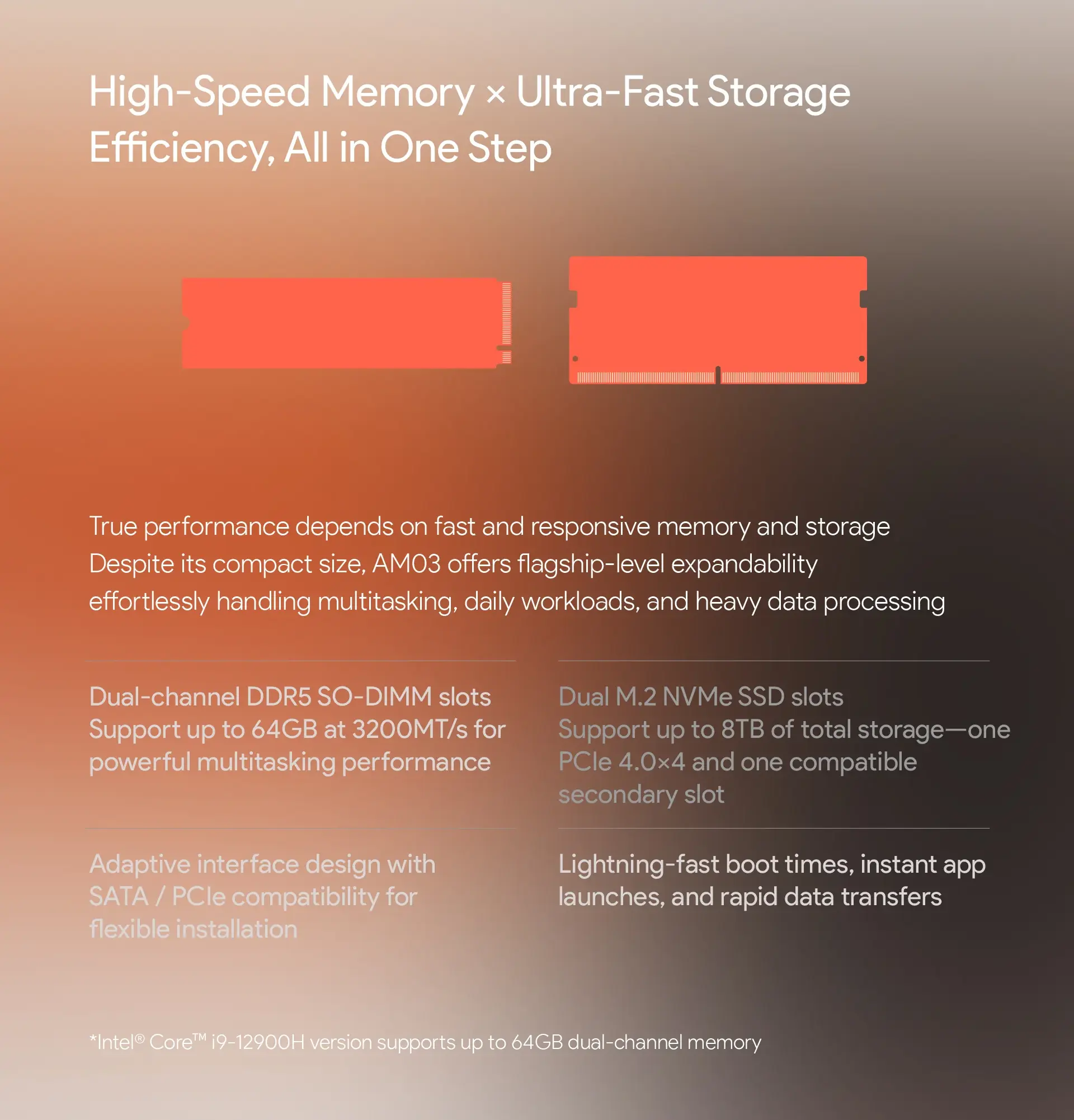
Memory and Storage — Expandable and Accessible
Two DDR5 SO-DIMM slots support up to 64 GB of user-replaceable memory. The standard 16 GB configuration is adequate for everyday office and productivity use; 32 GB is recommended for simultaneous multitasking across multiple applications and browser tabs. Storage is split between a primary M.2 2280 PCIe 4.0 ×4 slot (shipping with 512 GB in the non-barebone configuration) and a secondary M.2 2280 PCIe 3.0 ×4 slot that ships empty for user expansion. Combined maximum capacity across both slots is 8 TB. Both slots are accessible via the bottom panel for user upgrades.
Connectivity — Dual 2.5 GbE, Wi-Fi 6, Triple Display
Two independent 2.5 Gigabit Ethernet ports are a standout specification for a mini PC at the AM03’s price point, enabling simultaneous connection to two separate wired networks — useful for NAS direct-attach, home lab network isolation, or link aggregation on compatible switches. Wi-Fi 6 (802.11ax) with Bluetooth 5.2 covers wireless connectivity across dual-band operation. Triple display output via HDMI 2.1, DisplayPort 1.4, and USB-C DP Alt Mode covers multi-monitor productivity setups effectively. The USB port count — three USB Type-A and one USB-C across front and rear — is modest, and a USB hub will be a practical requirement for users with multiple peripherals.
Cooling — Dual Copper Heat Pipes, 74,738 mm² Dissipation Area
The AM03 uses a large high-pressure turbofan paired with dual copper heat pipes and an aluminium fin array that AYANEO rates at a total heat dissipation surface area of 74,738.4 mm². For a 45W processor in a compact chassis, this cooling assembly is more than adequate to sustain the i9-12900H’s boost clocks without throttling during sustained productivity workloads. Fan noise during everyday use is low, and the machine is designed for quiet operation compatible with open-plan office environments.

AYASpace 3.0 — The Software That Makes It Cohesive
AYASpace 3.0 is AYANEO’s proprietary system management software, pre-installed on all AM03 units. It handles performance profile management (similar to the Silent/Balanced/Performance modes found in other AYANEO products), RGB lighting configuration for the Skyline strip, custom button programming for the two programmable top-panel buttons, and fan speed monitoring. The software is the same platform that powers AYANEO’s handheld gaming PCs and has been refined through multiple generations — making the AM03’s software experience more polished than most competing mini PCs that rely on third-party or minimal BIOS-only control. For buyers who want a single interface to manage every aspect of the machine’s behaviour, AYASpace 3.0 provides it.

Who Is the AM03 For?
The AYANEO AM03 is explicitly not for everyone, and AYANEO makes no attempt to pretend otherwise. At $399 barebone and $499 for 16 GB / 512 GB, it sits in a price range where competing mini PCs offer substantially more modern processors — including the GMKtec NucBox G3 Pro with Wi-Fi 6 and 2.5 GbE at $169, and various Ryzen 7000 and 8000-series systems at $500–$600. In raw computing performance per dollar, the AM03 is not the market leader.
The AM03 is for the buyer who wants their desk to look a specific way. Who wants a mini PC that generates conversation and aesthetic interest, that integrates speakers and programmable buttons, that produces a soft ambient glow on the desk surface, and that does all of this for under $500 while running Windows 11 and handling everyday productivity without complaint. For that specific buyer — and AYANEO understands their audience well enough to know they exist — the AM03 is the only machine on the market that delivers this combination at this price.


Additional information
Specification: AYANEO Mini PC AM03 Intel® Core™ i9-12900H
| Configuration Options | ||||||||||||||||||||||||
|---|---|---|---|---|---|---|---|---|---|---|---|---|---|---|---|---|---|---|---|---|---|---|---|---|
|
||||||||||||||||||||||||
| Processor | ||||||||||||||||||||||||
|
||||||||||||||||||||||||
| Ports | ||||||||||||||||||||||||
|
||||||||||||||||||||||||
| Network | ||||||||||||||||||||||||
|
||||||||||||||||||||||||
| GPU | ||||||||||||||||||||||||
|
||||||||||||||||||||||||
| Internal Ports | ||||||||||||||||||||||||
|
||||||||||||||||||||||||
| Storage & RAM | ||||||||||||||||||||||||
|
||||||||||||||||||||||||
| Power | ||||||||||||||||||||||||
|
||||||||||||||||||||||||
| Others Specifications | ||||||||||||||||||||||||
|
||||||||||||||||||||||||
| Specification | ||||||||||||||||||||||||
|
||||||||||||||||||||||||
Related Products


