
Minisforum EliteMini AI 370 AMD Ryzen™ AI 9 HX 370


Original price was: $1,099.00.$1,044.05Current price is: $1,044.05.
 Amazon.com
| Processor | 9 |
|---|---|
| RAM | 7.8 |
| Hard Disk | 8 |
| Connectivity | 8.8 |
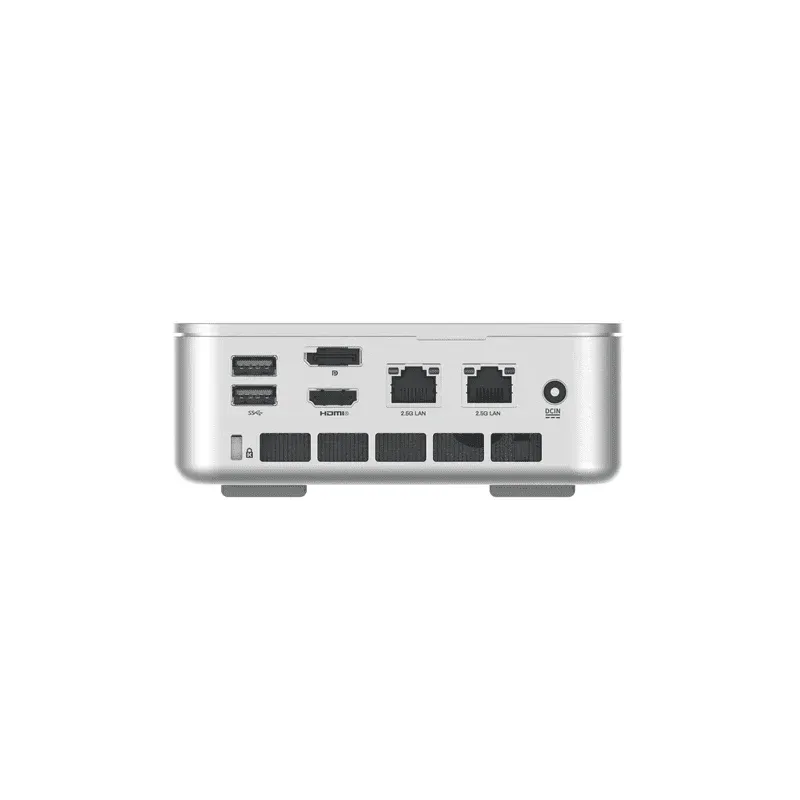
Minisforum EliteMini AI 370 — AMD Ryzen™ AI 9 HX 370 (Strix Point) Mini PC. 12 Zen 5 / Zen 5c cores / 24 threads up to 5.1 GHz (P-cores) / 3.3 GHz (E-cores). AMD Radeon™ 890M — 16 RDNA 3.5 CUs up to 2.9 GHz. XDNA 2 NPU — 50 TOPS. 80 TOPS total AI. Copilot+ PC certified. 32 GB LPDDR5X-7500 (soldered — non-upgradeable). 1× M.2 2280 PCIe 4.0 ×4 (up to 4 TB). Triple display: HDMI 2.1 (8K) + 2× DisplayPort 1.4 (4K). 1× USB4 40 Gbps. 1× USB4 20 Gbps. Dual 2.5 GbE. Intel Killer Wi-Fi 6E AX1675x + BT 5.2. Kensington lock. VESA included. IceCool Pro thermal system — 45W PL1 / 54W PL2. 130 × 127 × 47 mm (5.12 × 5.0 × 1.85 in). ~680 g. From ~$849.

Original price was: $1,099.00.$1,044.05Current price is: $1,044.05.
Minisforum EliteMini AI 370 AMD Ryzen™ AI 9 HX 370 Prices

Price History
| Price history for MINISFORUM AI X1 Pro-370 Mini PC AMD Ryzen AI 9 HX 370(12C/24T) 32GB DDR5 512GB SSD Desktop Computer, HDMI|DP|2xUSB4 Output, 2xRJ45 Port, WiFi7, BT5.4, AMD Radeon 890M Graphics, Copilot Support AI PC | |
|---|---|
|
Latest updates:
|
|
Description
Minisforum EliteMini AI 370
Compact AI Mini PC — AMD Ryzen™ AI 9 HX 370 (Strix Point)
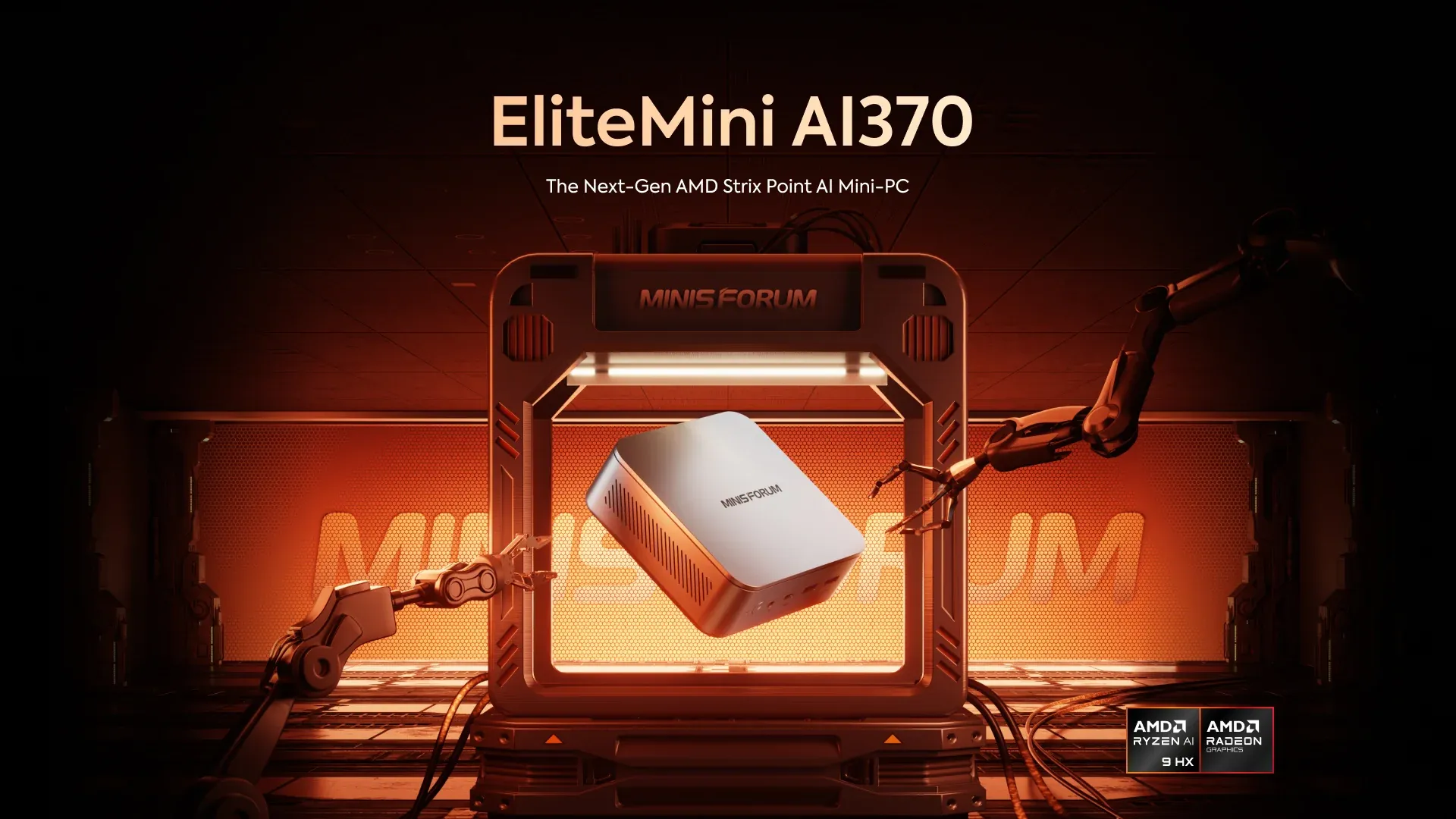
The Minisforum EliteMini AI 370 is one of the first mini PCs built around AMD’s Ryzen AI 9 HX 370 Strix Point processor and remains one of the most extensively reviewed systems based on this silicon. Launched in October 2024 and tested in depth by NotebookCheck, Tom’s Guide, Windows Forum, and a growing community of independent users, it establishes a clear technical benchmark for what the HX 370 platform can deliver in a compact chassis — and reveals, with equal clarity, where the design choices made by Minisforum impose constraints that competing systems address differently. Understanding both dimensions of this product is essential for any prospective buyer evaluating it alongside newer HX 370-based systems released in 2025 and 2026.
Specifications
| Minisforum EliteMini AI 370 — AMD Ryzen™ AI 9 HX 370 | |
|---|---|
| CPU | AMD Ryzen™ AI 9 HX 370 (Strix Point) — 2.0 GHz base (P-cores) / 1.6 GHz base (E-cores), up to 5.1 GHz boost — 12 Cores / 24 Threads (4× Zen 5 P-cores + 8× Zen 5c E-cores) — 36 MB total cache (L2: 12 MB + L3: 24 MB) — 4 nm TSMC — TDP 45W PL1 (sustained) / 54W PL2 (short burst) |
| GPU | AMD Radeon™ 890M — 16 RDNA 3.5 Compute Units — up to 2.9 GHz — DirectX 12 Ultimate — VulKan 1.3 — OpenCL 2.0 — FSR support — AV1 encode/decode — up to 4 simultaneous displays — up to 8K@60Hz |
| AI Engine | AMD XDNA 2 NPU — 50 TOPS dedicated AI — 80 TOPS total system AI (NPU + GPU + CPU) — Copilot+ PC certified — runs Microsoft Copilot+ AI features locally without cloud — compatible with LM Studio, Ollama, DeepSeek, LLaMA local inference |
| Memory | 32 GB LPDDR5X-7500 MT/s — dual channel — SOLDERED to motherboard — non-upgradeable under any circumstances — no SO-DIMM slots available |
| Storage | 1 TB M.2 2280 PCIe 4.0 ×4 NVMe SSD (primary) — sequential read ~6,200 MB/s — up to 4 TB supported in primary slot — 1× additional M.2 2242 SATA slot (secondary) |
| Storage Expansion | 1× M.2 2242 SATA slot (secondary — empty) — total storage up to ~6 TB across both slots combined |
| Wireless Connectivity | Wi-Fi 6E (802.11ax) — Intel Killer AX1675x (210NGW) — tri-band 2.4 GHz + 5 GHz + 6 GHz — up to 2.4 Gbps theoretical — Bluetooth 5.2 |
| Ethernet | 2× 2.5 Gigabit Ethernet Ports — Realtek RTL8125 controller — dual independent wired networks simultaneously |
| Video Output |
|
| Audio Output | 1× 3.5mm combo audio jack (front) |
| Ports & Buttons | Front:
Rear:
|
| System | Windows 11 Pro (pre-installed and activated) — Copilot+ AI features enabled from first boot |
| Product Dimension | 130 × 127 × 47 mm (5.12 × 5.0 × 1.85 in) — Weight: ~680 g (without power adapter) |
| Power | DC 19V external power adapter (120W) — TDP: 45W PL1 sustained / 54W PL2 short burst — idle power ~10W |
Processor — AMD Ryzen™ AI 9 HX 370: Architecture and Real-World Behaviour
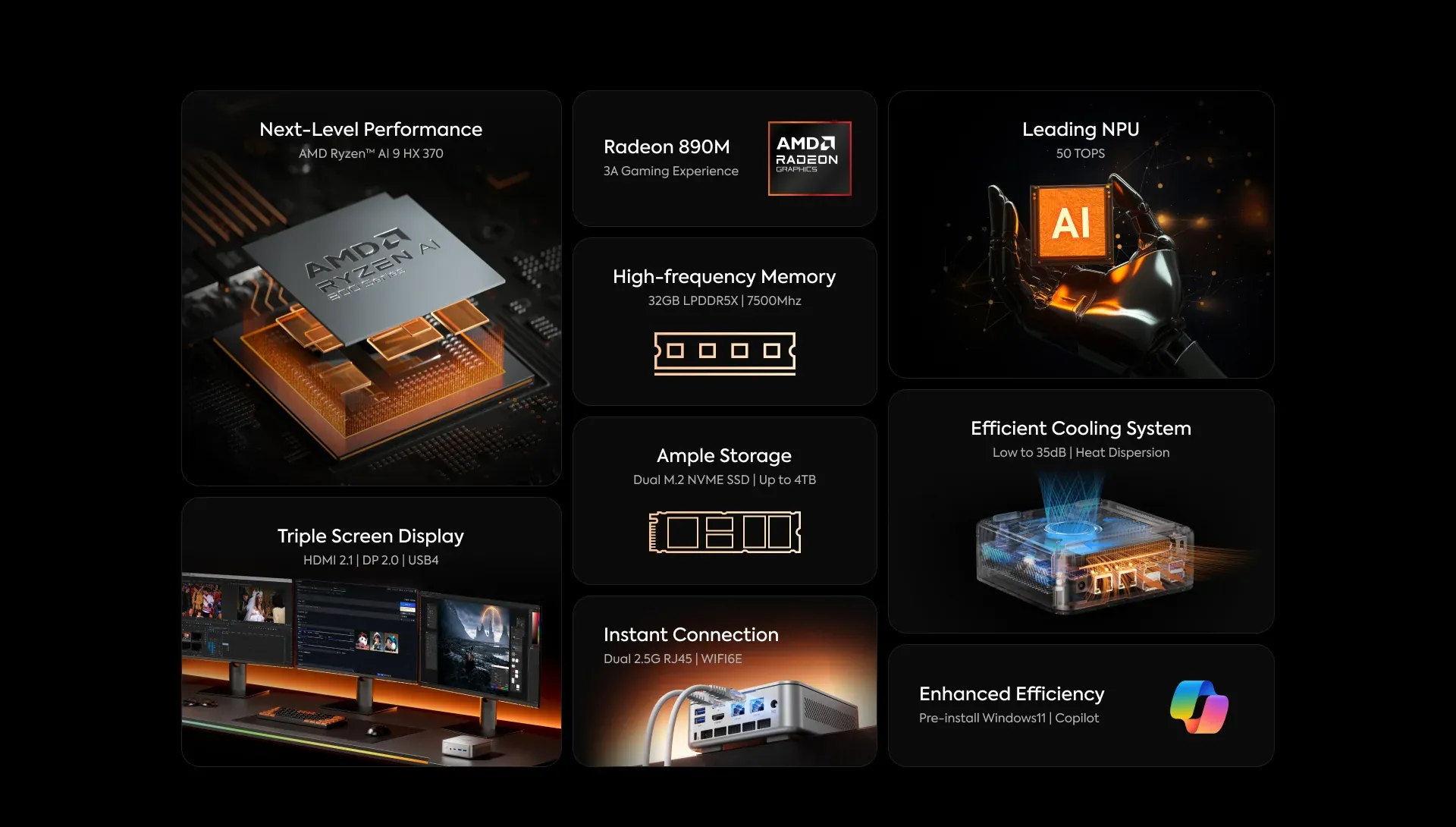
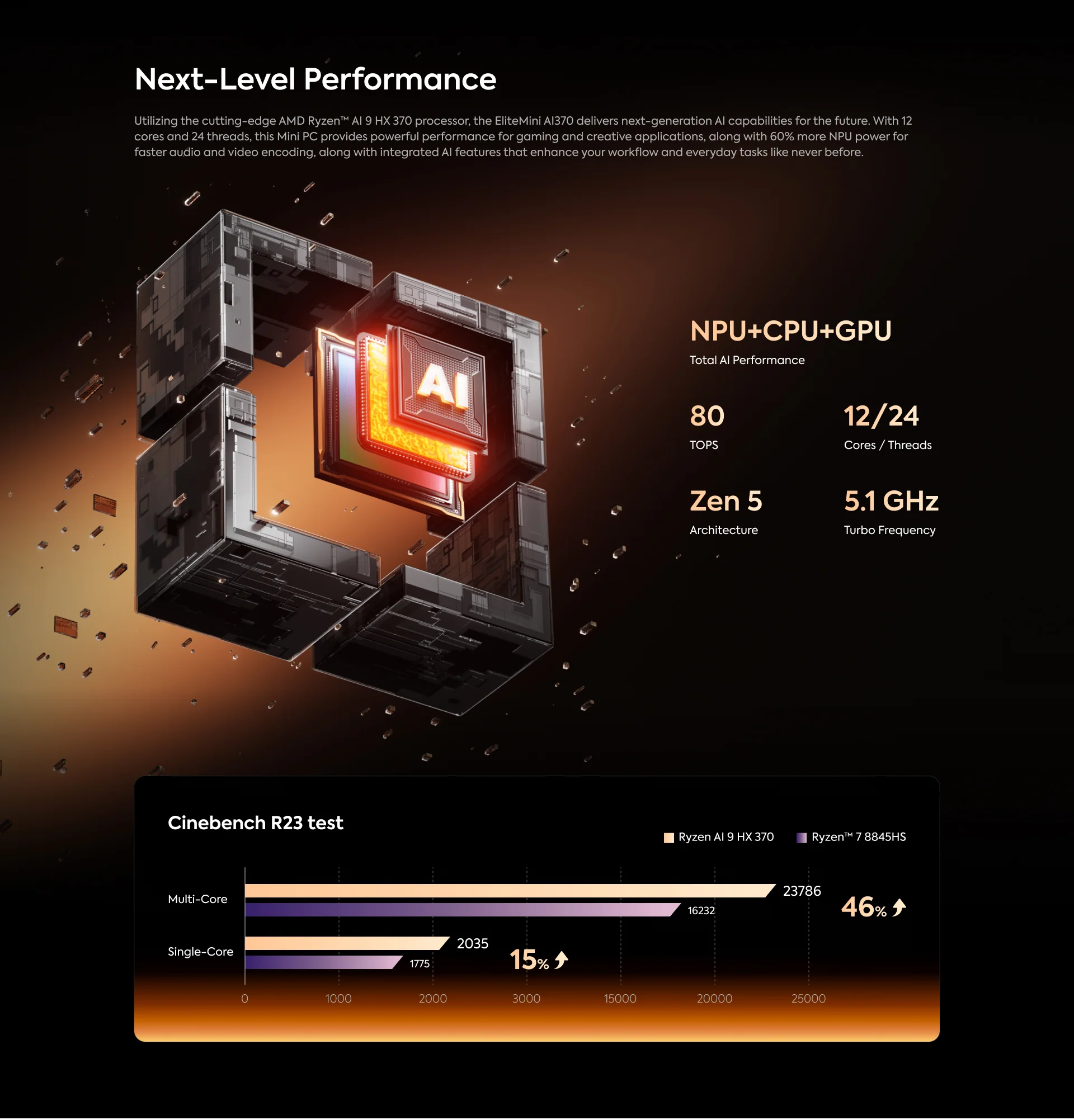
The Ryzen AI 9 HX 370 is AMD’s flagship Strix Point APU, manufactured on TSMC’s 4 nm process node and combining four full Zen 5 performance cores with eight compact Zen 5c efficiency cores for a total of 12 cores and 24 threads. The four P-cores operate at a base of 2.0 GHz and boost to 5.1 GHz under single-core demand, while the eight Zen 5c E-cores operate at a base of 1.6 GHz and boost to 3.3 GHz. The Zen 5c architecture uses approximately 25% less die space than a full Zen 5 core while maintaining meaningful throughput for background and parallel workloads, contributing to the chip’s power efficiency under mixed load conditions.
In the EliteMini AI 370’s default Balanced thermal profile — which Minisforum configures at 45W PL1 sustained and 54W PL2 short burst — the HX 370 delivers multi-core Cinebench R23 scores in the range of 13,500 to 15,000 depending on ambient temperature and sustained load duration. NotebookCheck’s comprehensive benchmark testing concluded that the AI370 delivers excellent performance for its size, describing it as “one of the most efficient devices we have tested to date” and noting that the AMD HX 370 delivers consistently high performance without noticeably increased power consumption. The chip performs faster than the majority of current Intel Core i9 laptop processors despite operating at a substantially lower power envelope — a result that reflects the efficiency advantages of AMD’s Zen 5 architecture on TSMC’s 4 nm process relative to Intel’s 10 nm-based Raptor Lake-H platform.
An additional BIOS-configurable Performance profile unlocks higher power limits — up to 65W sustained — extracting additional multi-core throughput at the cost of increased fan noise and thermal output. The Silent profile reduces power limits to approximately 28W for near-inaudible operation suitable for noise-sensitive environments. These three profiles cover the full range of use cases from always-on low-power server roles to demanding creative workloads.
Graphics — AMD Radeon™ 890M: RDNA 3.5 Integrated GPU
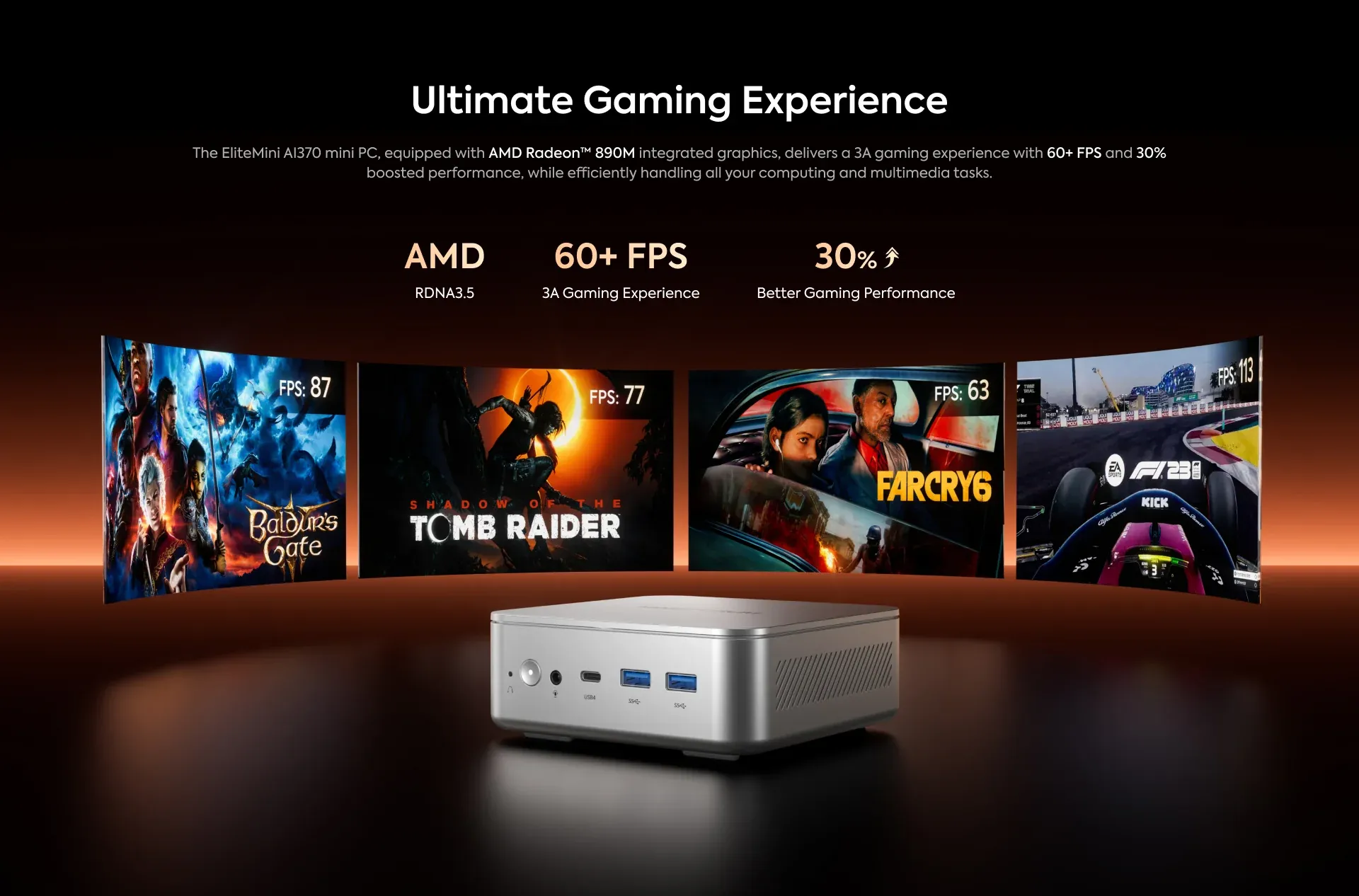
The Radeon 890M is the integrated GPU embedded within the HX 370 APU, featuring 16 RDNA 3.5 compute units operating at up to 2.9 GHz. This makes it the most capable integrated GPU available in any standard-TDP mobile APU at the time of the EliteMini AI 370’s launch, and it remains among the top two integrated graphics solutions in the market in 2026 alongside the same engine in competing HX 370 and HX 470 systems. The RDNA 3.5 architecture supports DirectX 12 Ultimate, Vulkan 1.3, OpenCL 2.0, hardware ray tracing, AMD’s FidelityFX Super Resolution (FSR), and full AV1 hardware encode and decode through AMD’s media engine.
In gaming benchmarks at 1080p, the Radeon 890M delivers playable frame rates in mainstream titles including Forza Horizon 5, CS2, Baldur’s Gate 3, Far Cry 6, and F1 23. Minisforum’s own testing demonstrates 60+ FPS in these titles at 1080p, with FSR providing additional frame rate headroom in supported games. For video editing and content creation, the AV1 hardware encode engine accelerates export workflows in DaVinci Resolve and Adobe Premiere Pro substantially compared to CPU-only processing. The 890M can drive up to four simultaneous external displays at resolutions up to 8K through the EliteMini AI 370’s combination of HDMI 2.1, dual DisplayPort 1.4, and USB4 outputs — a quad-display configuration that covers virtually every professional multi-monitor requirement.
The Radeon 890M shares the system’s LPDDR5X-7500 memory pool with the CPU and NPU. Because the memory is not upgradeable and fixed at 32 GB, the GPU VRAM ceiling is constrained by this allocation. Through BIOS settings, users can adjust the GPU memory allocation up to a defined maximum within the available 32 GB pool. This is a meaningful distinction compared to systems with SO-DIMM slots supporting 64 or 128 GB, where the GPU has access to a substantially larger shared pool for AI inference tasks involving large model weights.

AI Engine — XDNA 2 NPU: 50 TOPS, Copilot+ Certification
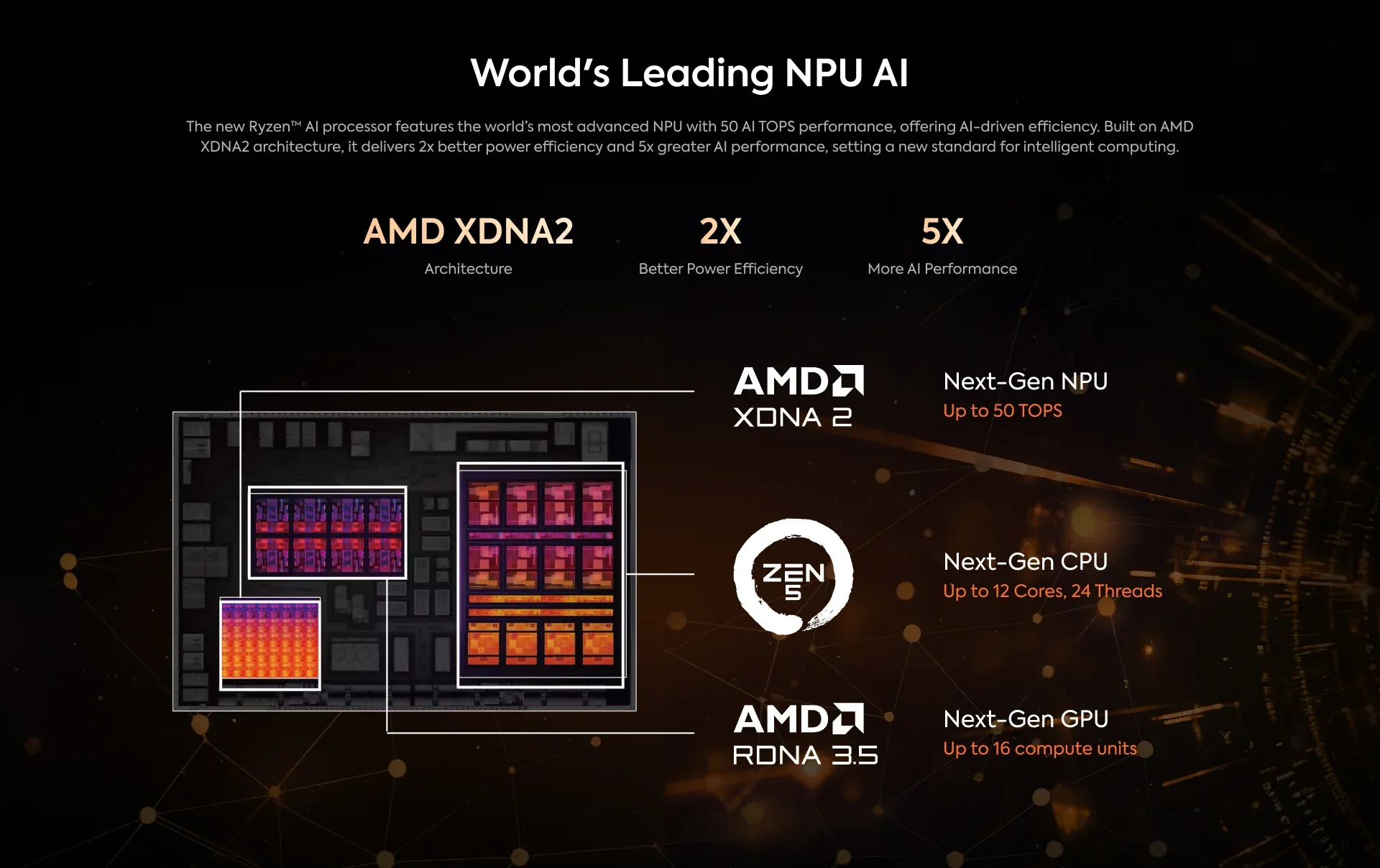
The XDNA 2 neural processing unit embedded in the HX 370 delivers 50 peak TOPS of dedicated AI inference, operating on its own independent power domain without consuming CPU or GPU resources during AI-specific workloads. The NPU’s INT4, INT8, INT16, FP16, BF16, and TF32 precision support covers the full range of quantised and floating-point operations used by modern language models and diffusion networks. Combined with the GPU’s estimated 12 TOPS and the CPU’s estimated 20 TOPS, total system AI throughput reaches 80 TOPS — exactly double the 40 TOPS threshold required for Microsoft Copilot+ PC certification.
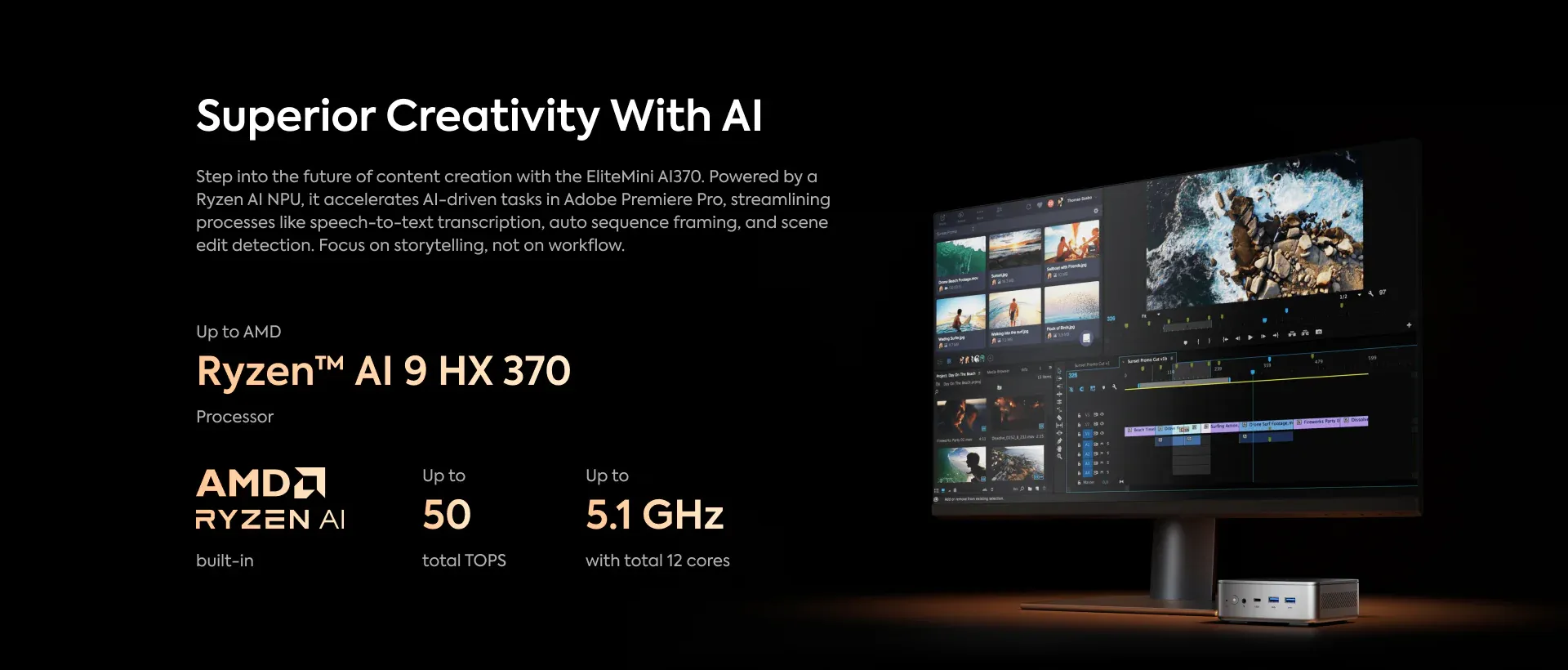
All Windows 11 Copilot+ AI features are active from first boot on the EliteMini AI 370: Recall, live caption and translation, AI image generation in Paint and Photos, and AI-enhanced studio audio all run locally on the XDNA 2 NPU without internet connectivity or subscription requirements. For more demanding local AI inference — running LLaMA 3, Mistral, Phi-3, or DeepSeek models through LM Studio or Ollama — the NPU offloads embedding and tokenisation steps while the Radeon 890M handles the heavier matrix multiplication operations. The 32 GB memory ceiling limits the maximum model size that can be loaded without quantisation; models up to approximately 13B parameters run efficiently at 4-bit quantisation within the available memory pool.

Memory — 32 GB LPDDR5X-7500: Fast but Permanently Fixed
The EliteMini AI 370 uses 32 GB of LPDDR5X memory running at 7,500 MT/s in dual-channel configuration, soldered permanently to the motherboard. This memory speed — 7,500 MT/s — is higher than the 5,600 MT/s DDR5 SO-DIMM modules used in competing systems like the GEEKOM A9 Max and ACEMAGIC F5A, and provides the Radeon 890M GPU with higher bandwidth per GB than slower DDR5 configurations. The practical consequence is that the 890M performs better per unit of available memory than it would with slower modules, partially compensating for the lower absolute capacity.
However, the non-upgradeable nature of the soldered configuration is the EliteMini AI 370’s most significant hardware limitation and the point most consistently raised across independent reviews. NotebookCheck’s assessment noted the 32 GB as adequate for a wide range of applications but flagged the absence of an upgrade path as a constraint: “The device is well equipped with its 32 GB of RAM — but it unfortunately can’t be upgraded and Minisforum doesn’t offer a 64 GB version.” Tom’s Guide’s reviewer specifically flagged the memory ceiling as preventing the EliteMini AI 370 from achieving full recommended status. Buyers who anticipate needing more than 32 GB — for large local AI model inference, virtual machine stacks, or professional memory-intensive workloads — must consider this a permanent constraint of the platform and evaluate competing SO-DIMM-based systems accordingly.
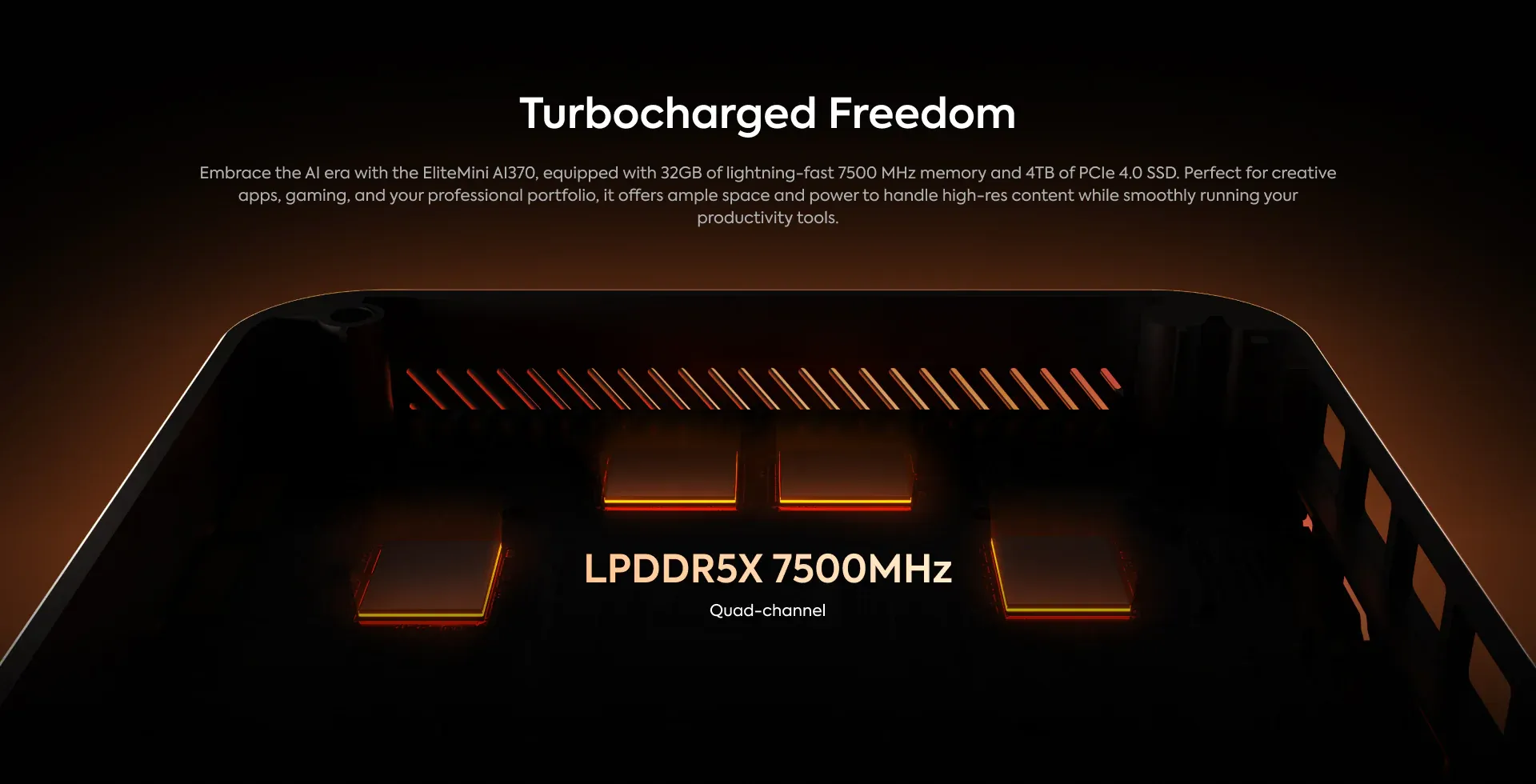
Storage — M.2 PCIe 4.0 + M.2 2242 SATA
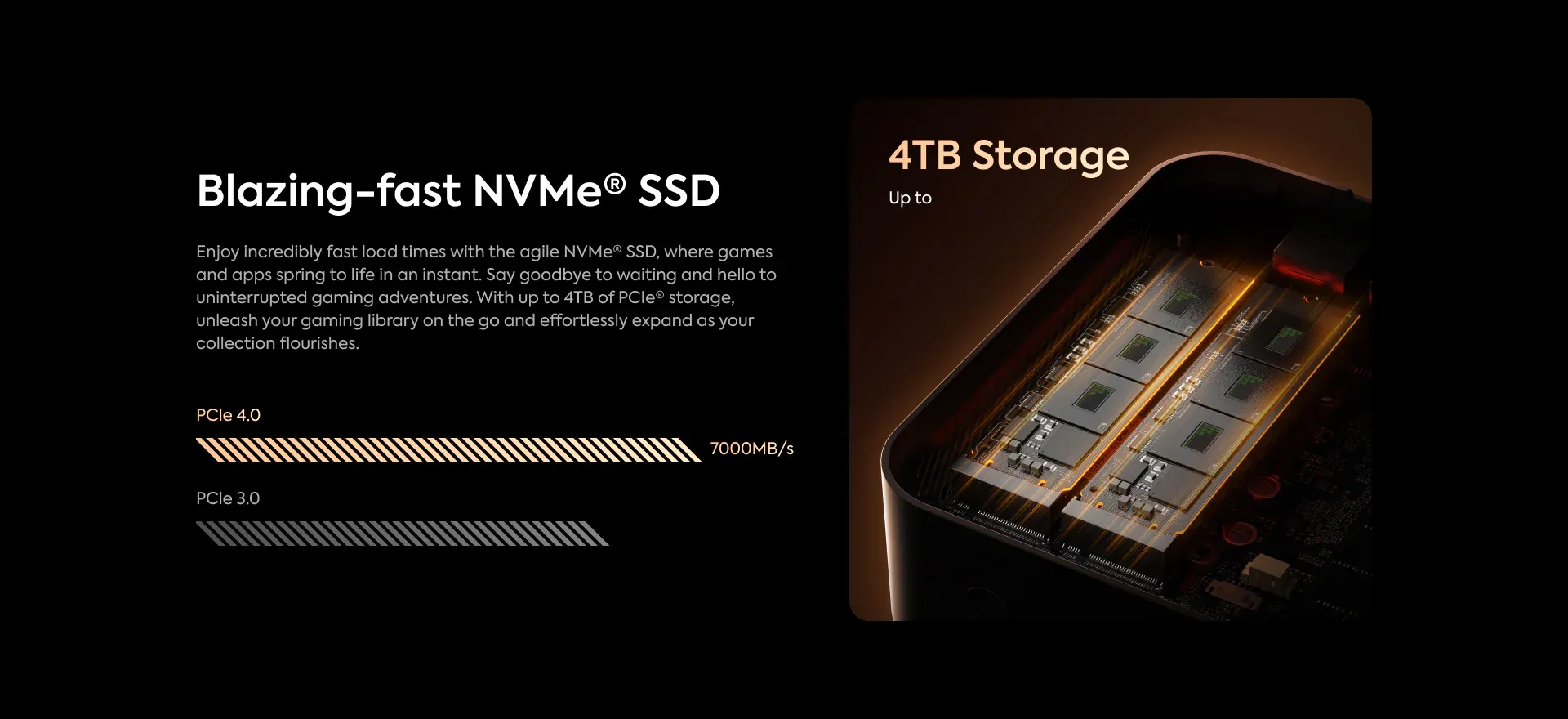
Primary storage is handled by a single M.2 2280 PCIe 4.0 ×4 NVMe slot, pre-populated with a 1 TB SSD delivering sequential read speeds of approximately 6,200 MB/s. The slot supports drives up to 4 TB, making capacity upgrades straightforward — the primary drive is accessible after removing the bottom panel with four screws. A secondary M.2 2242 SATA slot is also available for an additional drive, though the shorter 2242 form factor and SATA interface limit this slot to drives with lower capacity and lower sequential performance than the primary PCIe 4.0 slot. A dedicated SSD heatsink covers the primary slot, maintaining drive temperatures under sustained transfer workloads and preventing thermal throttling on high-performance NVMe modules.
Connectivity — Dual 2.5 GbE, USB4, Wi-Fi 6E
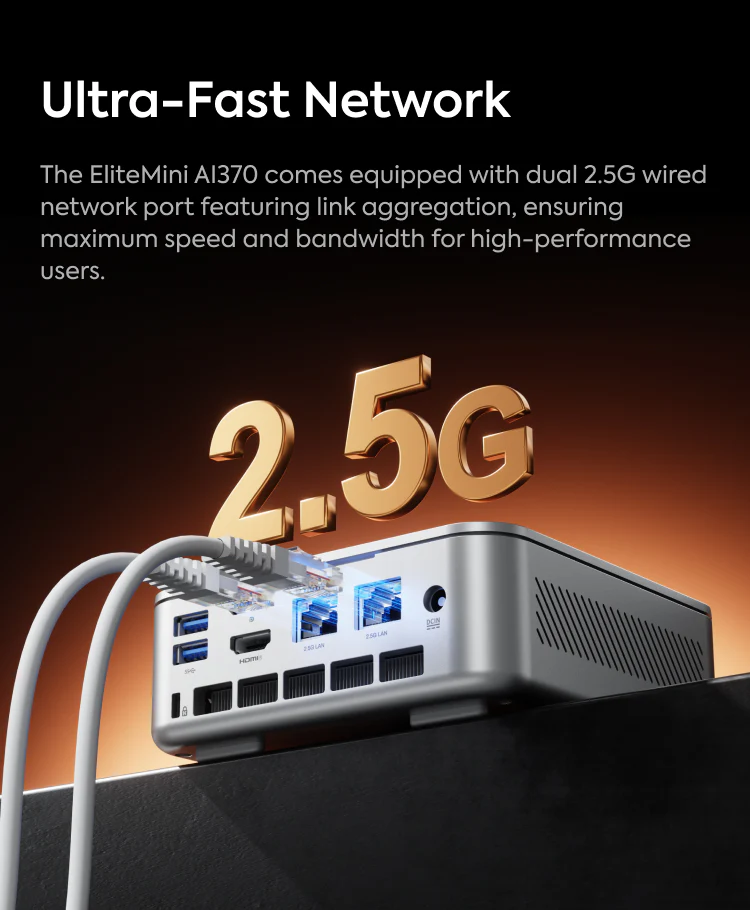
The EliteMini AI 370’s wired networking is handled by two independent 2.5 Gigabit Ethernet ports via Realtek RTL8125 controllers — a dual-port configuration that enables simultaneous connection to two separate networks, NAS direct-attach at 2.5 Gbps, or link aggregation on compatible switches. This dual-port wired networking is a meaningful advantage over competing systems that provide only a single 2.5 GbE port.
Wireless connectivity is managed by an Intel Killer AX1675x module — the same Wi-Fi 6E chip found in the Minisforum UM780 XTX — providing tri-band 802.11ax operation across 2.4 GHz, 5 GHz, and the 6 GHz band for theoretical throughput up to 2.4 Gbps and substantially reduced congestion in dense wireless environments compared to Wi-Fi 5 or standard Wi-Fi 6. Bluetooth 5.2 is included.
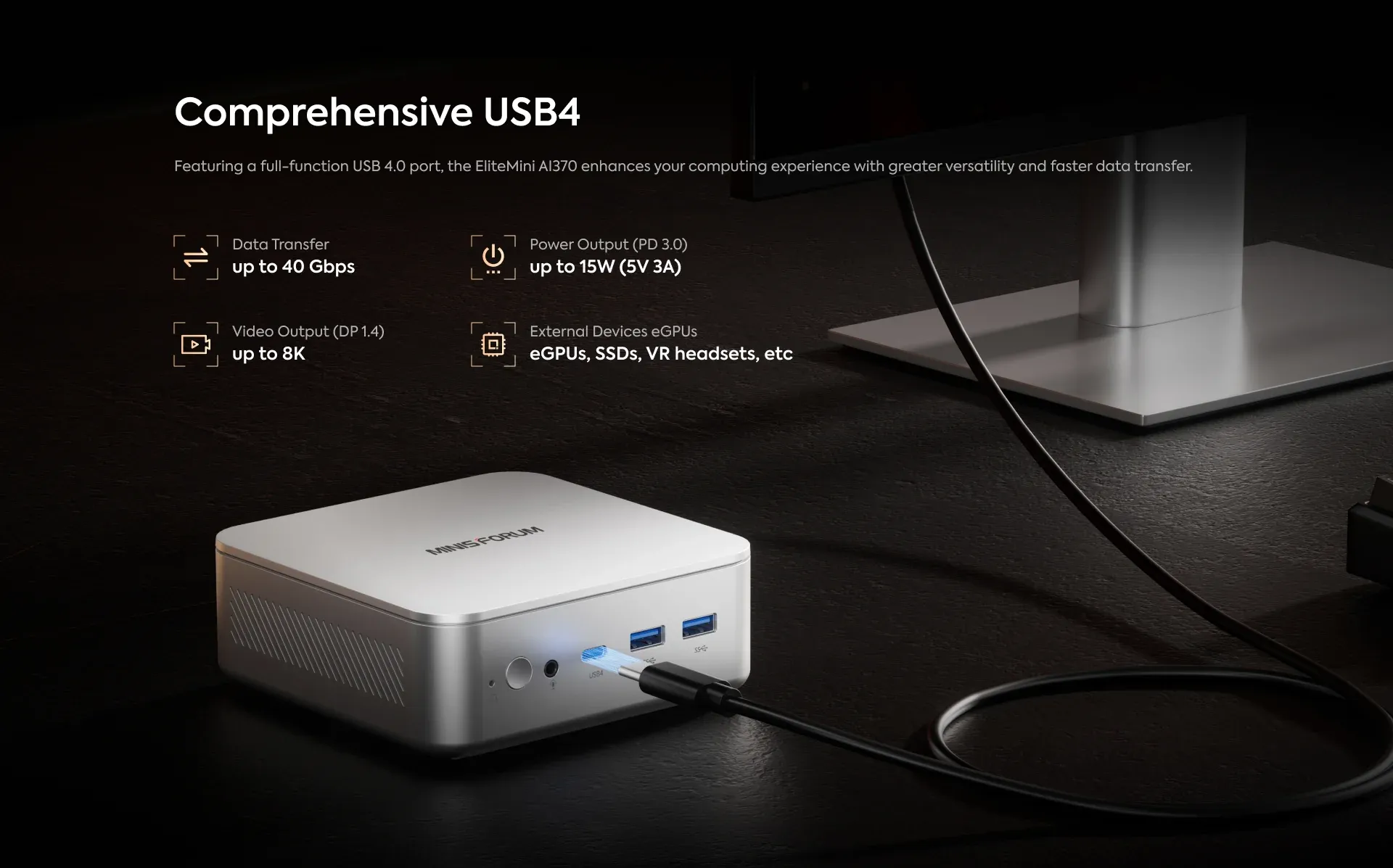
The USB4 implementation merits specific attention. The front-panel USB4 Gen3×2 port delivers 40 Gbps with DisplayPort Alt Mode capability for 8K display output and compatibility with Thunderbolt 4 peripherals and eGPU enclosures. The rear-panel USB4 port runs at Gen2×1 — 20 Gbps — also with DisplayPort Alt Mode but at half the data bandwidth of the front port. This differentiation between the two USB4 ports is not always clearly communicated in marketing materials and is worth noting for buyers who plan to use both ports simultaneously for high-bandwidth data transfer or external GPU enclosures, which benefit from the full 40 Gbps of the front port.
Additionally, four USB 3.2 Gen2 Type-A ports deliver 10 Gbps each — three on the front panel and one on the rear — providing comprehensive peripheral connectivity for keyboards, mice, external storage, and USB audio interfaces simultaneously. A Kensington lock slot on the rear panel provides physical security for shared or public environments.
Thermal System — IceCool Pro Cooling Architecture
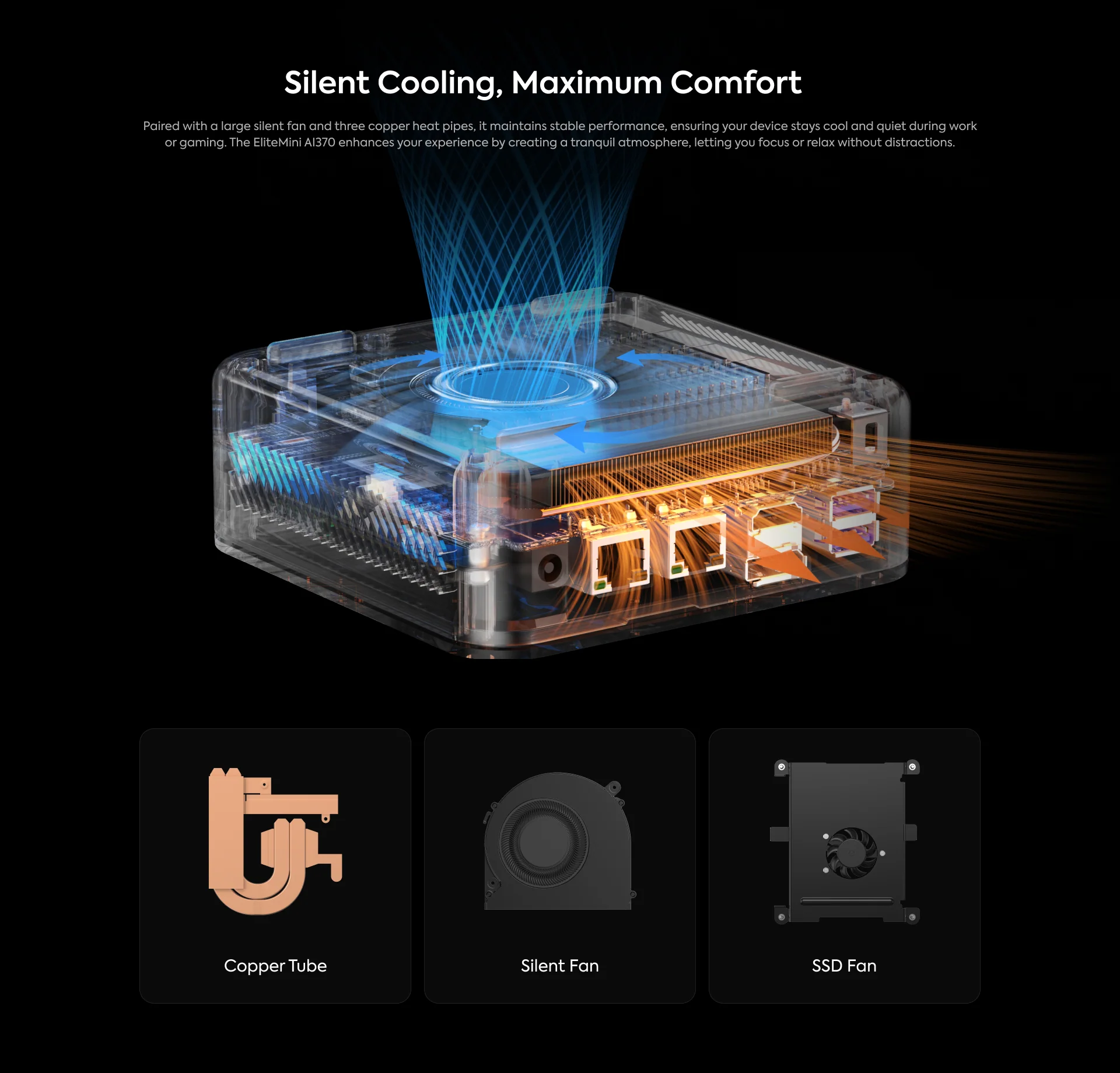
The EliteMini AI 370 uses Minisforum’s IceCool Pro thermal system, which combines a copper base plate, dual copper heat pipes, a copper fin stack, and a high-speed blower fan in a stacked configuration that draws air through the bottom intake perforations and exhausts through the side vents. The system is rated to manage the HX 370’s sustained 45W PL1 and 54W PL2 TDP levels without thermal throttling in normal operating conditions — a claim that holds up in independent testing under the default Balanced profile.
Tom’s Guide’s reviewer noted that fans can “kick up a bit of a storm” under sustained high load — a characteristic of any compact chassis managing 45–54W of sustained silicon heat through a volume of approximately 0.77 litres. In the default Balanced profile during typical mixed workloads — web browsing, office applications, light creative work — the fan operates at low speed and is nearly inaudible at desk distance. Under sustained multi-threaded CPU stress or extended gaming sessions, the fan speed increases audibly. Switching to the Silent BIOS profile reduces fan noise substantially at the cost of CPU performance. For users in quiet environments who work primarily with office and productivity applications, the Silent profile provides adequate performance with essentially inaudible operation. For maximum performance, the Performance BIOS profile extracts the chip’s full capability with correspondingly higher fan noise.
CPU temperatures under sustained gaming loads in independent benchmark testing remained within AMD’s specified operating limits, with peak junction temperatures observed around 85–90°C under maximum sustained stress — within thermal specification but leaving limited headroom before throttling in unusually hot ambient environments. Idle power consumption of approximately 10W confirms the efficiency of the HX 370 platform at rest.
Design — Silver Chassis, Professional Aesthetic, 130 × 127 × 47 mm
The EliteMini AI 370’s chassis is constructed from plastic with a silver matte finish and rounded corners, measuring 130 × 127 × 47 mm and weighing approximately 680 g without the power adapter. The silver colour and square proportions — consistent with Minisforum’s EliteMini design language across multiple generations — give the machine a clean, professional appearance suited to office, home office, and creative studio environments. Tom’s Guide’s reviewer described it as initially underwhelming — “another silver box of a mini PC” — before finding that it performed far beyond first impressions suggested.
NotebookCheck offered the more substantive design critique: at the AI370’s price point, a metal chassis should be the standard, and the plastic construction feels inconsistent with the premium silicon inside. This is a reasonable observation. Competing systems at similar prices — the GEEKOM A9 Max with its aluminium chassis, the Beelink SER9 Pro with its clean plastic and metal composite — both present more convincingly for the price. The EliteMini AI 370’s build quality is adequate and functional, with no perceptible flex in the panels and secure port placement, but it does not convey the premium material impression that the underlying hardware merits.
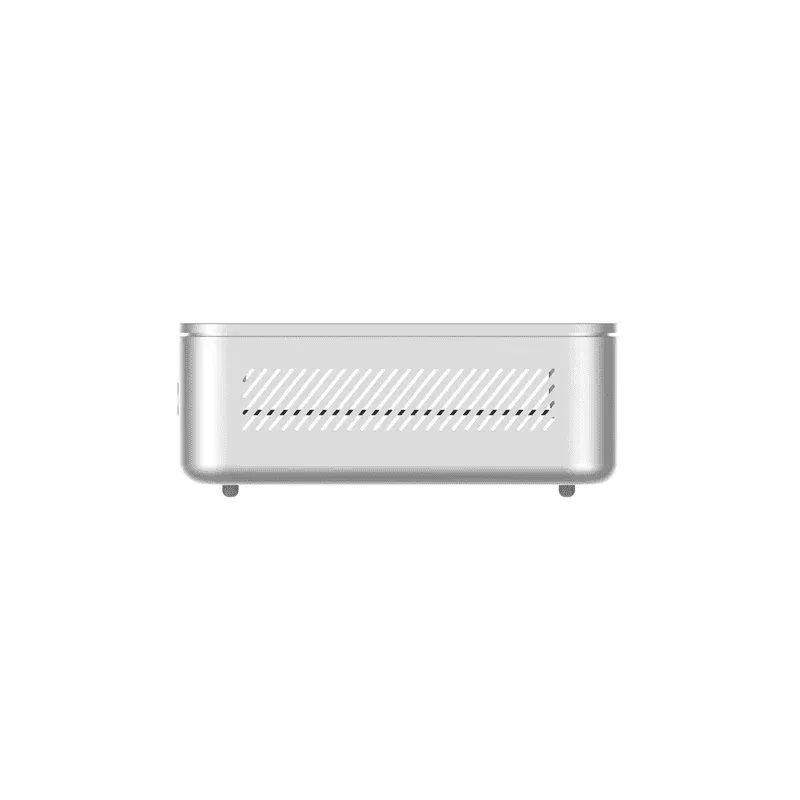
A VESA 75×75 mount adapter is included in the box, enabling rear-of-monitor or under-desk installation. The bottom panel is secured with four Phillips screws providing access to the storage slots and fan assembly for cleaning and drive upgrades. Ventilation perforations are located on the bottom intake surface and side exhaust panels — a layout that keeps the top surface clean and the desk area free of hot exhaust air.
Windows 11 Pro and Software Environment
Windows 11 Pro ships pre-installed and activated on all EliteMini AI 370 units, with all Copilot+ AI features enabled from first boot. The AMD Adrenalin software suite provides access to Radeon 890M settings, FSR configuration, and media engine controls. AMD’s ROCm stack provides GPU acceleration for AI and compute workloads on Linux, and Ubuntu is fully supported through standard AMD driver packages for buyers who prefer an open-source operating system environment.
Additional information
Specification: Minisforum EliteMini AI 370 AMD Ryzen™ AI 9 HX 370
| Configuration Options | ||||||||||||||||||||||||
|---|---|---|---|---|---|---|---|---|---|---|---|---|---|---|---|---|---|---|---|---|---|---|---|---|
|
||||||||||||||||||||||||
| AI Capabilities | ||||||||||||||||||||||||
|
||||||||||||||||||||||||
| Processor | ||||||||||||||||||||||||
|
||||||||||||||||||||||||
| Ports | ||||||||||||||||||||||||
|
||||||||||||||||||||||||
| Network | ||||||||||||||||||||||||
|
||||||||||||||||||||||||
| GPU | ||||||||||||||||||||||||
|
||||||||||||||||||||||||
| Internal Ports | ||||||||||||||||||||||||
|
||||||||||||||||||||||||
| Storage & RAM | ||||||||||||||||||||||||
|
||||||||||||||||||||||||
| Power | ||||||||||||||||||||||||
|
||||||||||||||||||||||||
| Others Specifications | ||||||||||||||||||||||||
|
||||||||||||||||||||||||
| Specification | ||||||||||||||||||||||||
|
||||||||||||||||||||||||


