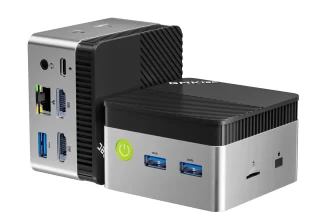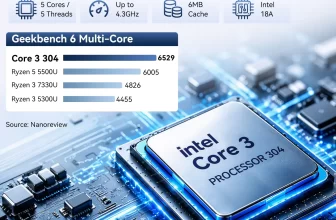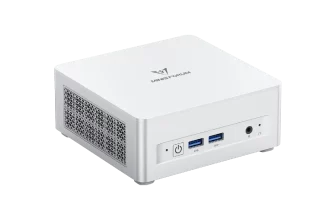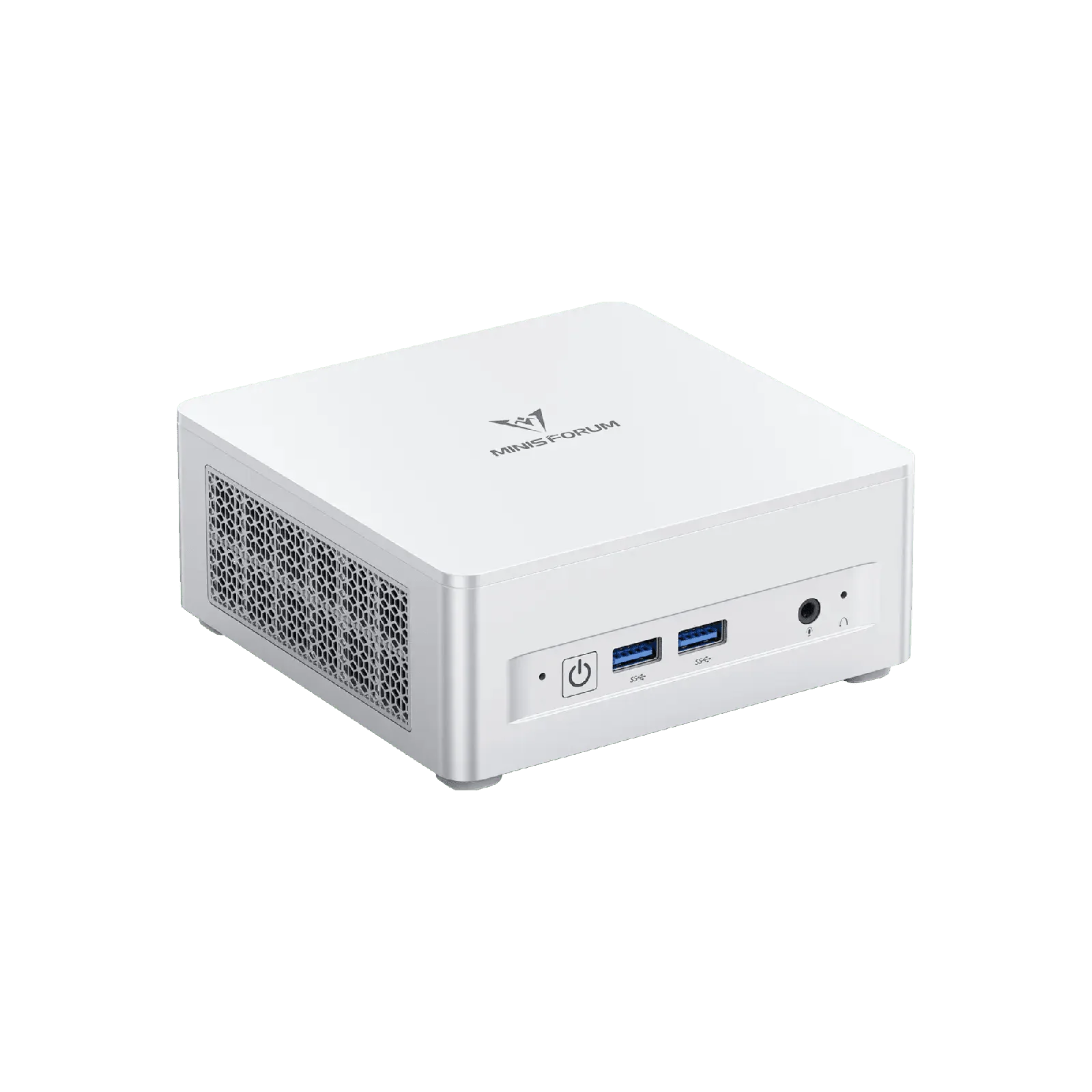
The MINISFORUM UM870 Plus is built for users who want a compact computer today and the option of a desktop-class graphics card tomorrow. It combines the eight-core AMD Ryzen™ 7 8745H, Radeon™ 780M graphics, up to 96 GB of upgradeable DDR5 and two PCIe 4.0 ×4 SSD slots with an OCuLink port, USB4, HDMI 2.1, DisplayPort 1.4, Wi-Fi 6E and 2.5 GbE. We analyse what OCuLink adds, how the machine performs on its own and whether its price makes sense compared with its siblings.

Why OCuLink Matters
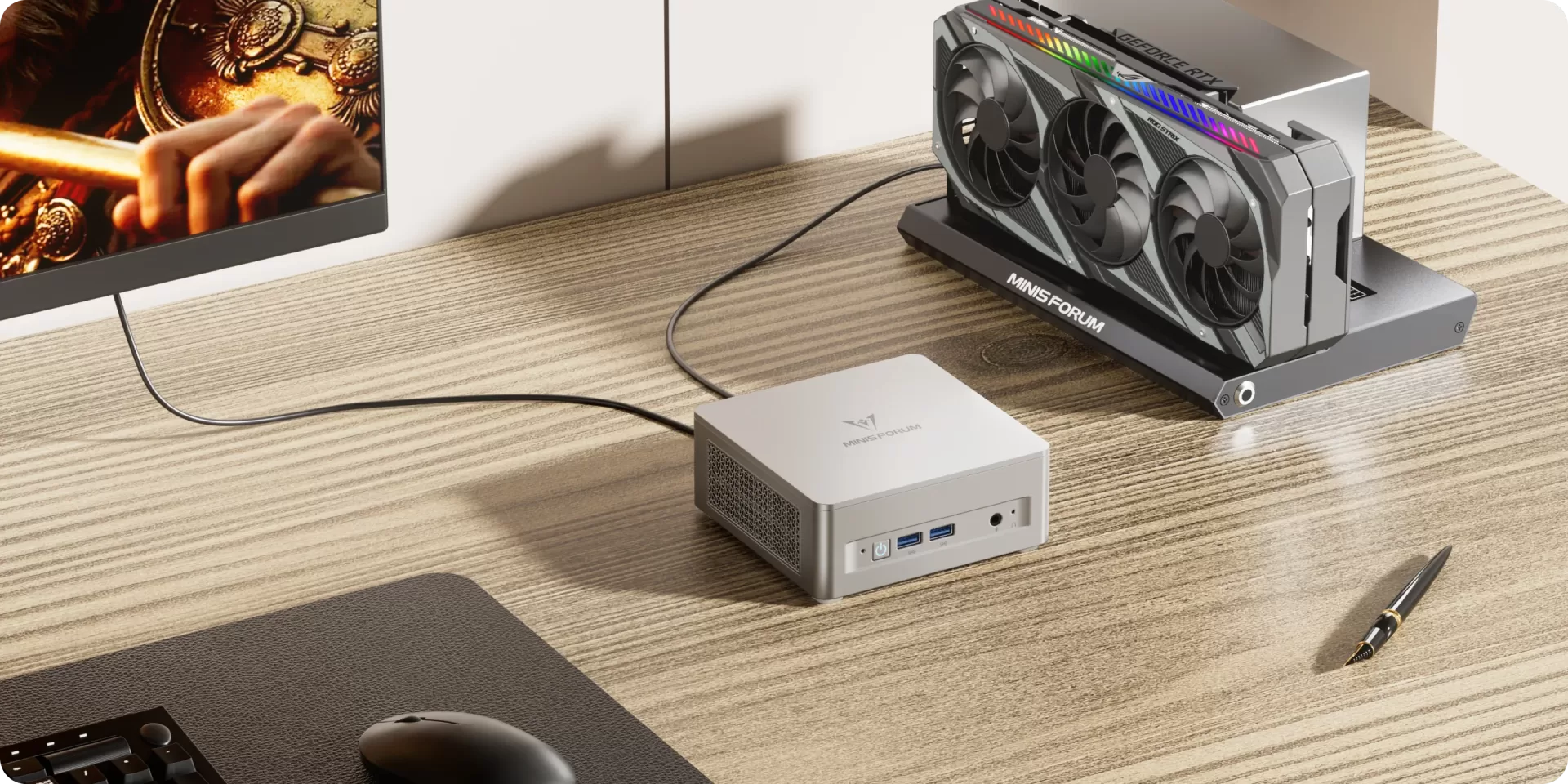
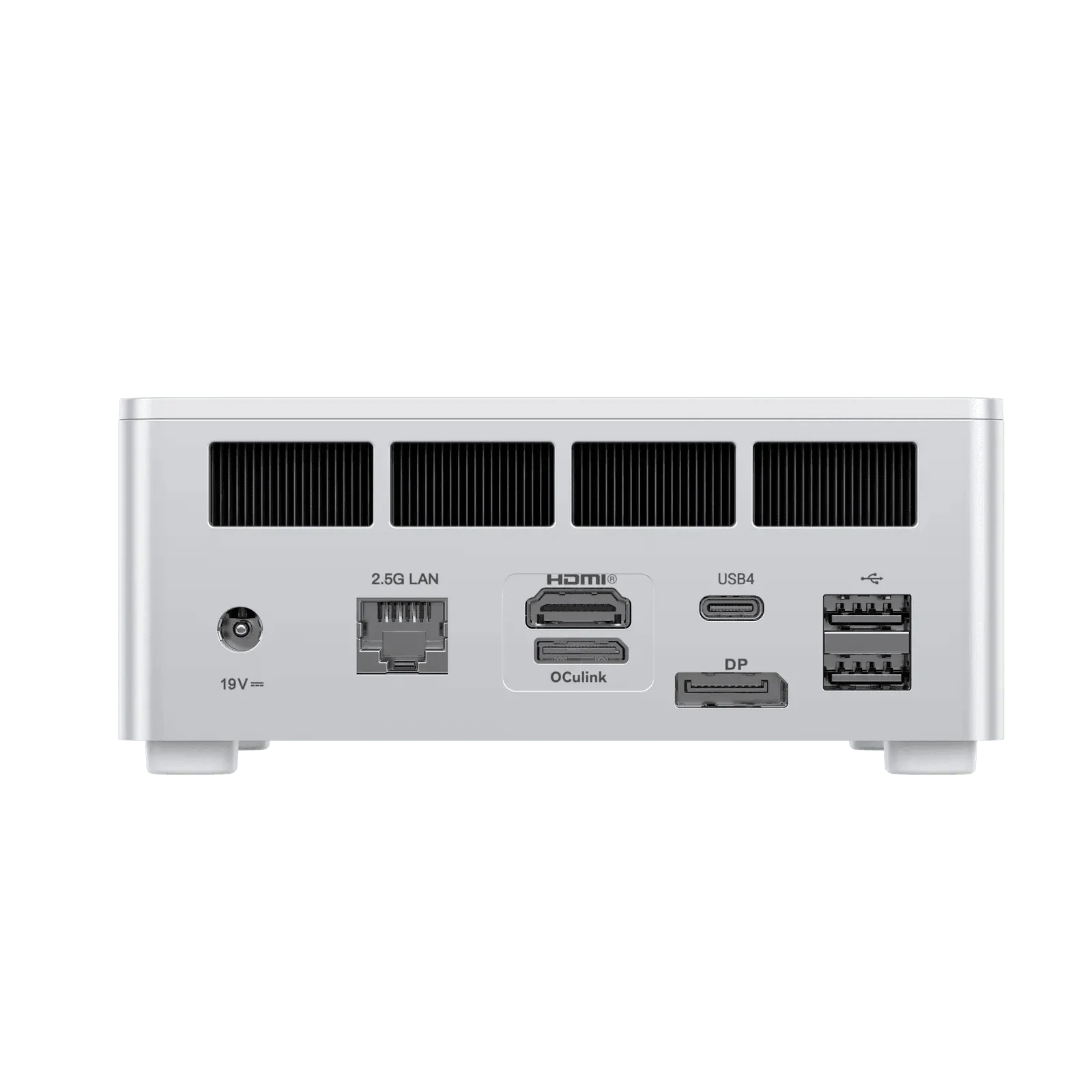
Most mini PCs are limited by their integrated graphics. USB4 and Thunderbolt enclosures can add a desktop GPU, but they lose a noticeable part of its performance because of the protocol overhead and bandwidth. OCuLink is different: it is a direct PCIe link to an external dock, so a graphics card connected this way performs much closer to how it would in a desktop tower. With an OCuLink dock, a power supply and a graphics card, the UM870 Plus can become a capable 1440p gaming system or a GPU-accelerated workstation for video editing and AI tools — and still be disconnected and moved as a small computer. The dock and GPU are extra costs, and OCuLink is not hot-pluggable, so it must be connected before starting the computer.
Specifications at a Glance
- CPU: AMD Ryzen™ 7 8745H — 8 Cores / 16 Threads — 3.8 to 4.9 GHz — 24 MB cache — up to 65 W
- GPU: AMD Radeon™ 780M — 12 RDNA 3 CUs — plus OCuLink for an external GPU
- NPU: none — not a Copilot+ PC
- Memory: 16 GB or 32 GB DDR5 — 2× SO-DIMM, up to 96 GB — FULLY USER-UPGRADEABLE (NOT soldered)
- Storage: 1 TB NVMe + 2× M.2 2280 PCIe 4.0 ×4 slots in total — up to 4 TB
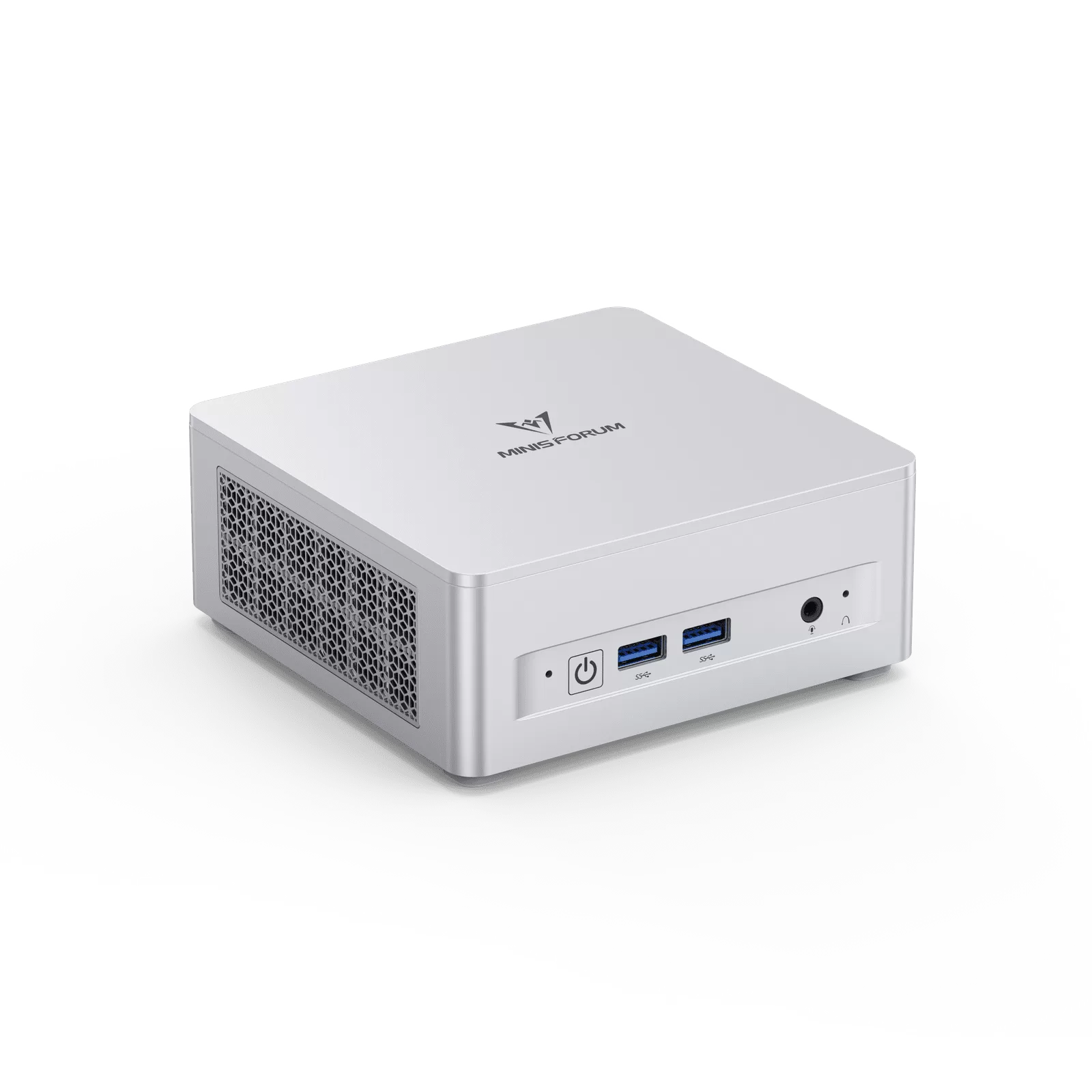
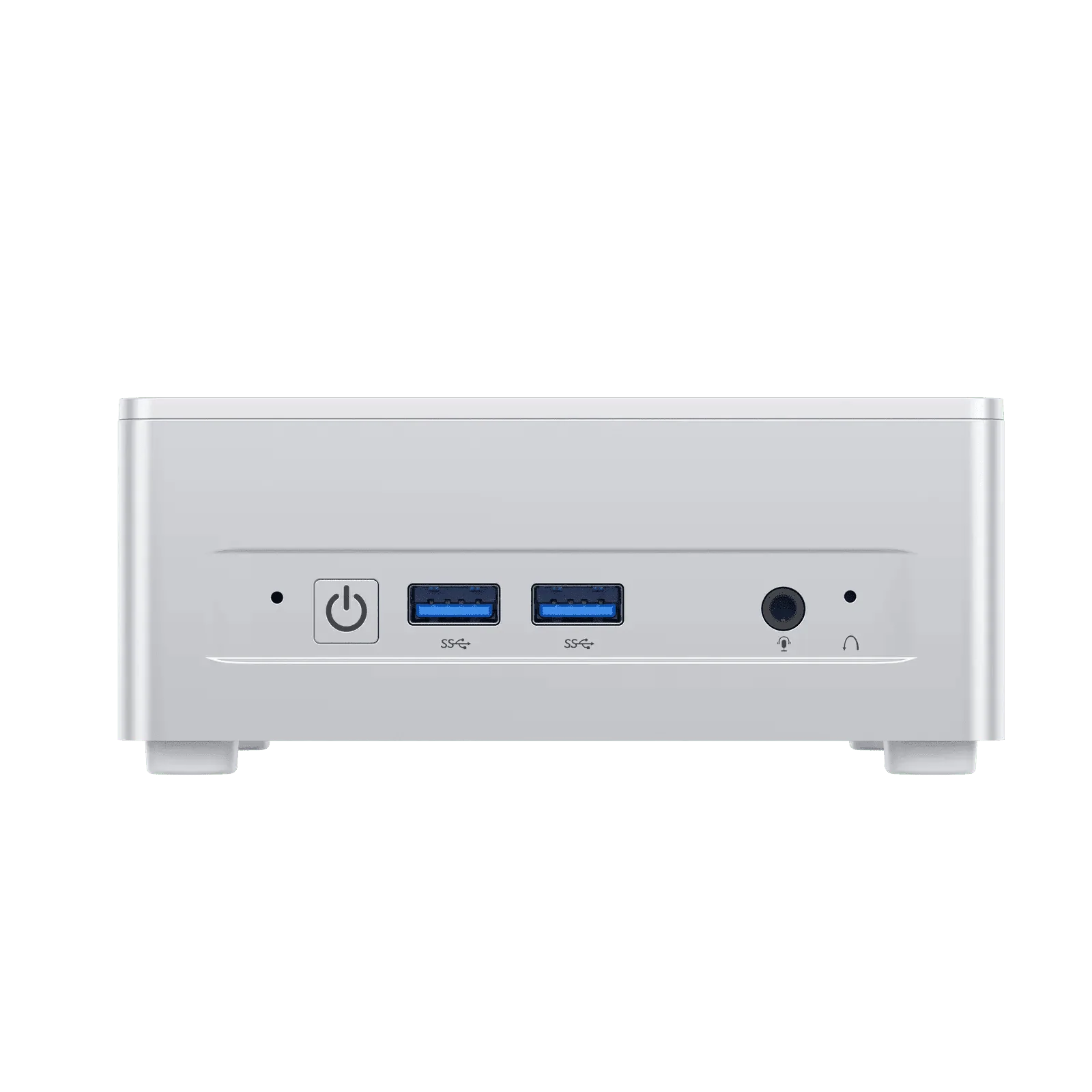
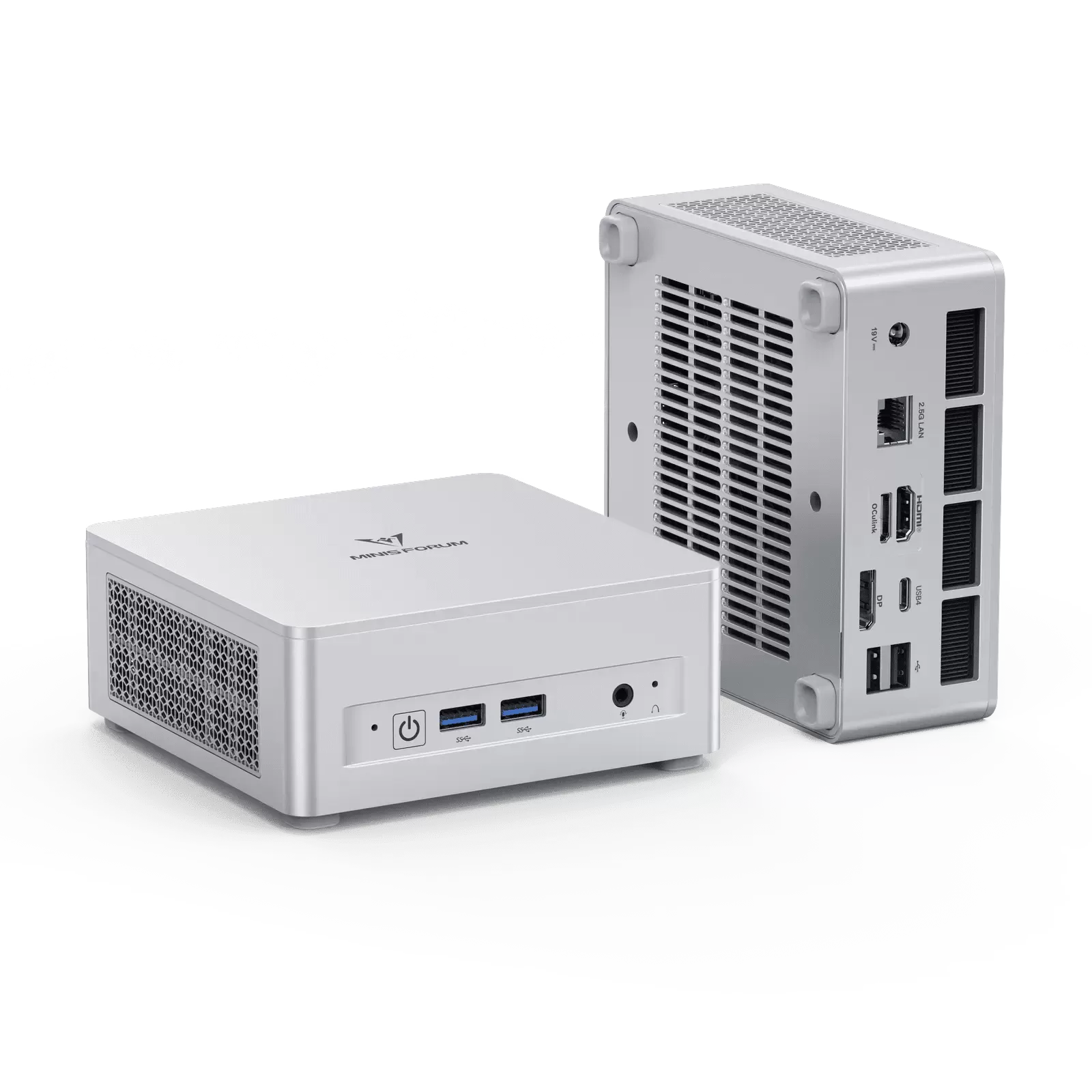
- Connectivity: OCuLink, USB4, Wi-Fi 6E, Bluetooth 5.2, 2.5 GbE
- Video: HDMI 2.1 + DP 1.4 + USB4 — three displays
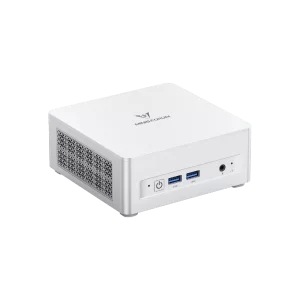
- Size: 130 × 126.5 × 50.4 mm — 0.67 kg
Performance Without an External GPU
On its own, the UM870 Plus performs like any well-cooled Ryzen 7 8745H machine. Its eight Zen 4 cores handle demanding multitasking, programming, photo editing and video work with ease, and the 65 W sustained power helps it keep high clocks during long tasks. The Radeon™ 780M is one of the best integrated GPUs of its generation and runs esports and many current games at 1080p with low to medium settings and FSR. Its performance depends on memory, so the 32 GB configuration, with two modules in dual channel, is the better choice for gaming; we recommend checking how the 16 GB version is populated before buying, because a single module would reduce graphics performance.

Memory, Storage and Upgrades
Both configurations can be expanded: the two DDR5 SO-DIMM slots accept up to 96 GB, and the two M.2 2280 PCIe 4.0 ×4 slots allow a second SSD. This upgradability is a key advantage over mini PCs with soldered memory. One point to verify: on the sibling UM880 Plus, Minisforum indicates that OCuLink is provided through an M.2-to-OCuLink adapter board; if the same design applies here, using OCuLink may involve one of the M.2 positions. We have not been able to confirm this for the UM870 Plus, so buyers who need both SSD slots and OCuLink should check it with the manufacturer.
Connectivity and Displays
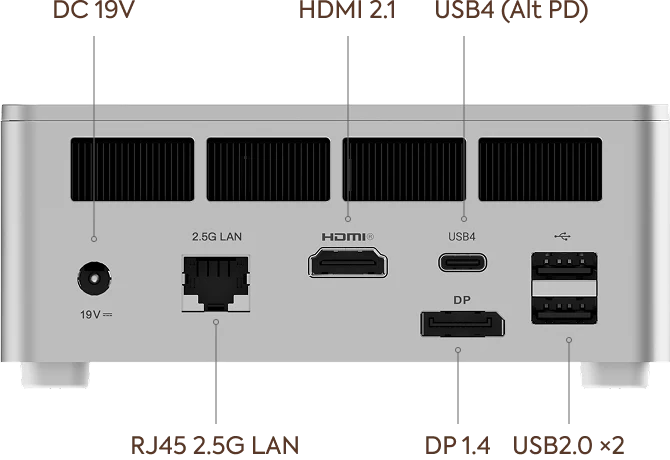
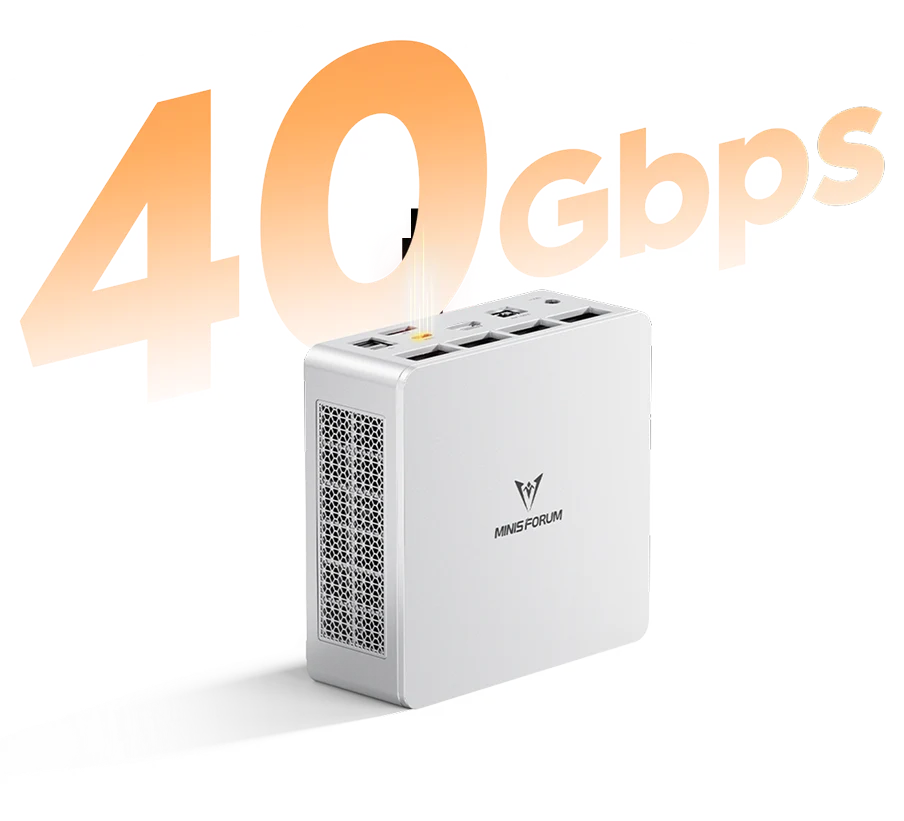
Besides OCuLink, the UM870 Plus offers a 40 Gbps USB4 port with display output and Power Delivery, two USB-A 3.2 Gen2 ports at 10 Gbps, two USB-A 2.0 ports, HDMI 2.1 FRL (up to 8K@60Hz or 4K@120Hz) and DisplayPort 1.4 (up to 4K@120Hz, or 4K@240Hz with DSC). Up to three monitors can be used at once. Networking is handled by Wi-Fi 6E, Bluetooth 5.2 and one 2.5 GbE port — the official specification lists 2.5 GbE, even though some promotional text on the product page mentions faster wired networking.
Cooling and Noise
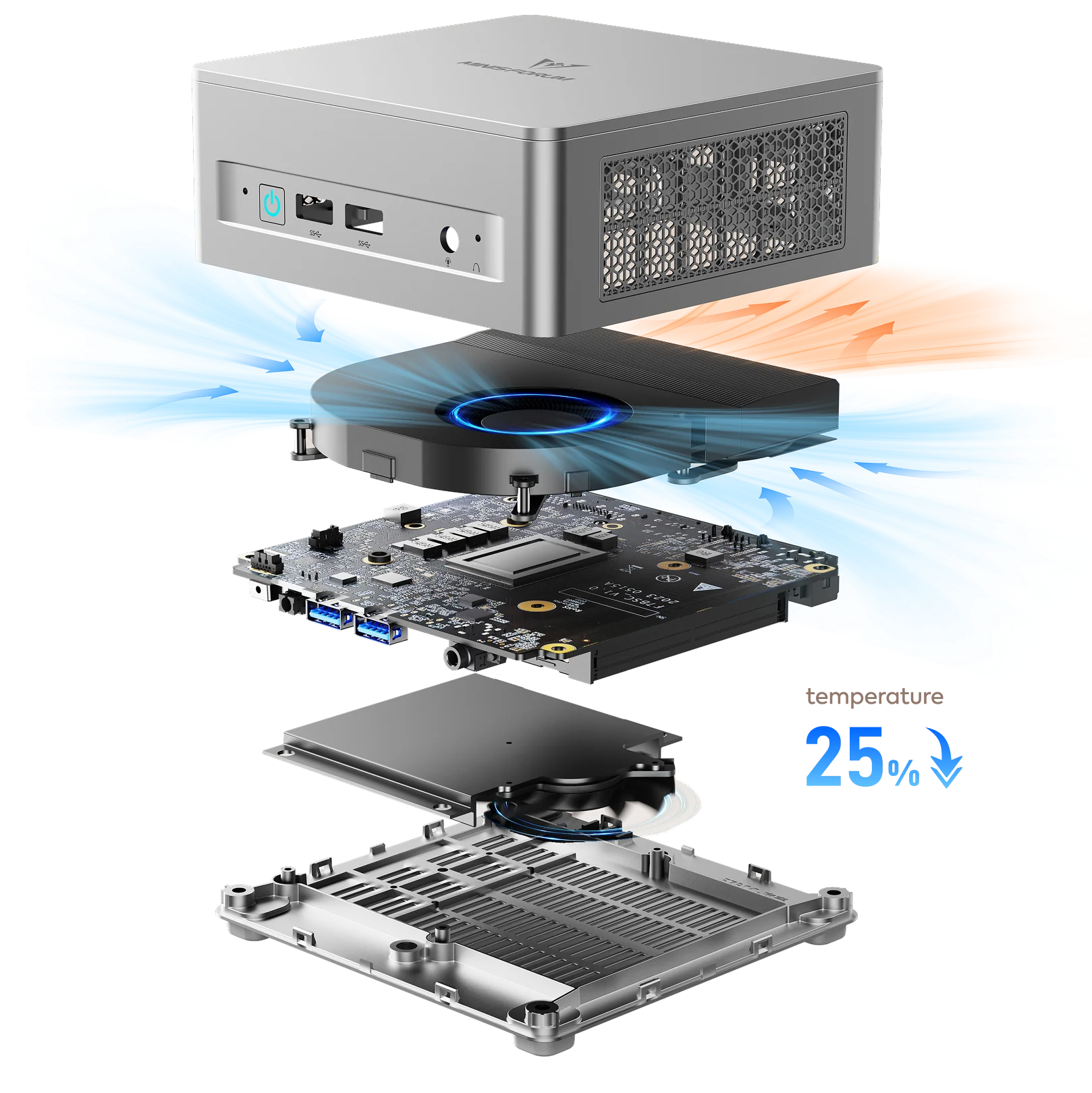
The 65 W cooling system with phase-change thermal material, three heat pipes and a large fan is shared with the rest of the family. Minisforum states noise below 35 dB in Performance mode and active airflow over the memory and SSDs (manufacturer figures). When an external GPU is used through OCuLink, the graphics card is cooled in its own dock, so the mini PC’s thermal load does not increase significantly.
Building an OCuLink Set-Up: What You Need
To use the OCuLink port, three extra items are needed: an OCuLink dock with a PCIe ×16 slot, an OCuLink cable (usually included with the dock), and a power supply for the graphics card (some docks integrate one, others accept a standard ATX or SFX unit). Any recent desktop graphics card supported by Windows drivers can be used. The CPU, with eight Zen 4 cores, pairs well with mid-range cards; with very high-end cards, the PCIe 4.0 ×4 bandwidth of OCuLink and the mobile processor may become limiting factors in some games, so a mid-range GPU usually offers the best balance of cost and results.
16 GB or 32 GB: Which Configuration?
The UM870 Plus is sold in two configurations that differ only in memory. For office work, browsing, programming and light creative tasks, 16 GB is still adequate in 2026. For gaming with the integrated Radeon™ 780M, 32 GB is the better choice for two reasons: the integrated GPU takes part of the system memory as video memory, and the larger configuration leaves more room for both the game and Windows. Dual-channel operation also matters: the graphics performance of the 780M drops considerably with a single memory module. Since the memory is upgradeable, buyers can also start with 16 GB and add or replace modules later; the price difference between the two configurations in the Minisforum store should be compared with the cost of buying the modules separately at the time of purchase.
Gaming Today and Tomorrow
Without an external GPU, the UM870 Plus plays esports titles comfortably at 1080p and many recent games at 1080p with low settings and FSR, generally between 30 and 60 frames per second depending on the title (approximate range). With an OCuLink dock and a mid-range desktop graphics card, the same machine can move to 1440p at high settings in most current games, with the processor’s eight Zen 4 cores as a solid partner for that class of card. This two-stage approach — use the integrated graphics now, add a GPU later — is the main reason to choose the Plus over the Slim. It also allows the GPU to be replaced in the future without changing the computer, something that is impossible in mini PCs with a built-in dedicated graphics chip.
Beyond Gaming: GPU Compute and Creative Work
OCuLink is not only for games. An external desktop GPU connected to the UM870 Plus can accelerate video editing and encoding, 3D rendering, photo processing with AI-based tools, and local AI models that run on the graphics card. For creators who work at a desk most of the time but want a compact computer that can also travel, this flexibility is valuable: the mini PC is used alone on the road and with full GPU power at home.
Price Positioning
At US $751 (16 GB + 1 TB) and US $927 (32 GB + 1 TB) in the Minisforum US store (November 2026), the UM870 Plus is priced close to the complete configurations of the UM870 Slim. Compared with the Slim’s 32 GB + 1 TB version at US $919, the UM870 Plus with the same memory and storage costs only slightly more and adds OCuLink — a clear advantage for anyone interested in external graphics. Compared with the UM880 Plus (US $935 with 32 GB + 1 TB), it gives up the NPU and the 5.1 GHz boost of the Ryzen 7 8845HS for a small saving.
Living With It Day to Day
In daily use, the UM870 Plus behaves like a quiet, fast desktop. Windows starts quickly from the PCIe 4.0 SSD, applications open without delay, and the three video outputs make multi-monitor work easy. The wall-mount bracket in the box allows the machine to be fixed behind a monitor or under a desk, keeping the OCuLink and USB4 ports accessible for a dock. When the external GPU is disconnected, the computer simply returns to its integrated graphics after a restart, so the same machine can serve as an office PC during the day and a gaming system at night.
How It Compares
- MINISFORUM UM870 Slim: same processor and ports minus OCuLink; available as a cheap barebone.
- MINISFORUM UM880 Plus: Ryzen 7 8845HS with a 16 TOPS NPU and up to 5.1 GHz, OCuLink via adapter board, very similar price.
- GMKtec NucBox K12 (Ryzen 7 H 255): also offers OCuLink and the same class of Hawk Point processor without NPU.
- Mini PCs with dedicated GPUs (for example machines with an RTX 5060 inside): stronger graphics out of the box, but larger, louder and more expensive, and the GPU cannot be changed.
Strengths and Limitations
Strengths:
- OCuLink for external desktop graphics cards
- Eight Zen 4 cores, up to 65 W sustained
- Radeon™ 780M integrated graphics
- Up to 96 GB DDR5 — fully user-upgradeable
- Two PCIe 4.0 ×4 M.2 slots
- USB4, HDMI 2.1, DP 1.4 — three displays
- Wi-Fi 6E and 2.5 GbE
Limitations:
- No NPU — not a Copilot+ PC
- OCuLink implementation (adapter board / M.2 use) not confirmed for this model
- OCuLink dock, PSU and GPU are extra costs
- 2024 processor generation
- No barebone option in the US store at the time of writing
Verdict
The MINISFORUM UM870 Plus is the version of the UM870 platform to choose if external graphics are part of the plan. It is a capable eight-core computer on its own, with excellent upgradability and connectivity, and OCuLink gives it a path to real gaming and GPU-compute performance without replacing the whole system. Users who do not need OCuLink can save money with the UM870 Slim barebone; users who want an NPU should look at the UM880 Plus.
| Configuration Options | ||||||||||||||||
|---|---|---|---|---|---|---|---|---|---|---|---|---|---|---|---|---|
|
||||||||||||||||
| AI Capabilities | ||||||||||||||||
|
||||||||||||||||
| Processor | ||||||||||||||||
|
||||||||||||||||
| Ports | ||||||||||||||||
|
||||||||||||||||
| Network | ||||||||||||||||
|
||||||||||||||||
| GPU | ||||||||||||||||
|
||||||||||||||||
| Internal Ports | ||||||||||||||||
|
||||||||||||||||
| Storage & RAM | ||||||||||||||||
|
||||||||||||||||
| Power | ||||||||||||||||
|
||||||||||||||||
| Others Specifications | ||||||||||||||||
|
||||||||||||||||
| Specification | ||||||||||||||||
|
||||||||||||||||
More information: MINISFORUM UM870 Plus on minis-pc.com
Discover our full Mini PC comparison: minis-pc.com
Article written for minis-pc.com — Mini PC Comparisons and Reviews