
MINISFORUM DEG2 OCuLink & Thunderbolt 5 eGPU Dock

$247.00
 Amazon.com
| Performance | 9 |
|---|---|
| Compatibility | 9.2 |
| Build Quality | 8.5 |
| Value | 8.3 |
MINISFORUM DEG2: external graphics dock with OCuLink (PCIe 4.0 ×4) and Thunderbolt 5 / USB4 v2 (80 Gbps) with hardware mode switch, PCIe x16 slot for full-length desktop cards, ATX/SFX PSU support (not included), M.2 2280 SSD slot, 2.5GbE, up to 140 W host charging. US $259.90 on sale.

$247.00
MINISFORUM DEG2 OCuLink & Thunderbolt 5 eGPU Dock Prices

Price History
Description
MINISFORUM DEG2 eGPU Dock
OCuLink + Thunderbolt 5 External GPU Dock With M.2 SSD Slot, 2.5GbE and 140 W Charging
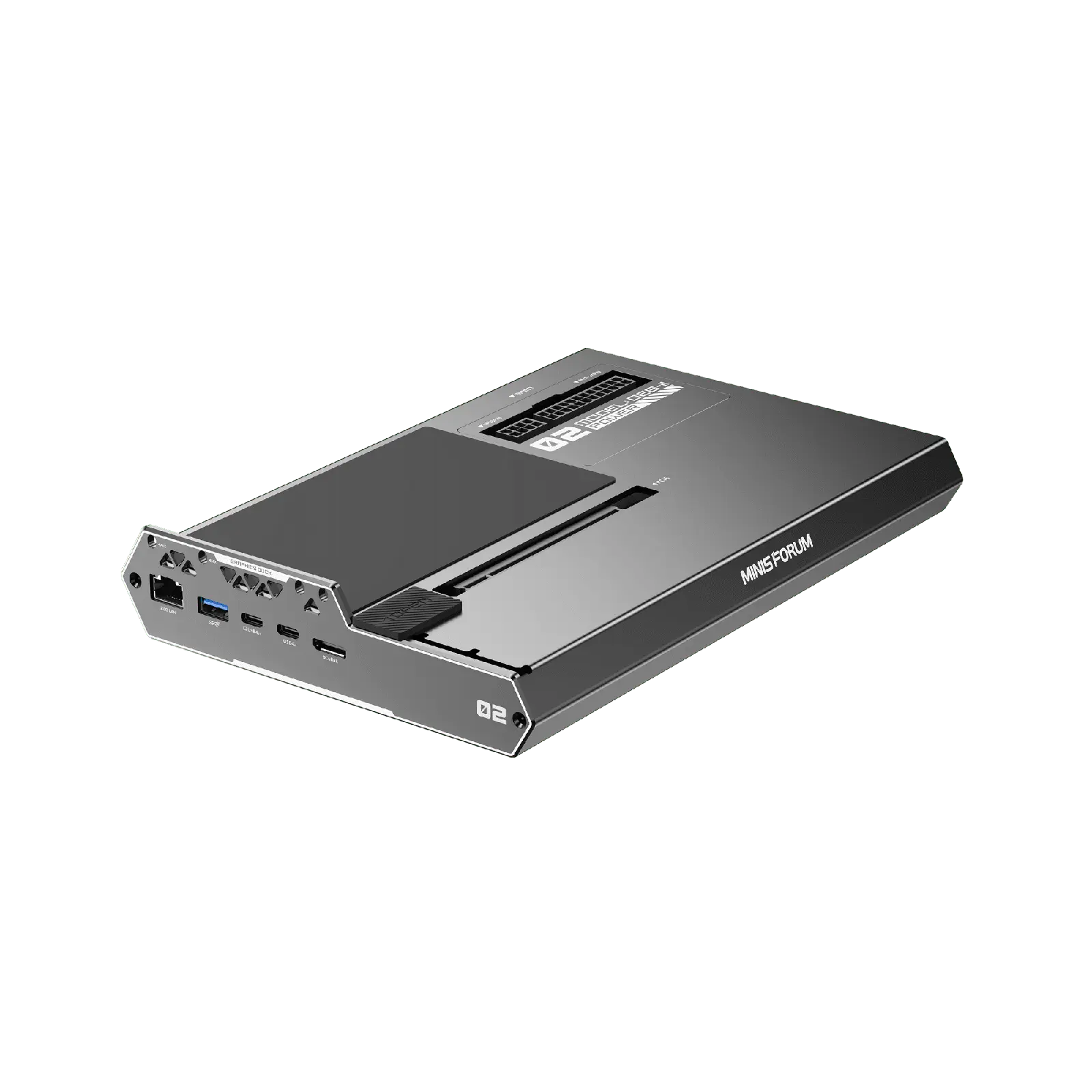
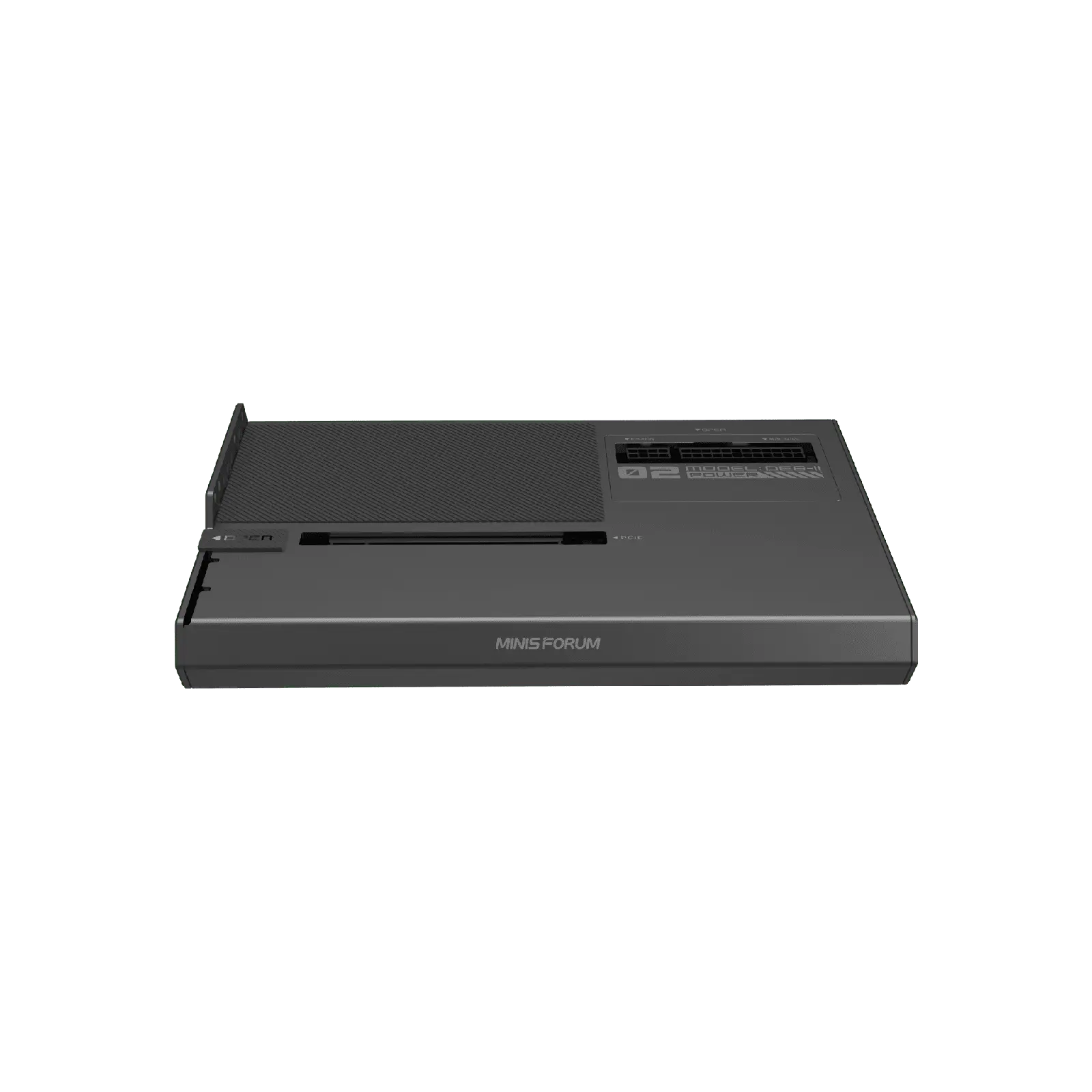
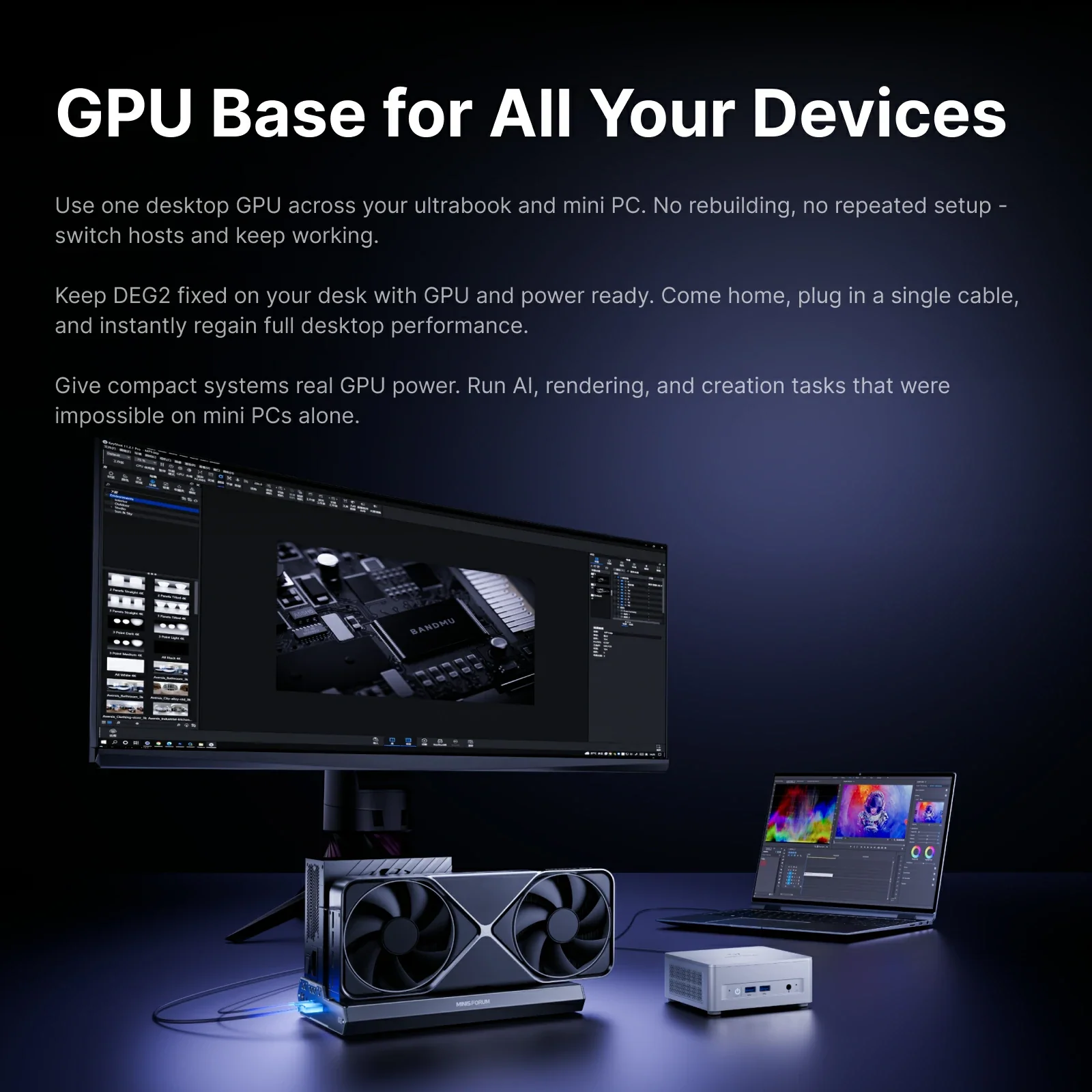
The MINISFORUM DEG2 eGPU Dock connects a full-size desktop graphics card to a mini PC, laptop or handheld through OCuLink (PCIe 4.0 ×4) or Thunderbolt 5 / USB4 v2 (80 Gbps), selected with a hardware switch. It accepts standard ATX or SFX power supplies, adds an M.2 2280 SSD slot, 2.5GbE and up to 140 W charging for the host, and costs US $259.90 on sale in MINISFORUM’s US store.
| MINISFORUM DEG2 eGPU Dock — Specifications | |
|---|---|
| Model | MINISFORUM DEG2 (OCuLink + Thunderbolt 5 / USB4 v2) |
| Type | External graphics card dock (eGPU), open design |
| Controller | Intel JHL9480 (Thunderbolt 5) |
| Host Connections | 1× OCuLink (PCIe 4.0 ×4, 64 Gbps) + 1× Thunderbolt 5 / USB4 v2 upstream (80 Gbps) — hardware toggle to select the active mode |
| Graphics Card Support | Desktop cards in a PCIe x16 slot (PCIe 4.0 ×4 electrical), full-length and high-TDP cards supported |
| Power Supply | Not included — accepts standard ATX or SFX PSUs (24-pin + 8-pin) |
| Power Delivery | Thunderbolt 5 upstream: up to 140 W to the host · Thunderbolt 5 downstream: 30 W |
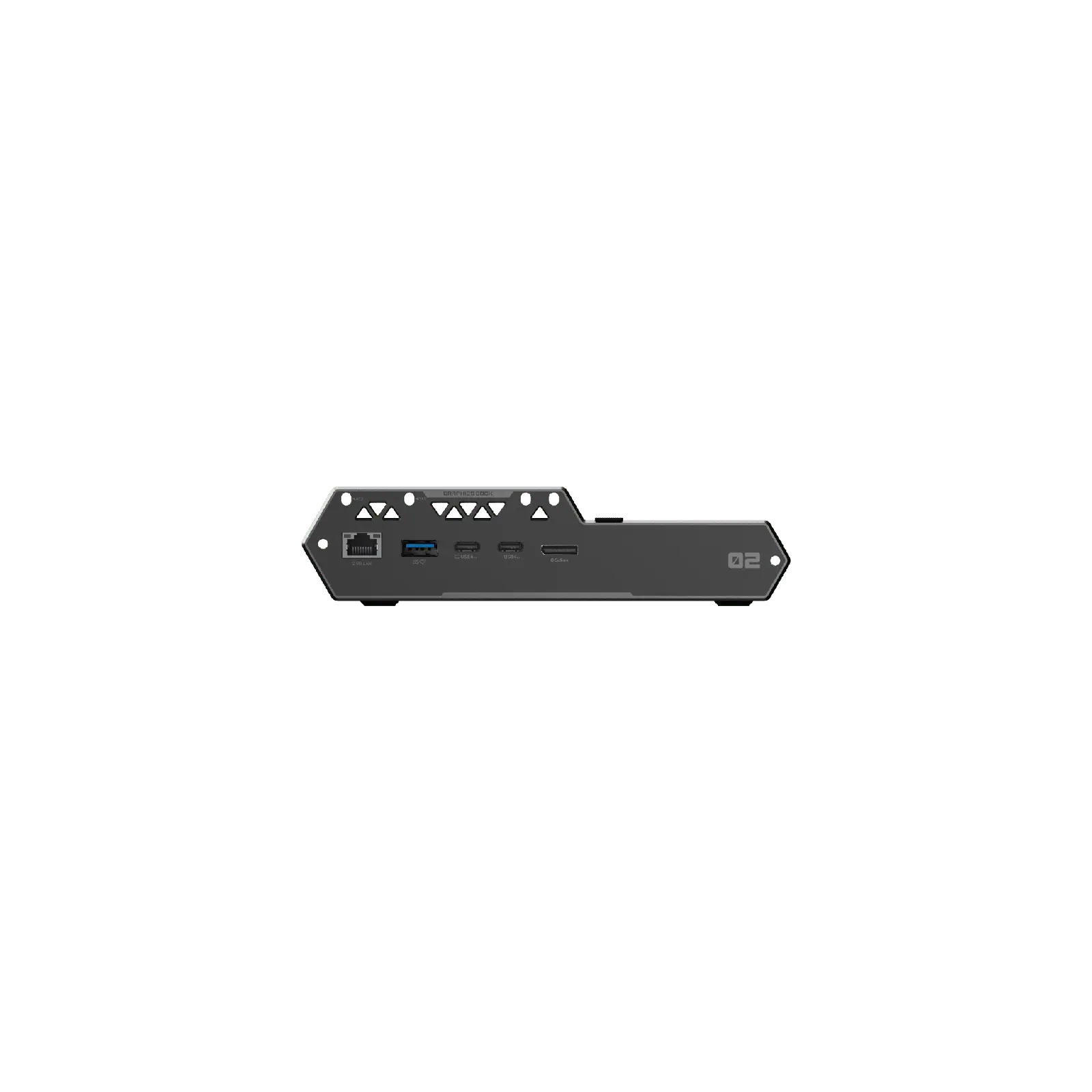
| Other Ports | 1× Thunderbolt 5 downstream, 2.5 Gigabit Ethernet, USB 3.2 Gen 1 |
| Storage | 1× M.2 2280 SSD slot (heatsink included) |
| Hot Plug | Thunderbolt 5 / USB4: yes · OCuLink: no (power off before connecting or disconnecting) |
| In the Box | DEG2, OCuLink cable, USB-C cable, SSD heatsink, graphics card holder, screw set, user manual |
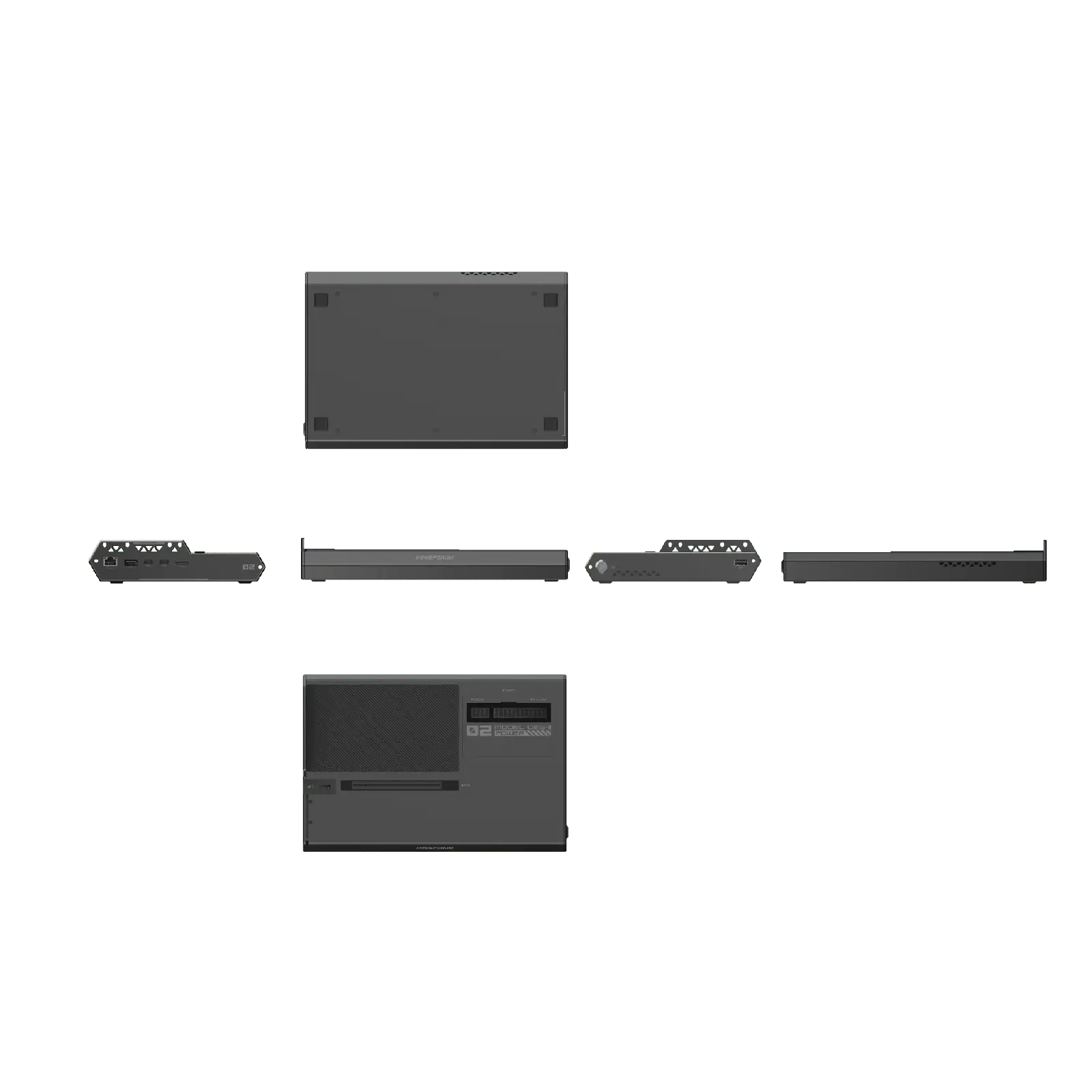
| Dimensions | 270 × 175 × 41 mm (MINISFORUM US store; another regional listing gives 258 × 174 × 42 mm) |
| Warranty | 2 years (MINISFORUM US store) |
| Price | US $259.90 on sale (regular US $309) in MINISFORUM’s US store, November 2026 |
What it does
The DEG2 turns a mini PC, laptop or handheld into a desktop-class gaming or AI workstation by adding a full desktop graphics card through a single cable. Unlike most docks, it offers both of the fastest external GPU connections: OCuLink for maximum performance and Thunderbolt 5 / USB4 v2 for convenience, with a physical switch to choose the active mode. It is designed as a “GPU base” that stays on the desk while you connect different computers to it.
OCuLink or Thunderbolt 5: which one to use?
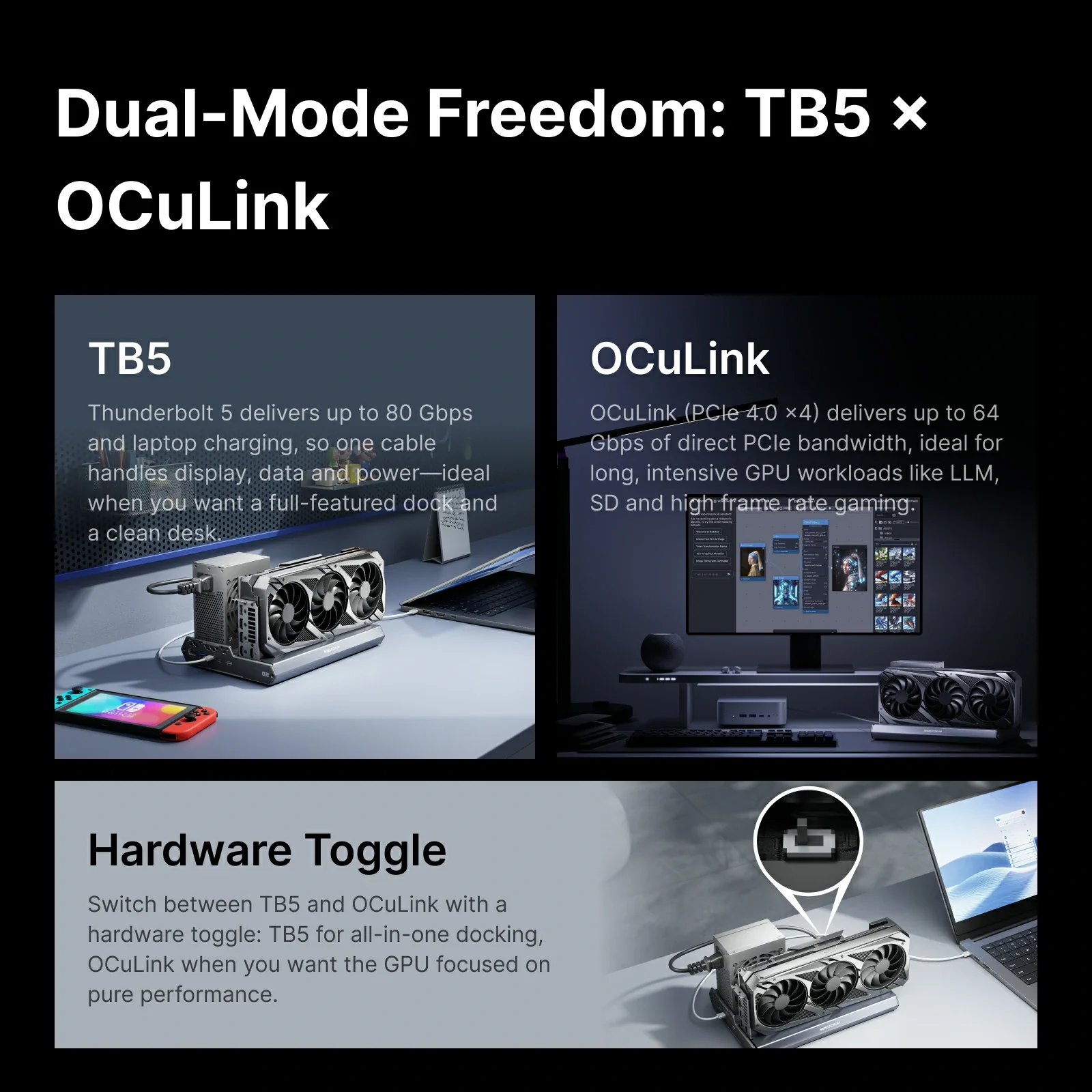
- OCuLink is a direct PCIe 4.0 ×4 link (64 Gbps) with the lowest overhead — the best choice for gaming and AI when your mini PC has an OCuLink port. It is not hot-pluggable: switch off the PC before connecting or disconnecting it.
- Thunderbolt 5 / USB4 v2 runs at 80 Gbps and gives the graphics card about the same PCIe bandwidth as OCuLink on hosts that support it. It is hot-pluggable and the same cable can charge the host with up to 140 W, ideal for laptops and handhelds.
- With 40 Gbps USB4 or Thunderbolt 4 hosts, the dock still works at the lower speed of those ports, so a high-end card loses more performance.
Our guide to mini PC ports and our external GPU guide explain these connections in detail.
Power supply and graphics cards
The DEG2 has no built-in power supply. Instead, it accepts standard ATX or SFX units, so you can reuse a PSU you already own or choose one sized for your graphics card. That makes it more flexible than docks with fixed internal supplies, and suitable for high-TDP cards — but you need to budget for the PSU. The open design accepts full-length desktop cards, and a graphics card holder is included.
More than a GPU dock
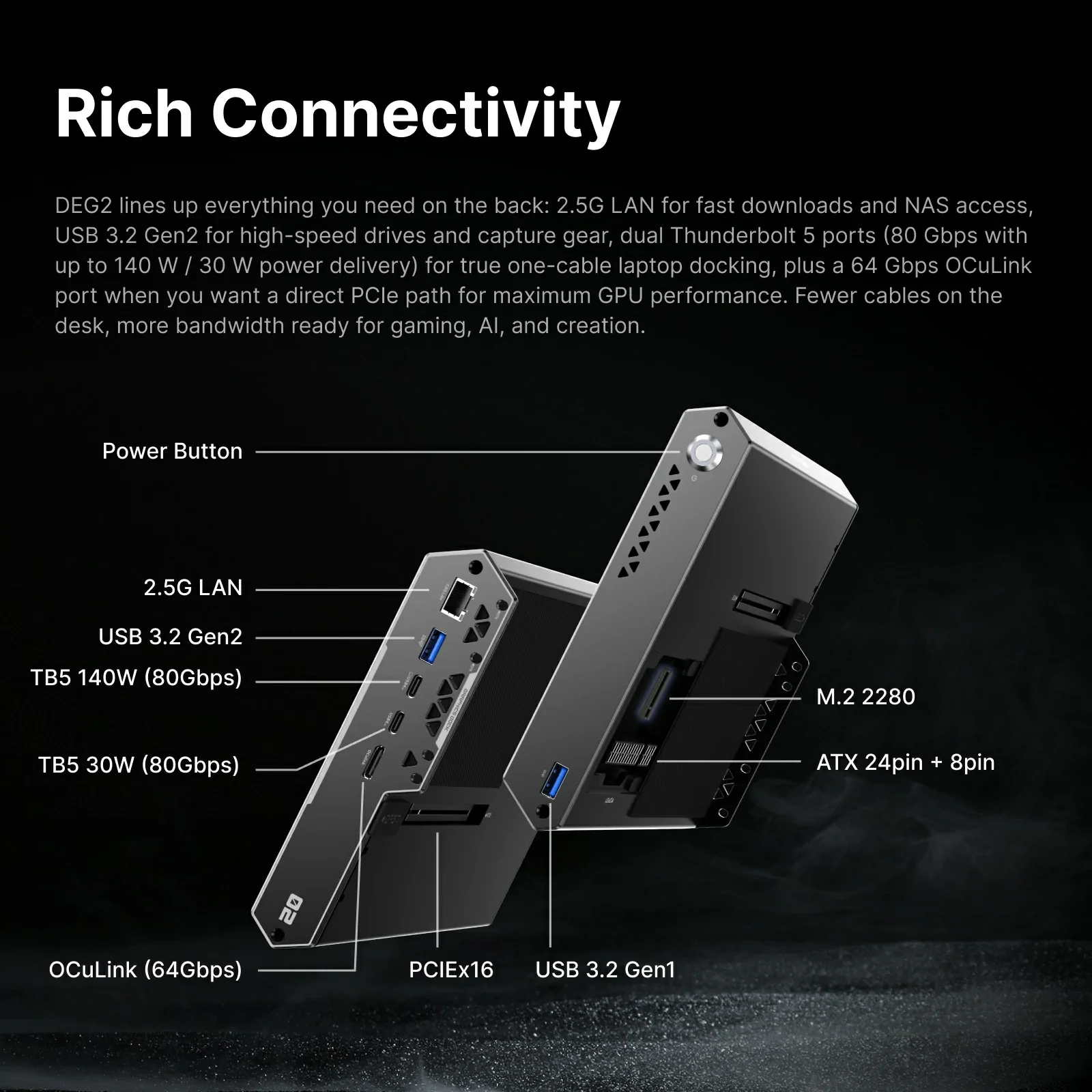
The DEG2 adds an M.2 2280 SSD slot, a downstream Thunderbolt 5 port, 2.5 Gigabit Ethernet and USB, so it also works as a docking station. Keeping AI models, game libraries or project files on the internal SSD means your data stays with the GPU base when you switch between computers.
Which mini PCs is it for?
Any mini PC with an OCuLink port — such as the GMKtec NucBox K8 Plus, ACEMAGIC F5A, Bosgame M4, MINISFORUM AI X1 Pro or GMKtec EVO-X3 — or with USB4 v2 / Thunderbolt 5, such as the MINISFORUM MS-S1 MAX. Mini PCs with 40 Gbps USB4 or Thunderbolt 4 also work, at lower bandwidth. On minis-pc.com, compatible mini PCs show this dock in their upgrades section.
Who is it for?
Ideal for: gamers and AI or creative users who want a desktop graphics card with a mini PC or laptop, people who switch between several computers, and anyone with a spare ATX or SFX power supply.
Not for: users who want an all-in-one solution with a built-in PSU, or an enclosed, dust-protected case.
Specifications from MINISFORUM. Dimensions differ slightly between regional listings. Price in MINISFORUM’s US store in November 2026 (Black Friday sale); it may change.
Disclaimer: The specifications, features, prices and availability shown on this page are provided for information purposes only. They may contain errors or change without notice. Please always check them on the manufacturer's official product page before buying.
Additional information
Specification: MINISFORUM DEG2 OCuLink & Thunderbolt 5 eGPU Dock
| Ports | ||||||
|---|---|---|---|---|---|---|
|
||||||
| Network | ||||||
|
||||||
| GPU | ||||||
|
||||||
| Internal Ports | ||||||
|
||||||
| Power | ||||||
|
||||||
| Others Specifications | ||||||
|
||||||
| Specification | ||||||
|
||||||
Related Products


