
Minisforum AtomMan G7 Pro Intel® Core™ i9-14900HX NVIDIA RTX 5070





| Processor | 9.5 |
|---|---|
| RAM | 9 |
| Hard Disk | 9.5 |
| Connectivity | 8.5 |
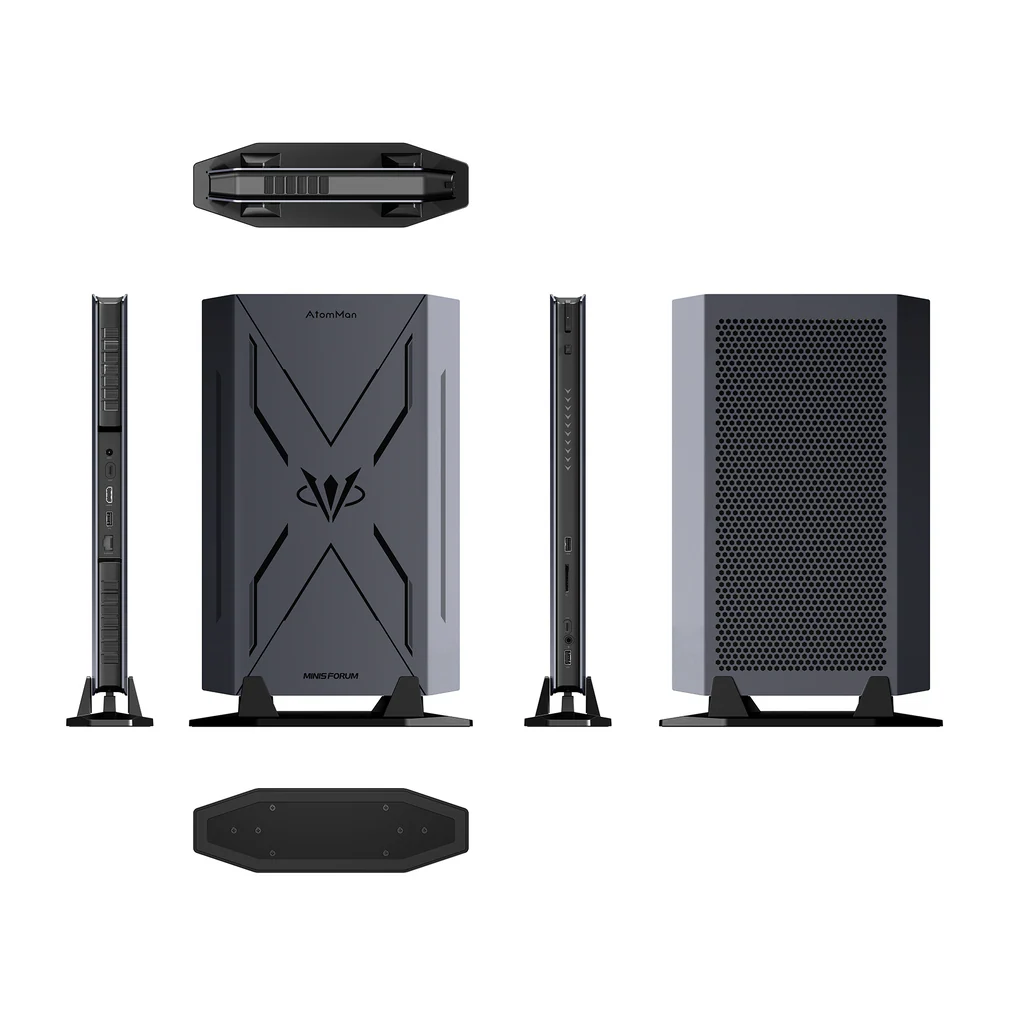
Minisforum AtomMan G7 Pro — SFF Gaming PC with Intel® Core™ i9-14900HX (Raptor Lake-HX) + NVIDIA GeForce RTX 5070 Laptop GPU. 24 cores / 32 threads (8P+16E) up to 5.8 GHz. RTX 5070 Laptop — 8 GB GDDR7 — Blackwell architecture — DLSS 4 + multi-frame generation. 32 GB DDR5-5600 SO-DIMM UPGRADEABLE (2 slots, up to 96 GB). 1× M.2 2280 PCIe 5.0 ×4 + 1× M.2 2280 PCIe 4.0 ×4 — up to 8 TB. Quad display: HDMI 2.1 + DP 1.4 + 2× USB4. 1× USB4 Gen 3×2 (40 Gbps). 1× 2.5 GbE (Realtek RTL8125). Wi-Fi 7 (Intel BE200) + BT 5.4. SD 4.0 UHS-II reader. 6× heat pipes + dual 8015 turbo fans. Gaming Mode 200W / Work Mode 150W. 385 × 237 × 33 mm. ~2.62 kg. From $1,359.90 (barebone).

Minisforum AtomMan G7 Pro Intel® Core™ i9-14900HX NVIDIA RTX 5070 Prices


Price History
Description
Minisforum AtomMan G7 Pro
SFF Gaming PC — Intel® Core™ i9-14900HX + NVIDIA GeForce RTX 5070
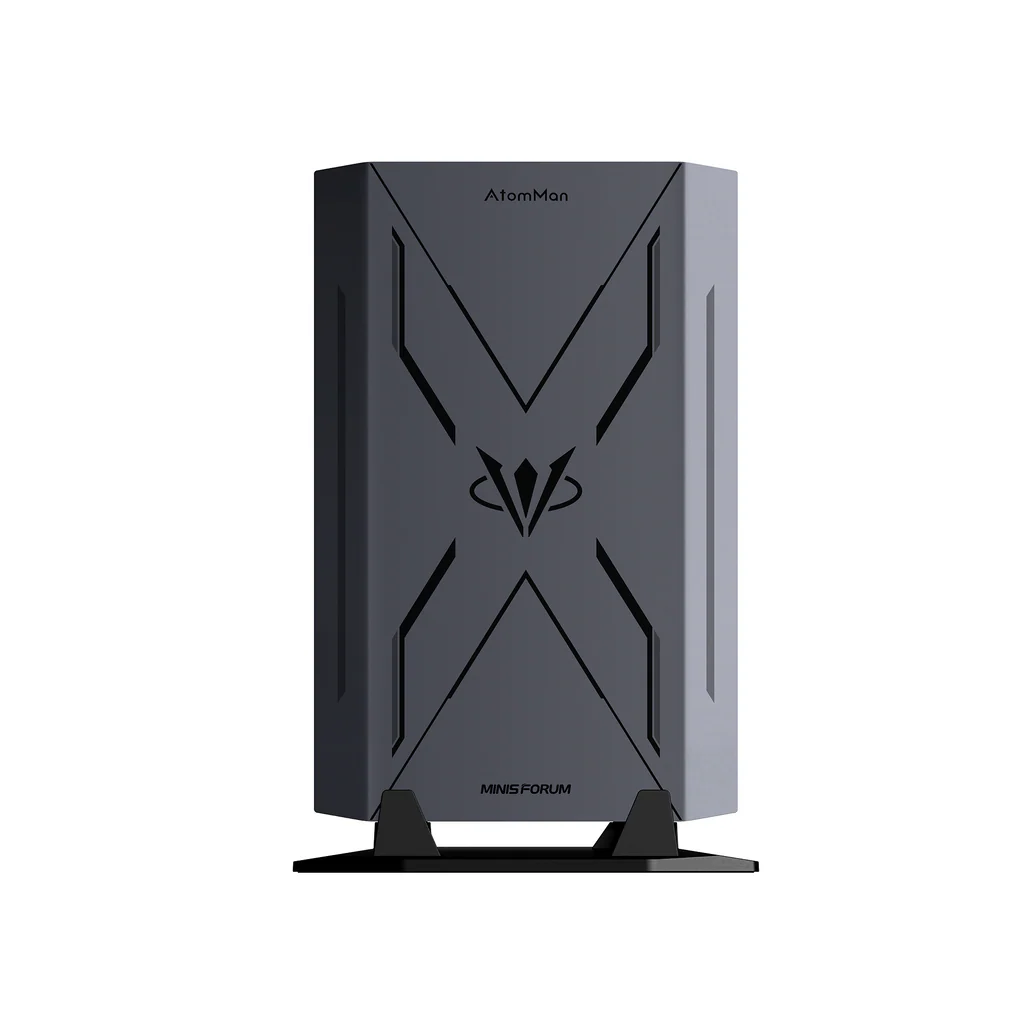
The Minisforum AtomMan G7 Pro is not, strictly speaking, a mini PC. It is a small form factor gaming computer — a category that sits between the compact productivity machines that populate most of this website and the full-size tower gaming rigs that the AtomMan G7 Pro is designed to replace. At 385 × 237 × 33 mm in horizontal configuration, it has the footprint of a large tablet and the thickness of a hardback book. At 2.62 kg, it is heavier than any conventional mini PC, but a fraction of the weight of any tower system capable of comparable performance. What it contains — an Intel Core i9-14900HX with 24 cores and 32 threads alongside an NVIDIA GeForce RTX 5070 Laptop GPU with 8 GB of GDDR7 — is essentially the internal hardware of a premium gaming laptop, extracted from its chassis and repurposed into a form factor that sits flat on a desk, connects to any monitor, and delivers gaming and content creation performance that no conventional mini PC can approach.
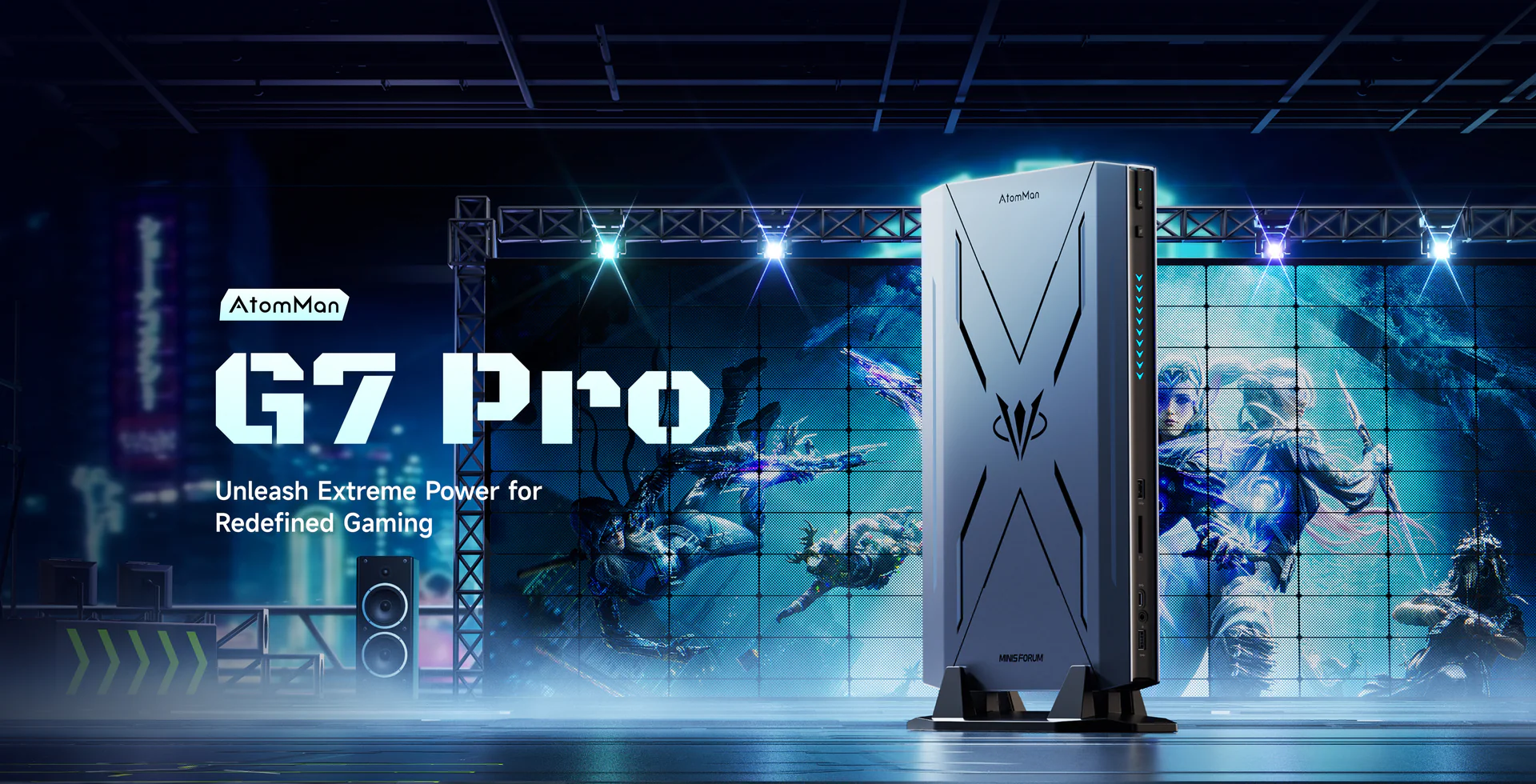
Unveiled at IFA 2025 in September and made globally available in January 2026 at $1,359.90 for the barebone version and $1,679.90 for the 32 GB / 1 TB pre-configured model, the G7 Pro succeeds the G7 Ti with an upgraded GPU — the RTX 5070 replacing the RTX 4070 — and adds PCIe 5.0 storage support and Wi-Fi 7 to a platform that was already among the most performance-capable compact gaming systems available. Liliputing described it as “basically what you’d get if you took the guts of a gaming laptop and stuffed them into a thin desktop PC.” That description is accurate and, for the right buyer, is precisely the value proposition.
Specifications
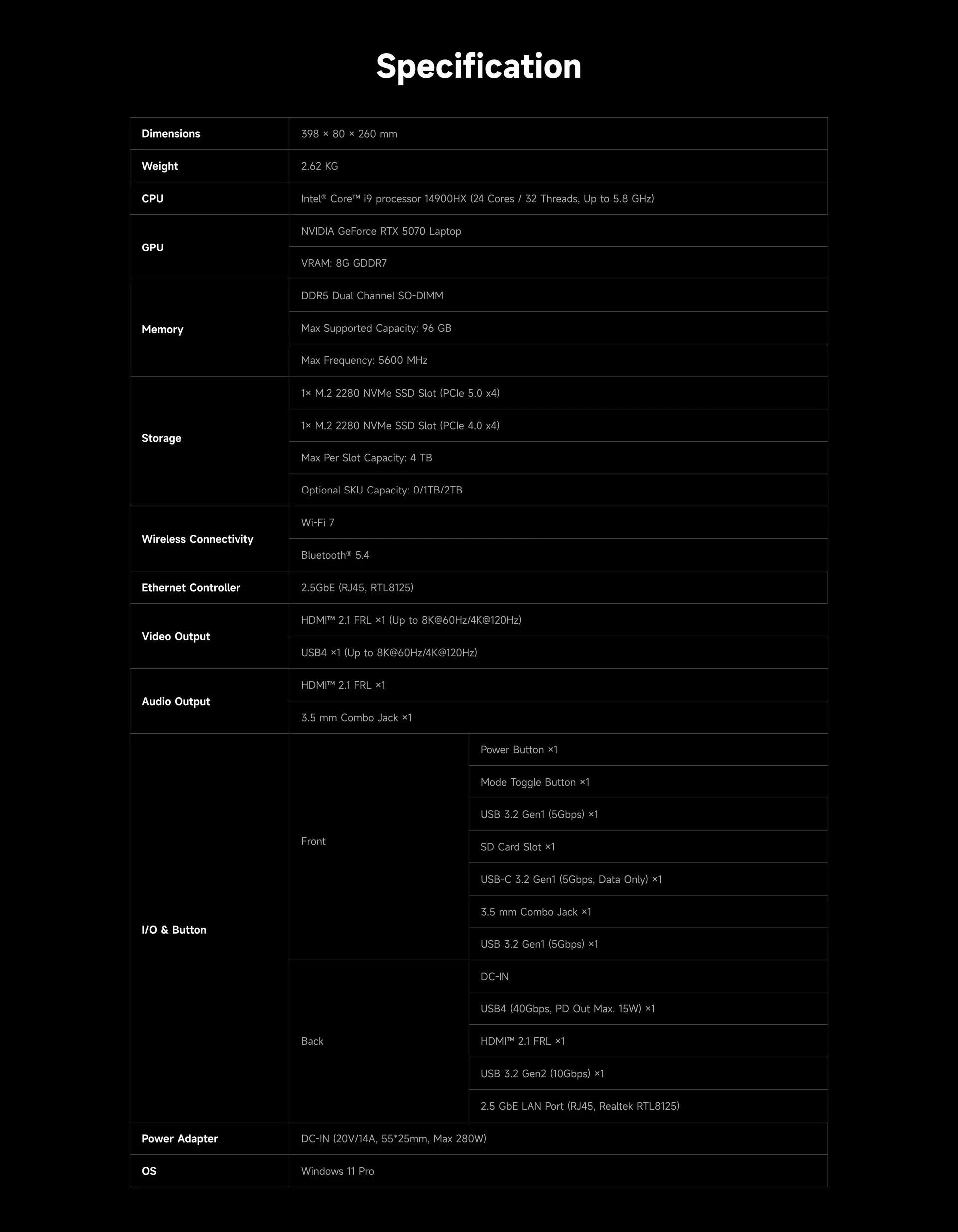
| Minisforum AtomMan G7 Pro — Intel® Core™ i9-14900HX + NVIDIA GeForce RTX 5070 | |
|---|---|
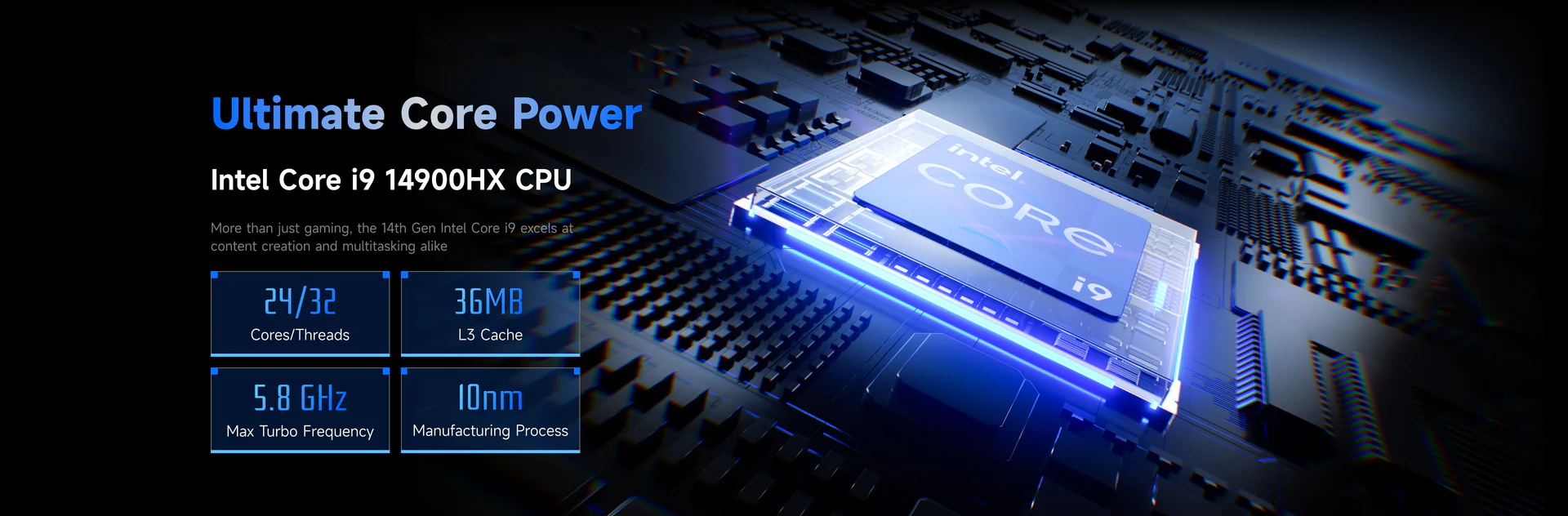
| CPU | Intel® Core™ i9-14900HX (Raptor Lake-HX) — 2.2 GHz base (P-cores), up to 5.8 GHz — 24 Cores / 32 Threads (8P-cores + 16E-cores) — 36 MB Intel® Smart Cache — Intel 10 nm — TDP 55W base / 120W (CPU-only) / 85W (with GPU) |
| GPU | NVIDIA GeForce RTX 5070 Laptop GPU — 8 GB GDDR7 — Blackwell architecture — DLSS 4 + multi-frame generation — 798 TOPS AI performance (GPU only) |
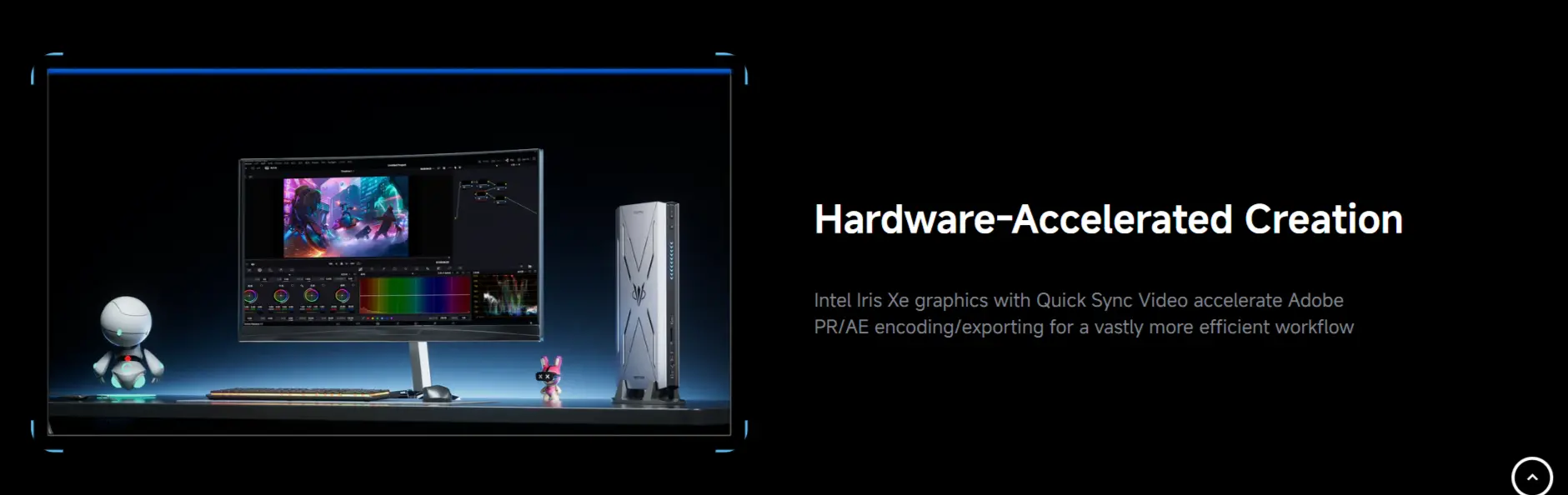
| iGPU | Intel® Iris® Xe Graphics — Quick Sync Video — hardware encode/decode for Adobe PR/AE workflows |
| Memory | 32 GB DDR5-5600 MHz (2× SO-DIMM slots — expandable up to 96 GB — fully user-upgradeable) |
| Storage | 1 TB M.2 2280 PCIe 5.0 ×4 NVMe SSD (primary — up to 4 TB) + 1× M.2 2280 PCIe 4.0 ×4 NVMe slot (secondary — up to 4 TB) — up to 8 TB total |
| Storage Expansion | 1× M.2 2280 PCIe 4.0 ×4 NVMe secondary slot + SSD heatsink included for secondary drive |
| Wireless Connectivity | Wi-Fi 7 (802.11be) — Intel BE200 — tri-band + Bluetooth 5.4 |
| Ethernet | 1× 2.5 Gigabit Ethernet Port (Realtek RTL8125) |
| Video Output |
|
| Audio Output | 1× 3.5mm combo audio jack (front) |
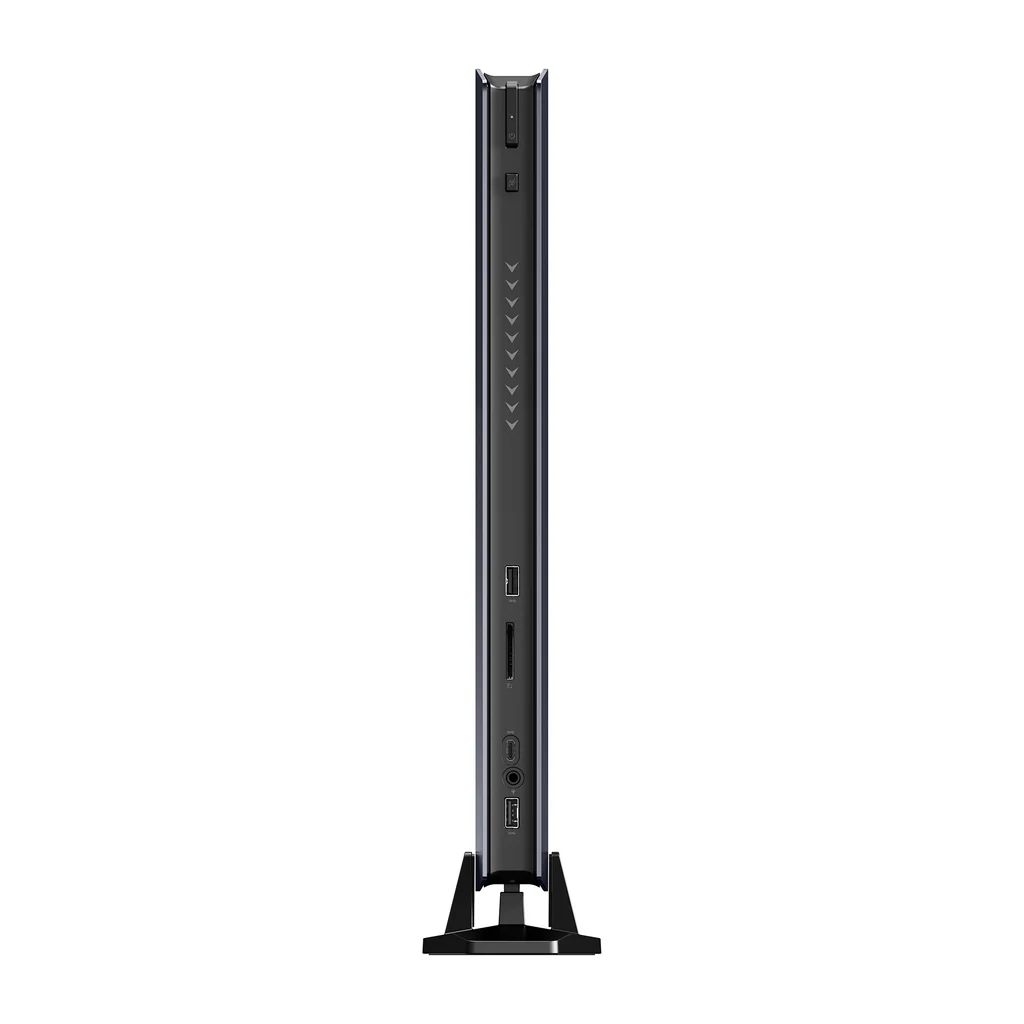
| Ports & Buttons | Front:
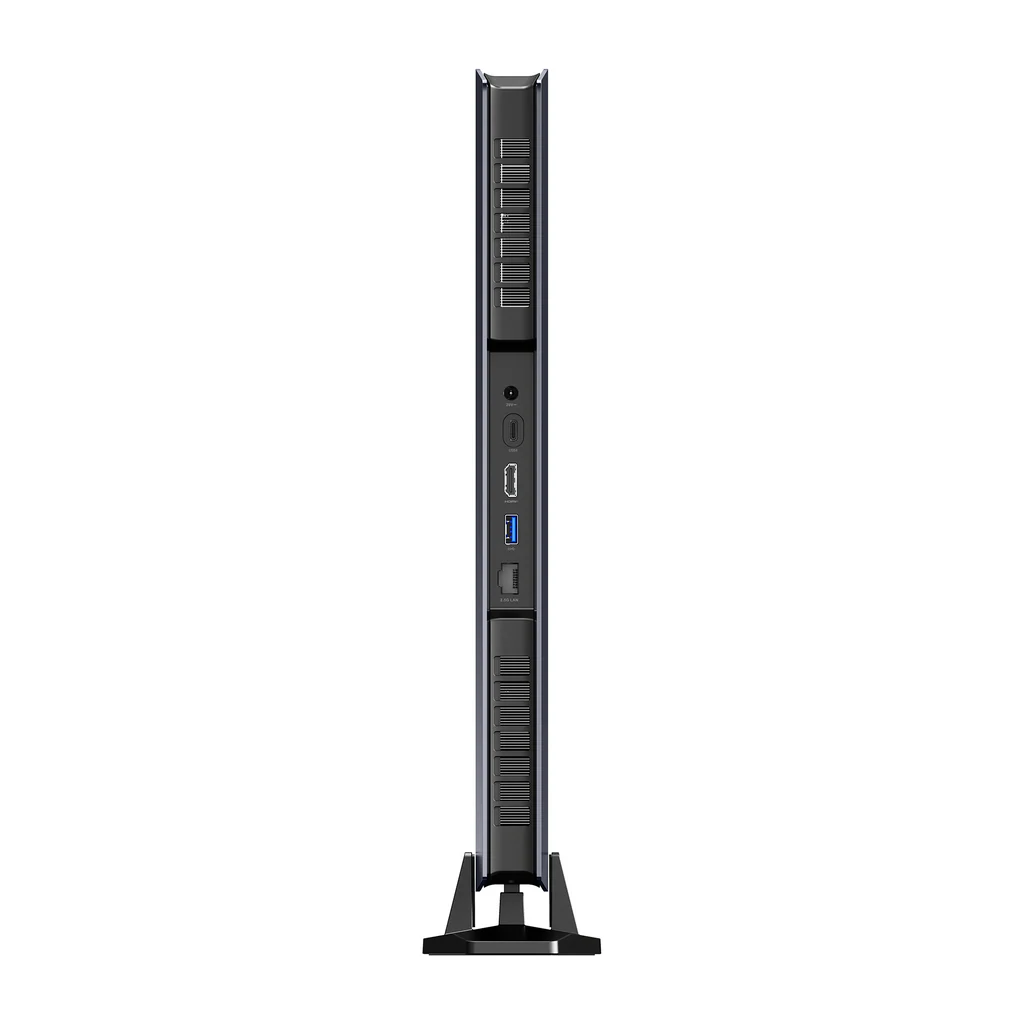
Rear:
|
| Performance Modes | Gaming Mode: CPU up to 120W / GPU up to 115W (peak ~200W total) — Work Mode: CPU up to 90W / GPU up to 95W (~150W total) |
| System | Windows 11 Pro (pre-installed) — Barebone option available |
| Product Dimension | 385 × 237 × 33 mm (without base) / 398 × 260 × 80 mm (with base) — Weight: ~2.62 kg |
| Power | 280W DC power adapter (20V/14A) — included — Gaming Mode peak ~200W / Work Mode peak ~150W |

Intel® Core™ i9-14900HX — 24 Cores, 5.8 GHz, Raptor Lake-HX
The Core i9-14900HX is Intel’s flagship Raptor Lake-HX mobile processor — the highest-specification chip in Intel’s 14th generation laptop lineup, designed for mobile workstations and premium gaming laptops. The hybrid architecture combines eight Performance cores running up to 5.8 GHz with sixteen Efficiency cores for background tasks and parallel workloads, for a total of 24 cores and 32 threads. This is a processor that, in its native laptop context, powers machines from ASUS ROG, MSI, Lenovo Legion, and Razer at price points of $2,500 to $4,000. In the G7 Pro, it operates at full configured power limits: up to 120W CPU-only in Gaming Mode, or 85W alongside the GPU — figures that represent serious silicon fed at the power levels needed to demonstrate its capability.
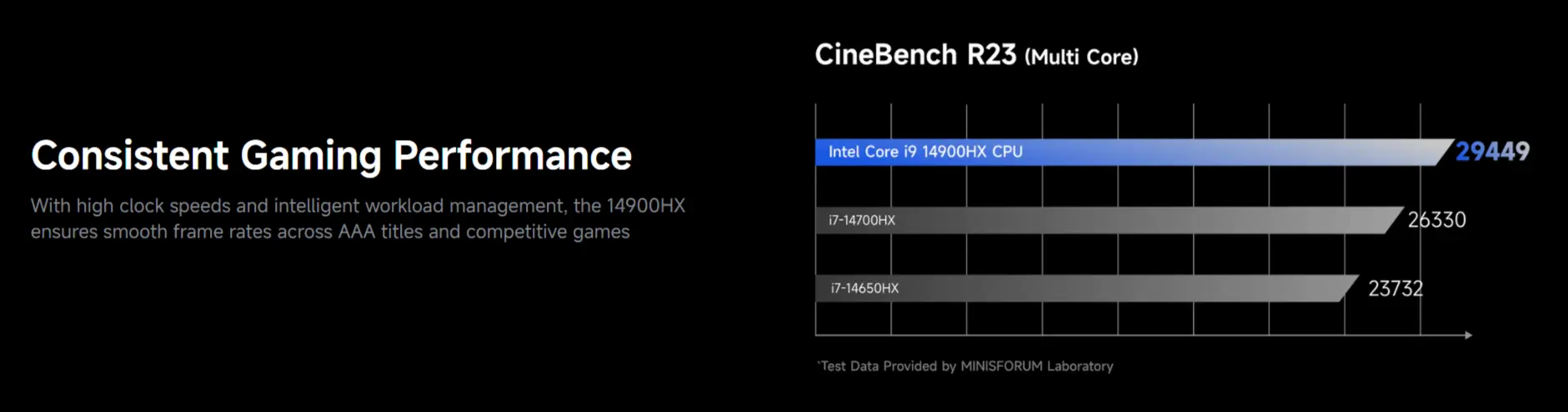
In multi-threaded benchmarks, the i9-14900HX delivers Cinebench R23 multi-core scores in the range of 22,000 to 26,000 depending on thermal headroom — results that place it above virtually every APU in the mini PC market and competitive with desktop Ryzen 7000 chips at similar core counts. The 36 MB Intel Smart Cache and the combination of P-core single-threaded speed at 5.8 GHz and E-core parallel throughput make it capable of simultaneous gaming, streaming, Discord, and content creation workloads without the compromises that constrain lower-core-count competitors.
- 24 cores / 32 threads (8× P-cores + 16× E-cores — Raptor Lake-HX)
- P-core base 2.2 GHz — Boost up to 5.8 GHz
- Intel® Smart Cache: 36 MB
- Intel 10 nm process node
- TDP: 55W base / 120W Gaming Mode (CPU-only) / 85W with GPU active
- Launched Q1 2024 — G7 Pro announced IFA 2025, available January 2026
NVIDIA GeForce RTX 5070 Laptop — Blackwell, DLSS 4, 798 TOPS
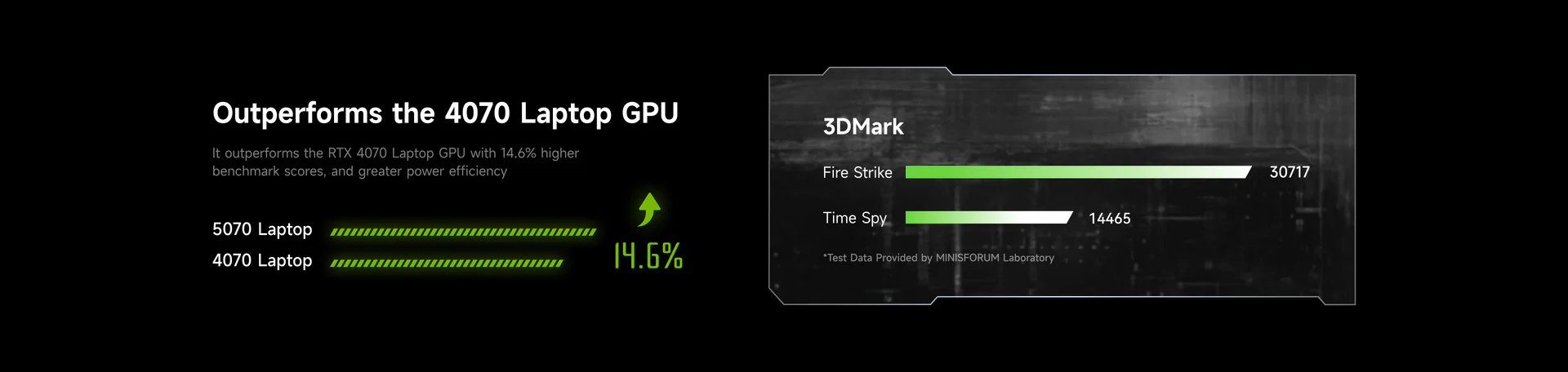
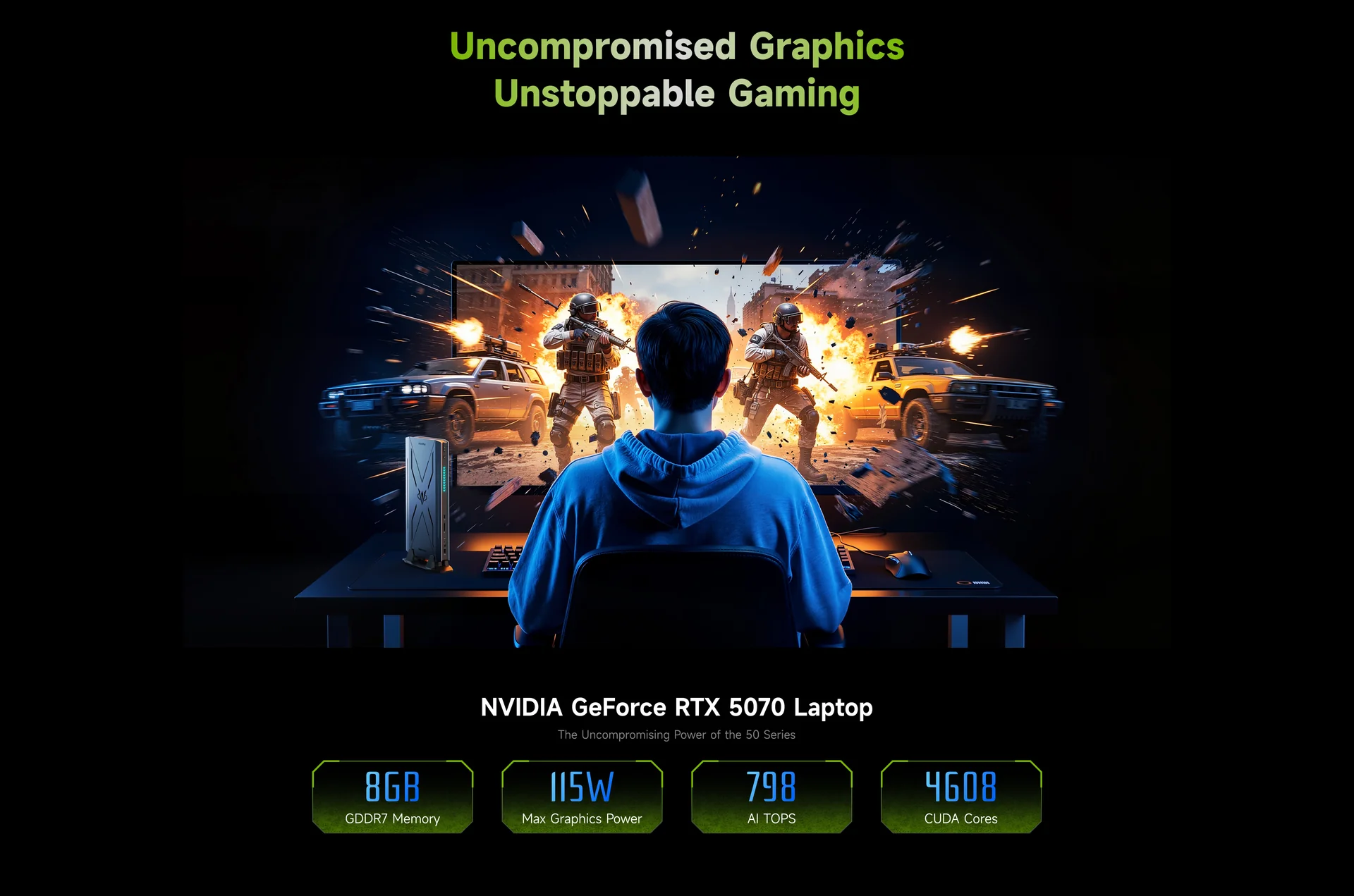
The RTX 5070 Laptop GPU represents NVIDIA’s Blackwell architecture in its mobile tier — the successor to the RTX 4070 Laptop that powered the G7 Ti, and a significant step forward in both rasterisation performance and AI compute capability. The GPU carries 8 GB of GDDR7 memory, operating at higher bandwidth than the GDDR6 of the previous generation, which directly benefits memory-bandwidth-limited workloads including ray tracing, texture sampling at high resolutions, and AI inference.
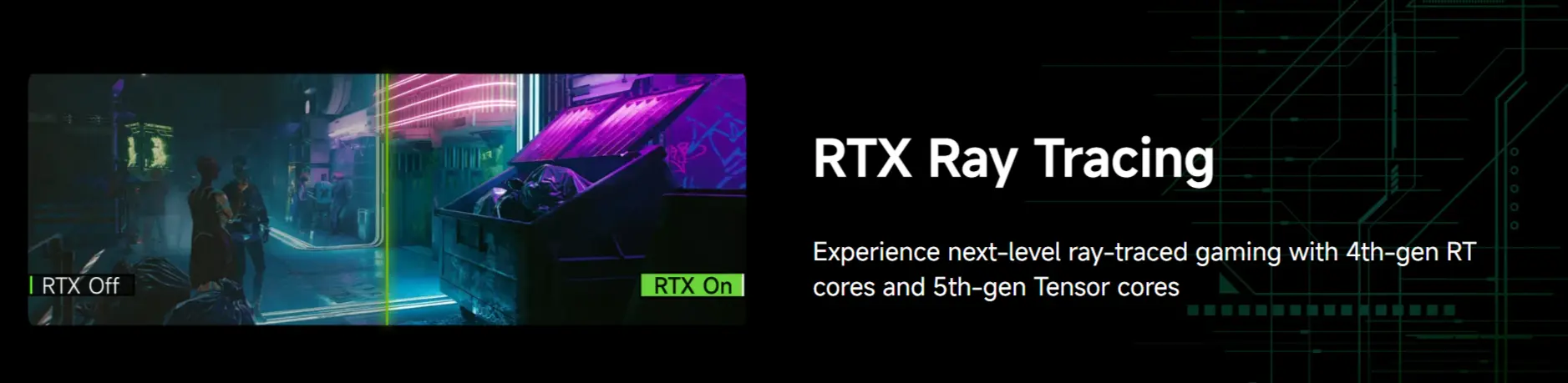
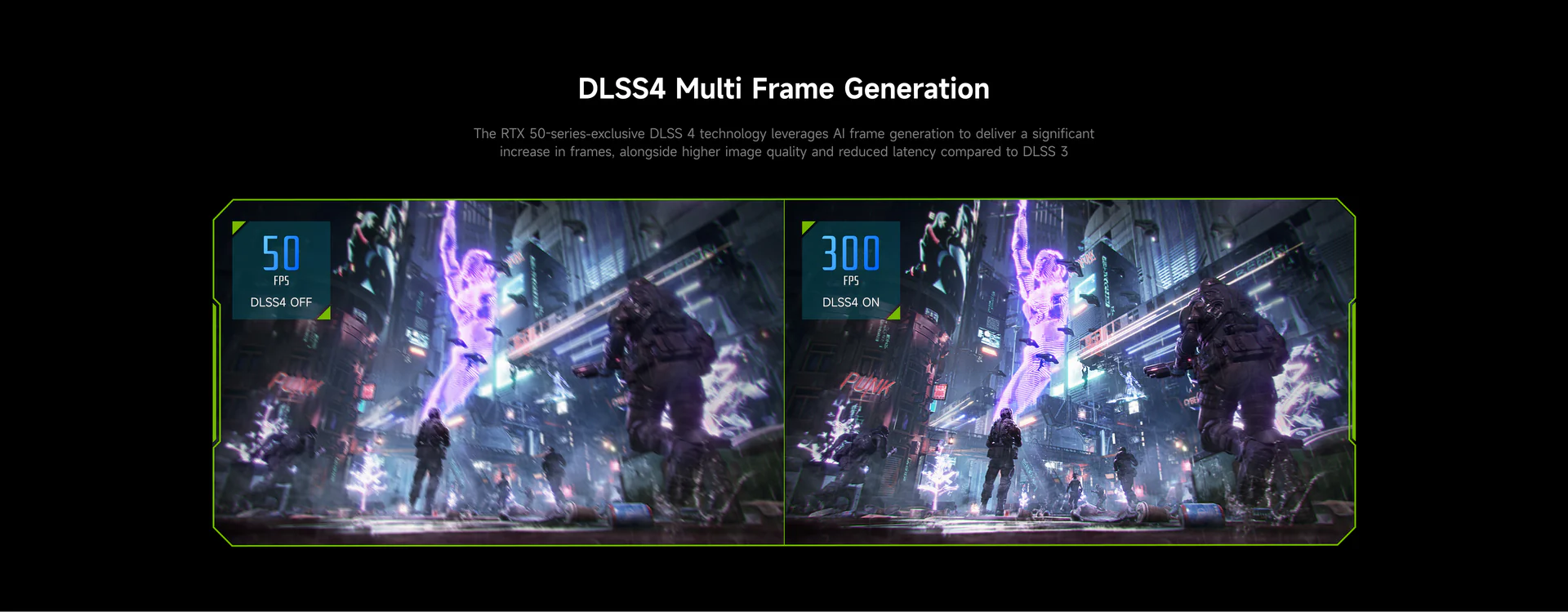
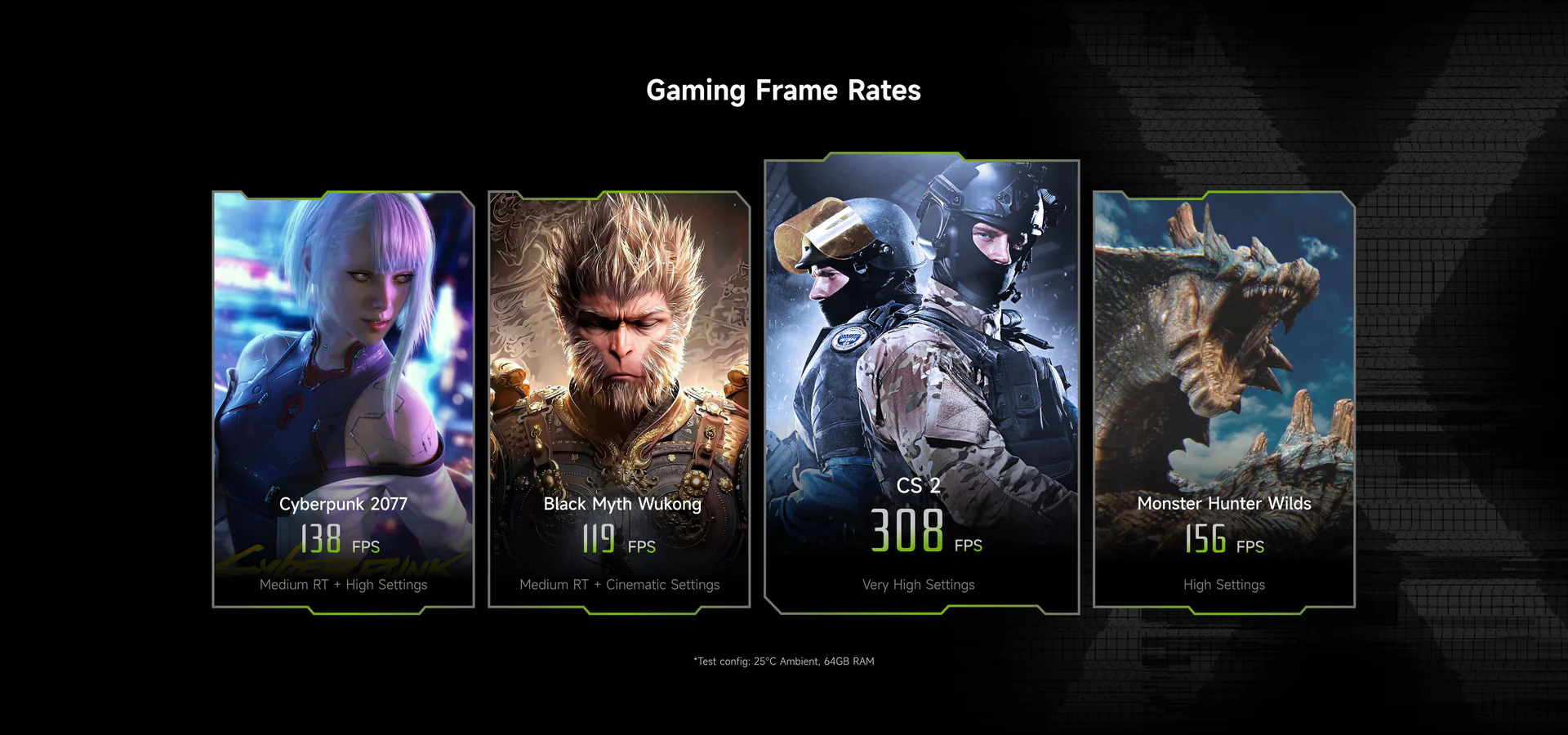
The architectural highlight of the RTX 5070 for gaming is DLSS 4 with multi-frame generation — a technology that can generate multiple AI-synthesised frames between each rendered frame, multiplying effective frame rates in supported titles by factors of 2× to 4×. This is not the same as native rendering, and the generated frames introduce some latency that competitive gamers operating at maximum skill levels may notice. For the vast majority of gaming scenarios — 1080p, 1440p, and 4K gaming in story-driven, open-world, and semi-competitive titles — DLSS 4 multi-frame generation means the G7 Pro’s RTX 5070 delivers frame rates that feel substantially faster than the underlying rendered frame rate would suggest, making games like Cyberpunk 2077, Black Myth: Wukong, and Alan Wake 2 playable at high settings and resolutions that the rendered frames alone would make challenging.
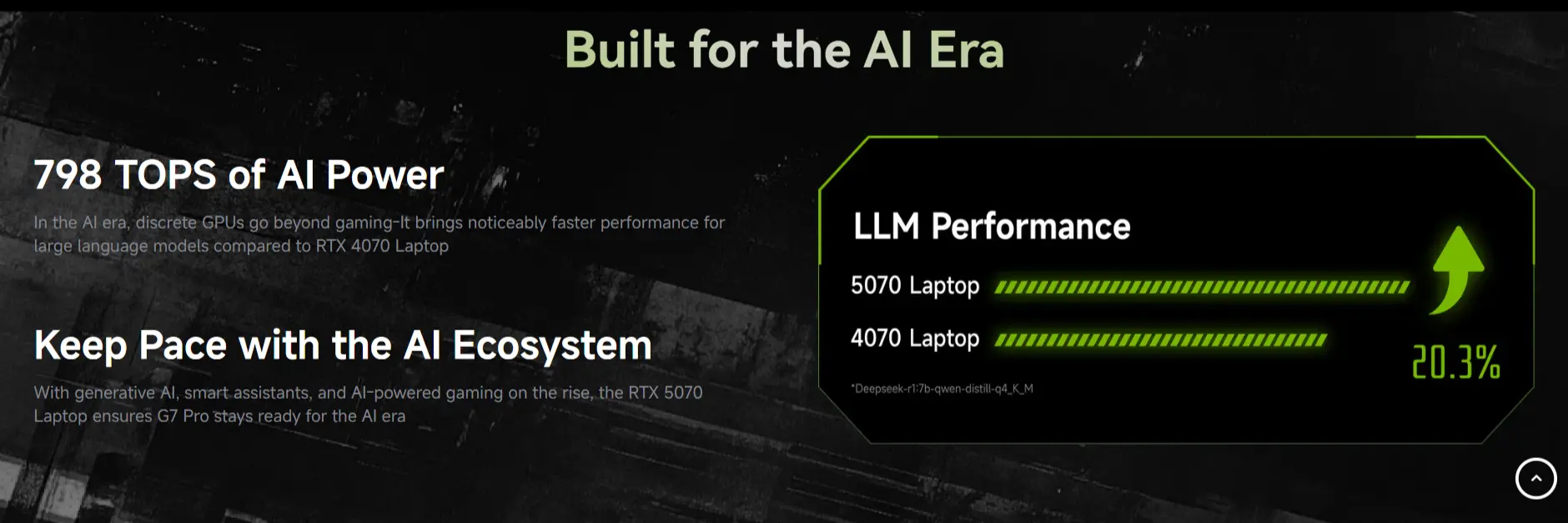
Minisforum rates the RTX 5070’s AI performance at 798 TOPS — a figure substantially higher than any integrated GPU or NPU in the mini PC market, and one that provides genuine local AI inference capability for large language models. The manufacturer’s own testing demonstrates faster LLM inference than the RTX 4070 Laptop, which was itself already competitive with many desktop cards for AI workloads.
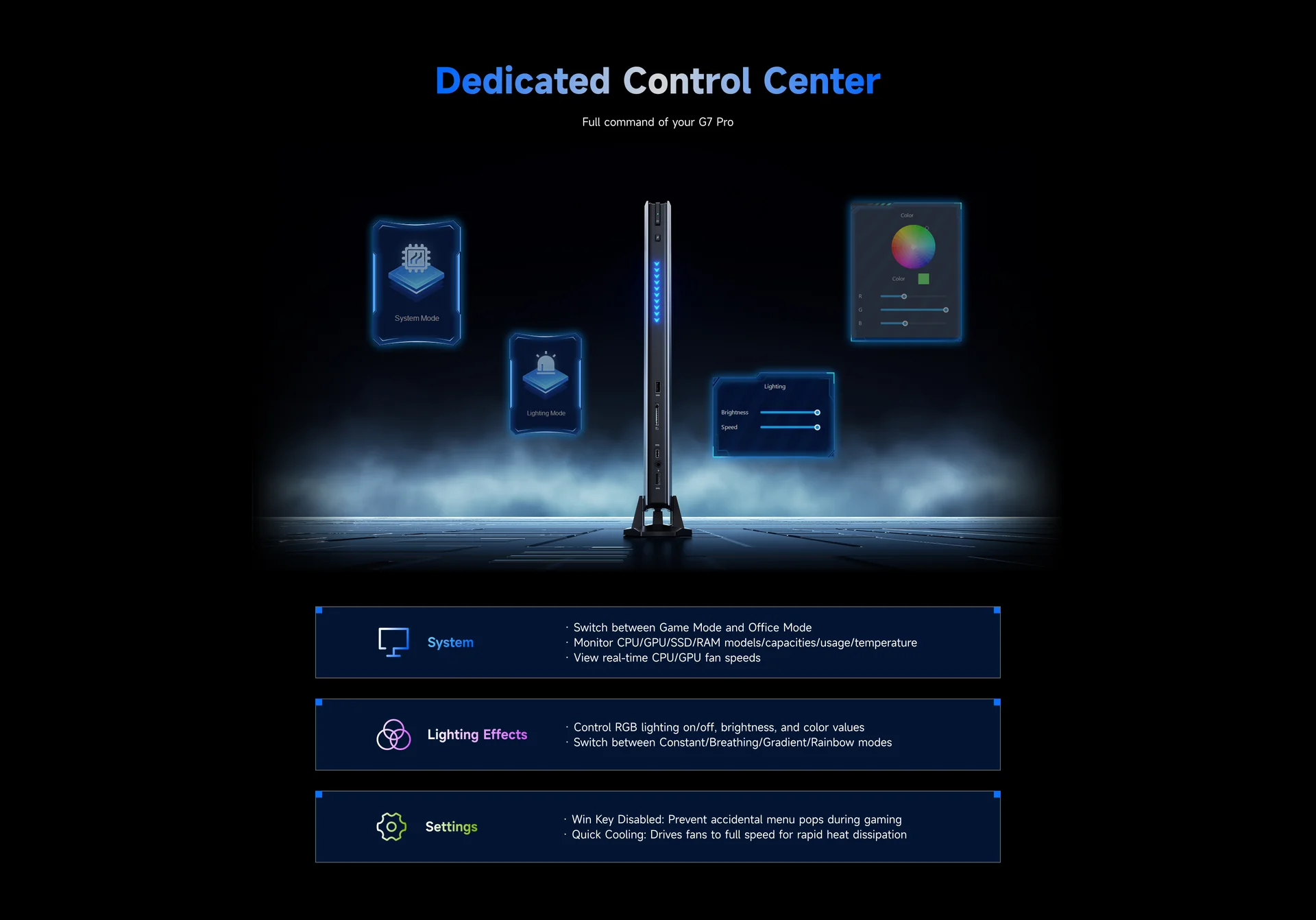
Two Performance Modes — Gaming and Work
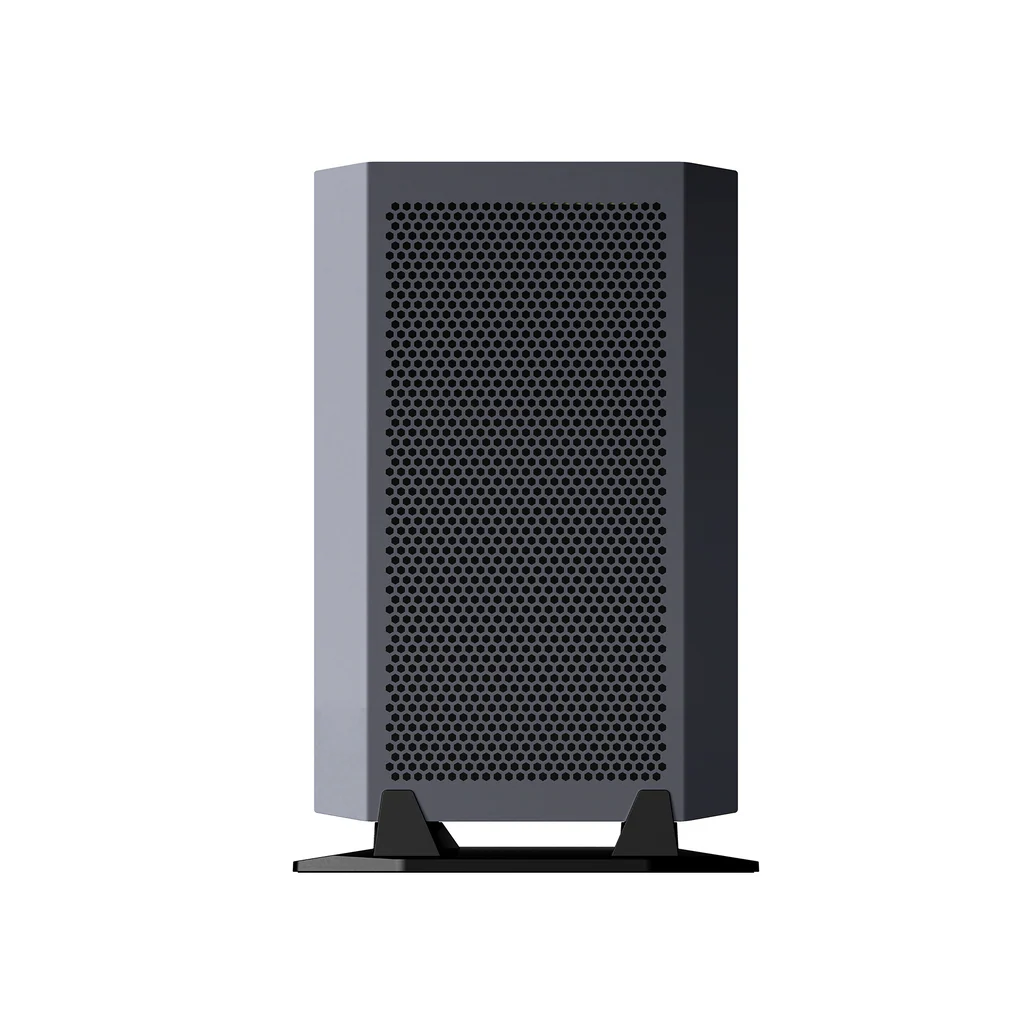
The G7 Pro is configured with two distinct power profiles that balance performance against thermal output and fan noise. Gaming Mode allocates up to 120W to the CPU alone or 85W CPU alongside 115W GPU, allowing the system to pull approximately 200W total under simultaneous full CPU and GPU stress. This is where the G7 Pro’s six copper heat pipes and dual 8015 mm turbo fans are required in full — fan noise under Gaming Mode at peak load reaches levels that necessitate headphones or speakers, and thermal throttling becomes a consideration during extended sustained stress. Vortex Gaming’s review noted the system “suffers from thermal throttling and fan noise” under these conditions — an honest assessment of the constraints that any 200W system in a 33 mm chassis will face.
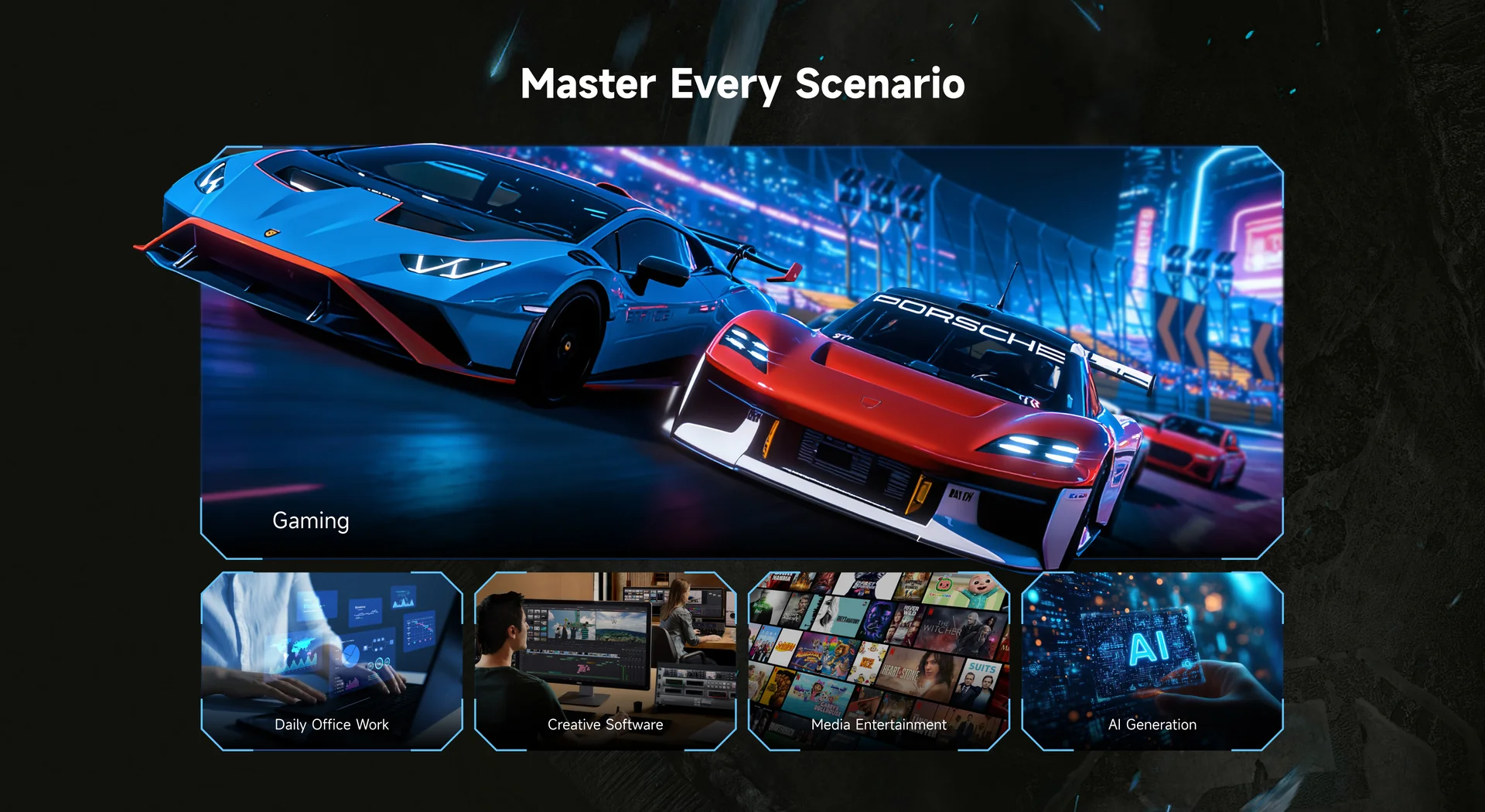
Work Mode reduces the CPU ceiling to 90W alone or 55W with the GPU capped at 95W, resulting in total system power around 150W. At this power level, the thermal system manages effectively, sustained performance is stable, and fan noise is substantially reduced — appropriate for content creation workflows, video editing, 3D rendering, and coding where the task duration is long but the simultaneous CPU and GPU stress levels are lower than full gaming load. For the typical working day followed by evening gaming, toggling between Work and Gaming modes covers the G7 Pro’s primary use scenarios.
PCIe 5.0 Primary SSD Slot — The Fastest Storage Available
The G7 Pro is equipped with a primary M.2 2280 slot running PCIe 5.0 ×4 — the current-generation storage interface offering sequential read speeds of 10,000–14,000 MB/s with compatible drives. This is approximately twice the bandwidth of the PCIe 4.0 ×4 interface found in every other mini PC on this website, and it represents a meaningful real-world advantage for workloads that read or write large files continuously: 4K video editing timelines, large game asset loading, rendering cache operations, and AI model weight loading from storage. The secondary M.2 2280 slot operates at PCIe 4.0 ×4, providing a 6,000–7,000 MB/s secondary drive for additional storage with speeds still faster than any mechanical hard drive.
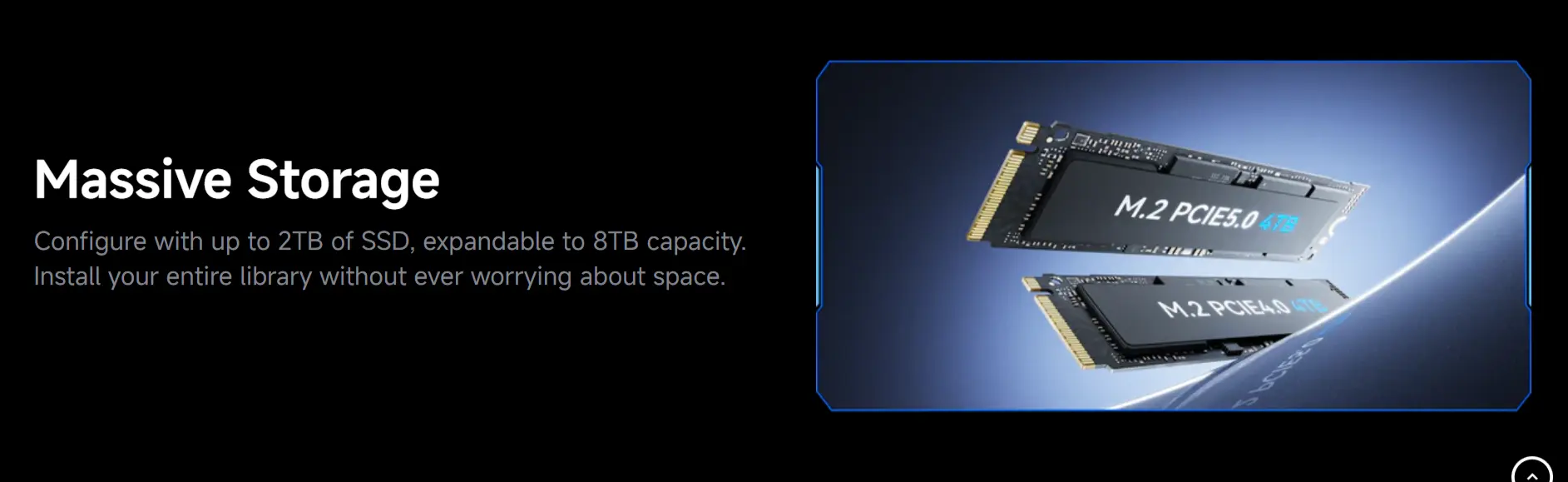
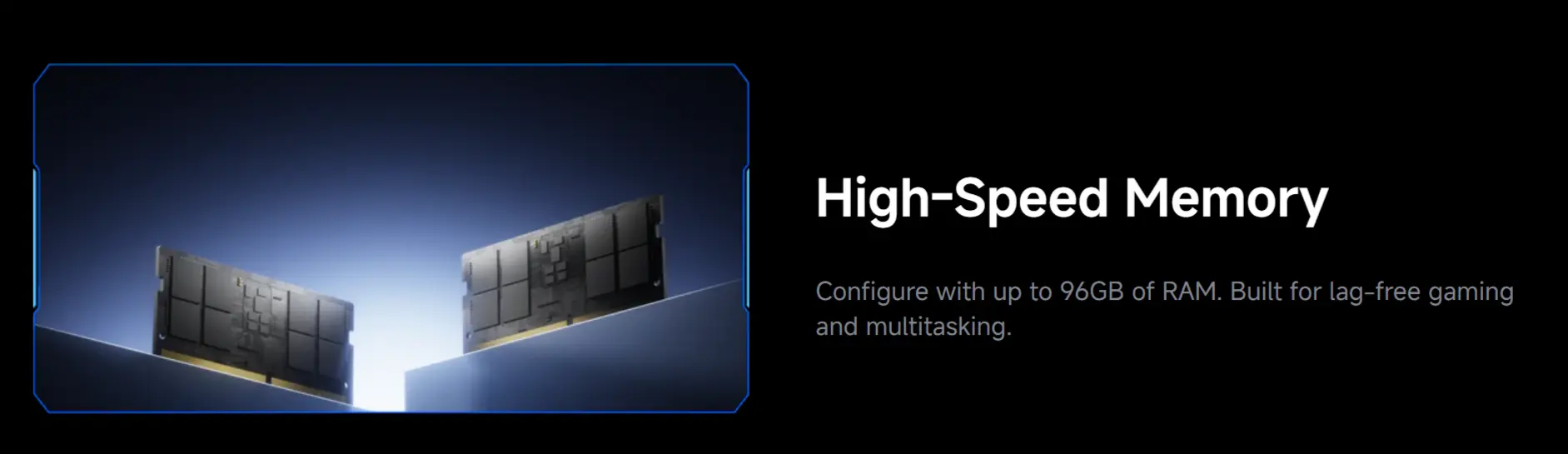
Up to 96 GB DDR5-5600 — Fully Upgradeable SO-DIMM
Two DDR5-5600 SO-DIMM slots support up to 48 GB per slot for a maximum of 96 GB total. The standard 32 GB configuration is more than adequate for gaming, content creation, and most AI workloads. Users who run large language models locally, maintain multiple virtual machines simultaneously, or work with memory-intensive 3D scene files will find the upgrade path to 64 GB or 96 GB directly accessible through standard DDR5 SO-DIMM modules. The SO-DIMM format is accessible after removing the bottom panel — more involved than a tool-free cover but entirely manageable for any moderately technical user.
Connectivity — USB4, Wi-Fi 7, SD 4.0
The G7 Pro’s connectivity centres on its USB4 Gen3×2 port — delivering 40 Gbps with DisplayPort Alt Mode for an 8K display output — alongside HDMI 2.1 FRL supporting 4K@144Hz or 8K@60Hz, and a DisplayPort 1.4 output on the rear panel. A fourth display output is available through the USB-C 3.2 Gen1 port on the front panel with DP Alt Mode. Total simultaneous display support reaches four independent screens at resolutions up to 8K.
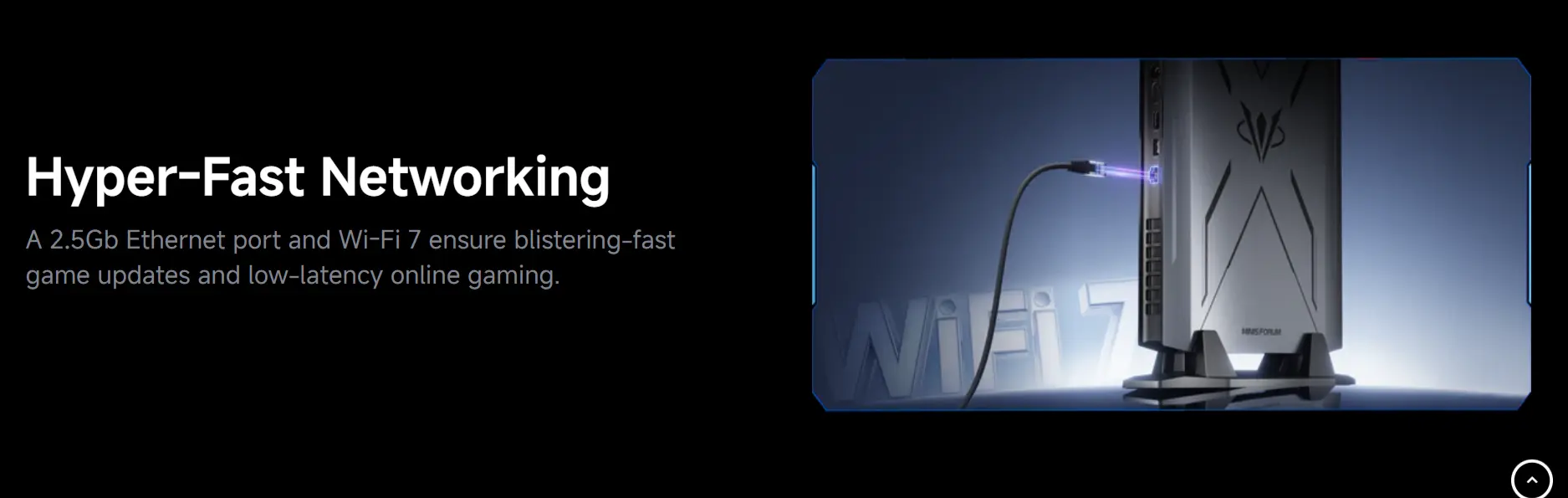
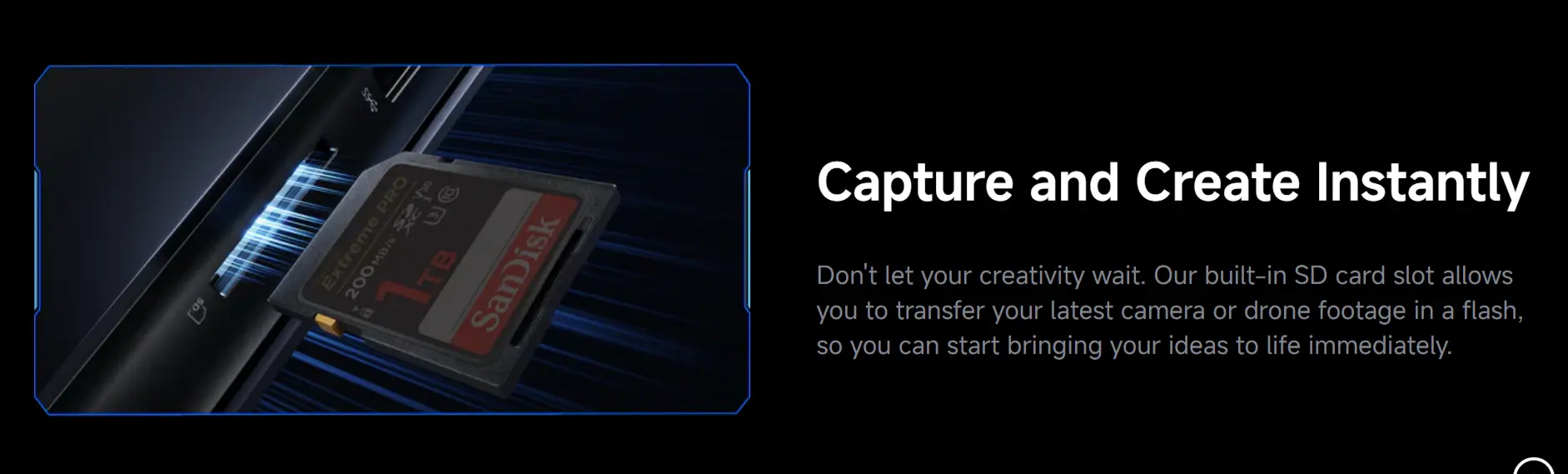
Wi-Fi 7 (802.11be) with Intel’s BE200 module provides tri-band wireless connectivity and Bluetooth 5.4. Wired networking is handled by a single 2.5 GbE port — adequate for most users but notably absent the dual-port configuration of the GEEKOM A9 Max and Minisforum AI X1 Pro-470. An SD 4.0 / UHS-II card reader on the front panel provides fast external media access for photographers and videographers. An RGB lighting strip runs across the front panel, switchable through software.
Design — Console Aesthetic, Desktop Credentials
The G7 Pro’s horizontal chassis design — slim, rectangular, and available in both flat-on-desk and vertically-mounted configurations with the optional base — draws consistent comparisons to a games console or a network appliance from reviewers who encounter it without context. TechRadar described it as resembling “a game console or network appliance rather than a traditional PC.” Liliputing noted it “looks more like a game console or network appliance than a PC.” The design choice is deliberate: Minisforum is positioning the G7 Pro as a replacement for a gaming console in the living room as much as a desktop replacement in an office, and the form factor communicates this positioning clearly. At 385 × 237 × 33 mm lying flat, it occupies less space than most AV receivers and sits comfortably on an entertainment shelf alongside a television.
Honest Assessment — Who Should Consider the G7 Pro
TechRadar’s review offered a balanced competitive assessment worth noting: at a similar price, Dell’s Alienware Aurora offers a faster desktop-class Core Ultra CPU and a graphics card with 12 GB of VRAM, “avoiding some of the limits that come with compact designs.” The reviewer acknowledged, however, that “it comes down to whether performance or size matters more to you.” This is the correct framing for the G7 Pro purchasing decision.
The G7 Pro is the right product for buyers who: want gaming and creative performance approaching a premium gaming laptop in a form factor that sits on a desk rather than a lap; prioritise desk space and living room compatibility over absolute peak performance; and are willing to accept that the RTX 5070 Laptop GPU operates at lower sustained power than its desktop equivalent. It is not the right product for buyers who need maximum discrete GPU performance at any price and can accommodate a larger tower.


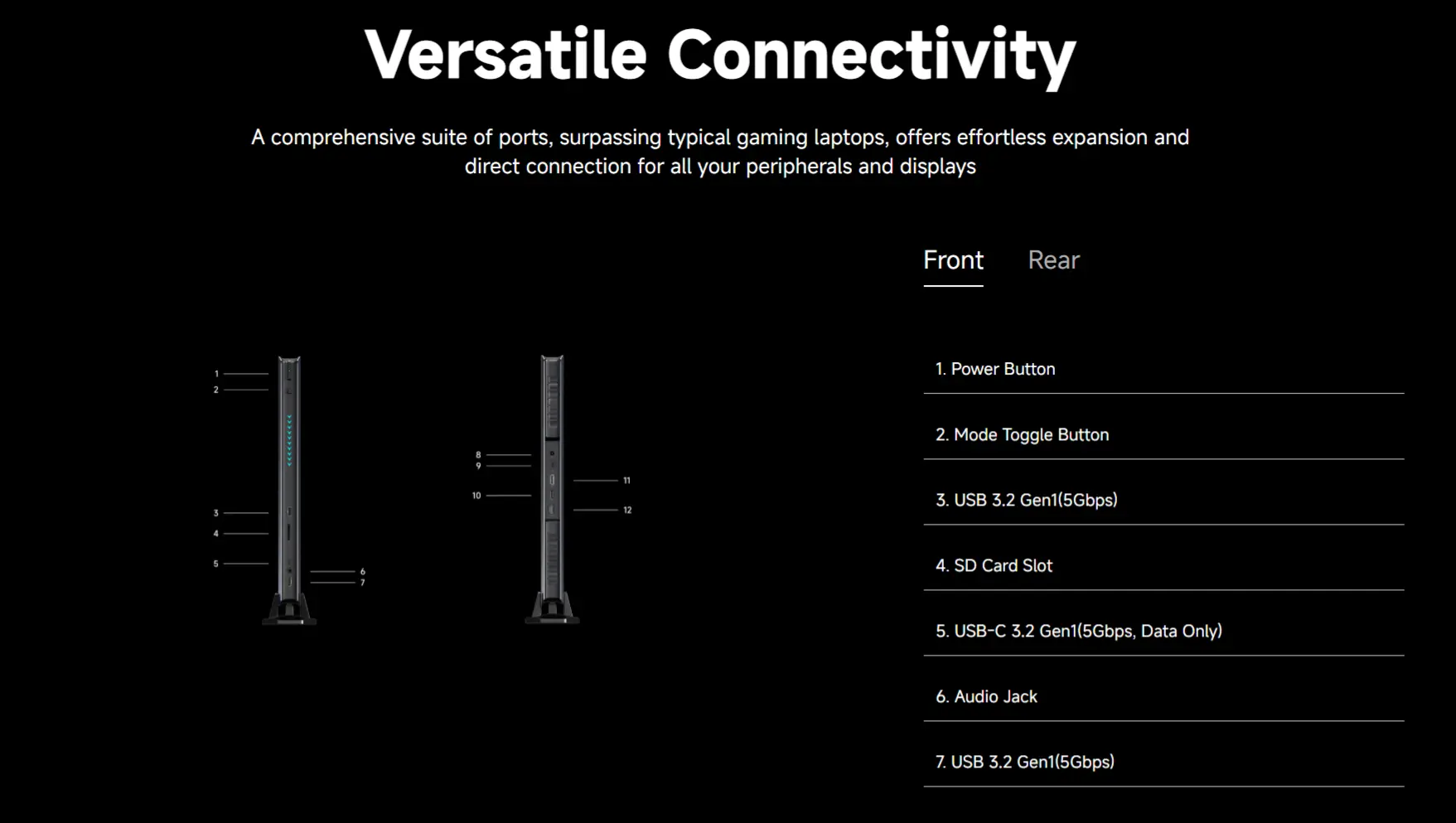
Complete Port Layout
Front:
- 2× USB 3.2 Gen2 Type-A (10 Gbps)
- 1× USB-C 3.2 Gen1 (10 Gbps, DP Alt Mode)
- 1× 3.5mm combo audio jack
- 1× SD 4.0 / UHS-II card reader · RGB lighting strip · Power button
Rear:
- 1× USB4 Gen3×2 Type-C (40 Gbps, DP Alt Mode / Data)
- 1× HDMI 2.1 FRL (4K@144Hz / 8K@60Hz)
- 1× DisplayPort 1.4
- 1× USB 3.2 Gen2 Type-A (10 Gbps)
- 1× RJ45 2.5 GbE (Realtek RTL8125)
- 1× DC power input (20V/14A)
Video:
Additional information
Specification: Minisforum AtomMan G7 Pro Intel® Core™ i9-14900HX NVIDIA RTX 5070
| Configuration Options | ||||||||||||||||||||||
|---|---|---|---|---|---|---|---|---|---|---|---|---|---|---|---|---|---|---|---|---|---|---|
|
||||||||||||||||||||||
| AI Capabilities | ||||||||||||||||||||||
|
||||||||||||||||||||||
| Processor | ||||||||||||||||||||||
|
||||||||||||||||||||||
| Ports | ||||||||||||||||||||||
|
||||||||||||||||||||||
| Network | ||||||||||||||||||||||
|
||||||||||||||||||||||
| GPU | ||||||||||||||||||||||
|
||||||||||||||||||||||
| Internal Ports | ||||||||||||||||||||||
|
||||||||||||||||||||||
| Storage & RAM | ||||||||||||||||||||||
|
||||||||||||||||||||||
| Power | ||||||||||||||||||||||
|
||||||||||||||||||||||
| Others Specifications | ||||||||||||||||||||||
|
||||||||||||||||||||||
| Specification | ||||||||||||||||||||||
|
||||||||||||||||||||||

![MINIX NEO J50C-8SE, 8GB/240GB Intel Pentium Silver Mini PC with Windows 10 Pro (64-bit) [Dual-Band Wi-Fi/Gigabit Ethernet/4K @ 60Hz/Triple Display/USB-C/Auto Power On/Vesa Mount]](https://minis-pc.com/wp-content/uploads/thumbs_dir/minix-neo-j50c-8se-8gb240gb-intel-pentium-silver-mini-pc-with-windows-10-pch6lqfmof7sigvrdl8qe2n622kluc7qrnf77wrz8g.jpg)


