A real NVIDIA graphics card in a box smaller than a shoebox: the ACEMAGIC M1A PRO combines an Intel Core i9-13900HK with a GeForce RTX 5060, 32 GB of DDR5, a 1 TB SSD, Wi-Fi 7 and 2.5 GbE in a 16.7 cm cube. ACEMAGIC sells it at US $1,499 in its official store (November 2026, list price US $1,999). We analyse what it offers gamers and creators, how it handles heat, and where it sits against tower PCs and other compact gaming machines.

Why a Discrete GPU Changes Everything
Most mini PCs rely on integrated graphics. Even the best of them, such as AMD’s Radeon 890M or Intel’s Arc B390, are designed for 1080p with medium settings. The RTX 5060 is in a different league: it runs modern games at 1080p and 1440p with high settings, supports DLSS 4.5 with frame generation, and brings NVIDIA’s full creative and AI ecosystem — NVENC encoding, CUDA acceleration and Tensor cores. For a gamer, that is the difference between “playable” and “enjoyable”.

Specifications at a Glance
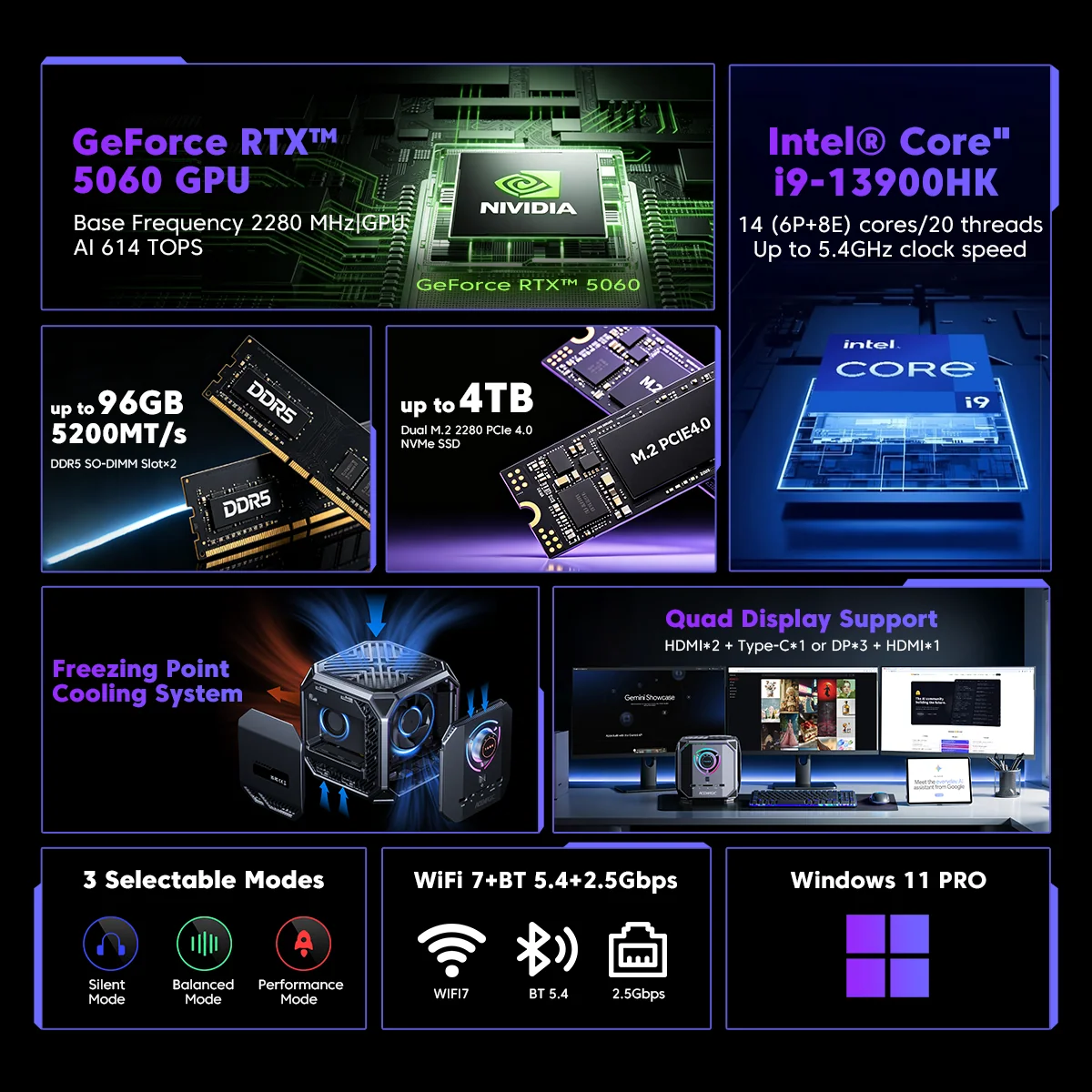
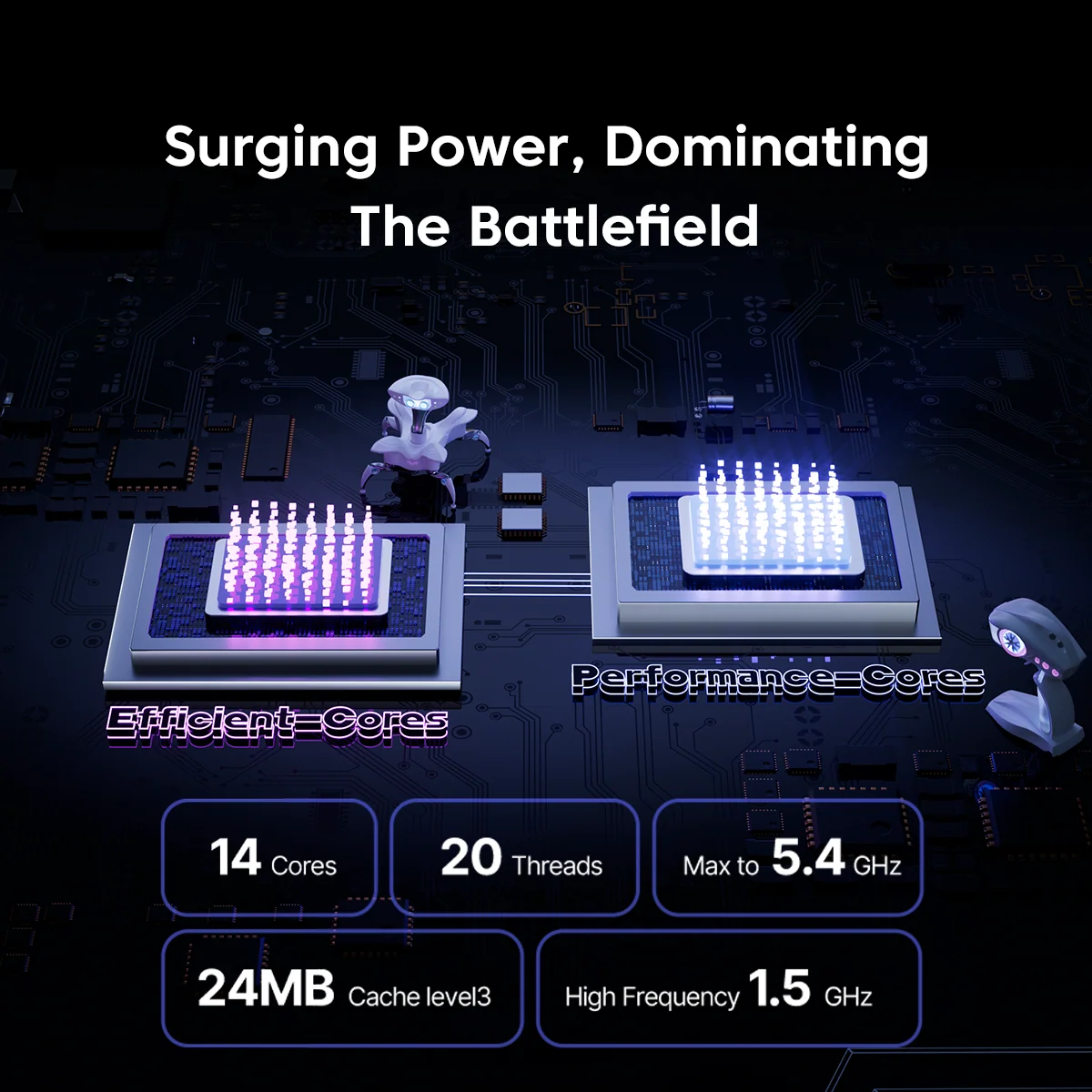
- CPU: Intel® Core™ i9-13900HK — 14 Cores / 20 Threads — up to 5.4 GHz — No NPU
- GPU: NVIDIA® GeForce RTX™ 5060 (Blackwell) — DLSS 4.5 — 614 AI TOPS
- Memory: 32 GB DDR5 — FULLY USER-UPGRADEABLE (NOT soldered), up to 96 GB
- Storage: 1 TB PCIe 4.0 + second M.2 slot, up to 4 TB
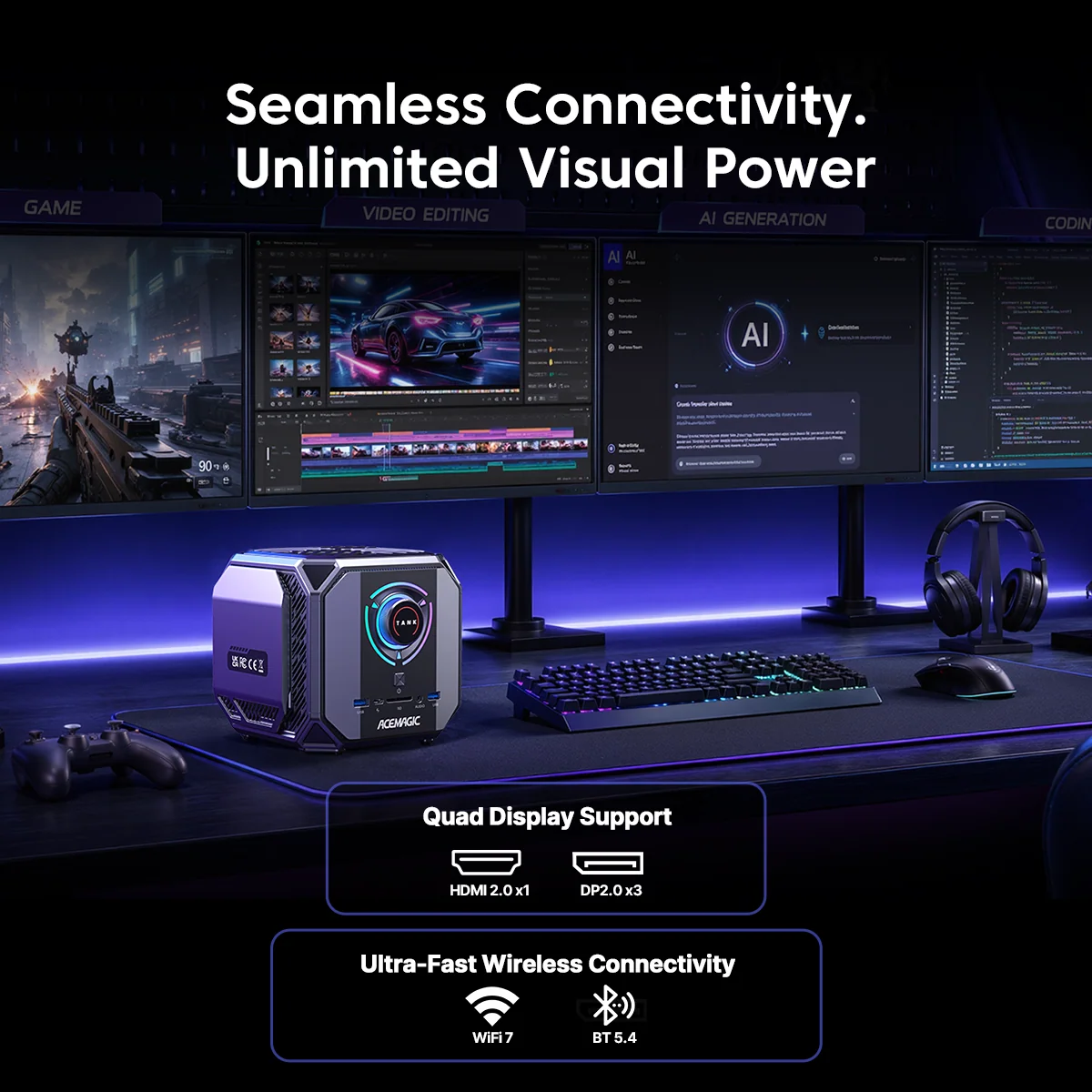
- Network: Wi-Fi 7, Bluetooth 5.4, 2.5 GbE
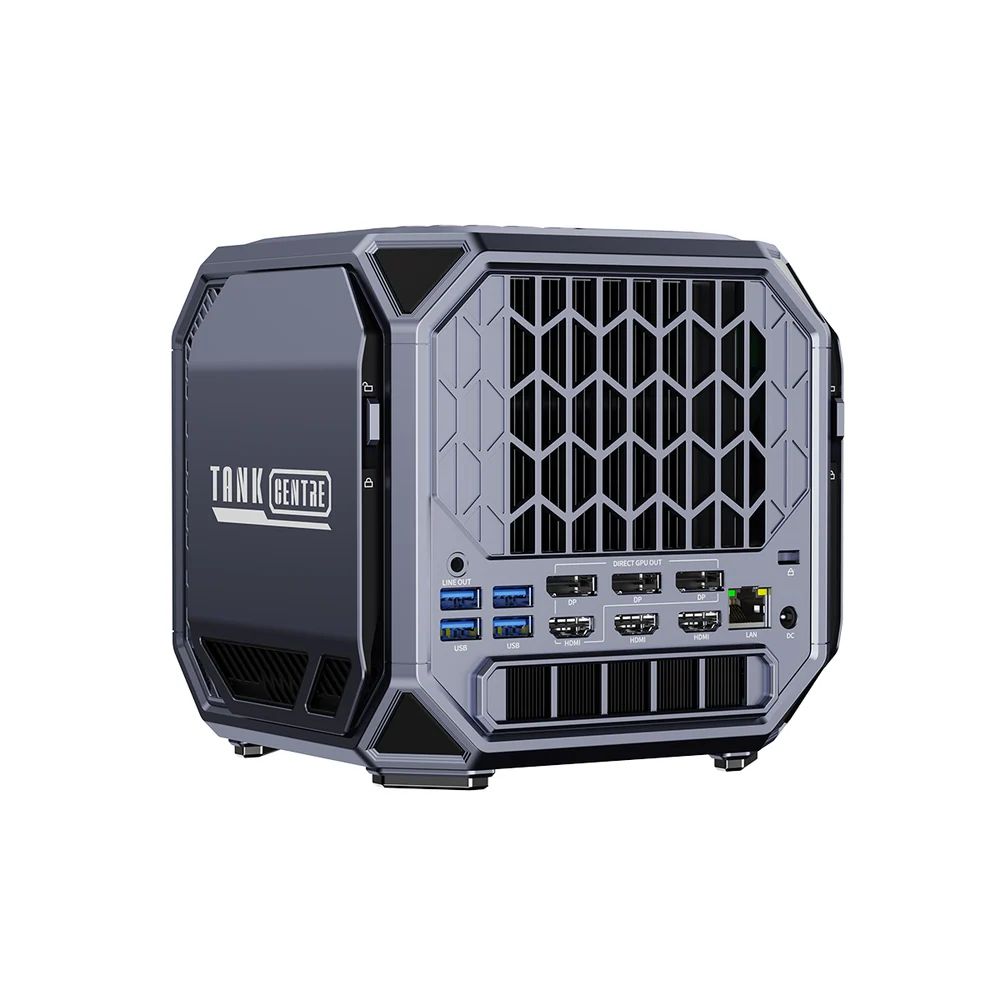
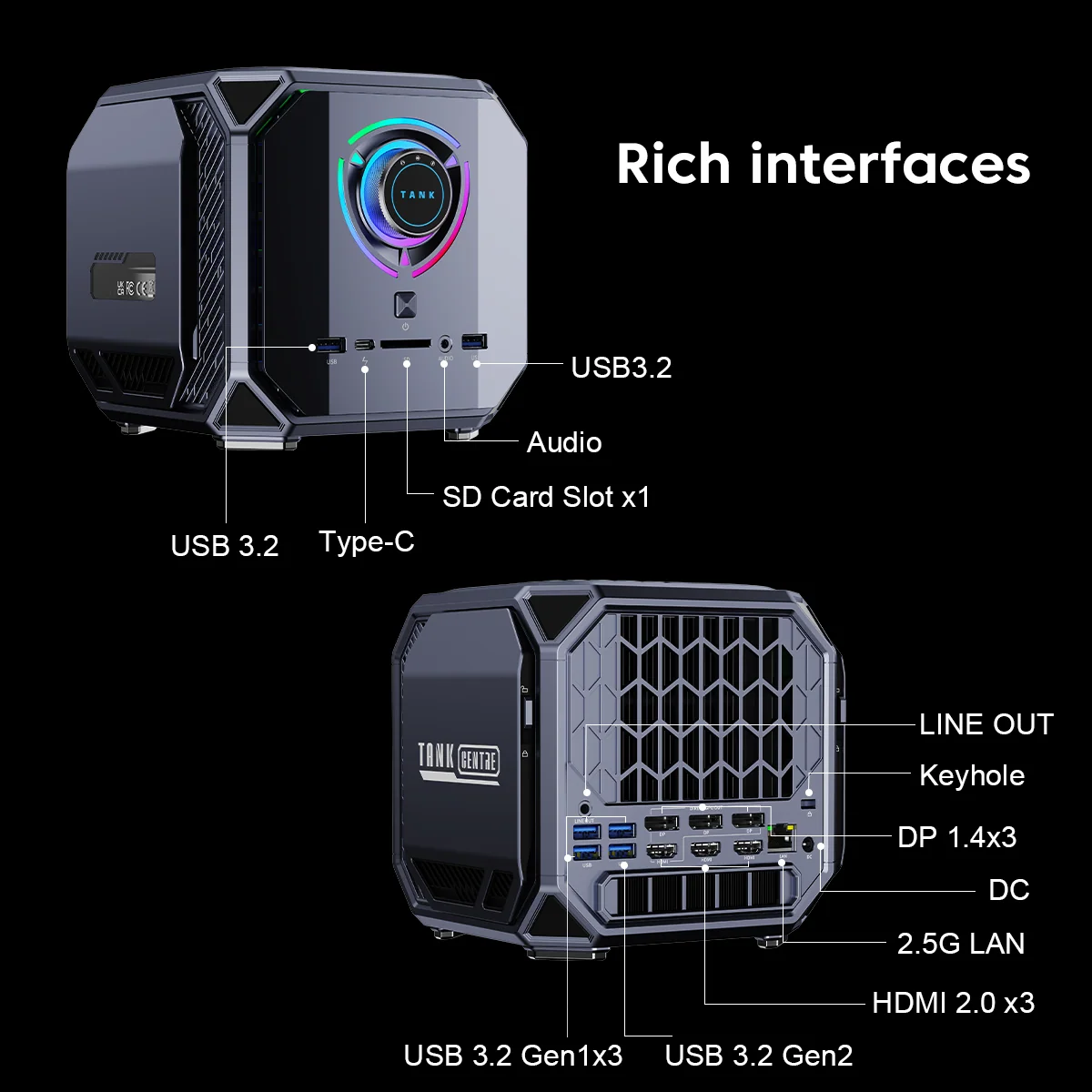
- Video: 3× DP 2.0, HDMI 2.0, USB4 — four displays
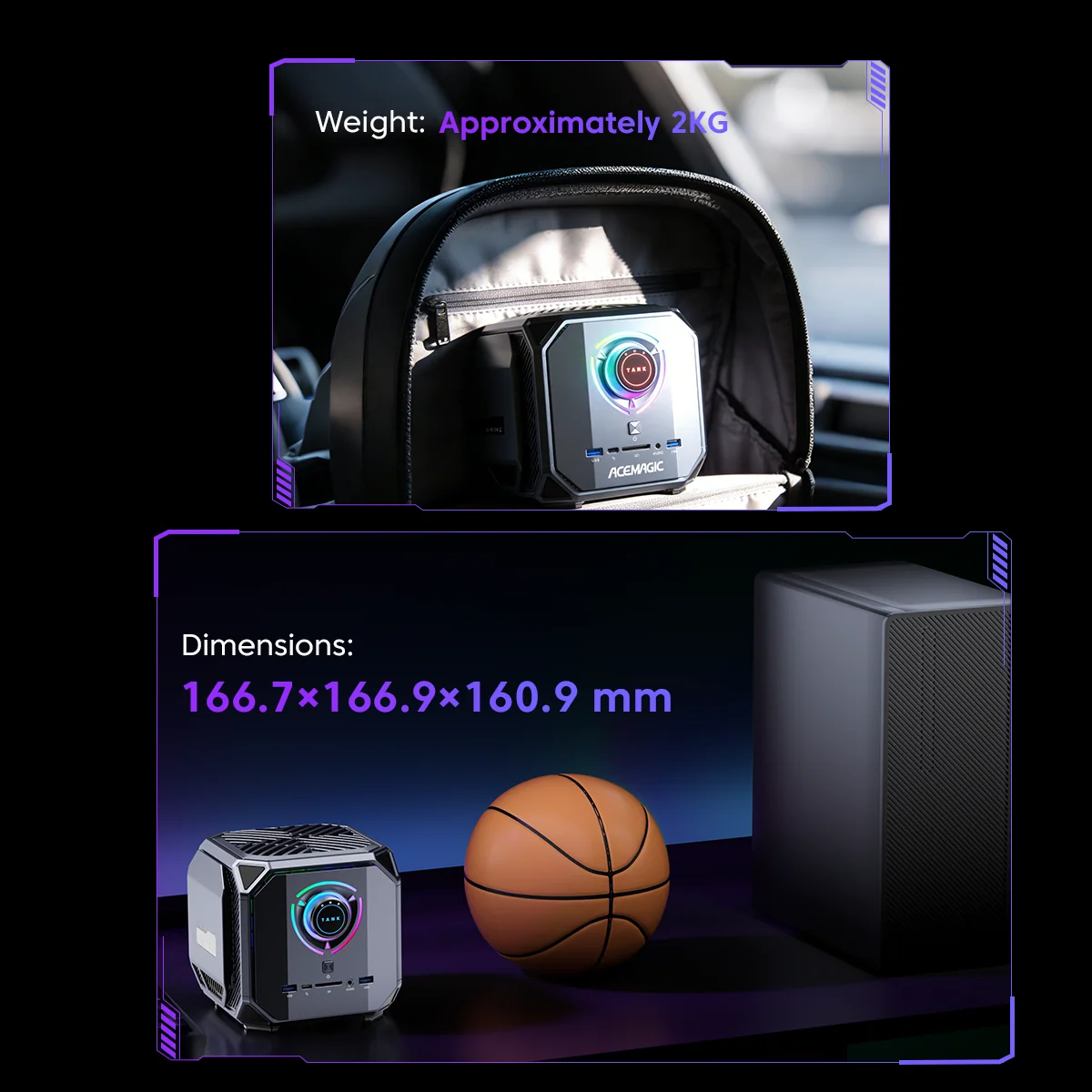
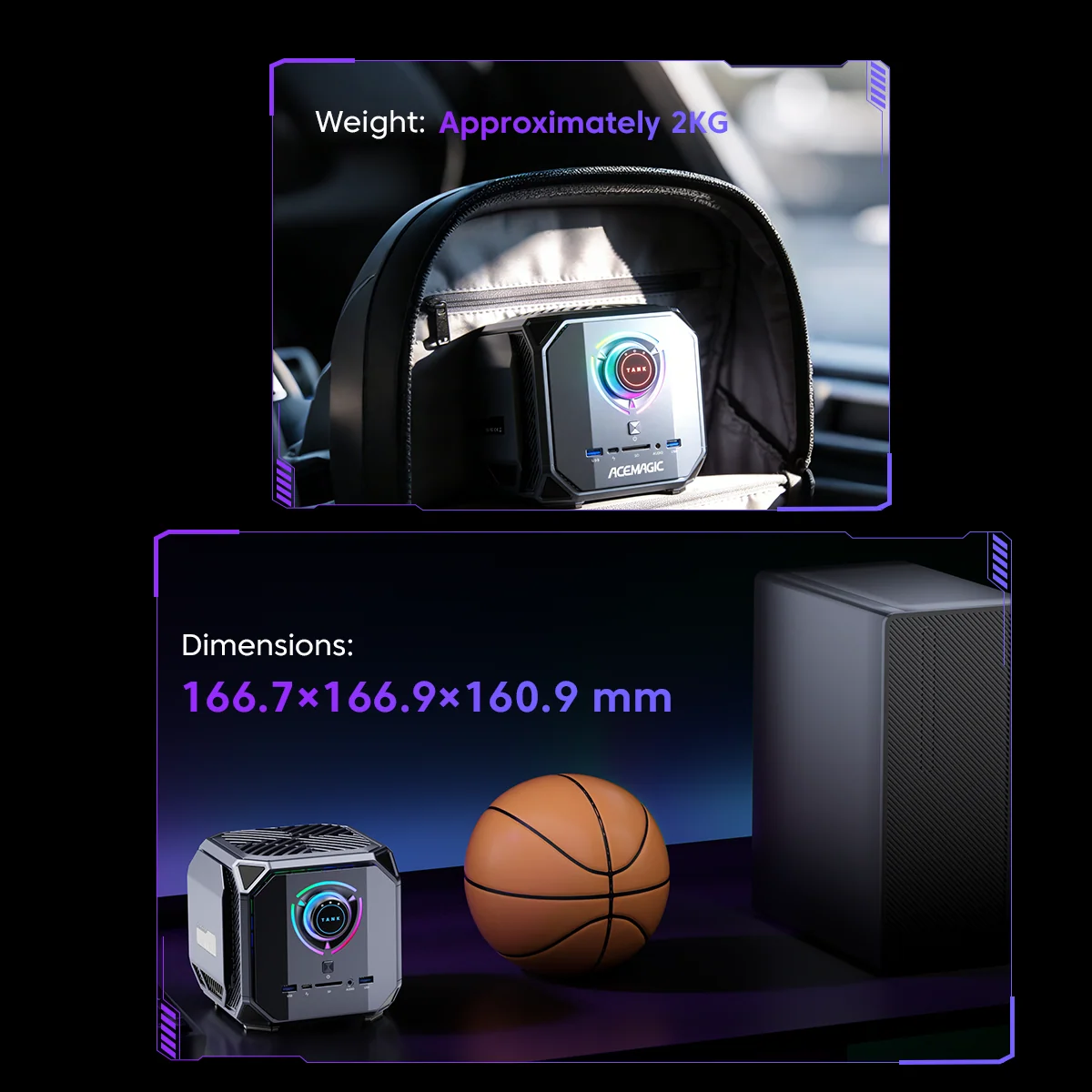
- Size: 166.7 × 166.9 × 160.9 mm
- Power: 300 W external adapter
Gaming Performance
With the RTX 5060, the M1A PRO is designed for high settings at 1080p and comfortable 1440p gaming, with DLSS Super Resolution and Frame Generation boosting frame rates in supported titles. Esports games run at very high frame rates, suited to high-refresh monitors. ACEMAGIC promotes 4K AAA gaming with high frame rates; that is realistic in some titles with DLSS, but not at native 4K with maximum settings. The RTX 5060’s video memory (8 GB on NVIDIA’s specification) can limit ultra texture settings in a few new games.
The i9-13900HK, with its 5.4 GHz turbo, is a fast gaming CPU, although newer processors are more efficient.

Creative Work and Local AI
For creators, the RTX 5060 accelerates video editing with NVENC and CUDA, 3D rendering in applications such as Blender, and AI features in photo and video software. For local AI, CUDA support makes tools for image generation and language models straightforward to use, within the limits of the GPU’s memory. The M1A PRO has no NPU, so it is not a Copilot+ PC; for most local AI workloads, however, the NVIDIA GPU is far more capable than any current NPU.
Keeping It Cool
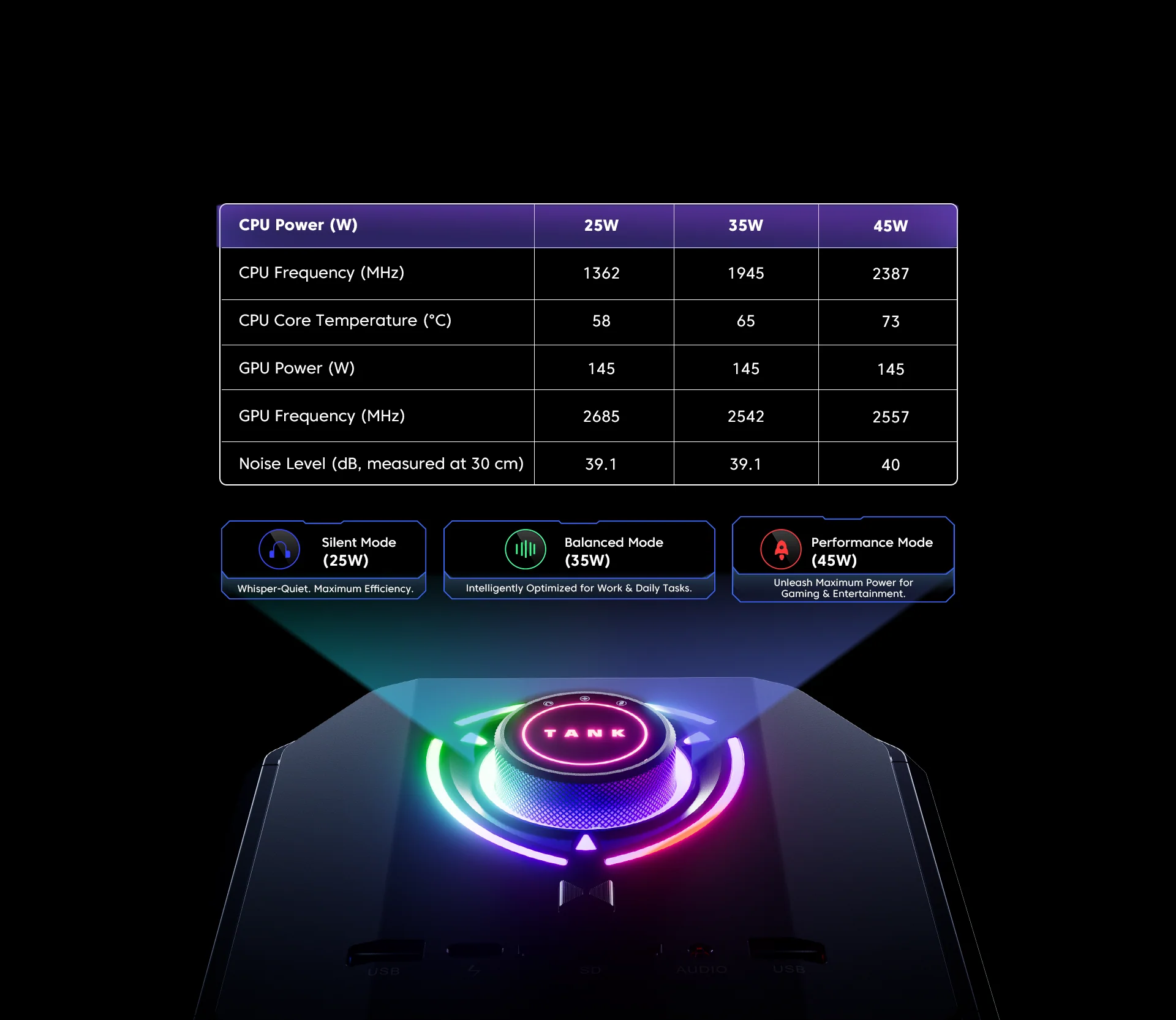
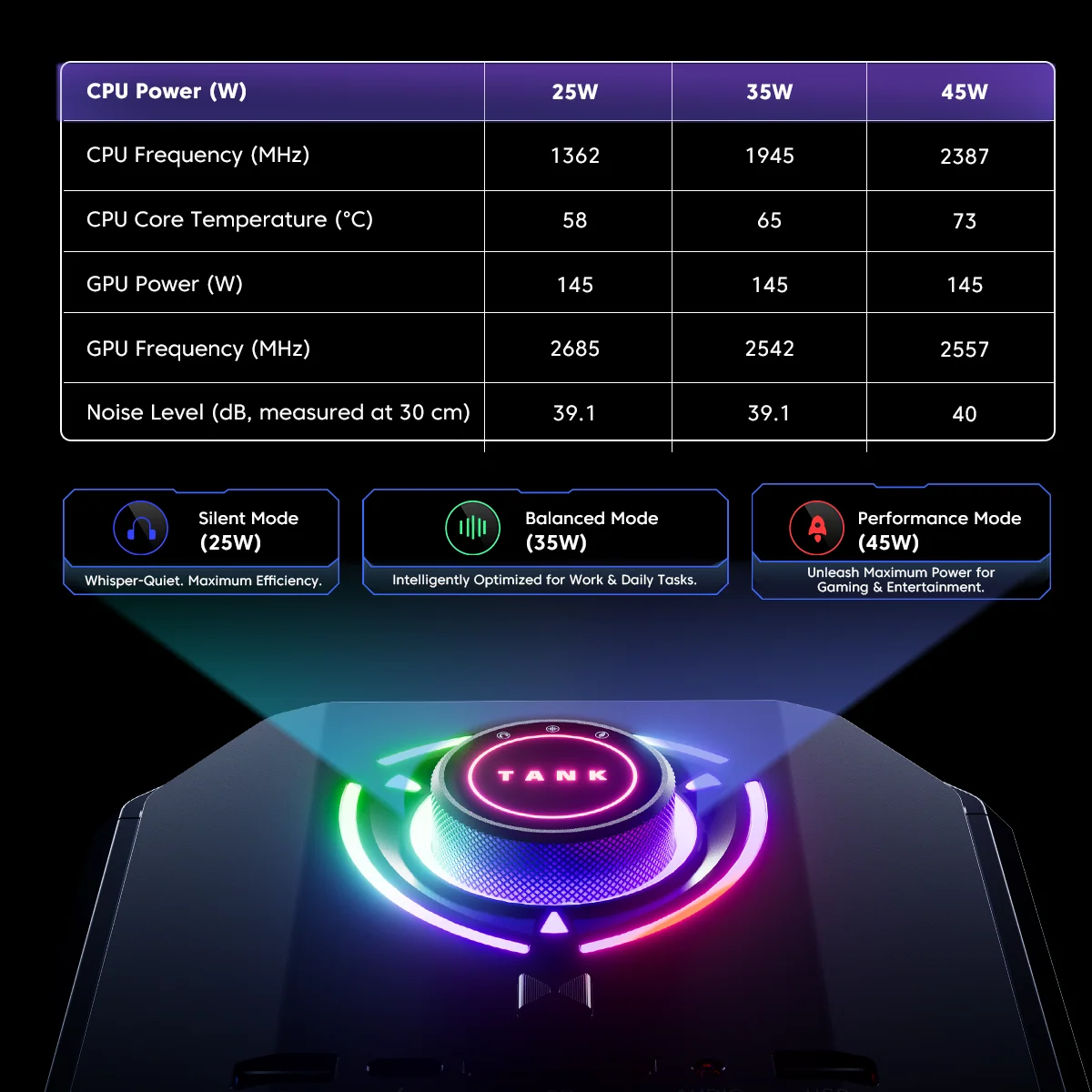
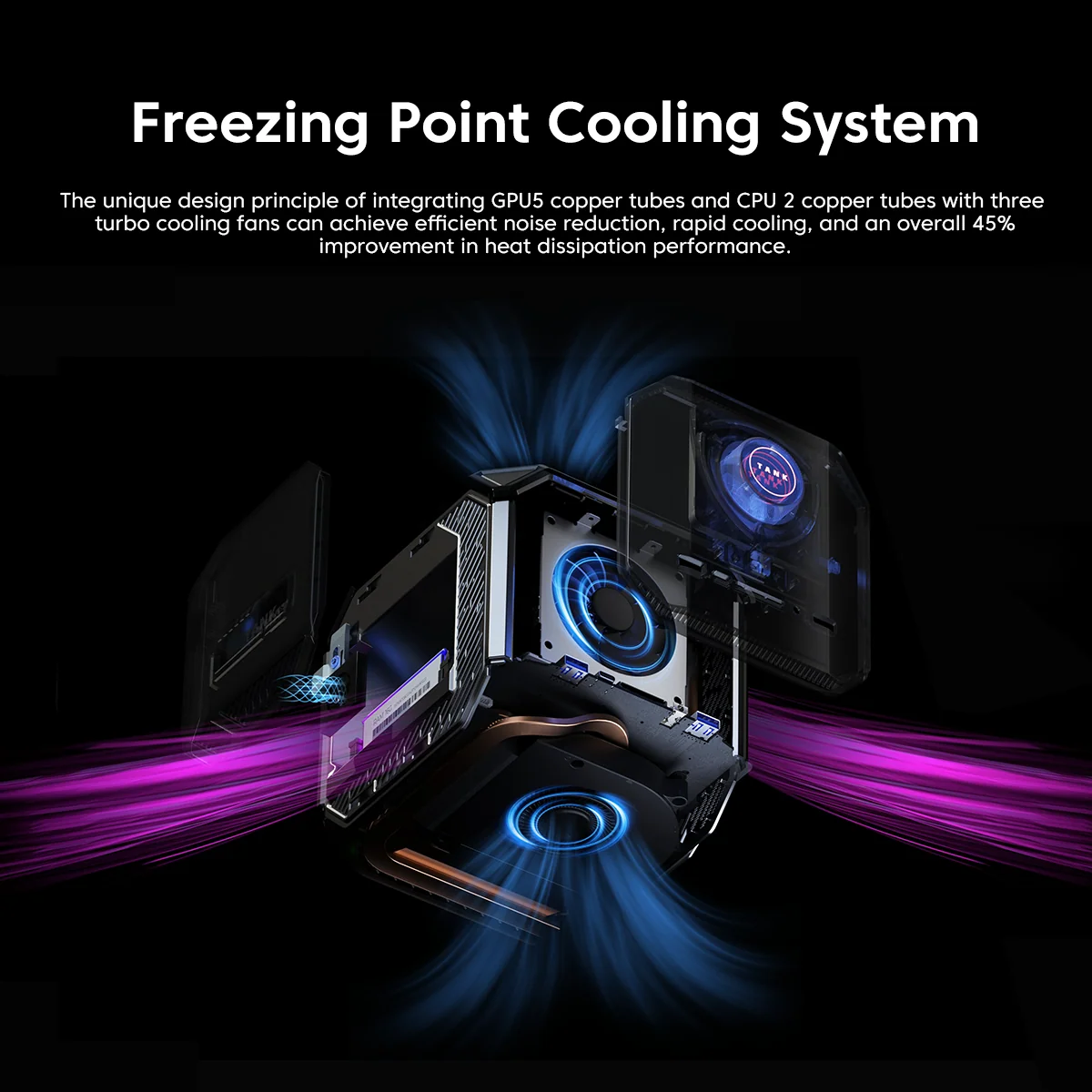
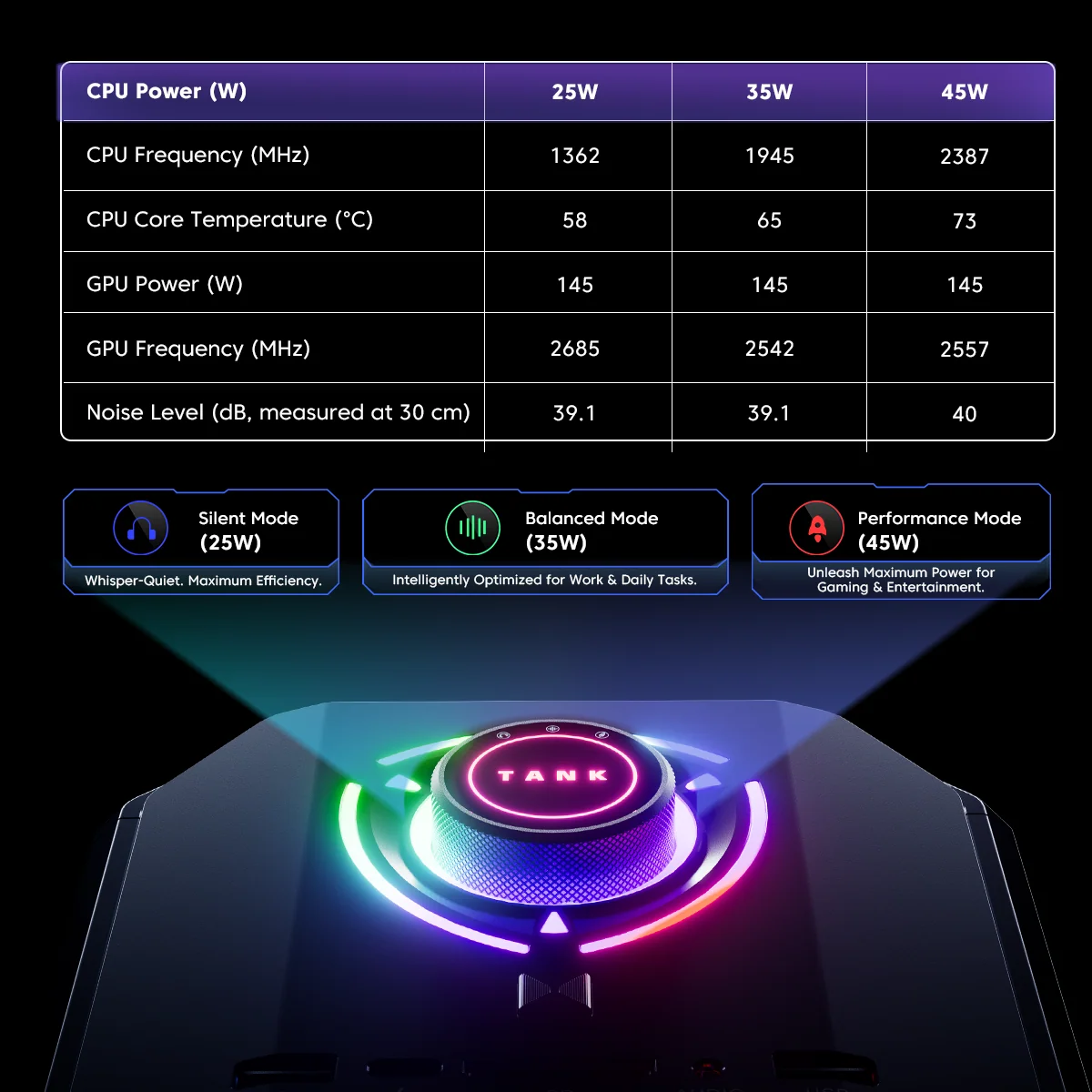
Three fans and seven copper heat pipes — five for the GPU and two for the CPU — handle the heat of a 14-core processor and a discrete GPU. ACEMAGIC claims 45% better heat dissipation than its earlier design. Silent, Balanced and Performance modes let users choose between quieter operation and maximum power. During long gaming sessions the M1A PRO will be audible, as every compact gaming PC is; the cube shape and side vents need free space around the chassis for good airflow.

Upgradeability
Unlike many compact gaming PCs that solder memory, the M1A PRO uses two DDR5 SO-DIMM slots with support for up to 96 GB, and it has two M.2 slots for up to 4 TB. ACEMAGIC states that the side panels are easy to remove. The GPU is integrated into the system and is not a standard desktop card, so upgrading the graphics later is not an option.

Ports and Displays
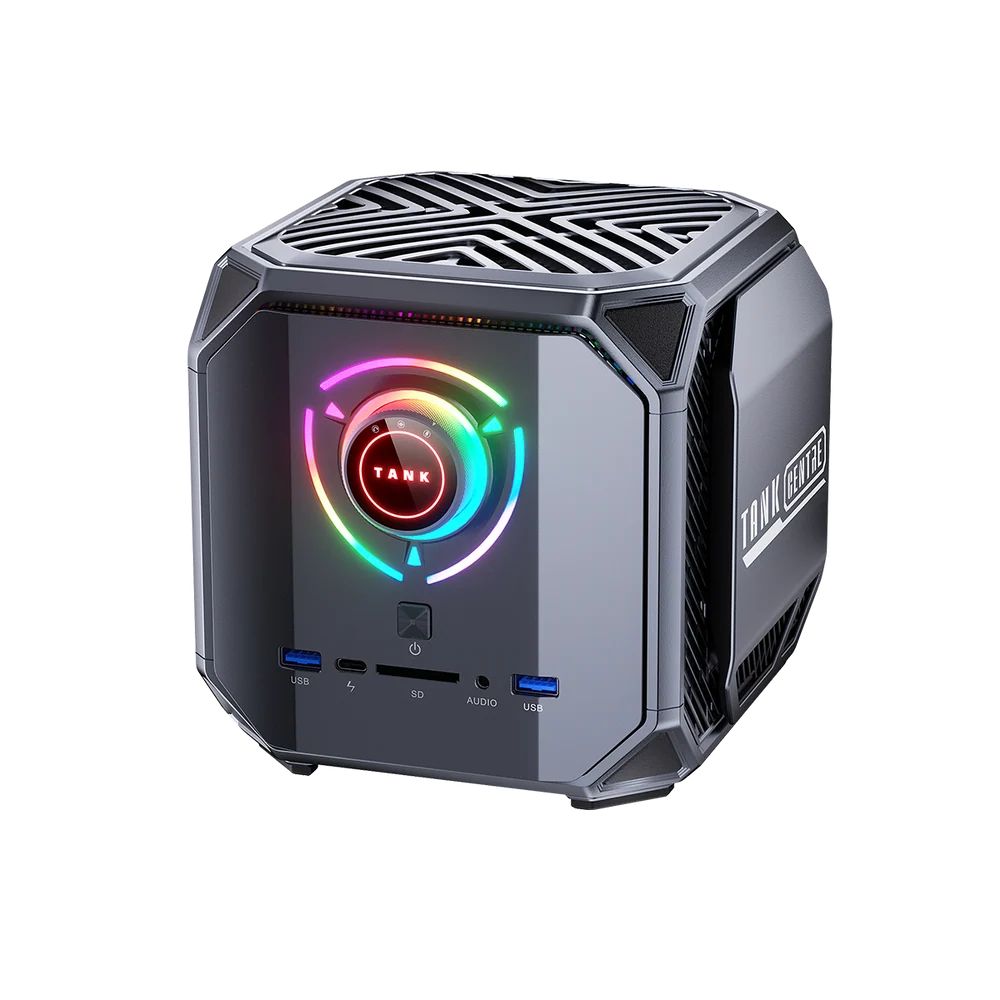
The M1A PRO supports four displays through three DisplayPort 2.0 outputs, HDMI 2.0 and USB4, with up to 8K at 60 Hz over DisplayPort and USB4. There are six USB-A ports, USB4, 2.5 GbE and separate front and rear audio jacks. ACEMAGIC’s port list is inconsistent about the number of HDMI ports (one or three); the video section lists one.
How It Compares
Against the ASUS ROG NUC 16, the M1A PRO is much cheaper but has a less powerful CPU and GPU. Against the Minisforum AtomMan G7 Pro and AtomMan G1 Pro, it offers a similar idea — a laptop-class CPU with an RTX GPU — with different trade-offs in size, ports and price. Against the GMKtec EVO-X2 or ACEMAGIC’s own M1A PRO+ with the Ryzen AI Max+ 395, the M1A PRO has a stronger dedicated gaming GPU and NVIDIA’s software ecosystem, while the Ryzen AI Max+ machines offer far more unified memory for large local AI models. Against a mid-range gaming tower, the M1A PRO takes much less space but costs more for similar performance and is harder to upgrade.
Who Gains Most From It
The M1A PRO suits gamers who want RTX performance on a small desk or in the living room, creators who depend on NVIDIA applications, and local AI users who need CUDA. It is less suitable for buyers who want silence under load, Copilot+ features, the smallest possible box or 4K gaming at maximum settings.
Before You Buy
- Graphics version: ACEMAGIC currently sells the RTX 5060 model; the Arc A770 version shown in its specifications is not offered
- Video memory: not listed by ACEMAGIC; NVIDIA’s RTX 5060 uses 8 GB GDDR7
- HDMI ports: one or three, depending on the part of the specification
- Desk space: a 16.7 cm cube plus a 300 W adapter
- Amazon USA: not available at the time of writing — buy from the official store or check later
Setting It Up for Gaming
For the best results, connect the main monitor to one of the DisplayPort outputs, install the latest NVIDIA driver and enable DLSS in supported games. A high-refresh 1080p or 1440p monitor matches the RTX 5060 well. Because modern games are large, adding a second NVMe SSD early saves time. The Balanced mode is a good default; switch to Performance for demanding games and to Silent for work and video. Keep the vents clear and leave some space around the cube so the three fans can move air efficiently.
Long-Term Considerations
Upgradeable memory and storage help the M1A PRO stay useful for years, and the RTX 5060 will receive driver and DLSS updates for a long time. The 13th-gen processor and the lack of an NPU are the parts that age first: future Windows AI features that require an NPU will not be available. For gaming and creative work with NVIDIA software, these limits matter much less.
Living-Room and Desk Use
The cube shape makes the M1A PRO easy to place next to a TV or under a monitor, and Wi-Fi 7 removes the need for a network cable in many homes. Connected to a TV through HDMI or to a high-refresh monitor through DisplayPort, it works as a compact alternative to a games console with access to the full PC game library, Steam’s Big Picture mode and game streaming services. For desk use, four-display support and six USB-A ports make it practical for work during the day and gaming at night.
Because it uses a large external power adapter, it is worth planning where the adapter will sit and keeping it ventilated. The side vents and the top of the cube should stay unobstructed, and placing the M1A PRO inside a closed TV cabinet is not recommended.
Comparing Graphics Options
It helps to place the RTX 5060 in context. Compared with the best integrated GPUs of 2026, it is roughly a generation ahead in gaming performance and supports DLSS, which integrated graphics do not. Compared with the RTX 4060 used in many earlier compact gaming PCs, the RTX 5060 adds the Blackwell architecture, DLSS 4.5 with multi-frame generation and higher AI performance. Compared with an RTX 5070 or 5070 Ti, it has less performance and less video memory, which matters at 1440p ultra and 4K. For most 1080p and 1440p gamers, it is a sensible balance between performance, power and price in a compact chassis.
Noise Expectations
ACEMAGIC does not publish noise measurements, so expectations should be based on the hardware: a 14-core laptop processor and a desktop-class GPU produce significant heat, and three fans must move that heat out of a small cube. In Silent mode with light tasks, the M1A PRO should be reasonably quiet; in Performance mode during long gaming sessions, the fans will be clearly audible. Headphones or speakers at normal gaming volume usually mask the noise, but buyers who want near-silent operation under load should consider a larger PC with bigger fans.
Software Tips
A few settings make a big difference on the M1A PRO. Install the NVIDIA App to keep drivers current and to enable DLSS overrides in supported games. Make sure Windows uses the RTX 5060 for games and creative applications in the graphics settings, since the processor also includes Intel Iris Xe graphics. For streaming and recording, the NVENC encoder in OBS keeps the CPU free for the game. NVIDIA Broadcast adds AI noise removal and virtual backgrounds for video calls and streams using the Tensor cores. Finally, choosing the Balanced mode for everyday use and Performance only when needed keeps temperatures and noise in check.
Price and Value
At US $1,499 in ACEMAGIC’s store (November 2026; list price US $1,999), the M1A PRO with 32 GB and 1 TB is a reasonable price for a compact gaming PC with a current-generation NVIDIA GPU and Wi-Fi 7. It is not available on Amazon USA at the time of writing.
Strengths and Limitations
Strengths:
- RTX 5060 with DLSS 4.5
- Fast 14-core i9-13900HK
- Upgradeable DDR5 up to 96 GB
- Wi-Fi 7, USB4, four displays
Limitations:
- No NPU
- Older processor generation
- Large adapter and cube size
- Audible under load
Verdict
The ACEMAGIC M1A PRO brings genuine RTX gaming and NVIDIA creative tools to a compact cube, with a fast i9-13900HK, upgradeable memory, Wi-Fi 7 and four-display support. Its older processor and lack of an NPU are the trade-offs, together with the noise and size that come with a discrete GPU. For gamers and creators who want a small PC with real graphics power, it is a solid choice.
| AI Capabilities | ||||||||||||||
|---|---|---|---|---|---|---|---|---|---|---|---|---|---|---|
|
||||||||||||||
| Processor | ||||||||||||||
|
||||||||||||||
| Ports | ||||||||||||||
|
||||||||||||||
| Network | ||||||||||||||
|
||||||||||||||
| GPU | ||||||||||||||
|
||||||||||||||
| Internal Ports | ||||||||||||||
|
||||||||||||||
| Storage & RAM | ||||||||||||||
|
||||||||||||||
| Power | ||||||||||||||
|
||||||||||||||
| Others Specifications | ||||||||||||||
|
||||||||||||||
More information: ACEMAGIC M1A PRO on minis-pc.com
Discover our full Mini PC comparison: minis-pc.com
Article written for minis-pc.com — Mini PC Comparisons and Reviews
Our 2026 Buying Guides & Deals
Disclaimer: This article is for information purposes only. Specifications, prices, coupons and availability may change at any time or contain errors, so please check them on the manufacturer's official website or store before buying. Some links on this page are affiliate links: if you buy through them we may earn a small commission at no extra cost to you.