
Ayaneo Retro Mini PC AM02 AMD Ryzen™ 7 7840HS


| Processor | 8 |
|---|---|
| RAM | 8 |
| Hard Disk | 7.8 |
| Connectivity | 8.5 |
Ayaneo Retro Mini PC AM02 — NES-inspired gaming mini PC with AMD Ryzen™ 7 7840HS (Phoenix, Zen 4). 8 cores / 16 threads up to 5.1 GHz. AMD Radeon™ 780M — 12 RDNA 3 CUs at 2.7 GHz. No NPU — not a Copilot+ PC. 32 GB DDR5-5600 SO-DIMM UPGRADEABLE (2 slots, up to 64 GB). 1× M.2 2280 PCIe 4.0 NVMe. 4-inch multifunction touchscreen on top panel. Flip-down front cartridge-slot cover revealing USB4 + USB-A + audio. HDMI 2.0 + DP 1.4 + USB4. 2× 2.5 GbE. Wi-Fi 6E + BT 5.2. 4× copper heat pipe cooling. AYASpace software. 146 × 134 × 53 mm. ~538 g. From $529.

Ayaneo Retro Mini PC AM02 AMD Ryzen™ 7 7840HS Prices

Price History
Description
Ayaneo Retro Mini PC AM02
The Mini PC That Wore a Cartridge Slot to Work
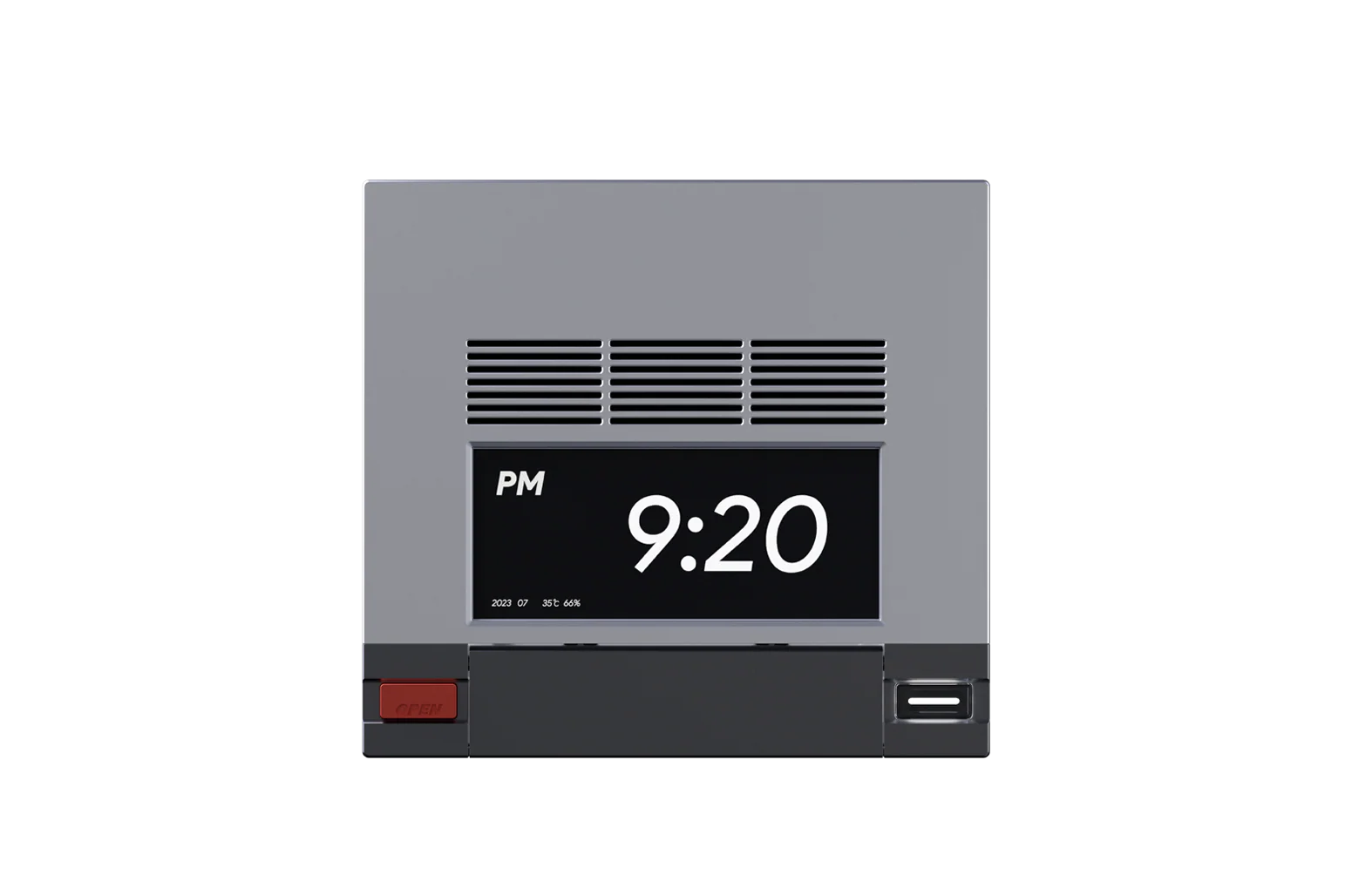
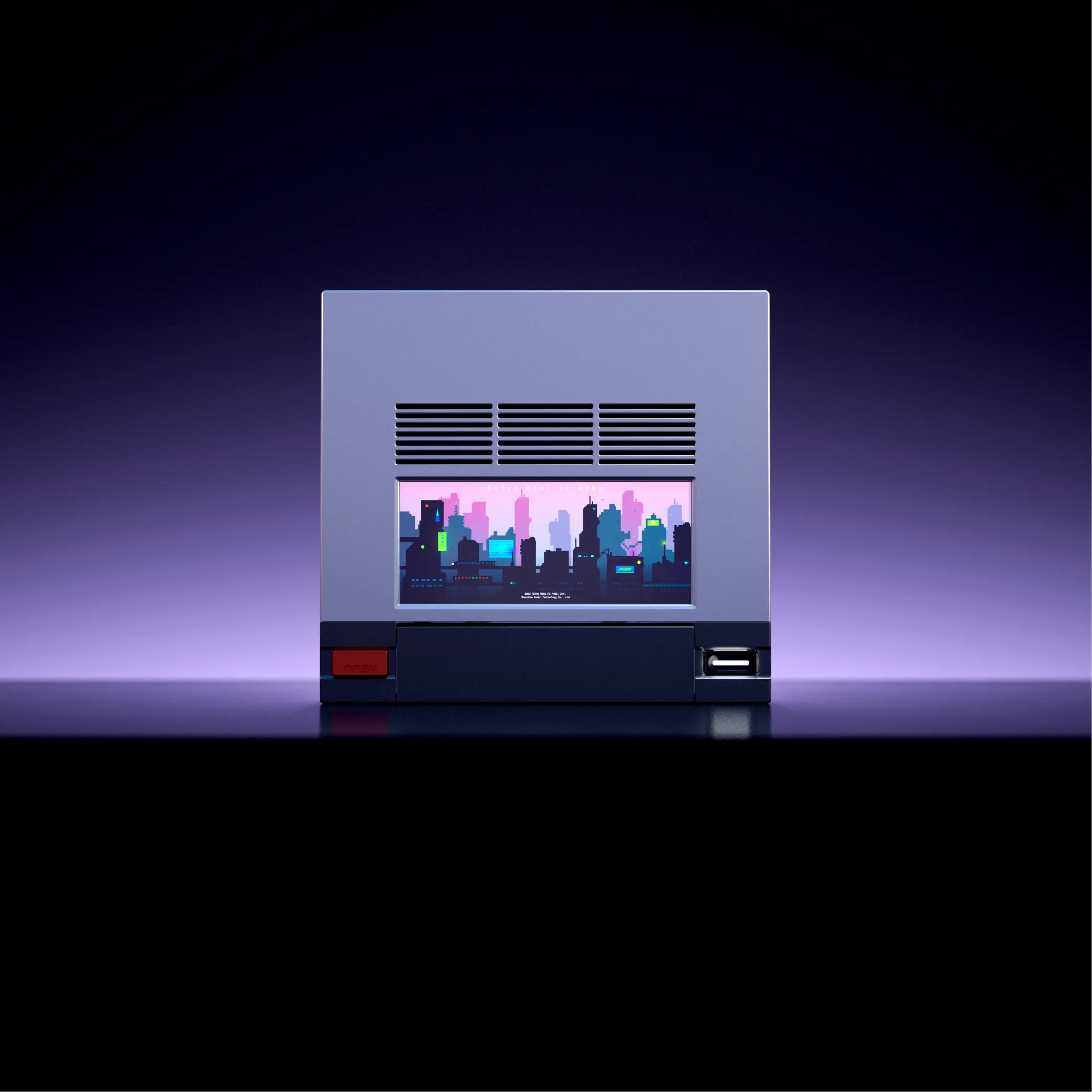
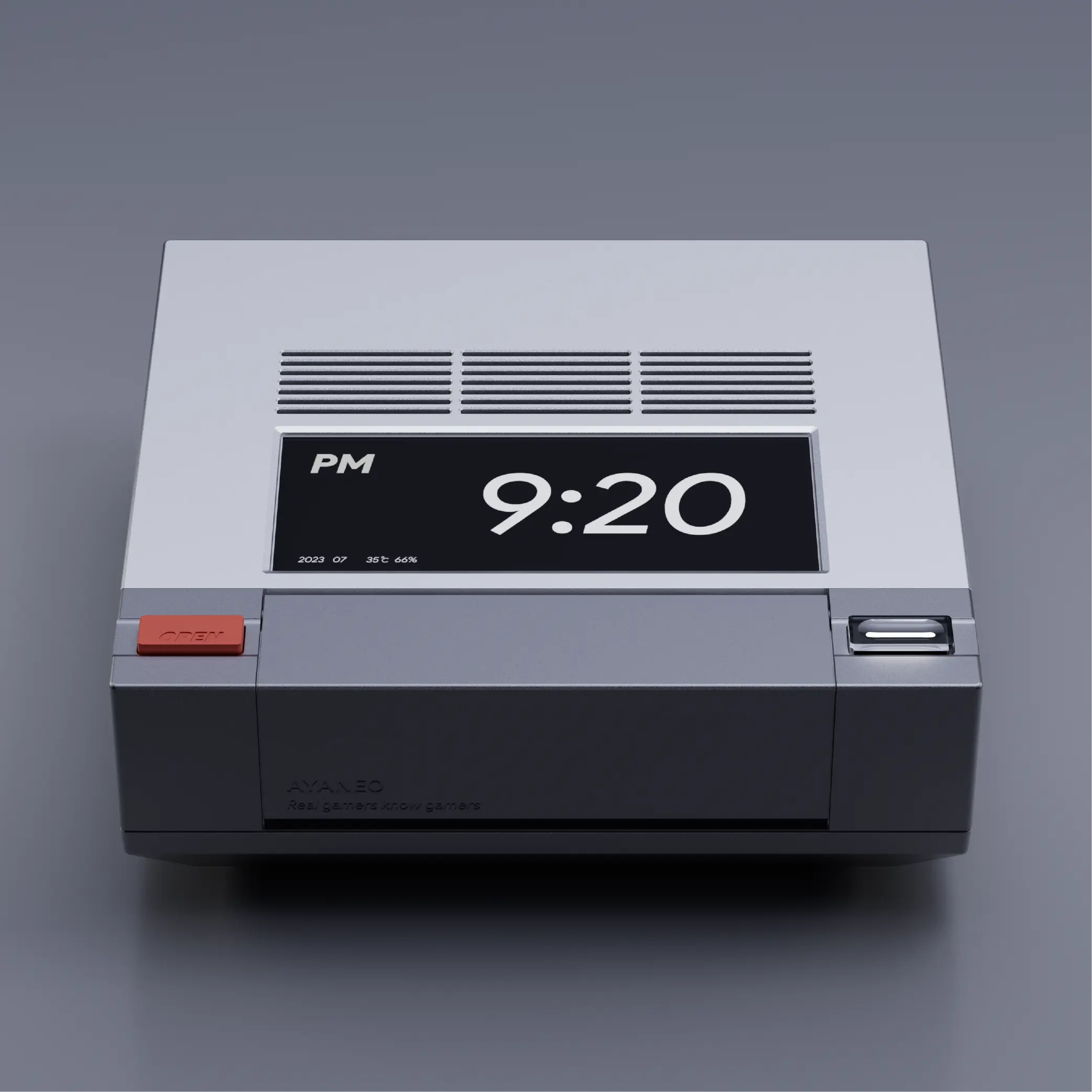
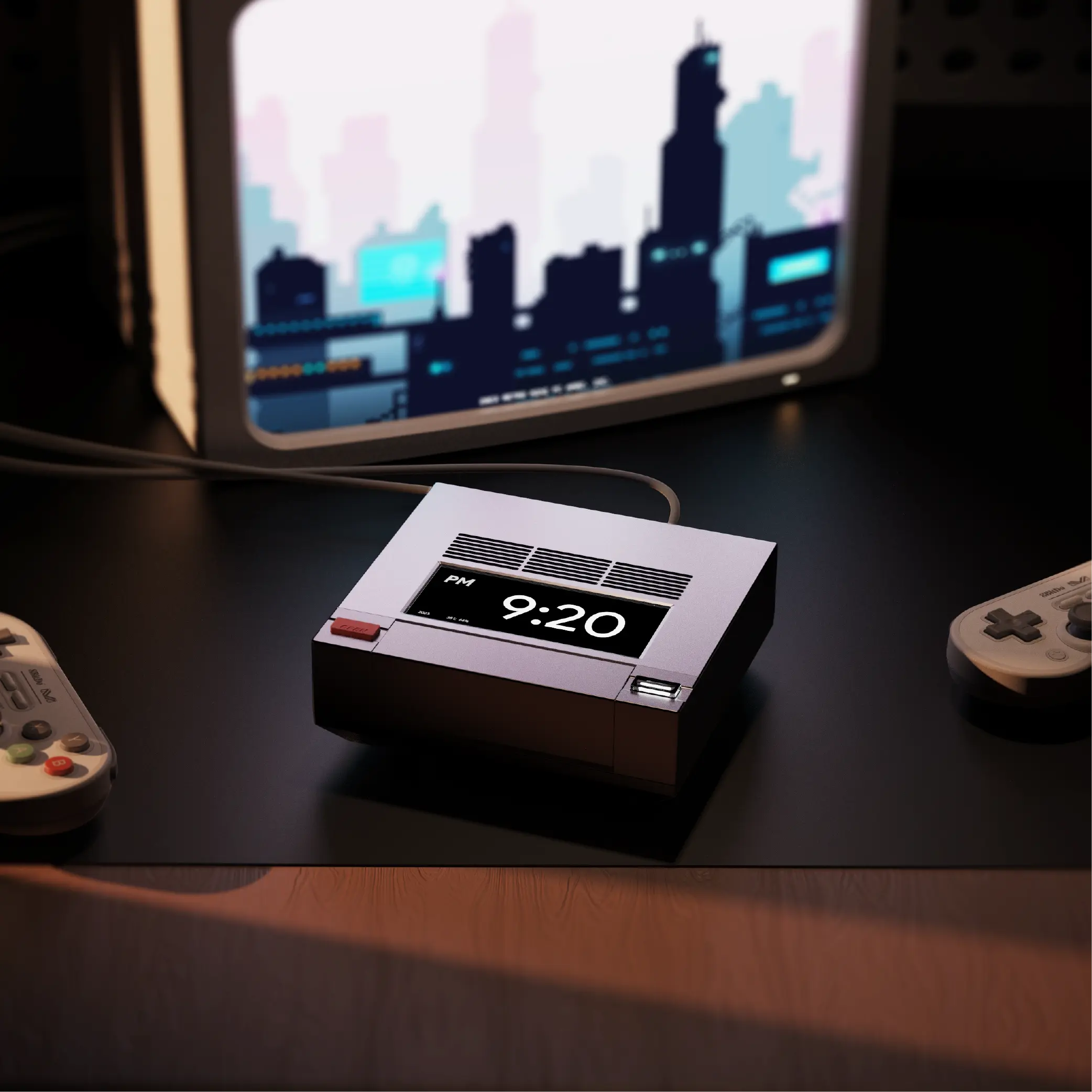
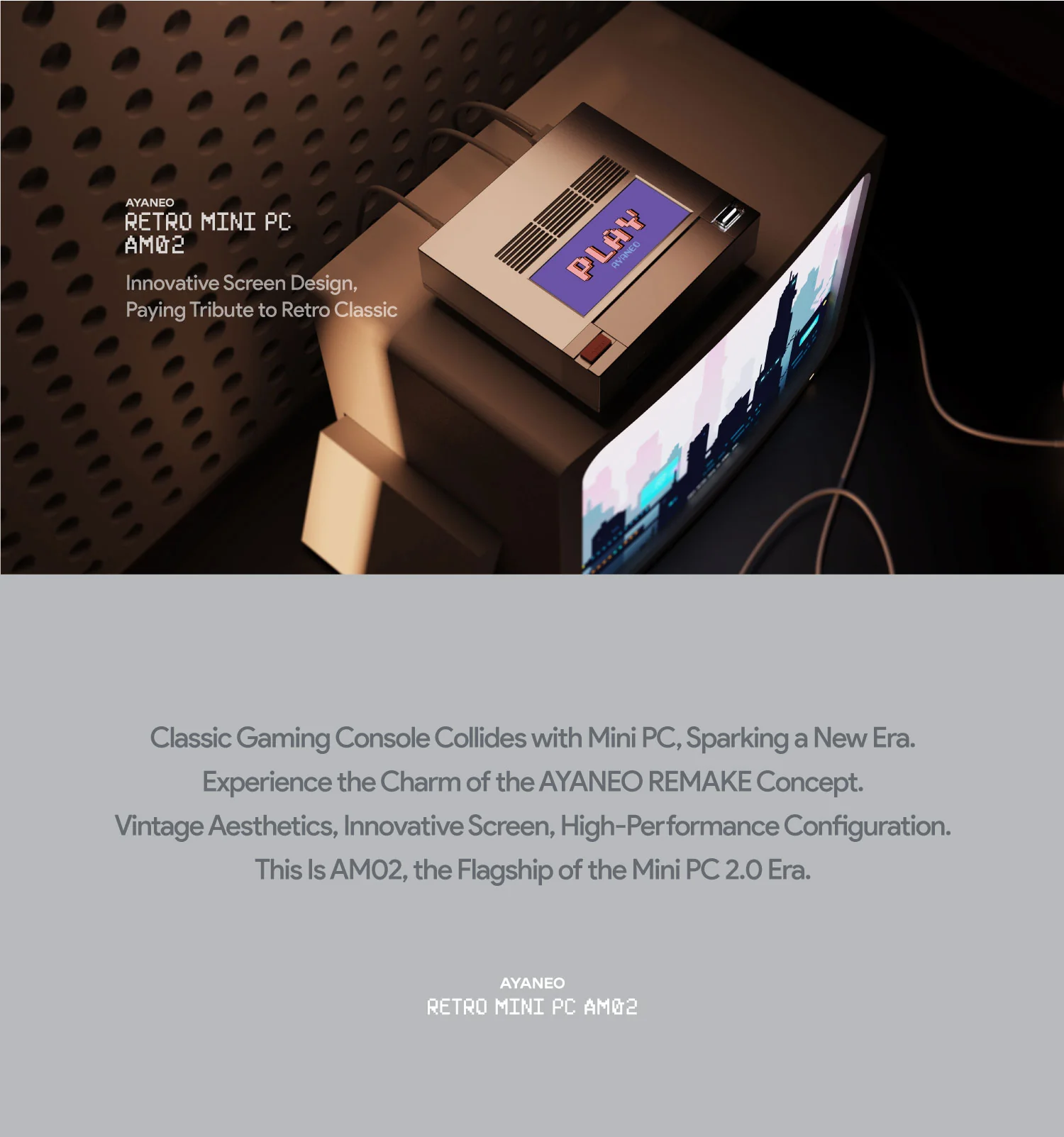
There is a moment, when you first see the Ayaneo Retro Mini PC AM02, where you do a double-take. The grey rectangular chassis, the horizontal dark accent stripe across the front, the flip-down cover that pops open with a satisfying mechanical click to reveal the front ports — your brain reaches for a reference and lands, correctly, on the Nintendo Entertainment System. Not as a vague approximation, but with the kind of precision that suggests the designer had a NES sitting on their desk throughout the entire development process, which is very possibly exactly what happened.
The AM02 is AYANEO’s second mini PC after the Mac-inspired AM01, and where that first model charmed with its Macintosh homage, the AM02 scales the ambition considerably: a more powerful processor, a unique four-inch touchscreen integrated into the top panel, dual 2.5 Gigabit Ethernet, Wi-Fi 6E, and a flip-down front cover that faithfully replicates the proportions and tactile experience of a NES cartridge loading slot — without, unfortunately, actually accepting cartridges. PC Gamer described it as “cute as a button” and gave it a glowing assessment, noting that “when you turn the Retro Mini AM02 into a living-room retro console emulator, everything falls into place, and you get the sense it’s fulfilling its destiny.” GamesRadar concluded they had “never been this hyped for a low-spec rig.” Liliputing’s detailed technical review found that the AM02 actually outperformed the more expensive GEEKOM A7 with Ryzen 9 7940HS in several benchmarks — a result that reflects the effectiveness of its four-pipe copper cooling system in sustaining higher clock speeds under load.
Specifications
| Ayaneo Retro Mini PC AM02 AMD Ryzen™ 7 7840HS | |
|---|---|
| CPU | AMD Ryzen™ 7 7840HS (Phoenix — Zen 4) — 3.8 GHz base, up to 5.1 GHz — 8 Cores / 16 Threads — 16 MB Cache — 4 nm TSMC — TDP 45W |
| GPU | AMD Radeon™ 780M — 12 RDNA 3 Compute Units — up to 2.7 GHz — DirectX 12 Ultimate — FSR support |
| Memory | 16 GB / 32 GB DDR5-5600 MHz Dual Channel (2× SO-DIMM slots — expandable up to 64 GB — user-upgradeable) |
| Storage | 512 GB / 1 TB M.2 2280 PCIe 4.0 ×4 NVMe SSD — 1× M.2 2280 slot (secondary slot for expansion) |
| Storage Expansion | 1× additional M.2 2280 slot available — accessible via bottom panel |
| Wireless Connectivity | Wi-Fi 6E (802.11ax) tri-band + Bluetooth 5.2 |
| Ethernet | 2× 2.5 Gigabit Ethernet Ports (dual independent networks) |
| Video Output |
|
| Audio Output | 1× 3.5mm combo audio jack (under front flip cover) |
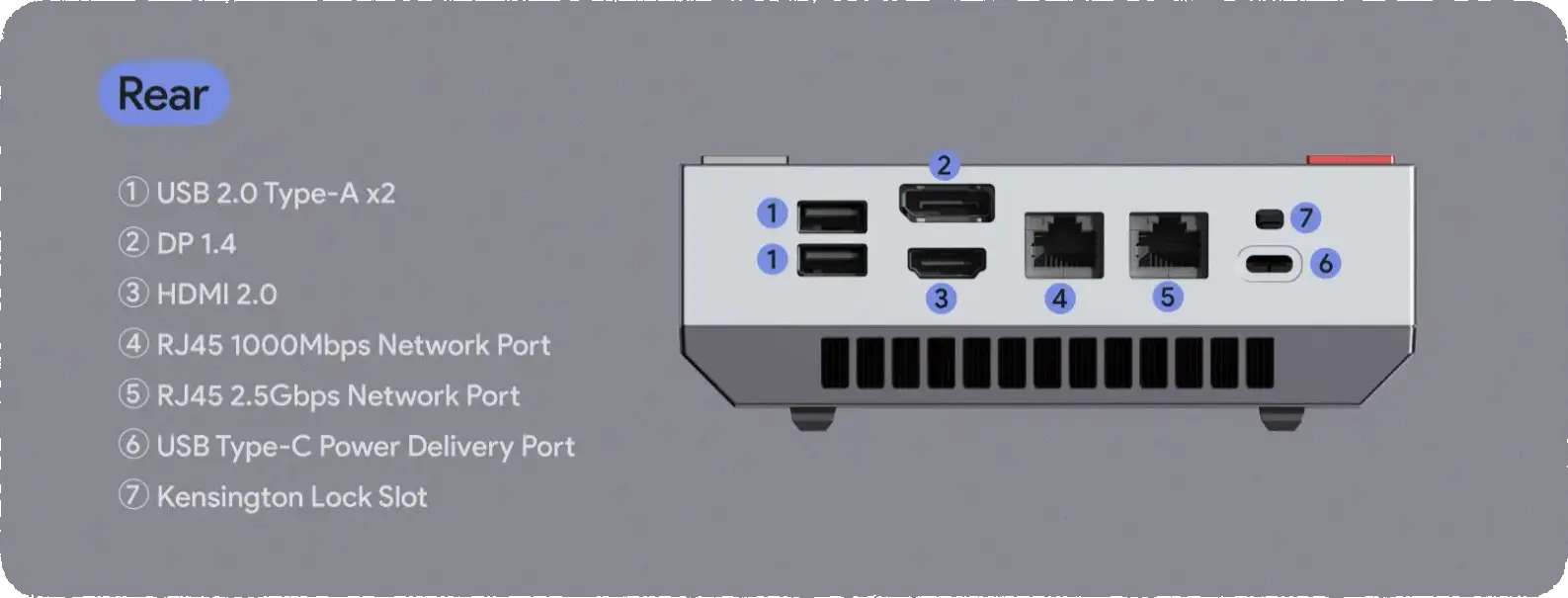
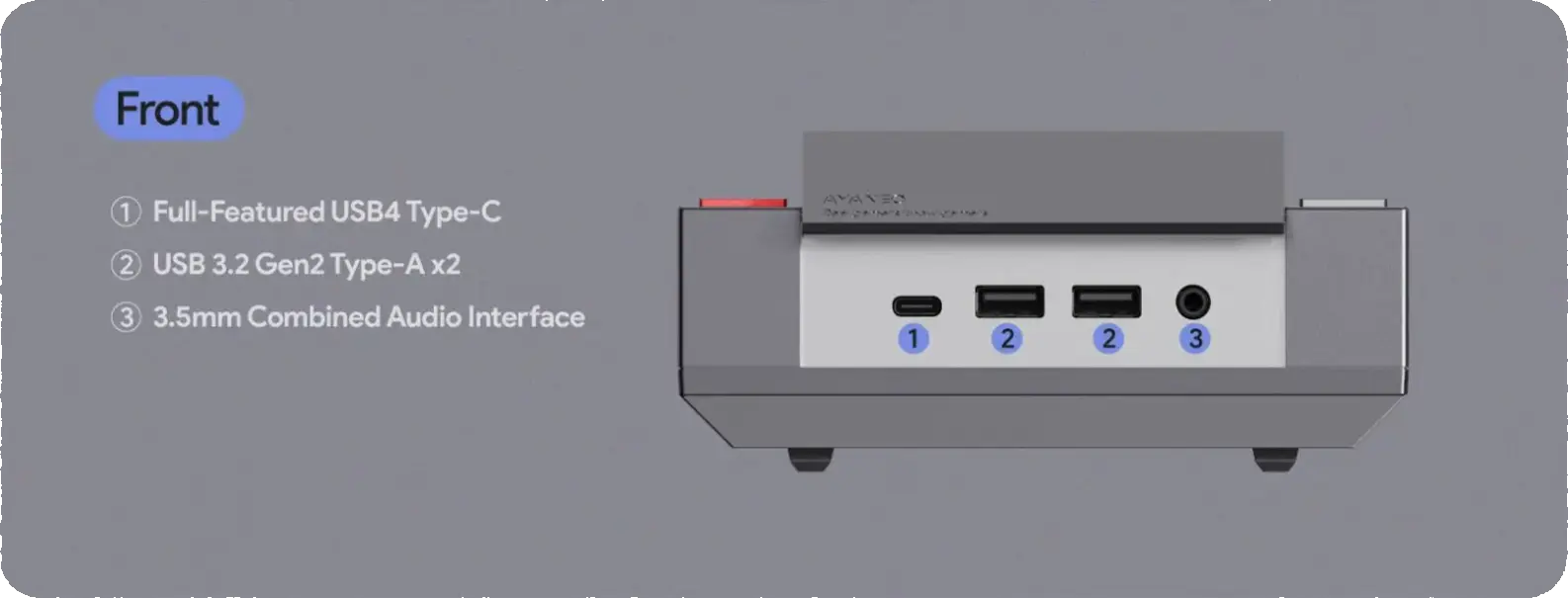
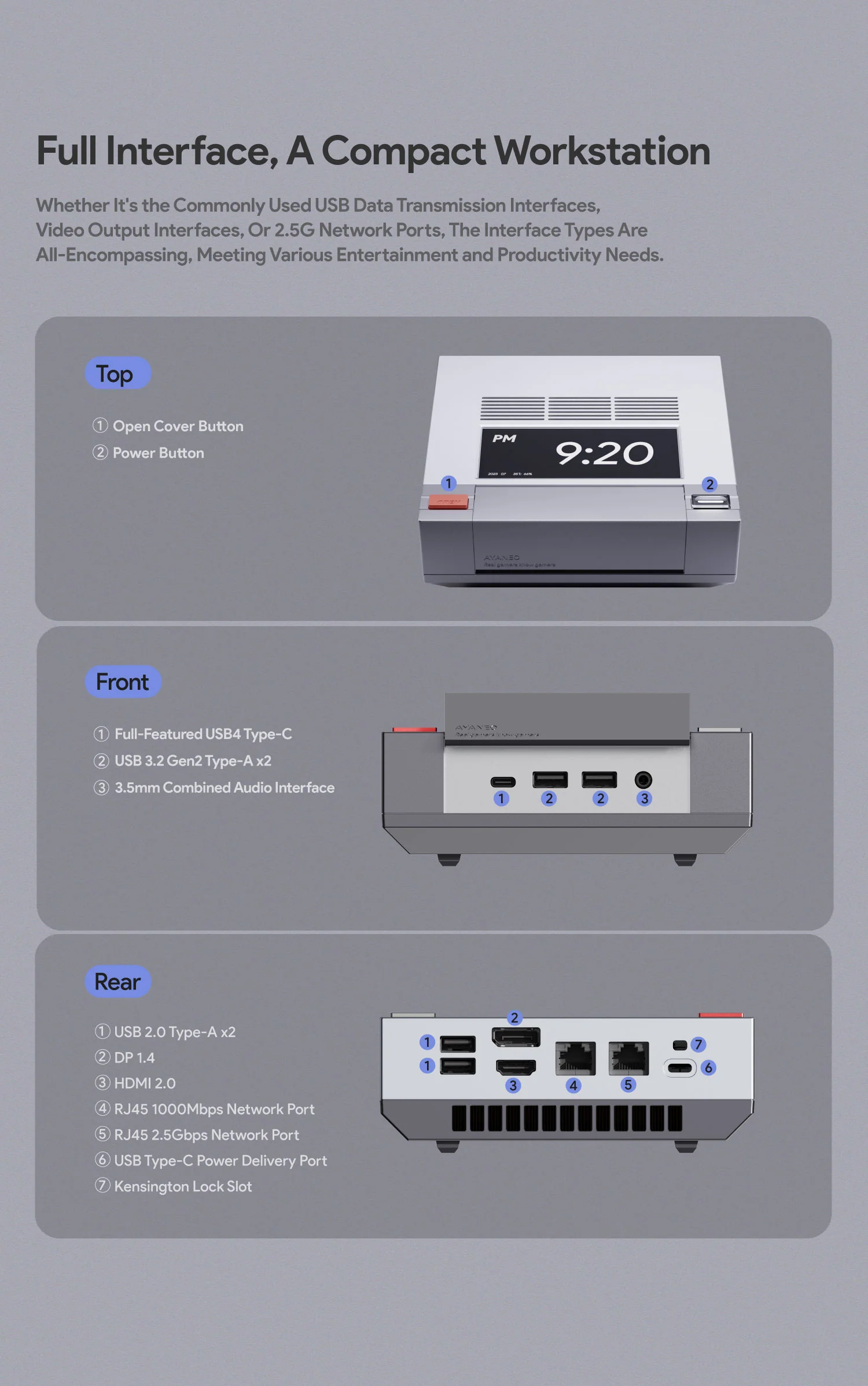
| Ports & Buttons | Under front flip cover (cartridge slot):
Rear:
|
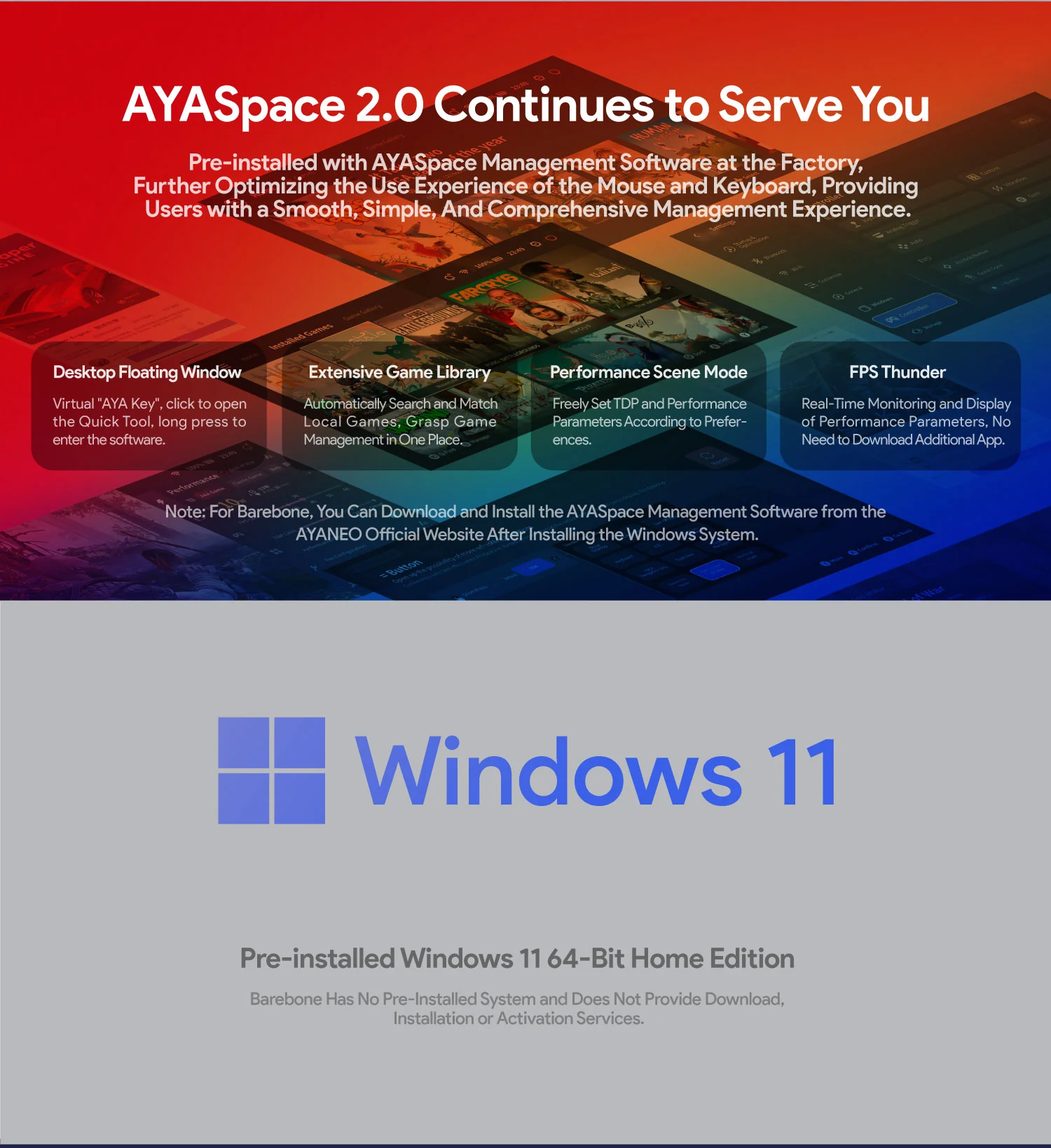
| System | Windows 11 Home (pre-installed) — Barebone option available (no RAM / no SSD / no OS) |
| Product Dimension | 146 × 134 × 53 mm — Weight: ~538 g |
| Power | DC 19V — 120W external power adapter — TDP: 45W sustained — Peak: ~89W |
Design: Three Decades of Nintendo in 146 × 134 × 53 mm
The AM02 measures 146 × 134 × 53 mm and weighs approximately 538 g — compact enough to fit in the side pocket of a backpack, as one reviewer cheerfully confirmed. The chassis is plastic rather than metal, with a dual-tone grey and dark grey finish that immediately reads as retro-console rather than business-mini-PC. The colour choice is specific: not the stark white of the Japanese Famicom, but the grey of the North American NES, the console that defined a generation of gaming culture in the late 1980s.
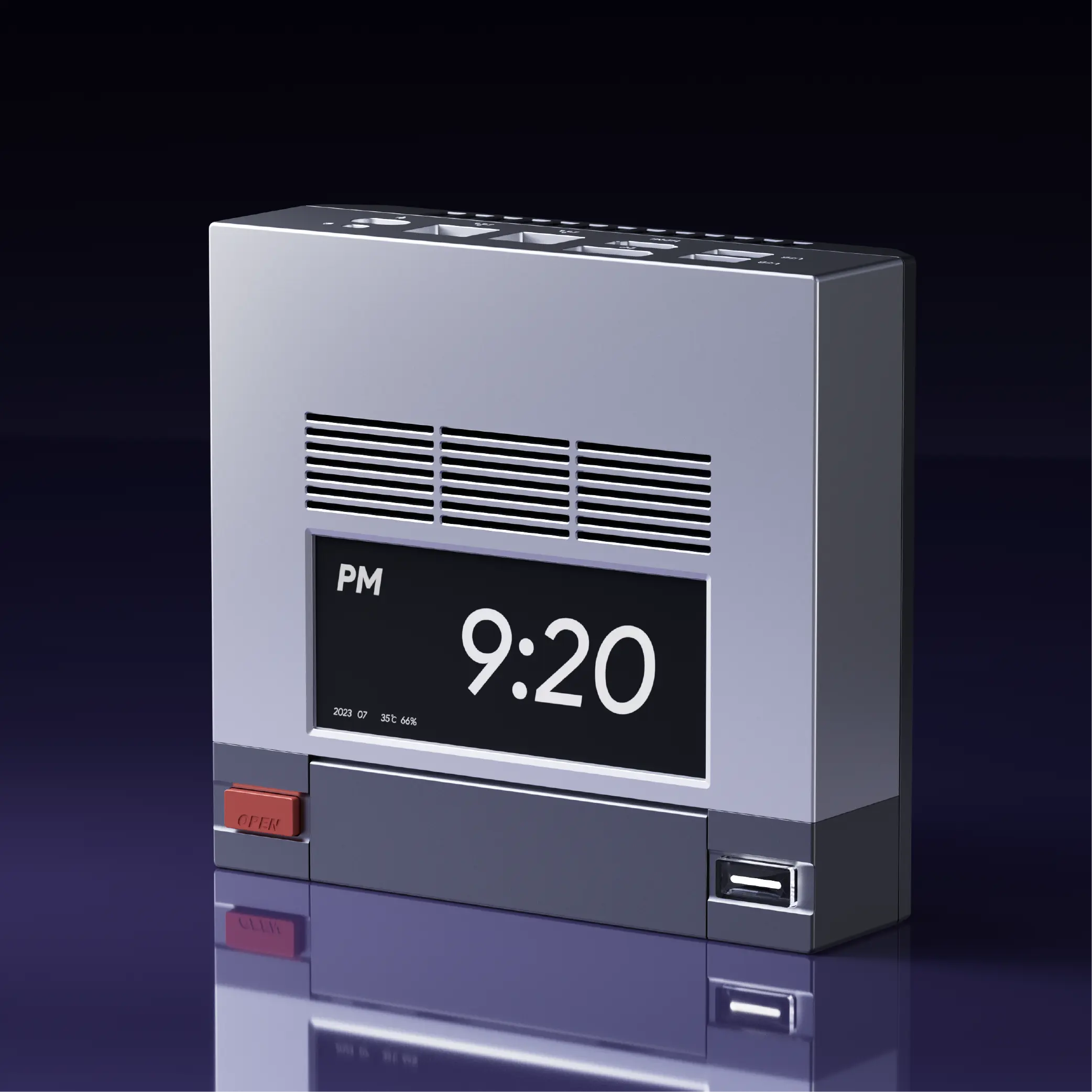
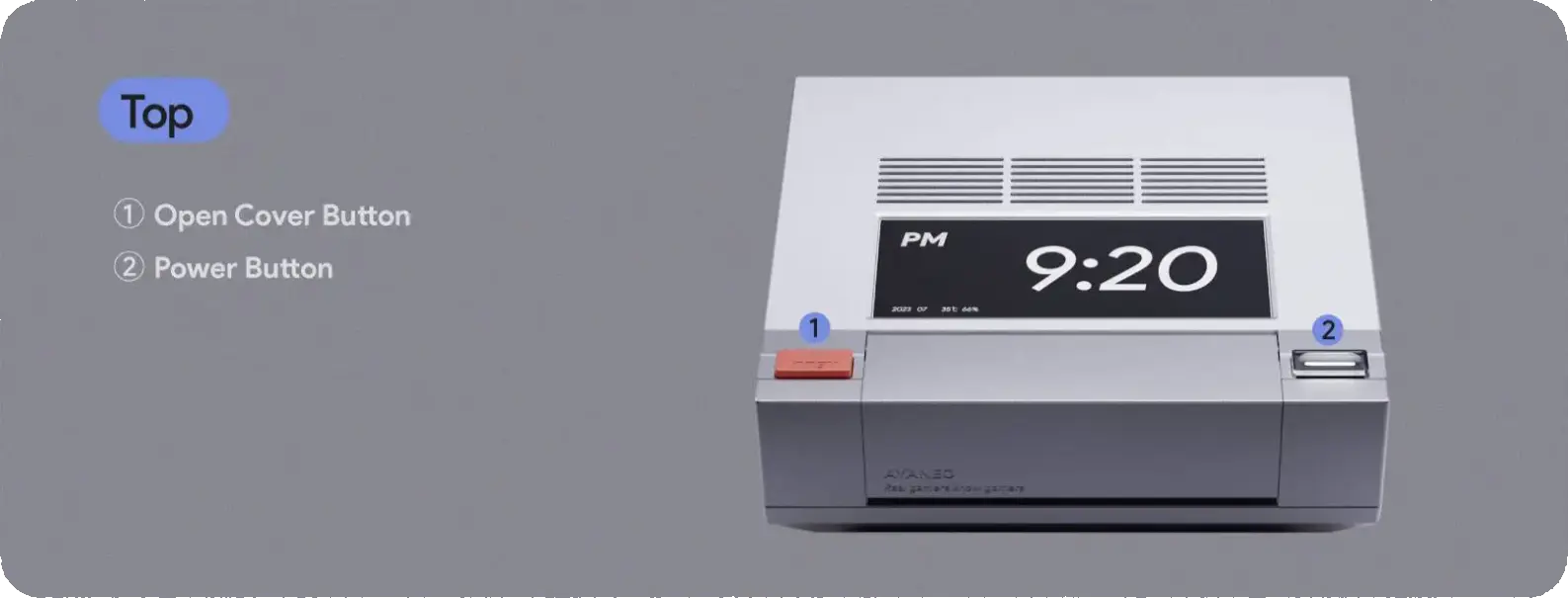
The front flip cover is the design’s masterstroke. Press the large red button on the left side of the top panel and the cover pops open, revealing the front IO ports in a recess that faithfully replicates the NES cartridge loading area. GamesRadar’s reviewer noted that the lip of the cover replicates the feel of an NES cartridge slot, while simultaneously evoking the button design of the SNES — a deliberately layered reference that rewards the knowledgeable observer. The white illuminated power button on the right rounds out the design, matching the original NES power switch position with enough accuracy that anyone who owned a NES in 1985 will find their thumb going to it without thinking.
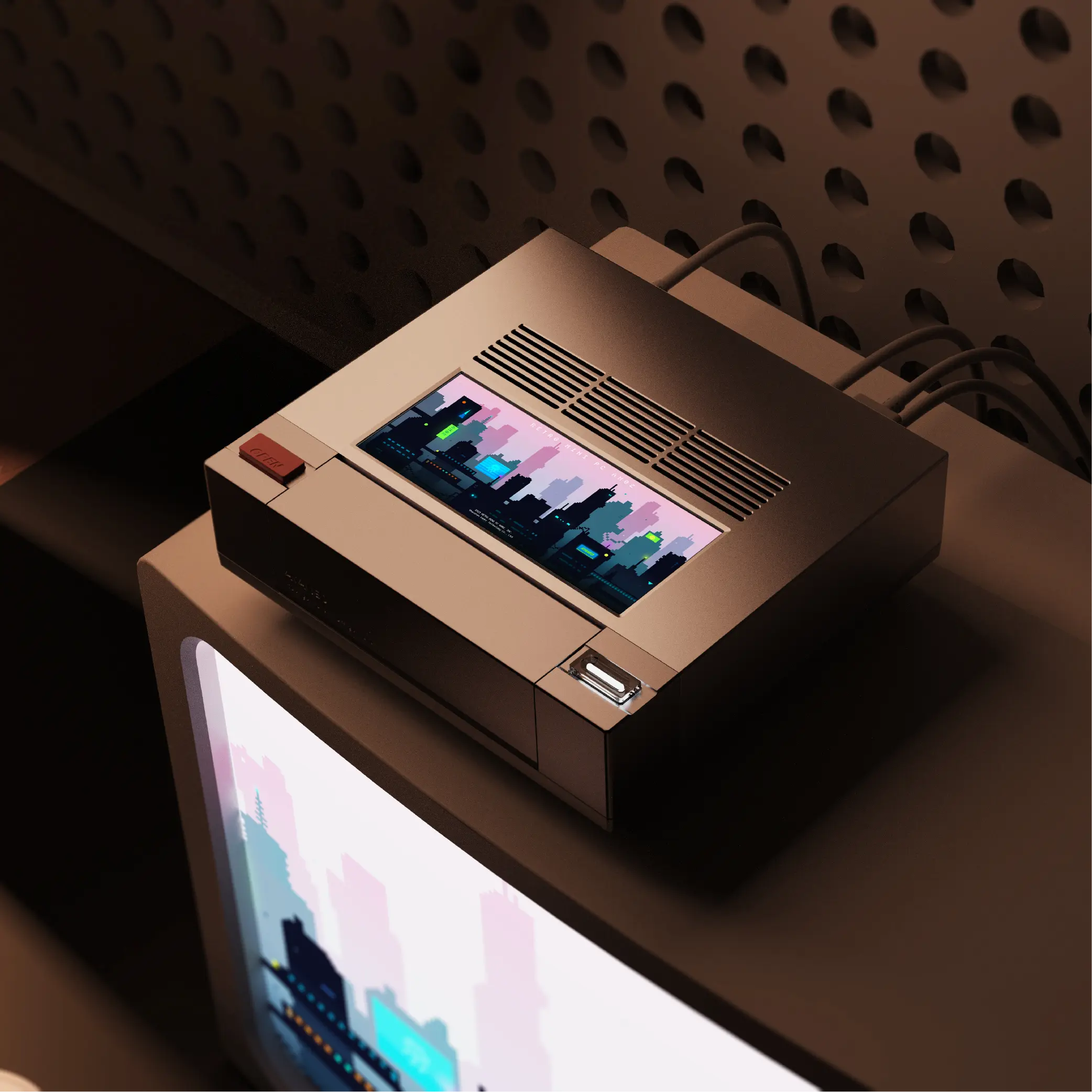
What makes the AM02’s design succeed where many retro-themed products fail is the restraint applied to it. There is no RGB lighting undermining the period aesthetic. There are no unnecessary logos stamped across the top panel. The single bold design addition that AYANEO has made beyond the NES template — the four-inch touchscreen on the top surface — is both a genuine functional addition and an aesthetic element that, as GamesRadar put it, adds “a bit of flair to your gaming desk that isn’t just the usual helping of RGB lighting.” The screen looks like something from a retro-futurist sci-fi anime, and it works.
The Four-Inch Touchscreen — AYASpace’s Most Visible Feature
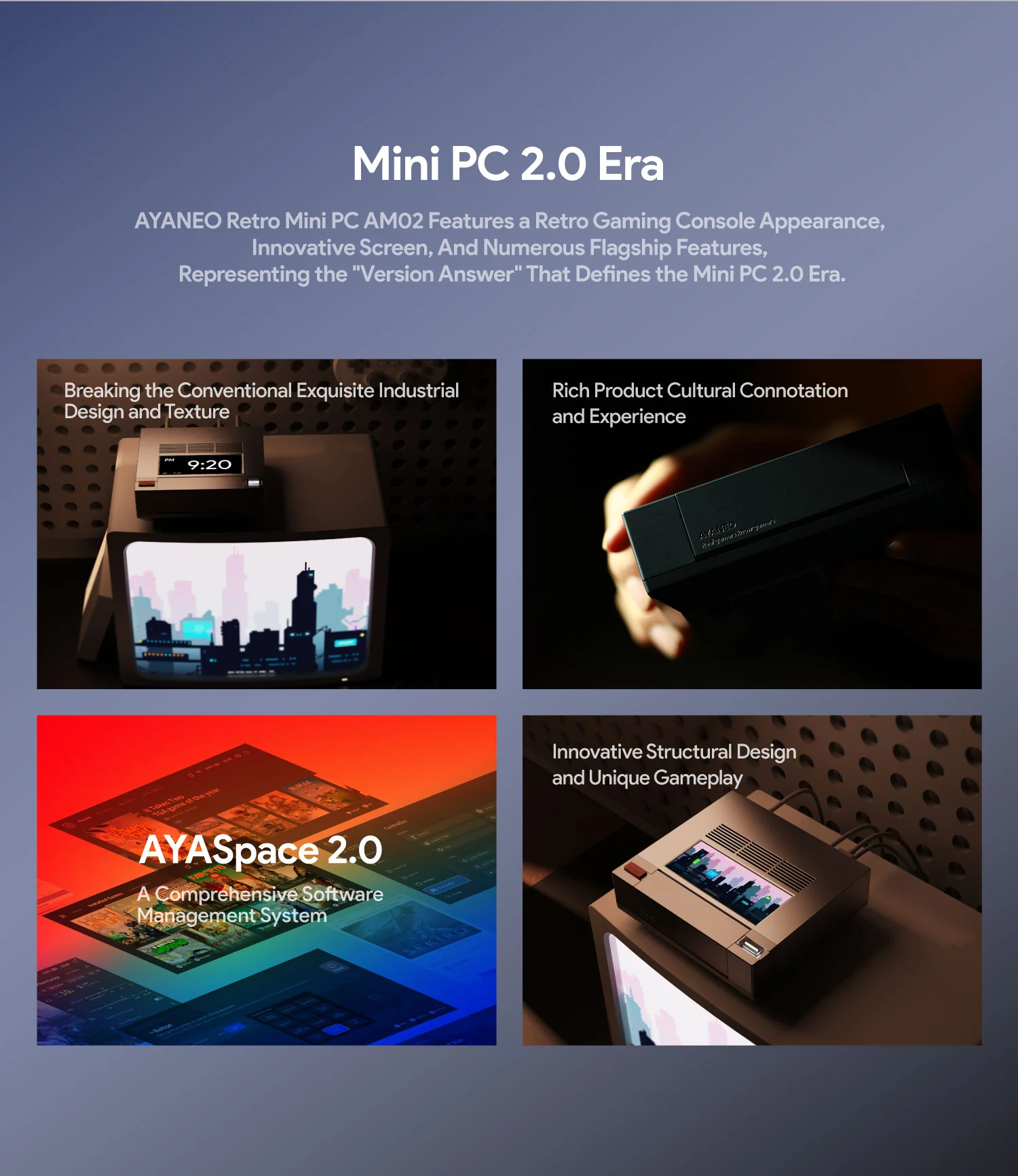
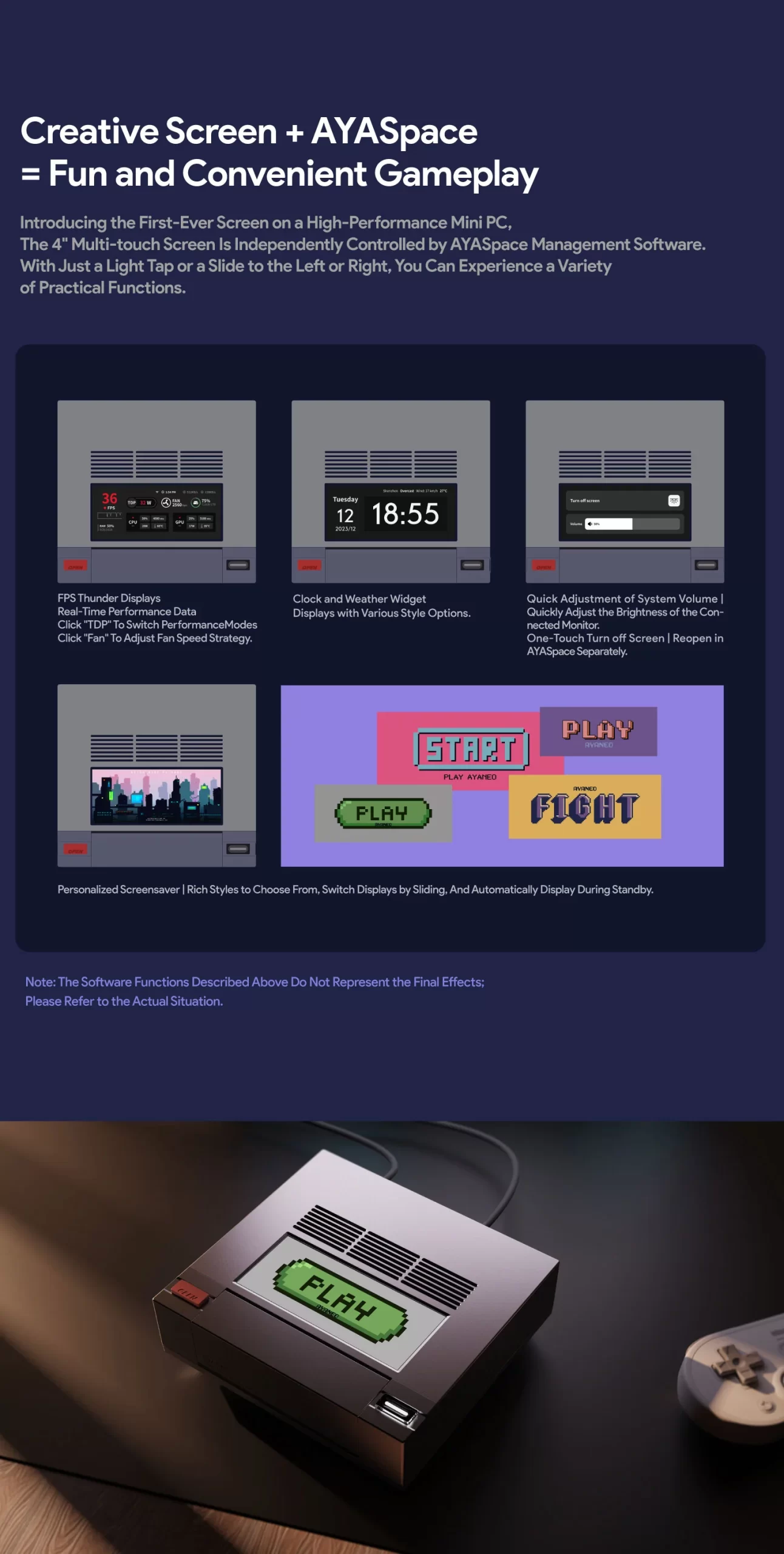
The four-inch LCD touchscreen on the AM02’s top panel is the device’s most distinctive hardware element — unusual enough that multiple reviewers devoted significant space to whether it justifies its existence. The consensus, broadly, is yes — with caveats.
The screen is managed by AYANEO’s AYASpace software, which drives a swipeable series of information panels: real-time performance metrics (CPU temperature, GPU load, clock speeds, power consumption), a 24-hour clock face with several aesthetic options, and a live performance graph. Crucially, it also allows power limit adjustment with a tap — switching between performance profiles without opening any software on the main display. Handheld HQ’s reviewer specifically praised this: having performance data on the device rather than as an overlay on the primary screen frees the display from HUD clutter, allowing games to be enjoyed at full resolution without sacrificing the ability to monitor thermals during a demanding session.
The caveats are real but minor. The screen runs warm to the touch under sustained operation — not uncomfortably hot, but noticeable if you rest a finger on it for more than a few seconds. Early software versions had occasional desyncing issues where the screen would stop displaying live data and require an AYASpace restart. AYANEO has addressed this in subsequent firmware updates. One reviewer honestly described the screen as “mostly a gimmick” in practice — but even in that framing, it is a gimmick that adds to the machine’s personality rather than detracting from it, which is more than most gimmicks manage.
AMD Ryzen 7 7840HS — Phoenix Zen 4, 8 Cores at 5.1 GHz
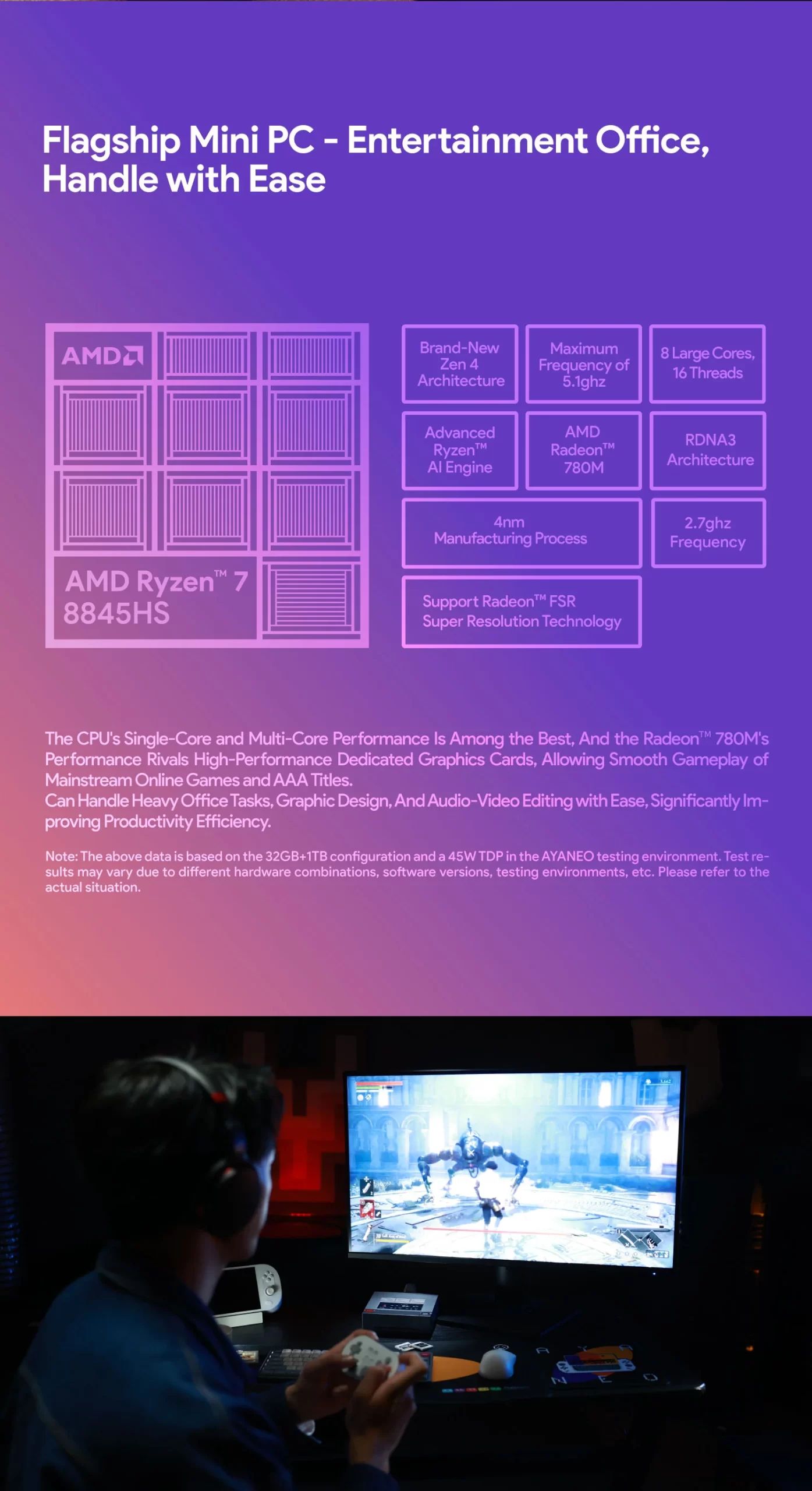
The Ryzen 7 7840HS is AMD’s Phoenix platform APU — eight Zen 4 cores, sixteen threads, 5.1 GHz boost frequency, manufactured on TSMC’s 4 nm process. It is the same chip found in the Minisforum UM780 XTX and the Beelink SER8, and it was, at the time of the AM02’s launch, AMD’s most capable standard-TDP APU for compact systems — a title subsequently passed to the Strix Point HX 370 in 2025. In the AM02’s context, the 7840HS runs at a 45W TDP, slightly above the 35–40W defaults of competing mini PCs using the same silicon, which contributes to its stronger sustained performance figures.
Liliputing’s benchmarking found the AM02’s Cinebench R23 Multi Core score of approximately 15,991 and Single Core score of 1,773 — figures consistent with AYANEO’s own published specifications, which is refreshingly honest in a market where benchmark cherry-picking is common. More notably, the AM02 scored comparably to or above the GEEKOM A7 with the higher-tier Ryzen 9 7940HS in several tests, suggesting that the cooling system’s effectiveness in sustaining boost frequencies was compensating for the nominally lower chip tier. DROIX’s testing recorded idle power consumption of 25.6W and peak consumption of 89.4W under full Cinebench load — efficient numbers that demonstrate the Zen 4 architecture’s power management in practice.
- 8 cores / 16 threads (Zen 4 — Phoenix)
- Base 3.8 GHz — Boost up to 5.1 GHz
- L2 Cache: 8 MB | L3 Cache: 16 MB
- 4 nm TSMC process node
- TDP: 45W sustained
- No NPU — not a Copilot+ PC
AMD Radeon 780M — 12 RDNA 3 CUs, the Right GPU for the Job
The integrated Radeon 780M GPU with 12 RDNA 3 compute units at 2.7 GHz is not the most powerful integrated graphics available in 2026 — the Strix Point 890M has since claimed that title — but it remains highly capable for the AM02’s intended use cases. DROIX’s gaming tests found Forza Horizon 5 running at 1080p with medium-to-high settings at approximately 70 FPS, while a randomly selected Xbox Game Pass title delivered a solid 60 FPS at 4K. overkill.wtf’s reviewer noted that Cyberpunk 2077, which would have been unplayable on the AM01, runs “straight-up enjoyable” on the AM02 at reduced settings — a meaningful generational step for integrated graphics performance.
For emulation specifically — which is where the AM02’s design language is clearly directing users — the 780M is more than sufficient for everything up to and including the most demanding systems currently emulatable. PS3 games via RPCS3 run at native resolution with “only some hiccups” in demanding titles. GameCube and Wii titles in Dolphin perform smoothly at 1080p and above. Switch games via Ryujinx run at native resolution in most titles. The entire NES, SNES, Mega Drive, PlayStation 1, PlayStation 2, N64, PSP, and DS libraries run without meaningful performance constraints whatsoever — the AM02 is, for these platforms, genuinely overkill, in the best possible sense of the word.
Retro Gaming and Emulation: Fulfilling Its Destiny
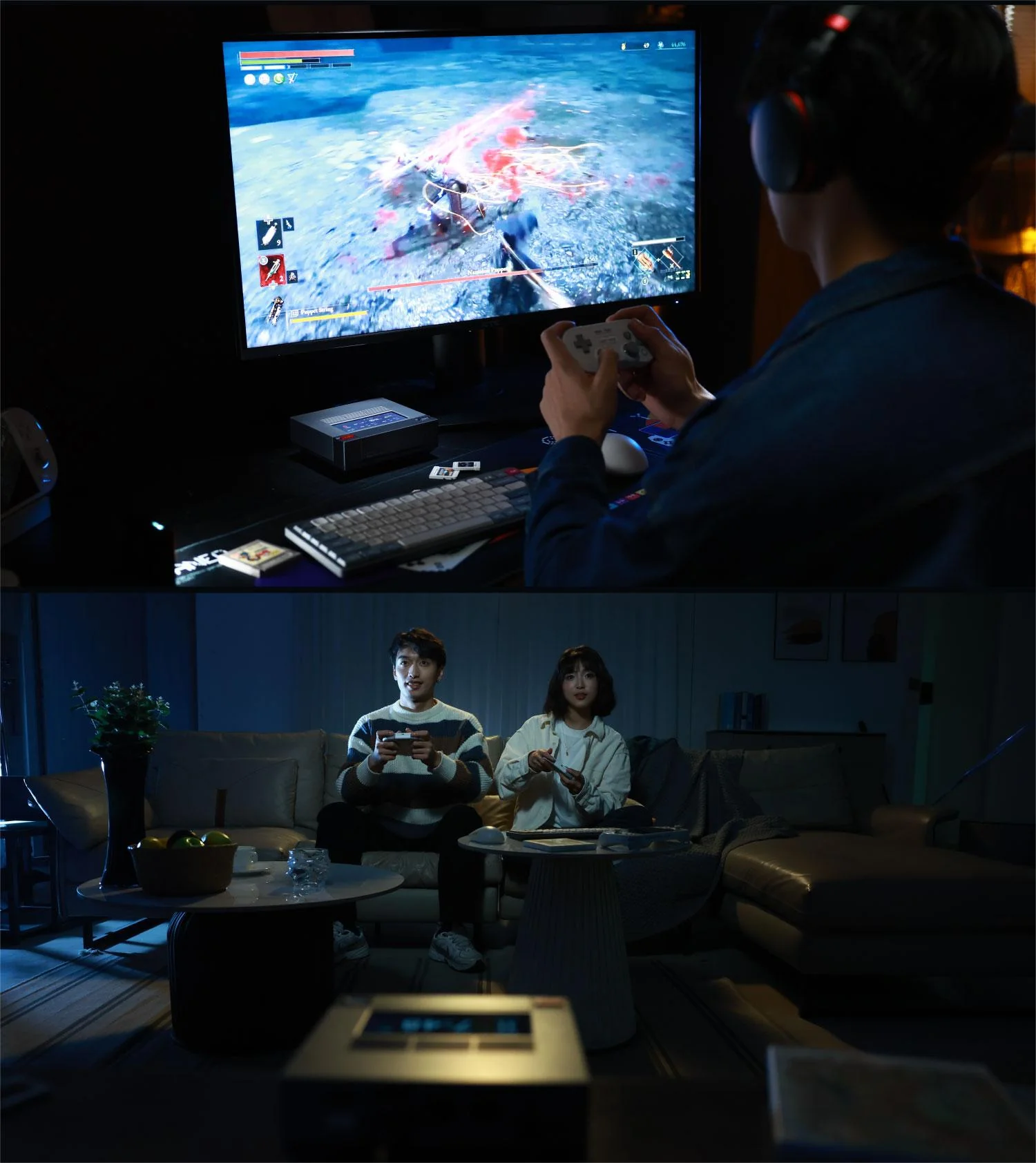
PC Gamer’s reviewer wrote that when the AM02 is configured as a living-room retro console emulator, “everything falls into place, and you get the sense it’s fulfilling its destiny.” This is the most precisely accurate description of the AM02’s identity: it is a machine that was clearly designed with retro gaming as its primary emotional pitch, and it delivers on that pitch with hardware more than adequate for the task.
The physical form factor reinforces the use case in ways that go beyond aesthetics. The AM02 is compact enough to sit next to a television without dominating the entertainment unit — its 146 × 134 × 53 mm footprint is smaller than most streaming devices in dedicated cases. Its 538 g weight makes it genuinely portable: several reviewers confirmed they carried it to friends’ homes or family gatherings and connected it to a television for group gaming sessions. overkill.wtf’s reviewer specifically cited this as a defining characteristic: “I will bring the AM02 with me next time I visit family and hook it up to the family TV.” The flip-down front cover, designed to mimic a cartridge slot, creates a moment of interaction every time you plug in a USB device that connects the physical act of using the machine to the muscle memory of loading a cartridge into a console — a small but meaningful experiential detail.
Unlike the ACEMAGIC Retro X5, the AM02 does not ship with dedicated emulation software pre-installed. Users who want a configured emulation front end will need to install RetroArch, Launchbox, EmulationStation Desktop Edition, or similar software independently. This is a minor additional setup step that any technically comfortable user can complete in under an hour, and the Windows 11 Home base installation provides full freedom to configure the software environment exactly as desired.
Four-Pipe Copper Cooling — Quiet and Effective
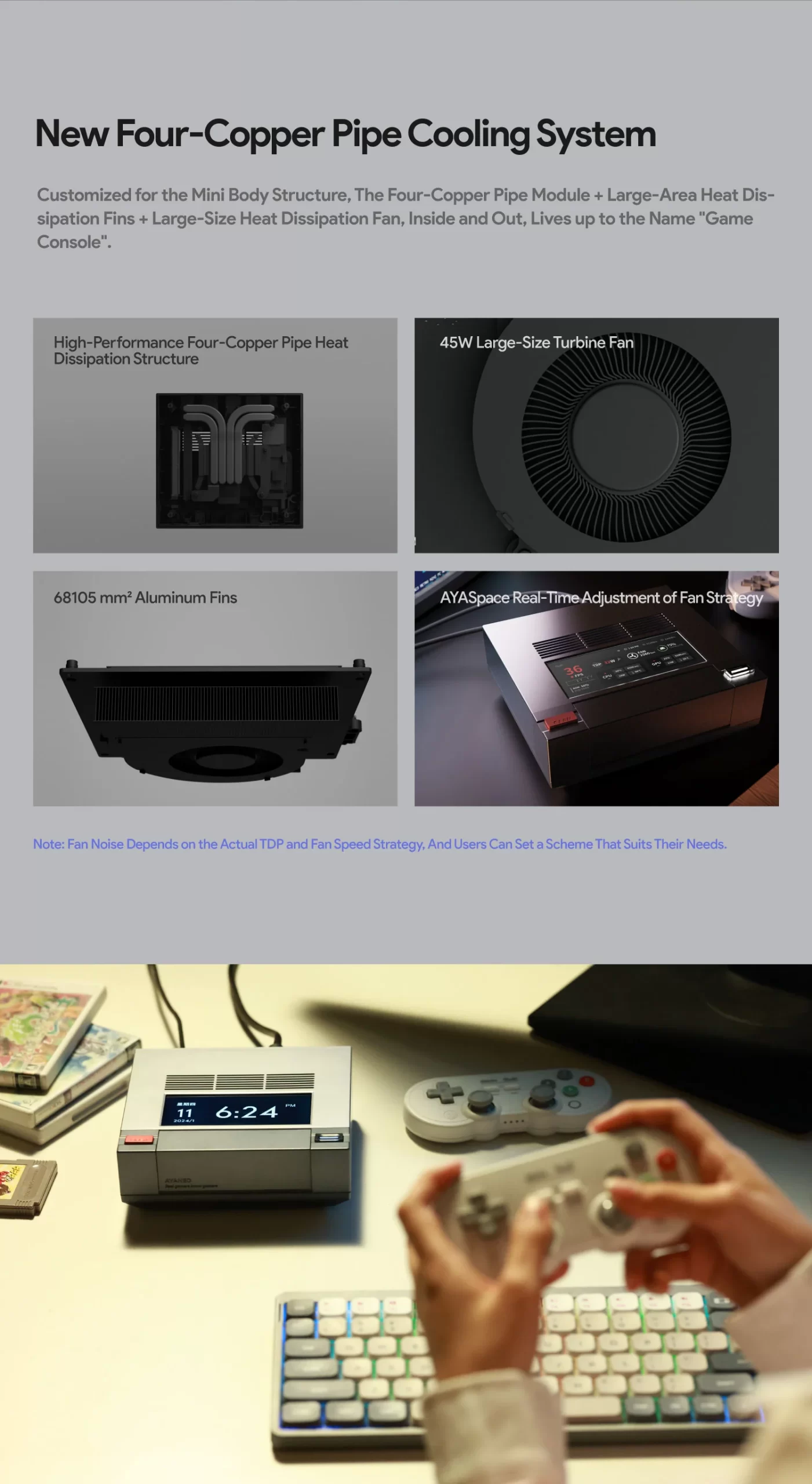
The AM02’s thermal solution uses four copper heat pipes — an unusually generous count for a chassis of this size — transferring heat from the CPU-GPU die to a copper fin stack exhausted through the rear and side ventilation slots. The result is a system that runs quietly during everyday workloads and maintains stable boost clocks under sustained load without thermal throttling. DROIX’s testing confirmed peak power consumption of 89.4W under full Cinebench stress, with temperatures remaining within safe operating limits throughout. The fan noise under load is described consistently across reviews as audible but not intrusive — present in a quiet room but easily masked by any audio from the connected television or monitor.
Dual 2.5 GbE + Wi-Fi 6E + USB4
The connectivity specification is generous for its price point. Two independent 2.5 Gigabit Ethernet ports enable simultaneous connection to two separate wired networks — a feature more commonly found in higher-priced systems. Wi-Fi 6E (802.11ax) provides tri-band wireless connectivity including the 6 GHz band for reduced congestion in dense Wi-Fi environments. The USB4 port under the front flip cover supports 40 Gbps data transfer, DisplayPort Alt Mode for 8K display output, and — significantly — eGPU enclosure connectivity. overkill.wtf’s reviewer specifically anticipated using the AM02 with an eGPU for higher-performance gaming, noting the OCuLink bandwidth via USB4 as a compelling future upgrade path. HDMI 2.0 and DisplayPort 1.4 on the rear panel provide additional display outputs for a triple-display configuration.
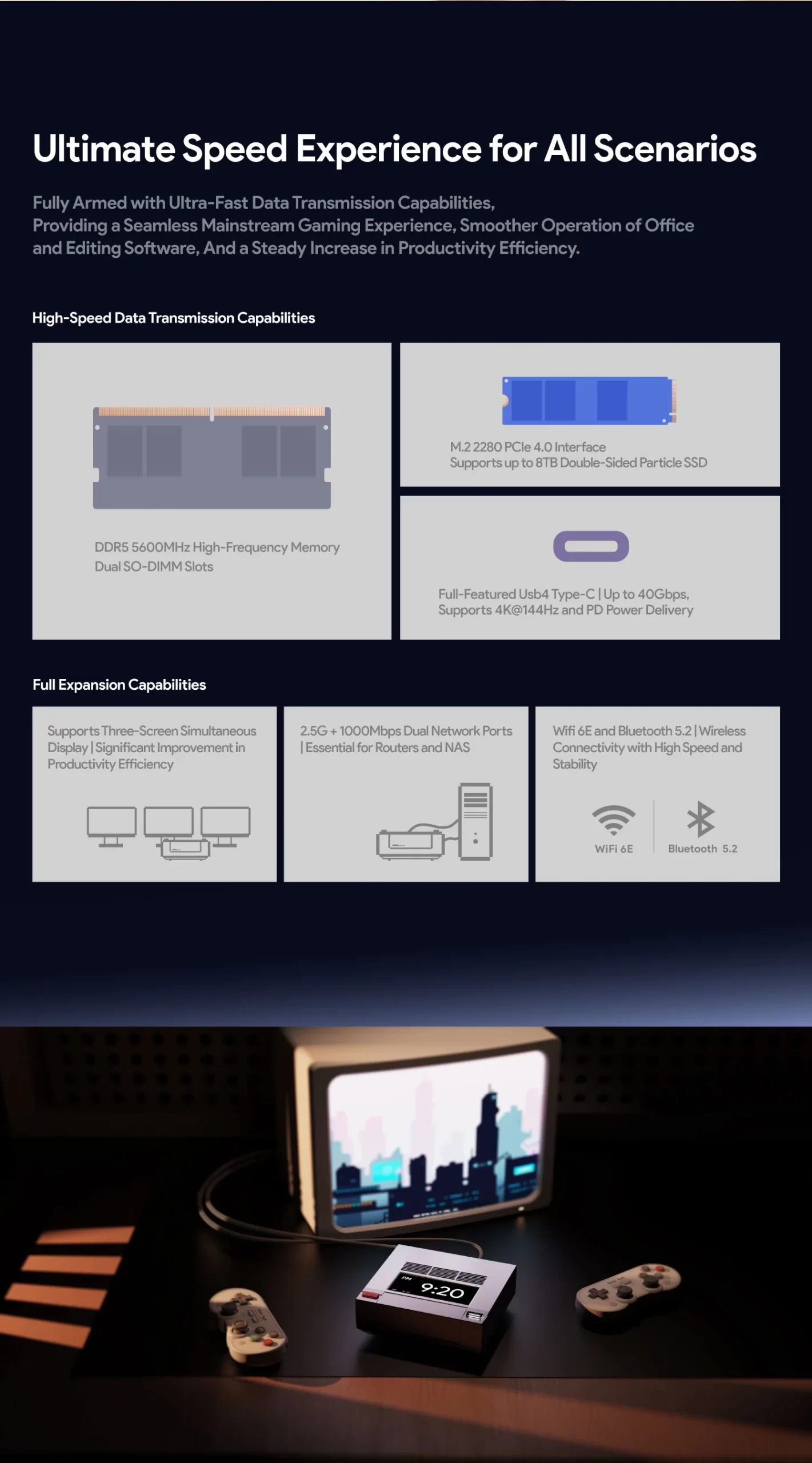
Upgradeable RAM and Storage
Two DDR5-5600 SO-DIMM slots support up to 64 GB of user-replaceable memory. The standard 32 GB configuration is immediately sufficient for all emulation, productivity, and everyday gaming workloads; the upgrade path to 64 GB is straightforward for users who eventually need additional headroom for virtual machines or memory-intensive applications. A second M.2 2280 slot is available for storage expansion beyond the pre-installed drive. Both the SO-DIMM slots and the secondary M.2 slot are accessible via the bottom panel, which requires screwdriver disassembly — a more involved process than the tool-free top cover of the ACEMAGIC Retro X5, but entirely manageable for non-specialist users.
Software: AYASpace and the Handheld DNA
AYASpace — AYANEO’s system management software suite, originally developed for their handheld gaming PC lineup — handles performance profile management, fan speed control, power limit adjustment, and the touchscreen display configuration on the AM02. The software’s handheld origins are occasionally visible in the interface, which in early versions expected gamepad navigation inputs that do not apply in the desktop context. AYANEO has progressively refined the mini PC implementation of AYASpace through updates, and current versions are described as functional and reliable by reviewers. The ability to adjust power limits directly through the touchscreen without opening any software on the main display is a genuinely useful feature that distinguishes the AM02 from competing mini PCs.
Who Is the AM02 For?
The AM02 is for buyers who want a capable, characterful, and genuinely portable mini PC that does double duty as a retro gaming emulation platform and an everyday productivity machine — and who want the machine itself to be an object of aesthetic interest rather than an anonymous black box. It is for the 38-year-old who had a NES in the living room in 1989 and now wants something that evokes that memory while running their Steam library, their Plex server, and RetroArch’s entire emulator library simultaneously. It is for the person who has considered a gaming PC but does not want a tower on their desk, and does not want to compromise on the personality of their setup. It is for the reviewer who concluded, after spending weeks with the machine, that they wanted to bring it to family Christmas.
It is not the most powerful mini PC available. It is not the newest. It is not the cheapest. But it is, by a significant margin, one of the most interesting — and in a market where interesting has become genuinely rare, that counts for a great deal.
Video:
Additional information
Specification: Ayaneo Retro Mini PC AM02 AMD Ryzen™ 7 7840HS
| Configuration Options | ||||||||||||||||||||||||
|---|---|---|---|---|---|---|---|---|---|---|---|---|---|---|---|---|---|---|---|---|---|---|---|---|
|
||||||||||||||||||||||||
| Processor | ||||||||||||||||||||||||
|
||||||||||||||||||||||||
| Ports | ||||||||||||||||||||||||
|
||||||||||||||||||||||||
| Network | ||||||||||||||||||||||||
|
||||||||||||||||||||||||
| GPU | ||||||||||||||||||||||||
|
||||||||||||||||||||||||
| Internal Ports | ||||||||||||||||||||||||
|
||||||||||||||||||||||||
| Storage & RAM | ||||||||||||||||||||||||
|
||||||||||||||||||||||||
| Power | ||||||||||||||||||||||||
|
||||||||||||||||||||||||
| Others Specifications | ||||||||||||||||||||||||
|
||||||||||||||||||||||||
| Specification | ||||||||||||||||||||||||
|
||||||||||||||||||||||||
Videos
Videos: Ayaneo Retro Mini PC AM02 AMD Ryzen™ 7 7840HS
![MINIX NEO J50C-8SE, 8GB/240GB Intel Pentium Silver Mini PC with Windows 10 Pro (64-bit) [Dual-Band Wi-Fi/Gigabit Ethernet/4K @ 60Hz/Triple Display/USB-C/Auto Power On/Vesa Mount]](https://minis-pc.com/wp-content/uploads/thumbs_dir/minix-neo-j50c-8se-8gb240gb-intel-pentium-silver-mini-pc-with-windows-10-pch6lqfmof7sigvrdl8qe2n622kluc7qrnf77wrz8g.jpg)


