
GMKtec NucBox K13 Intel® Core™ Ultra 7 256V Intel Arc 140V


$599.99
 Amazon.com
| Processor | 8 |
|---|---|
| RAM | 7.5 |
| Hard Disk | 8.8 |
| Connectivity | 8.5 |
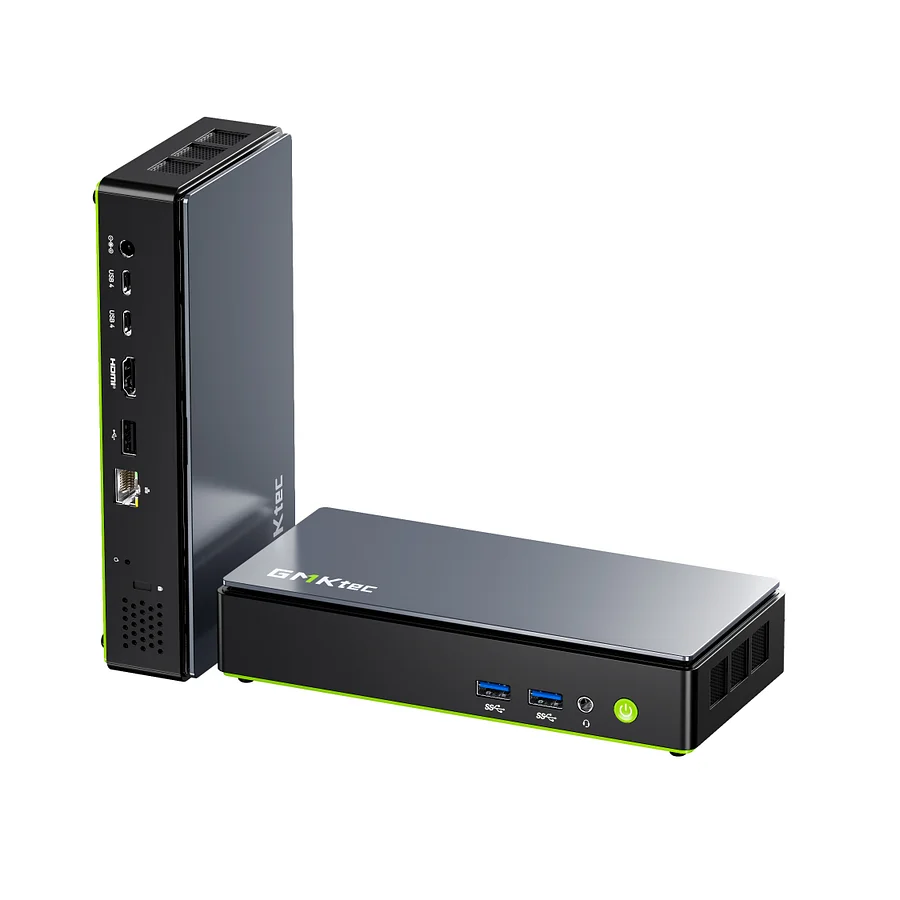
Intel® Core™ Ultra 7 256V (Lunar Lake) AI Mini PC. 8 cores / 8 threads up to 4.8 GHz. Intel Arc 140V iGPU — 8 Xe2 cores at 1.95 GHz — XeSS3 + multi-frame generation. Intel AI Boost NPU4 — 47 TOPS. 115 TOPS total AI (NPU 47 + GPU 64 + CPU 5). Copilot+ PC certified. 16 GB LPDDR5X-8533 (soldered — non-upgradeable). 2× M.2 2280 PCIe 4.0 — up to 16 TB. Dual USB4 40 Gbps — eGPU via USB4. 1× 5 GbE Ethernet. Wi-Fi 6E + BT 5.2. VESA mount included. 30W TDP — battery-pack compatible. 182.5 × 89 × 33 mm — candy bar design. ~524 g.

$599.99
GMKtec NucBox K13 Intel® Core™ Ultra 7 256V Intel Arc 140V Prices


Price History
| Price history for GMKtec K13 Mini PC Intel Ultra 7 256V SK Hynix LPDDR5 8533 MT/s | |
|---|---|
|
Latest updates:
|
|
Description
GMKtec NucBox K13
Lunar Lake AI Mini PC — Intel® Core™ Ultra 7 256V + Intel Arc 140V
The GMKtec NucBox K13 is the first mini PC from GMKtec to use Intel’s Lunar Lake architecture, and it is a machine that makes an immediate impression through its form factor alone. Where every other mini PC in its performance category follows the standard squarish cube layout, the K13 adopts a rectangular “candy bar” or dock-style chassis measuring 182.5 × 89 × 33 mm — roughly the size of a smartphone standing horizontally — that is visually distinct and practically oriented, offering ample room for port placement and a second M.2 slot that squarish rivals struggle to accommodate. Reviewed by TechRadar (March 2026) as “the mini PC that Intel’s Lunar Lake deserved from the outset,” and benchmarked in depth by WCCFTech and Geeky Gadgets, the K13 delivers 115 TOPS of total AI compute, Copilot+ PC certification, and Intel Arc 140V graphics with XeSS3 multi-frame generation in a machine that sips just 30W at its default TDP — low enough, as reviewers noted, to run from a battery pack when no mains power is available.
One clear limitation to state upfront: the 16 GB of LPDDR5X memory is permanently soldered to the mainboard and cannot be upgraded under any circumstances. For users who need more than 16 GB of RAM — for virtual machines, large datasets, or professional creative workloads — this is a binding constraint. TechRadar’s reviewer specifically flagged this as the K13’s most significant weakness. For users whose workloads fit comfortably within 16 GB, however, the LPDDR5X-8533 memory’s exceptional speed and bandwidth partially compensates for the capacity ceiling, particularly for the Arc 140V GPU which benefits substantially from this high-bandwidth configuration.
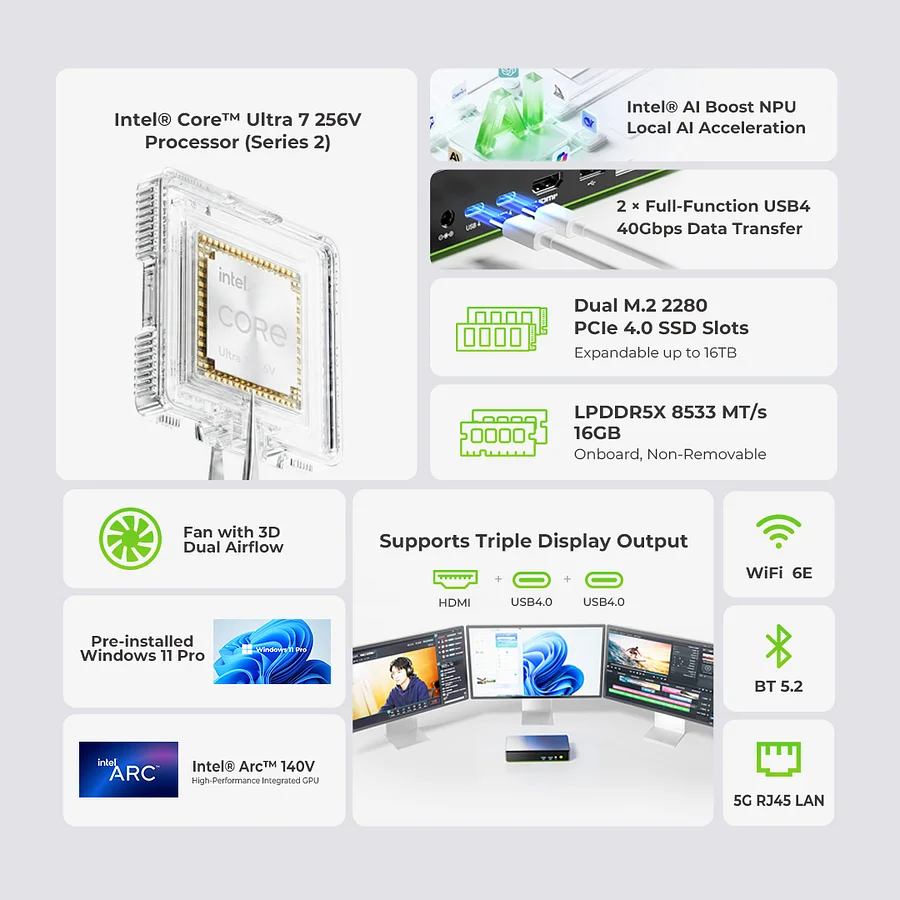
Intel® Core™ Ultra 7 256V — Lunar Lake, Lion Cove + Skymont on 3nm
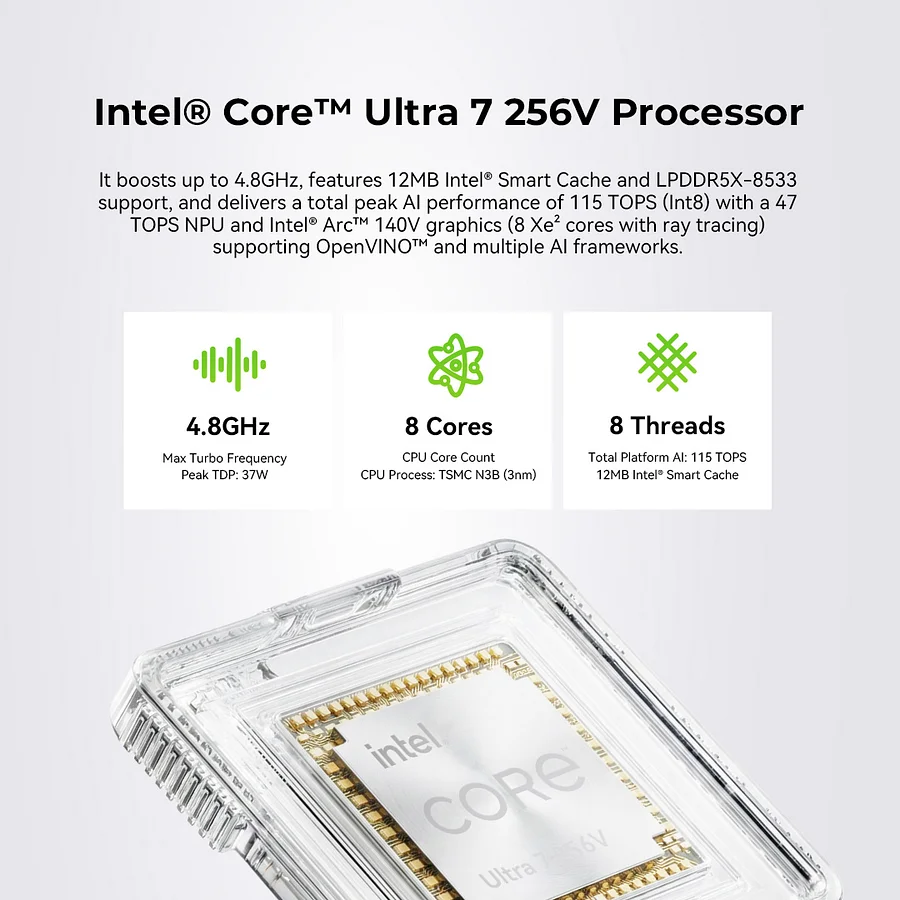
The Core Ultra 7 256V is Intel’s Lunar Lake platform processor, built on TSMC’s N3B 3 nm process node — Intel’s first major chip fabricated outside its own fabs at this node. The architecture represents a fundamental rethink rather than an incremental update: the memory is integrated directly onto the compute package alongside the CPU and GPU dies, borrowing the on-package memory concept from Apple’s M-series to reduce latency and dramatically improve memory bandwidth efficiency compared to conventional DDR5 or LPDDR5 configurations. The CPU uses a hybrid layout with four Lion Cove performance cores and four Skymont low-power efficiency cores, delivering eight cores and eight threads with a single-threaded boost to 4.8 GHz. In TechRadar’s comparative testing, multi-threaded performance is described as “in the same league as an Apple M2” — a chip that is over three years old but remains a widely respected productivity benchmark. Single-core performance from the Lion Cove architecture represents a meaningful generational improvement over the Arrow Lake-H chips in the same price range, with the efficiency improvements of the 3 nm process keeping the default TDP at just 30W — enabling the K13 to run from an external battery pack, an option no other mini PC in this review set can offer.
- 8 cores / 8 threads (4× Lion Cove P-cores + 4× Skymont E-cores)
- Base 2.2 GHz — Boost up to 4.8 GHz
- L2 Cache: 12 MB | L3 Cache: 12 MB
- TSMC N3B 3 nm process node (Lunar Lake — Core Ultra Series 2)
- TDP: 17W minimum / 30W default / 37W configurable maximum
- On-package memory architecture — LPDDR5X directly alongside compute die
Intel Arc 140V — Xe2 Battlemage Architecture, XeSS3, Multi-Frame Generation
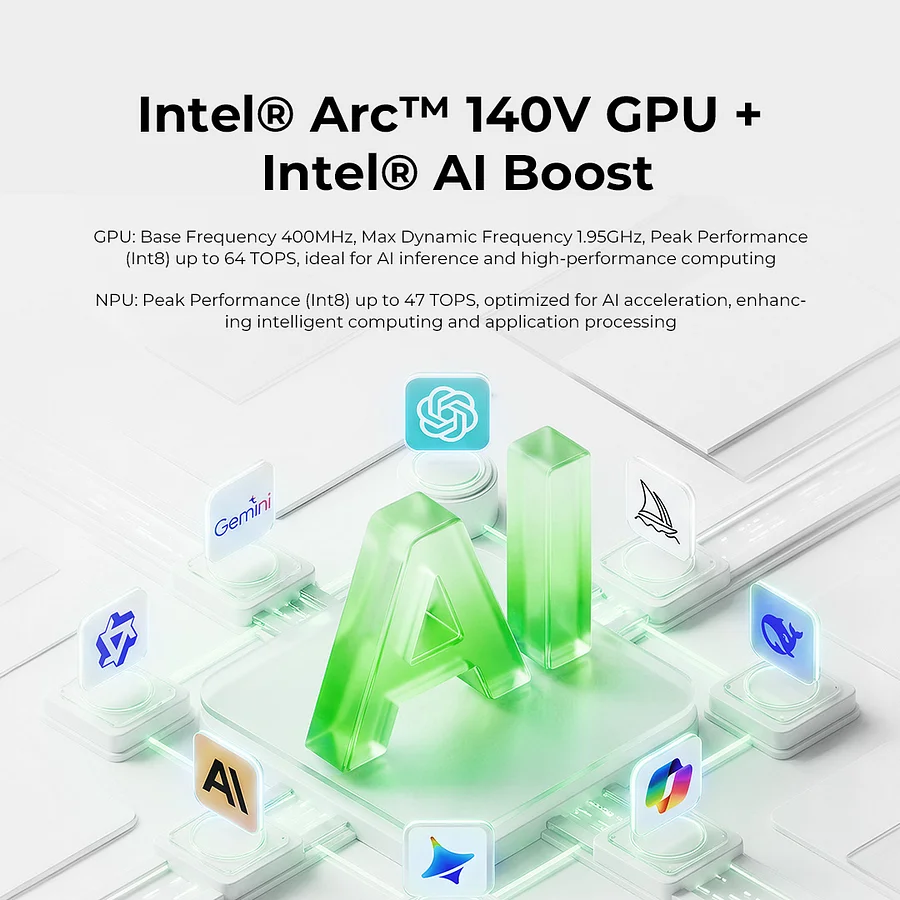
The integrated Intel Arc 140V GPU features 8 Xe2 “Battlemage” cores running at up to 1.95 GHz, representing a substantial architectural leap over the Xe-LP graphics in previous Intel integrated solutions. The Xe2 architecture introduces hardware ray tracing units, XMX matrix acceleration for AI-based operations, and native support for Intel’s XeSS upscaling technology including the XeSS3 multi-frame generation feature — which can generate up to four additional frames per rendered frame in compatible titles, dramatically multiplying effective frame rates in supported games. WCCFTech’s reviewer assessed the Arc 140V as “XeSS3 ready and supports multi-frame-generation too, bringing solid-fast FPS that rival Radeon 890M” — a meaningful statement given that the Radeon 890M is found in systems typically priced higher than the K13. In practice, at 1080p with medium settings and XeSS performance mode, the K13 handles mainstream titles smoothly, with multi-frame generation pushing frame rates in supported games to levels that feel genuinely comfortable for gaming. The GPU contributes 64 TOPS to the total AI compute figure, and its XMX units accelerate AI-based image upscaling, creative effects, and inference workloads through Intel OpenVINO, DirectML, ONNX RT, and WebNN frameworks.
Intel AI Boost NPU4 — 47 TOPS, Copilot+ PC Certified
The Core Ultra 7 256V includes Intel’s NPU4 neural processing unit, delivering 47 peak TOPS of dedicated AI inference — the same NPU generation found in Intel’s flagship Lunar Lake chips. Combined with 64 TOPS from the Arc 140V GPU and 5 TOPS from the CPU, total system AI performance reaches 115 TOPS, satisfying the 40 TOPS Microsoft Copilot+ PC certification requirement by a factor of nearly three. All Windows 11 Copilot+ AI features — including Recall, live caption translation, generative image creation, and AI studio audio — run locally on the NPU without cloud dependency. TechRadar’s reviewer noted that the 47 TOPS NPU in the 256V is more than three times the 13 TOPS of the Intel Core Ultra 7 255H found in competing systems, making the K13 substantially more capable for AI inference workloads despite its lower multi-core ceiling. The K13 also supports native deployment of GMKtec’s Clawdbot local AI agent, enabling intelligent scripting, automation workflows, and agentic AI tasks entirely on-device.
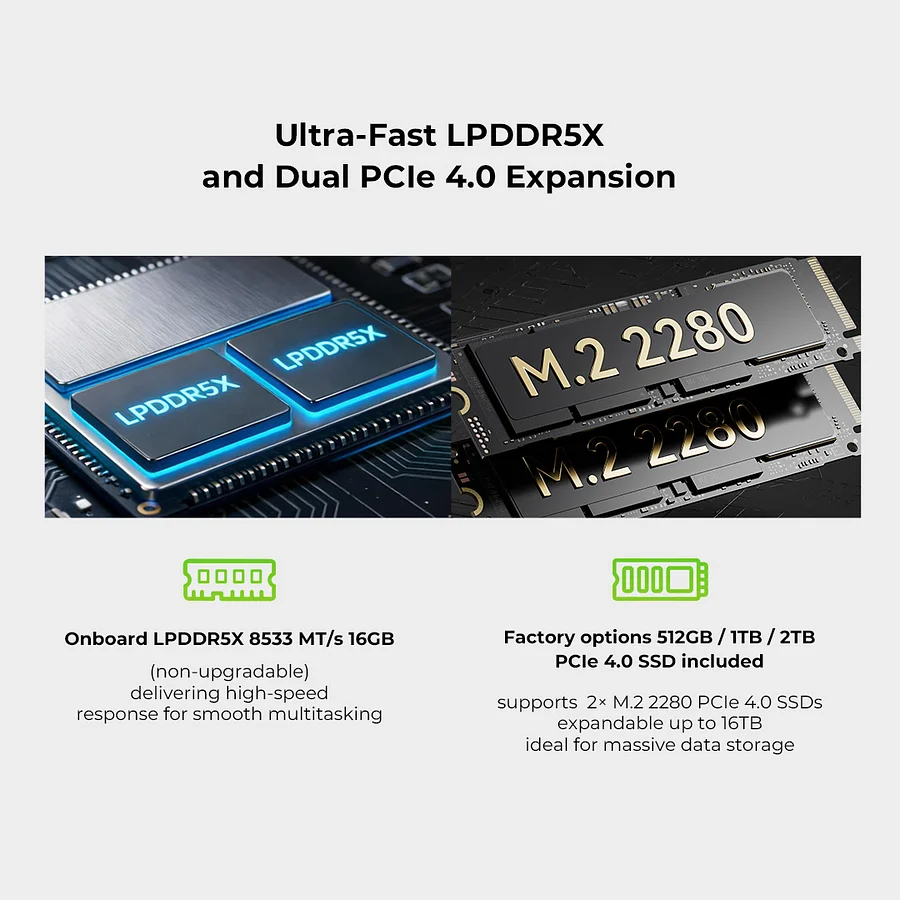
16 GB LPDDR5X-8533 — Soldered, Non-Upgradeable
The 16 GB of LPDDR5X memory is integrated directly onto the processor package at 8,533 MT/s in dual-channel configuration, sharing the on-package memory bus with both the CPU and GPU. This architecture delivers memory bandwidth that significantly exceeds what standalone SO-DIMM modules can provide at equivalent speed ratings, which is why the Arc 140V GPU achieves gaming performance comparable to systems with more VRAM despite operating within the same 16 GB pool. However, the capacity is permanently fixed. Users who require more than 16 GB of RAM for virtual machines, large language model inference, professional memory-intensive creative applications, or complex data science workloads must consider this an absolute constraint, as no upgrade path exists under any circumstance. For the office productivity, light creative, and AI inference workloads the K13 targets, 16 GB is generally adequate — but it represents a genuine compromise compared to SO-DIMM-based systems capable of 64 GB or more.
- 16 GB LPDDR5X-8533 MT/s — on-package, dual-channel
- Soldered — non-upgradeable under any circumstances
- Maximum: 16 GB — no expansion path
- Memory bus shared between CPU, GPU, and NPU (unified architecture)
Dual M.2 PCIe 4.0 — Up to 16 TB of NVMe Storage
Despite the memory constraint, the K13’s storage configuration is impressively generous. Two M.2 2280 PCIe 4.0 ×4 slots support drives up to 8 TB each, for a theoretical maximum of 16 TB of internal NVMe storage — more than any competing mini PC in the same size class. The primary slot ships with a 512 GB or 1 TB SSD depending on configuration, and the secondary slot is available for immediate expansion. TechRadar’s review specifically noted the contrast between the K13 and a competing ECS system that offered only a single M.2 slot while using a slower PCIe Gen 3 drive, highlighting the K13’s advantage for storage-intensive workflows. Sequential read speeds exceed 6,000 MB/s with PCIe 4.0 drives, enabling rapid file transfers, fast application launches, and low-latency access to large datasets used in local AI inference.
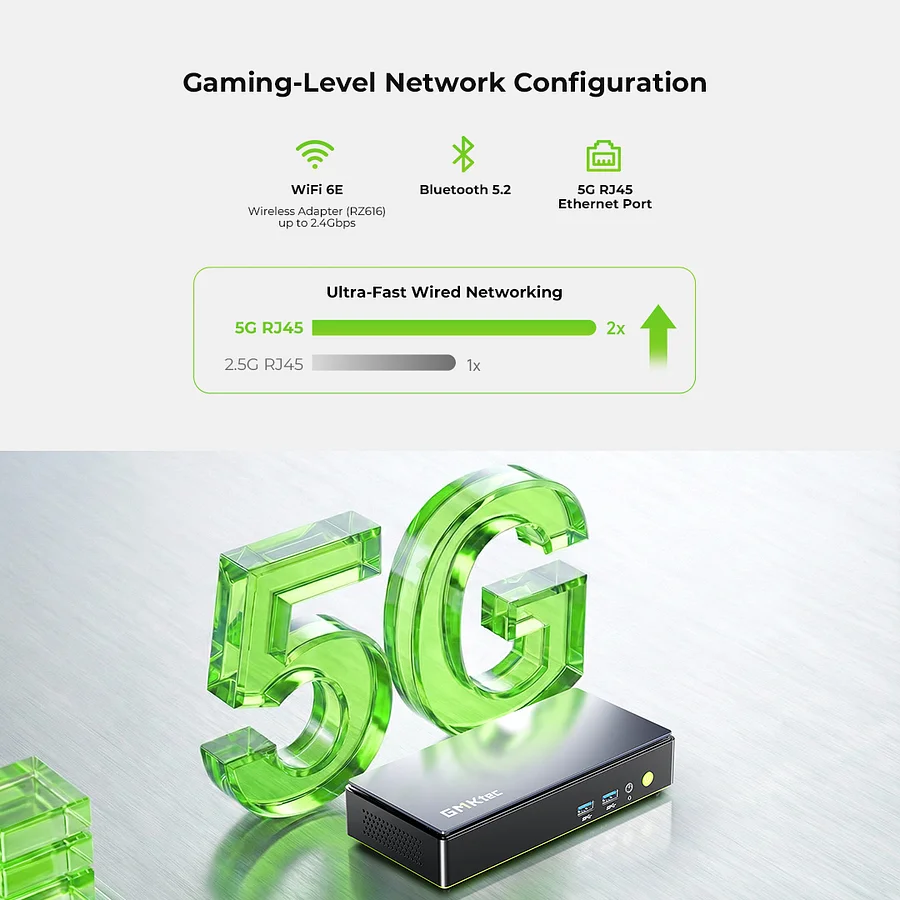
5 GbE Ethernet — Twice the Speed of Standard 2.5 GbE
One of the K13’s standout networking features is its single 5 Gigabit Ethernet port — delivering twice the bandwidth of the 2.5 GbE ports found in most competing mini PCs, including the GEEKOM A8 Max, Bosgame M4, and Beelink SER9 Pro. In TechRadar’s testing, the 5 GbE port achieved file transfer rates of 550 MB/s with compatible infrastructure — a figure that significantly accelerates large file movements over a local network compared to 2.5 GbE’s 270 MB/s ceiling. For users with a NAS, a content creation workflow requiring frequent large file transfers, or a server environment where LAN bandwidth is a bottleneck, the 5 GbE port is a meaningful differentiator. Wi-Fi 6E (802.11ax) with Bluetooth 5.2 handles wireless connectivity across tri-band operation.
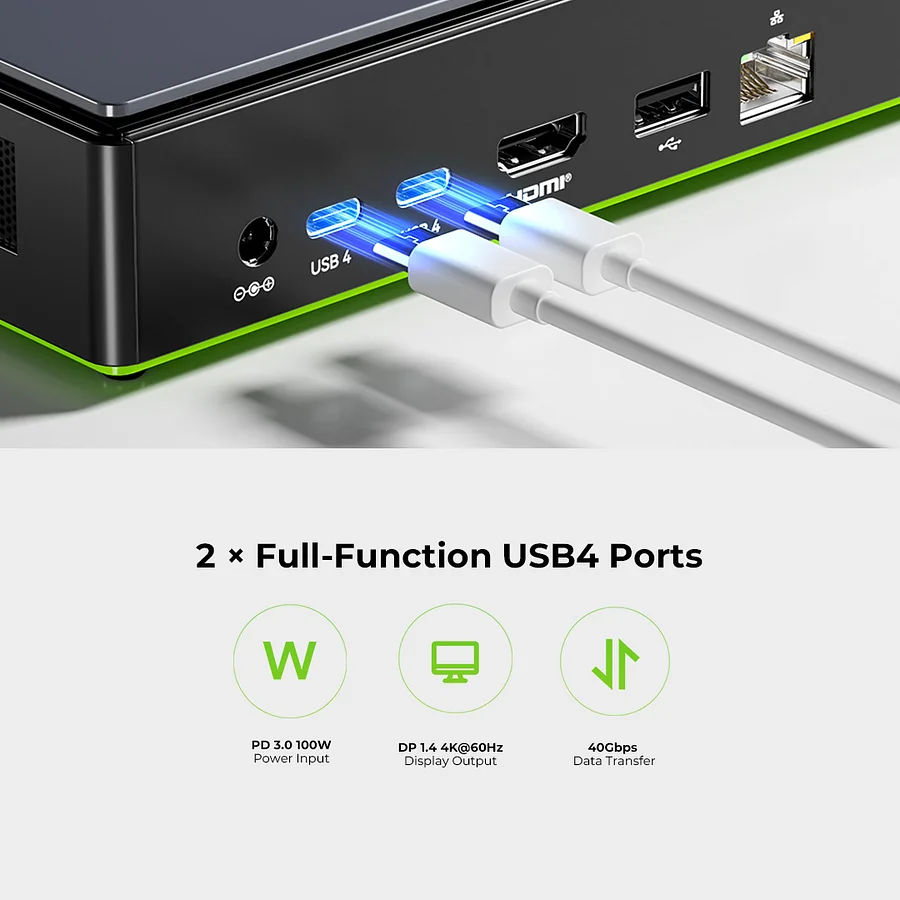
Dual USB4 — eGPU, Display, and Charging
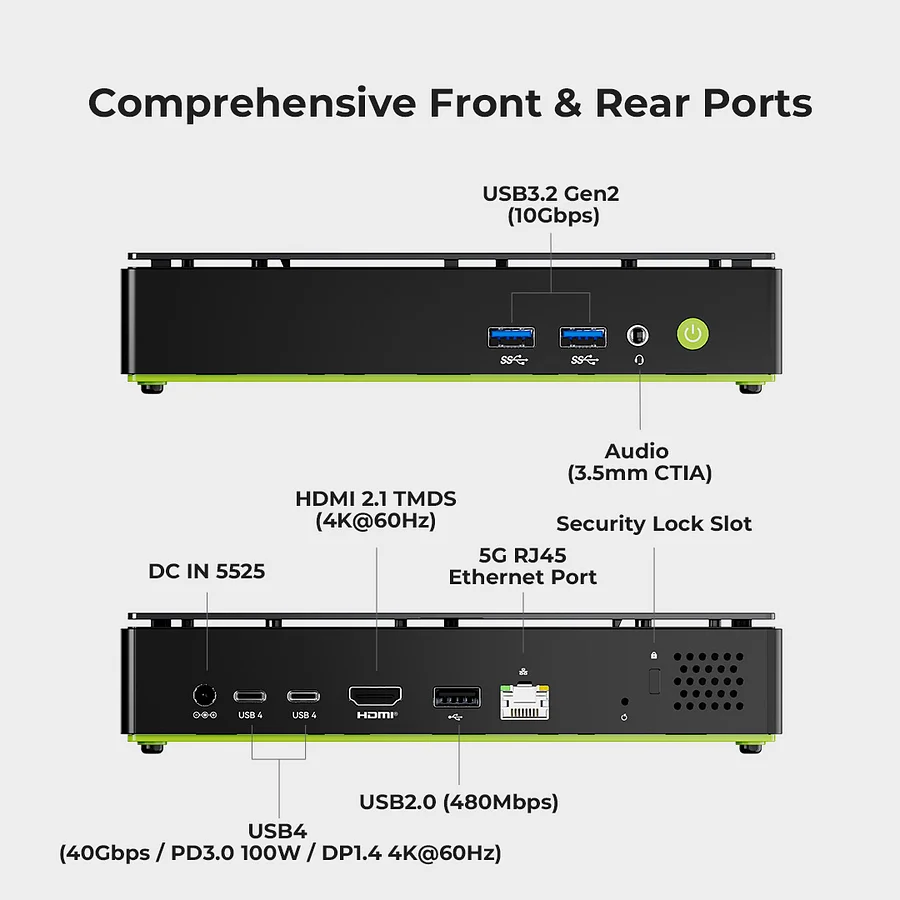
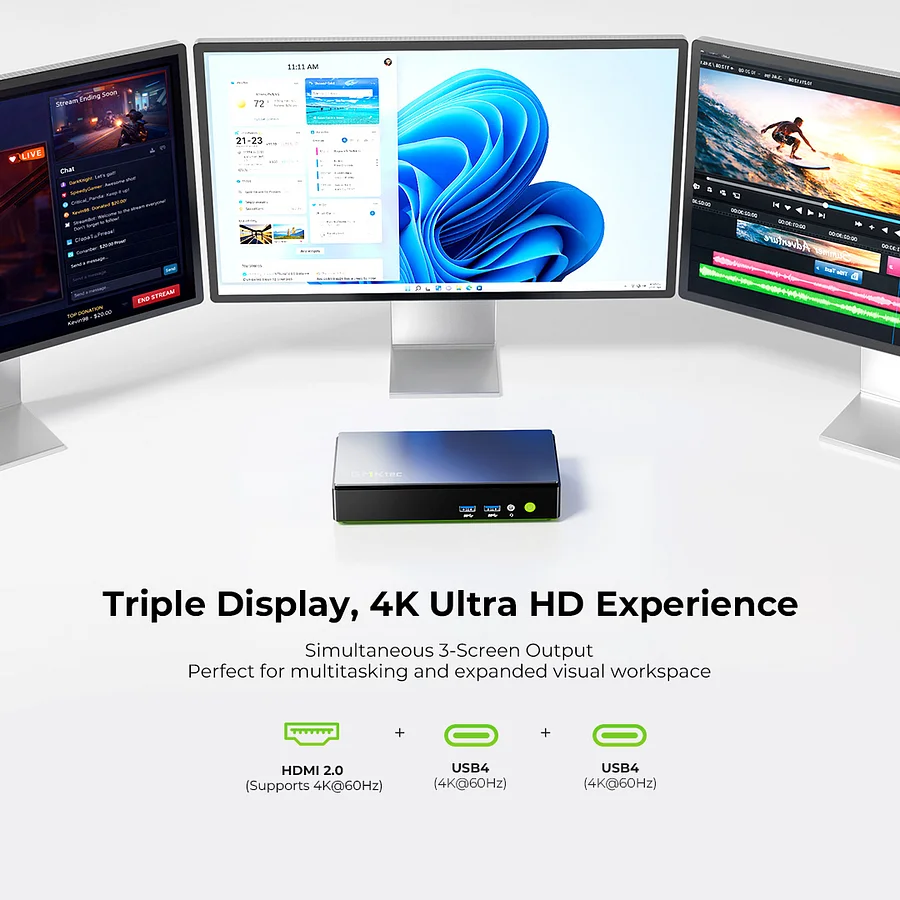
Two USB4 ports (40 Gbps each) are located on the rear panel, both supporting simultaneous DisplayPort Alt Mode video output, high-speed data transfer, and charging input. Unlike OCuLink-equipped systems, the K13’s eGPU support is USB4-based — compatible with Thunderbolt 4 and USB4 eGPU enclosures, with the protocol overhead of USB4 resulting in approximately 80–85% of a card’s native PCIe performance compared to OCuLink’s 90%+. For the majority of gaming and creative workloads, this difference is barely perceptible. Each USB4 port can also independently drive an 8K@60Hz display, contributing to the K13’s triple-display output alongside the HDMI 2.0 output.
Candy Bar Design — Compact, Portable, VESA Compatible
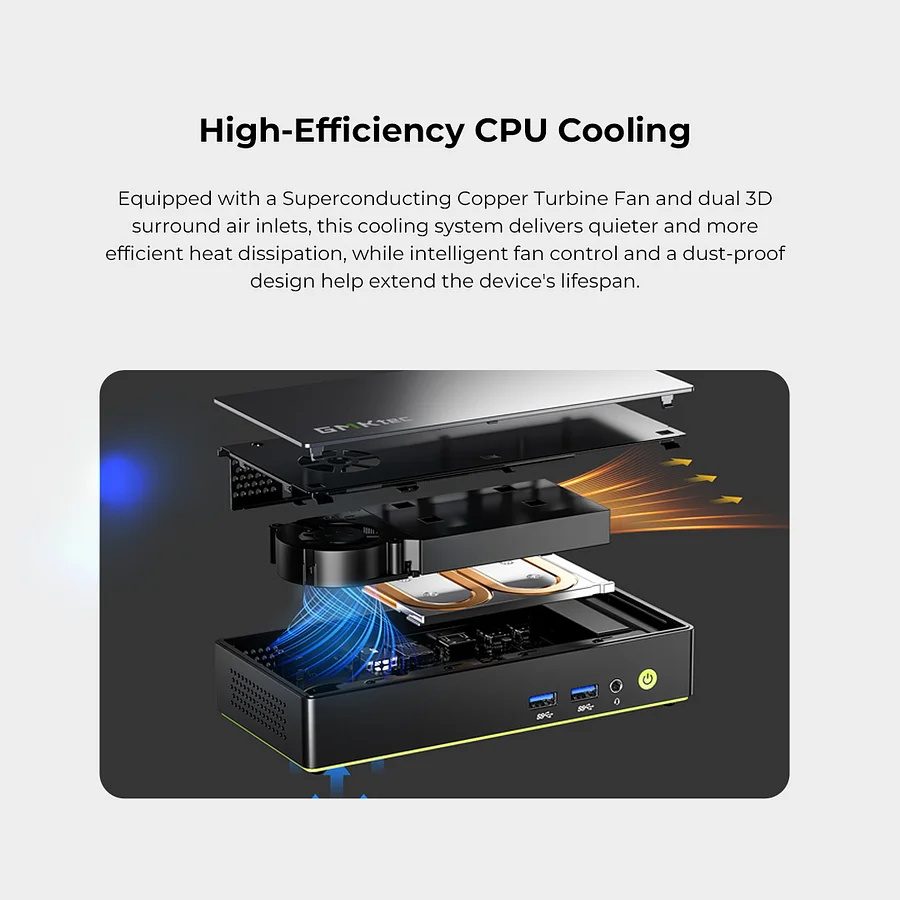
The K13’s rectangular “candy bar” form factor measures 182.5 × 89 × 33 mm and weighs approximately 524 g — larger in footprint than a cube-style NUC but dramatically thinner at just 33 mm. This design provides more surface area for port placement while remaining genuinely portable: smaller than a paperback book and light enough to carry in a jacket pocket or backpack. A VESA 75×75 mount bracket is included in the box, allowing rear-of-monitor or under-desk installation for a clean desk setup. One important note from TechRadar’s reviewer: the K13 has ventilation openings on the bottom and sides, so standing it on either end — which GMKtec shows in some promotional photos — would block airflow and could cause overheating. The recommended orientation is flat on its rubber feet.
Complete Port Layout
Front:
- 2× USB-C 3.2 Gen2 (10 Gbps)
- 1× 3.5mm combo audio jack
Rear:
- 2× USB4 (40 Gbps, DP Alt Mode / Data / eGPU)
- 1× USB-A 3.2 Gen2 (10 Gbps)
- 1× HDMI 2.0 (4K@60Hz)
- 1× RJ45 5 Gigabit Ethernet
- 1× DC power input (100W)
Windows 11 Pro — Full Copilot+ AI Feature Set
The K13 ships with Windows 11 Pro pre-installed and activated on pre-configured models, with all Copilot+ AI features active from first boot. A barebone option without OS or storage is available for users who prefer to configure their own setup. GMKtec offers a 1-year limited warranty covering hardware defects and manufacturing faults. Linux distributions are supported through standard Intel driver packages, with full Arc 140V GPU acceleration available through the Mesa driver stack.
Video
Additional information
Specification: GMKtec NucBox K13 Intel® Core™ Ultra 7 256V Intel Arc 140V
| Configuration Options | ||||||||||||||||||||||||||
|---|---|---|---|---|---|---|---|---|---|---|---|---|---|---|---|---|---|---|---|---|---|---|---|---|---|---|
|
||||||||||||||||||||||||||
| AI Capabilities | ||||||||||||||||||||||||||
|
||||||||||||||||||||||||||
| Processor | ||||||||||||||||||||||||||
|
||||||||||||||||||||||||||
| Ports | ||||||||||||||||||||||||||
|
||||||||||||||||||||||||||
| Network | ||||||||||||||||||||||||||
|
||||||||||||||||||||||||||
| GPU | ||||||||||||||||||||||||||
|
||||||||||||||||||||||||||
| Internal Ports | ||||||||||||||||||||||||||
|
||||||||||||||||||||||||||
| Storage & RAM | ||||||||||||||||||||||||||
|
||||||||||||||||||||||||||
| Power | ||||||||||||||||||||||||||
|
||||||||||||||||||||||||||
| Others Specifications | ||||||||||||||||||||||||||
|
||||||||||||||||||||||||||
| Specification | ||||||||||||||||||||||||||
|
||||||||||||||||||||||||||
Videos
Videos: GMKtec NucBox K13 Intel® Core™ Ultra 7 256V Intel Arc 140V


