
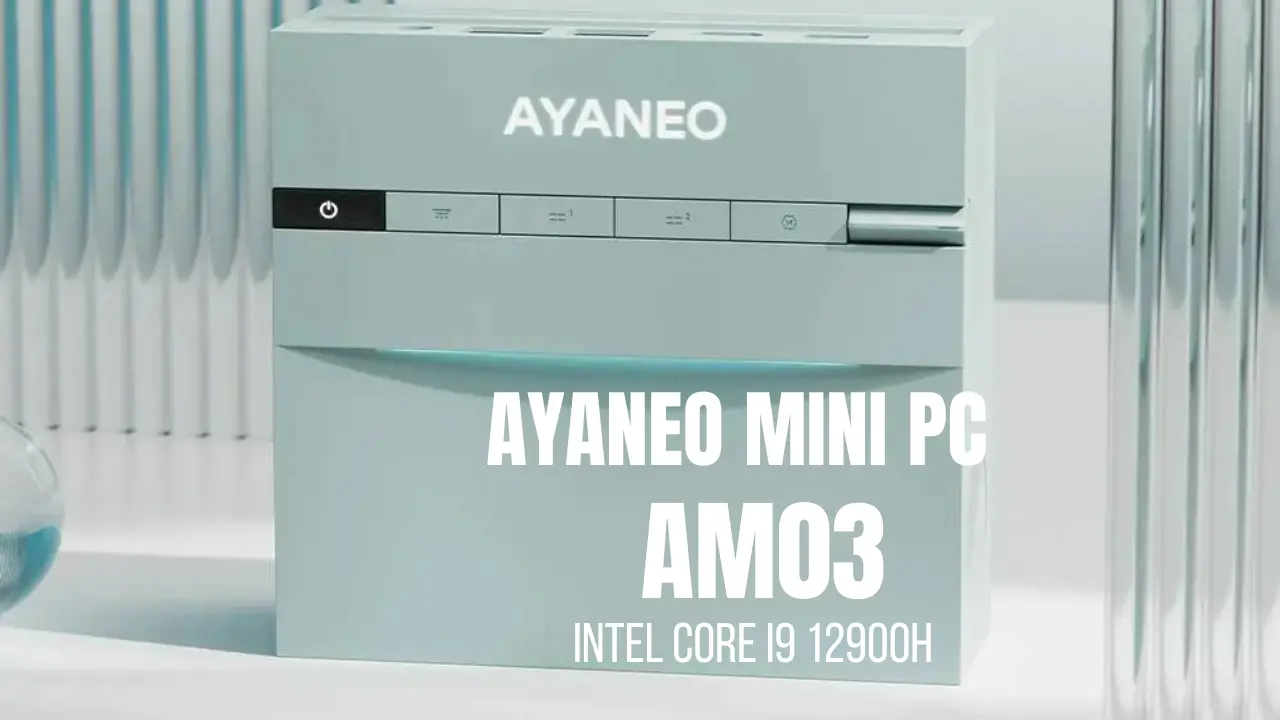
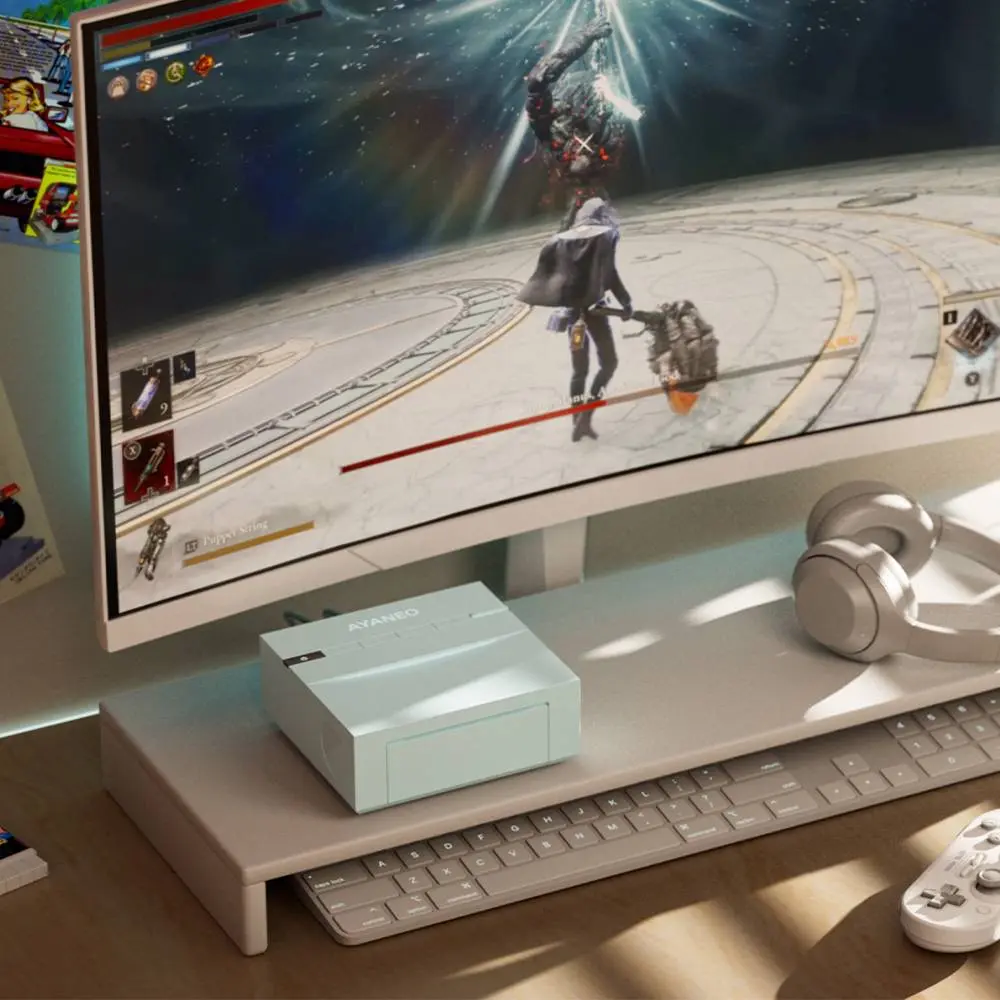
Most mini PC reviews begin with a processor benchmark. This one begins with a question: what does your desk look like? Because the AYANEO AM03 is, first and foremost, a design object — and understanding what it is requires understanding what AYANEO is trying to do with it.
A Different Kind of Mini PC
The AYANEO Mini PC AM03 was unveiled during CES week on January 7, 2026, and it arrived with a mission statement that no other mini PC manufacturer has attempted at this price point: to make a compact desktop computer that functions as the visual centrepiece of a desk setup rather than something to hide behind a monitor stand. AYANEO describes the AM03 as “redefining desktop aesthetics.” VideoCardz described it as having “smooth lines and a premium finish, making it feel more like a piece of desk decor than a normal computer.” Liliputing called it a machine that “takes some design cues from that era” of classic gaming hardware “while developing its own visual language.”
None of these descriptions are about the processor. None of them are about frame rates, NVMe speeds, or Cinebench scores. This is deliberate — and it tells you everything about who the AM03 is for.
The honest assessment that this review owes you upfront: the Intel Core i9-12900H inside the AM03 is a four-year-old processor from 2022. Liliputing noted that the AM03 “is not going to be competitive with new Intel Panther Lake or AMD Gorgon Point chips announced at CES this week.” Teknowire concluded that “the hardware places the AM03 at a disadvantage against newer rivals.” Both are correct. If you want the fastest mini PC available for your budget, the AM03 is not your machine. If you want a capable, quiet, elegant compact desktop that looks like nothing else in the market, read on.
The Design: Skyline RGB, Foldable Panel, and Desk Presence
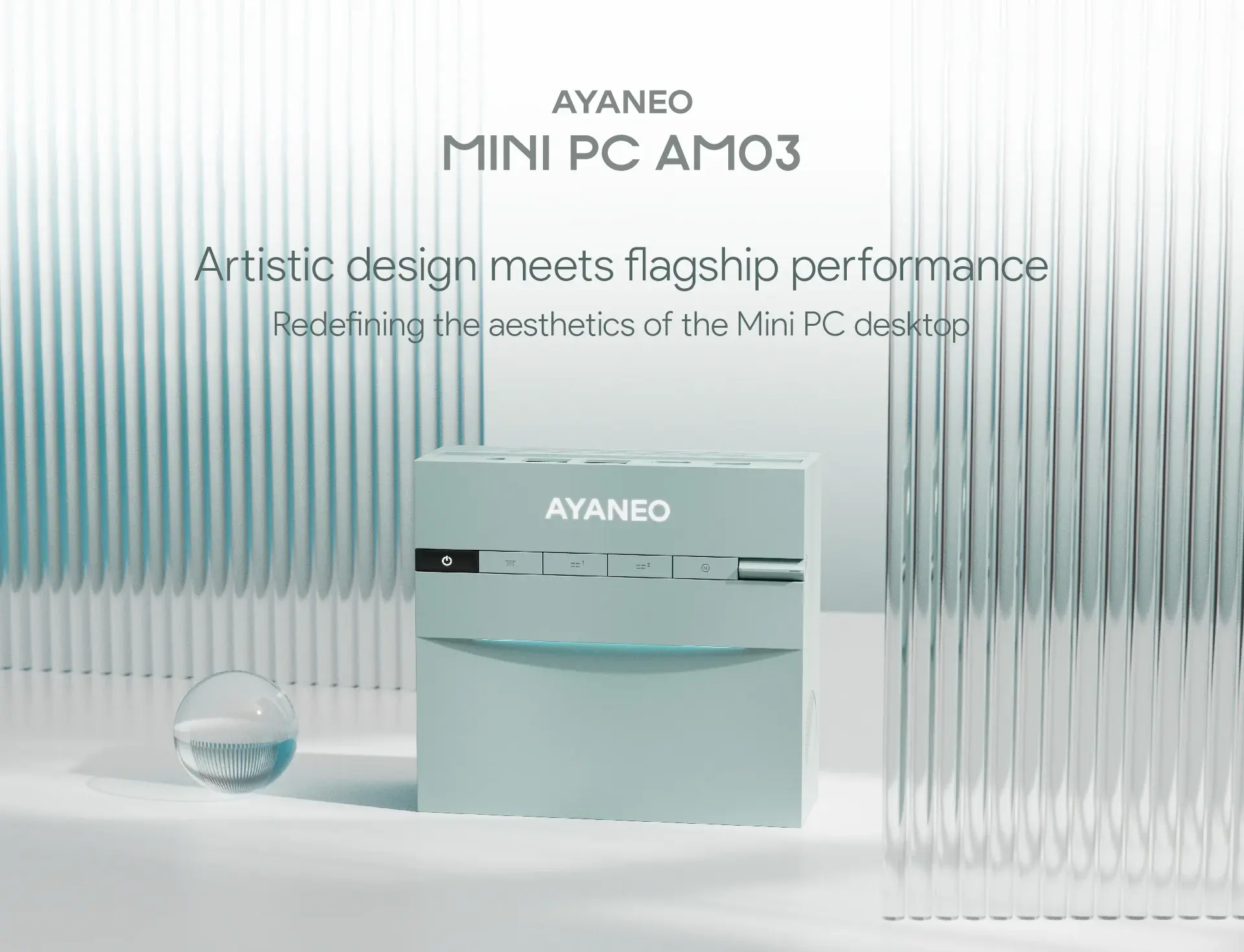
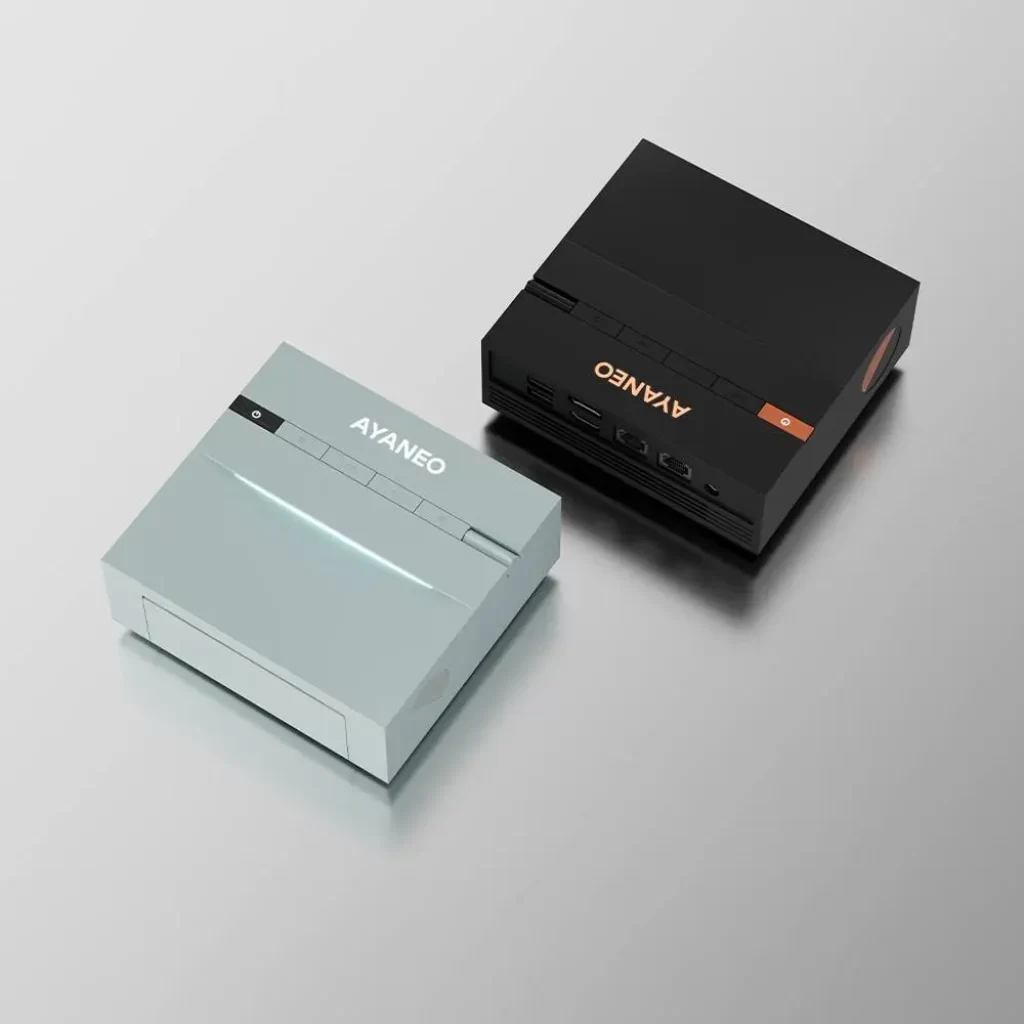
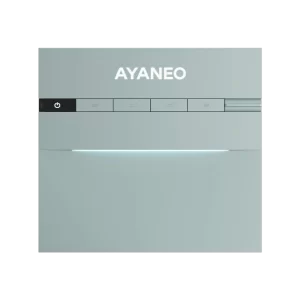
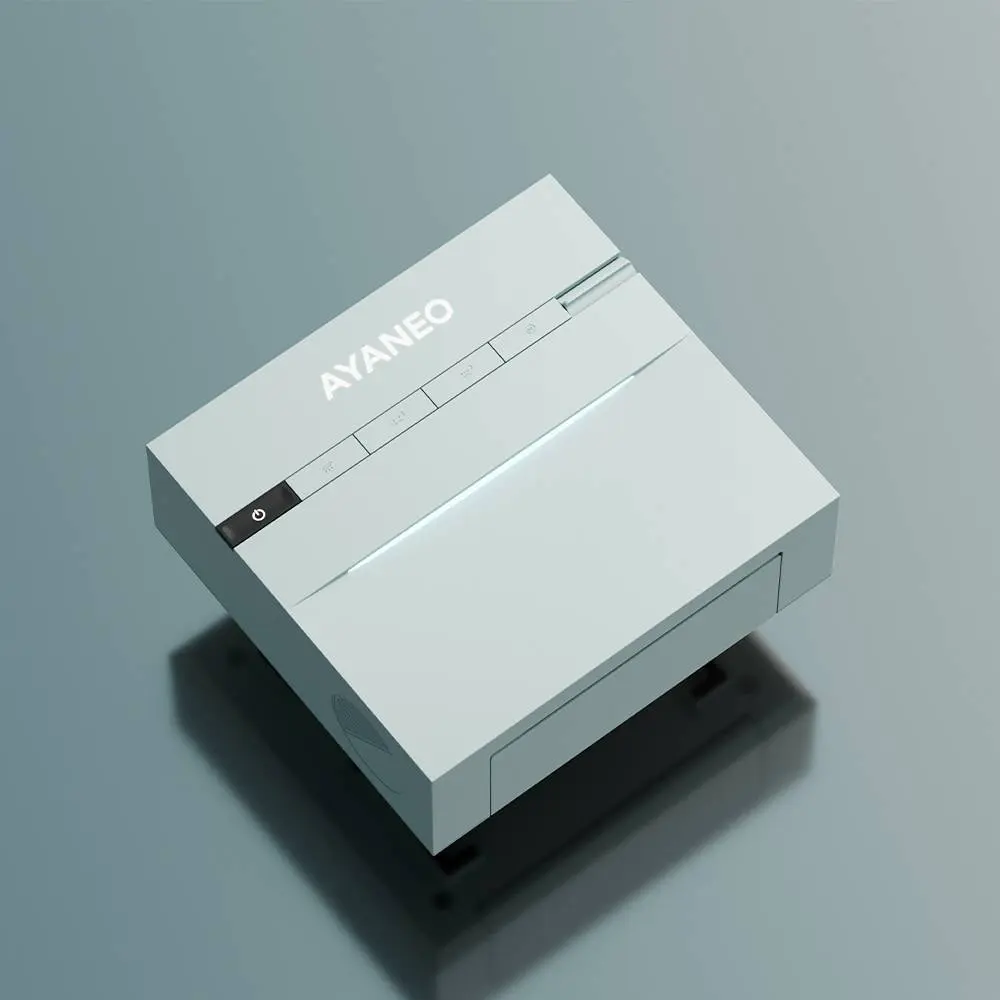
The AM03’s chassis is available in two colours — Ink Black and Cyan Sky — and both work well with the machine’s defining visual feature: the Skyline curved RGB ambient lighting strip integrated into the upper portion of the chassis. Unlike the aggressive, angular RGB lighting associated with gaming hardware, the Skyline strip produces a soft, curved glow that spreads across the desk surface as atmospheric illumination rather than spectacle. It is controlled by a dedicated physical button on the top panel and fully configurable through AYASpace 3.0 software.
When the lighting is active in the Cyan Sky colourway, the effect is genuinely striking — the sort of desk detail that visitors notice and ask about. When the lighting is off, the AM03 is a clean, minimalist object with smooth surfaces, no visible vents on the front face, and an uninterrupted aesthetic that most competing mini PCs with their perforated panels and port clusters cannot match.
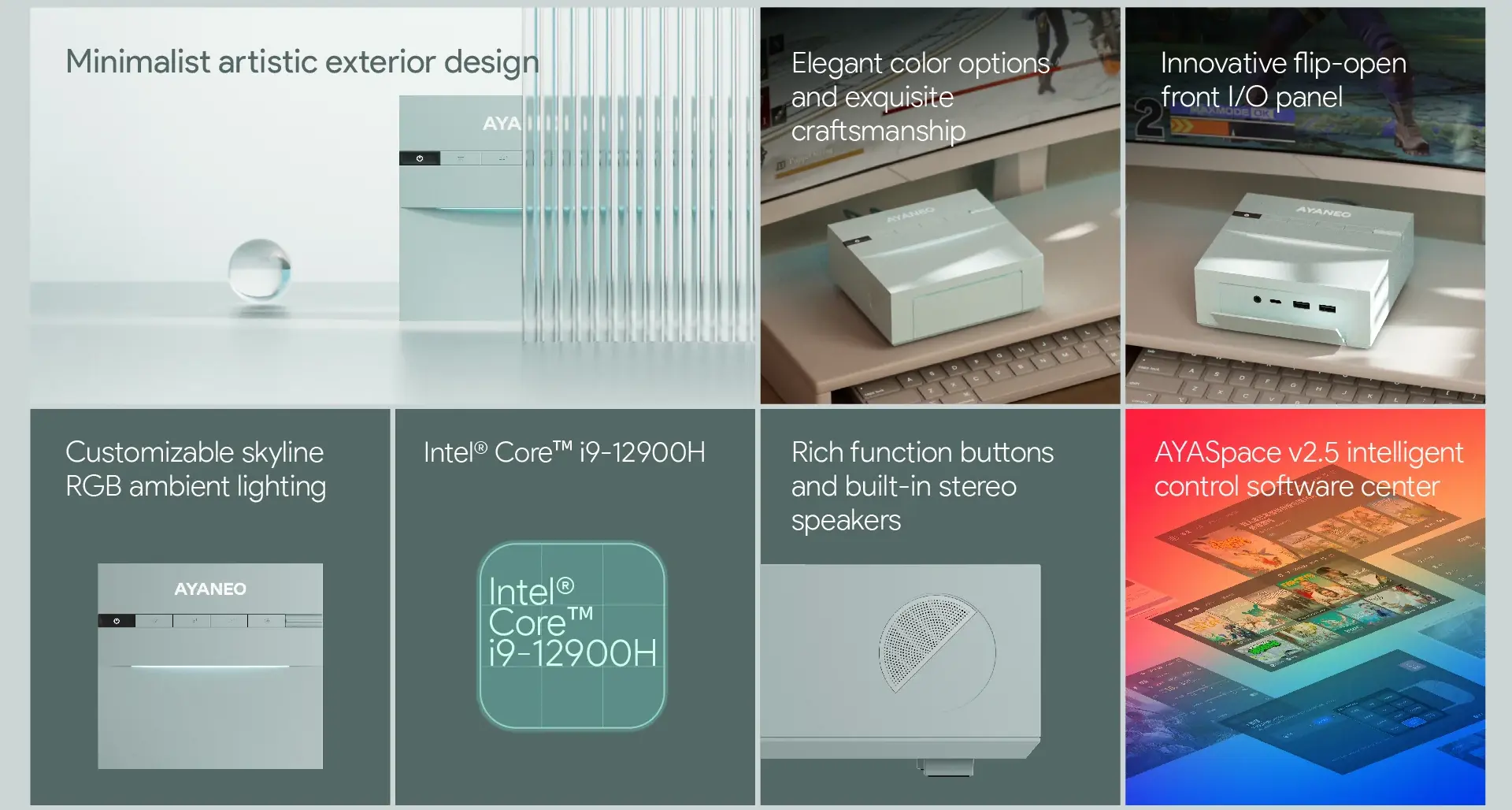
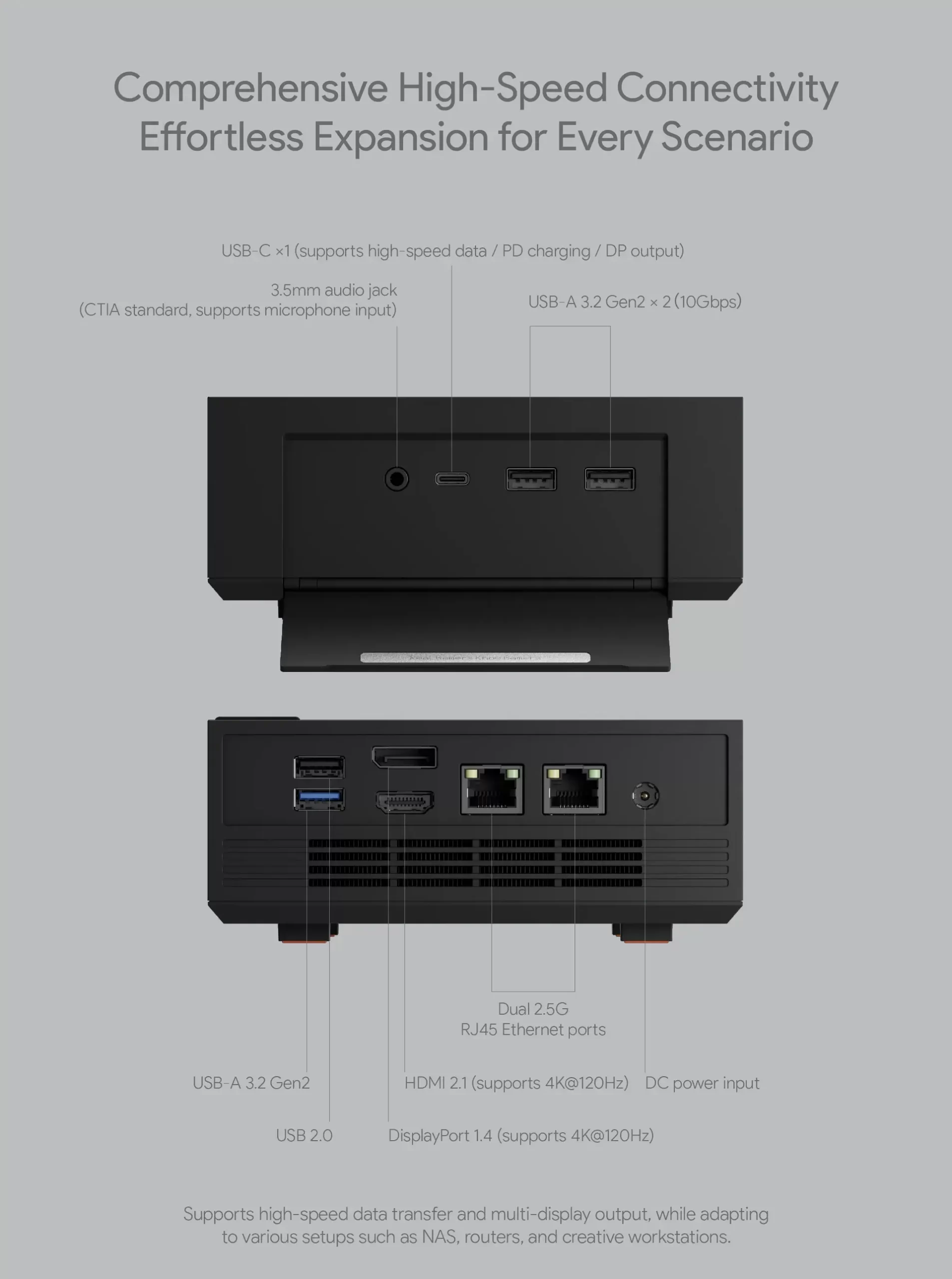
The foldable front panel is both the AM03’s most practical and most visually distinctive hardware feature. When closed, the front of the machine presents a seamless, port-free surface — a design decision that FULLSYNC’s reviewer specifically praised for giving the AM03 its desk-art character. When the panel is folded down, the front IO becomes accessible: two USB 3.2 Gen2 Type-A ports, one USB-C with DisplayPort Alt Mode and Power Delivery, and a 3.5mm combo audio jack. The mechanism is solid and deliberate — reviewers consistently described the panel action as well-engineered, with none of the flimsy-hinge concern that a moving part at this price might generate.
The practical trade-off of the foldable panel is that vertical orientation makes it inaccessible — users who want to stand the AM03 upright need to plan their port usage around the rear panel, which provides one USB Type-A 3.2 Gen2, one USB 2.0, HDMI 2.1, DisplayPort 1.4, and the dual 2.5 GbE ports.

Five Top-Panel Buttons — Two of Them Yours to Define
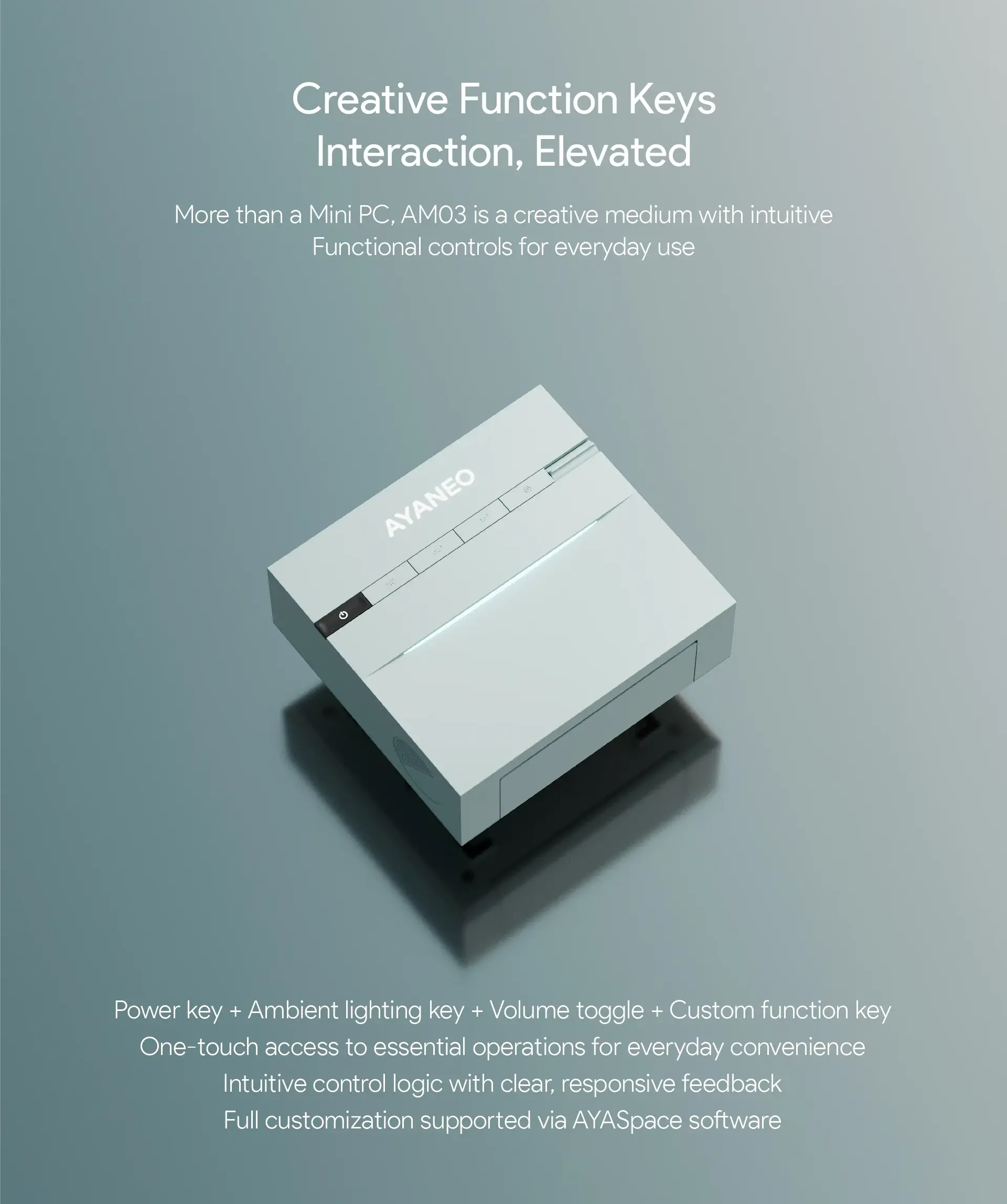
Five buttons are ergonomically integrated into the top surface of the AM03 chassis. Three have fixed functions: power, RGB lighting control, and mute. Two are fully programmable via AYASpace 3.0, assignable to application launches, system commands, media controls, custom macros, or performance profile switches. The programmable buttons transform from decorative to genuinely useful once configured — a single-press shortcut to launch a specific application or toggle a system setting is the kind of quality-of-life detail that competing mini PCs ignore entirely.
The physical placement of all five buttons on the top panel — rather than squeezed into a front or side bezel — reflects the AM03’s design priority: every surface decision has been made to serve the visual and tactile experience of the machine rather than to maximise port density.

Built-In Stereo Speakers: Eliminating a Cable
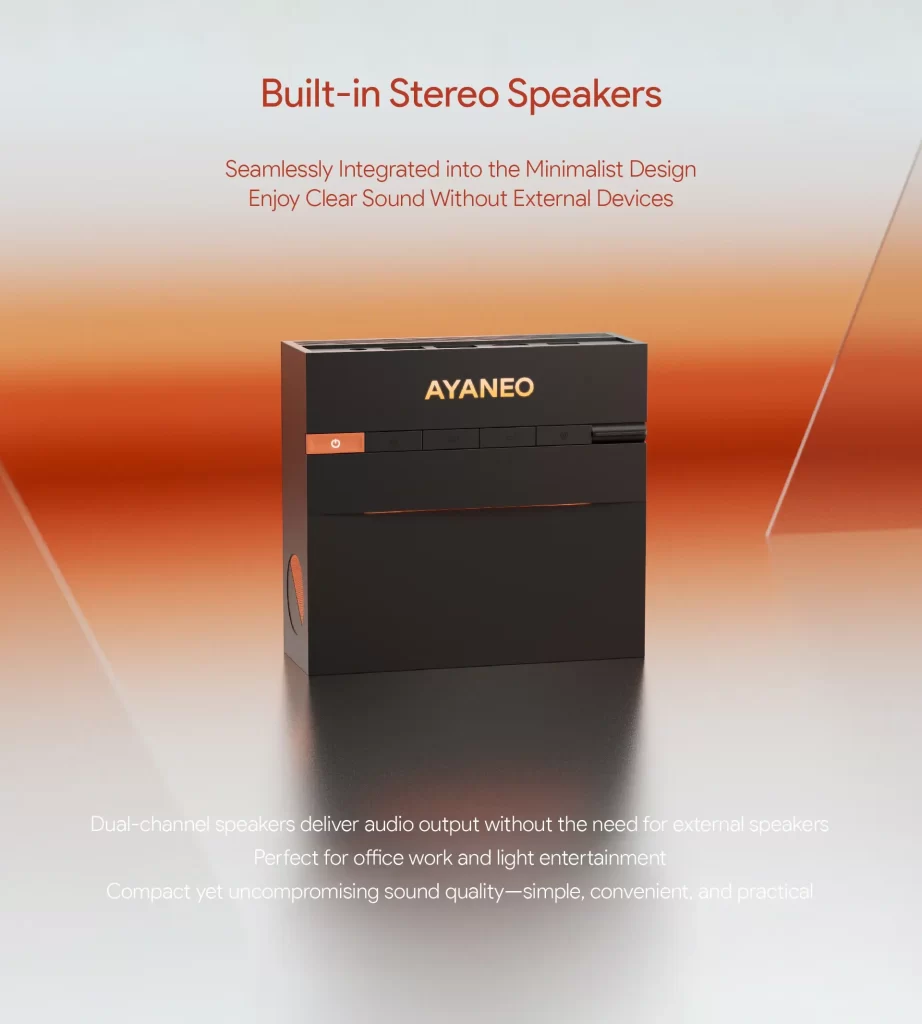
Built-in stereo speakers are integrated into the left and right sides of the AM03 chassis — a feature that sounds minor until you consider how many cables, adapters, and desk items it eliminates for a user whose audio needs are casual. Video calls, YouTube, Spotify, podcast playback, and system audio all work without any additional hardware. AYANEO positions the speakers as appropriate for “office or light entertainment” — a characterisation that reviewers who handled the machine found accurate. They are not audiophile-grade transducers. They are significantly better than the single mono speaker or no speaker at all that most mini PCs provide, and for many users they will be sufficient for every daily audio task outside of serious music listening.
Processor: The Honest Conversation About the i9-12900H
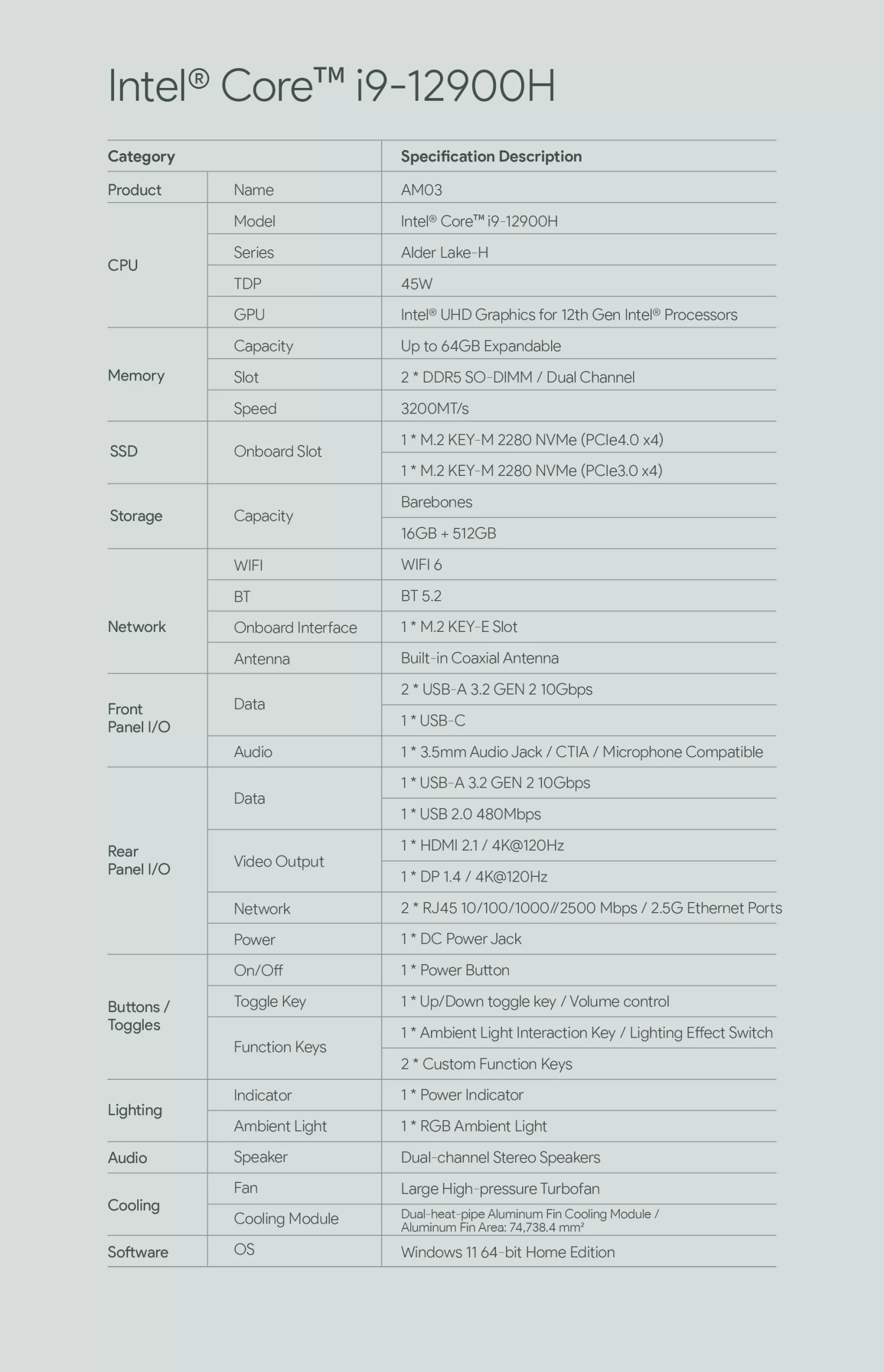
The Core i9-12900H delivers 14 cores, 20 threads, and a 5.0 GHz single-core boost. Released in Q1 2022, it remains capable for the workloads the AM03 targets — office productivity, web browsing, media streaming, video conferencing, and everyday computing. The P-core boost to 5.0 GHz provides strong single-threaded responsiveness, and the 8 Efficiency cores handle background tasks without drawing from the Performance cores’ clock budget.
What the i9-12900H cannot offer is NPU-accelerated AI. There is no neural processing unit of any kind in the Alder Lake-H architecture. The AM03 does not qualify for Microsoft’s Copilot+ PC certification and cannot run Recall, live caption translation, or AI image generation locally. For the vast majority of what the AM03’s target audience does at their desk every day — documents, spreadsheets, video calls, streaming, web research — none of this is relevant. For buyers who specifically need AI acceleration, this is the wrong product entirely.
Teknowire’s reviewer framed it well: “If the software requirements and workflow use cases of the AM03 don’t demand the absolute cutting edge in compute, then the i9-12900H will serve many users perfectly well for years.” That is a fair assessment, and it applies cleanly to the home office worker, the student, the content consumer, and the creative who works primarily in low-to-medium-intensity applications.


Graphics: Triple Display, Hardware Video Decode, Not for Gaming
The Intel UHD Graphics 770 integrated GPU — 32 execution units at 1.45 GHz — supports triple simultaneous display output, drives 4K content at 60 Hz, and accelerates H.265 and AV1 hardware video decode for smooth streaming playback without CPU load. For gaming, it is not capable beyond browser-based titles and retro games — a point all reviewers were consistent about. The AM03 is a productivity and entertainment machine, not a gaming machine, and the UHD 770 serves both of those roles adequately.

Memory and Storage: Future-Proofed Despite the Older Processor
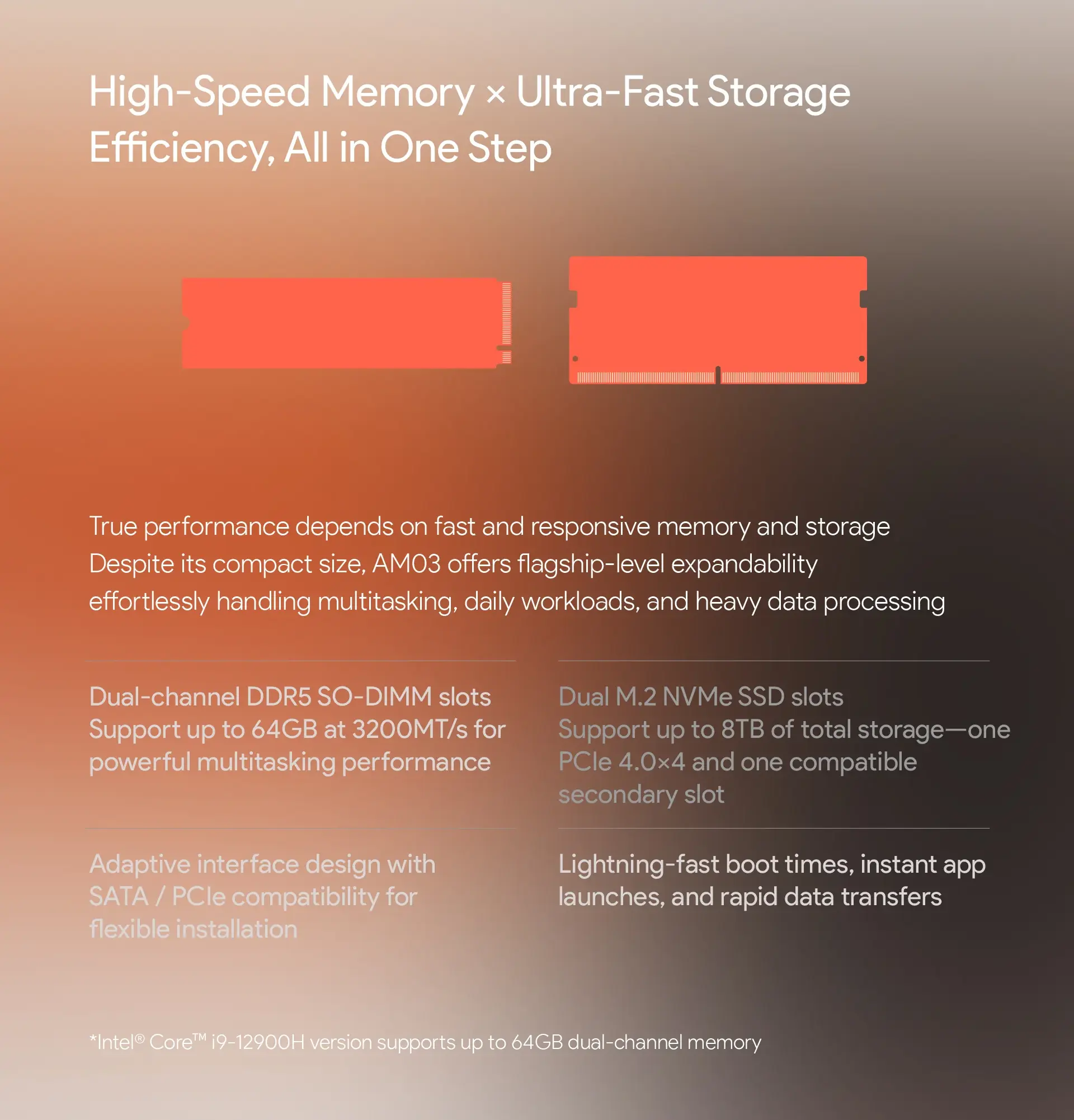
Two DDR5 SO-DIMM slots support up to 64 GB of user-replaceable memory — a maximum that the newer competing processors would struggle to criticise. Standard configuration ships with 16 GB, and the upgrade path to 32 GB or 64 GB is straightforward via compatible DDR5 SO-DIMM modules. The dual M.2 configuration — one PCIe 4.0 ×4 primary slot and one PCIe 3.0 ×4 secondary slot — provides up to 8 TB of combined NVMe storage. The primary PCIe 4.0 slot delivers sequential read speeds exceeding 6,000 MB/s with compatible drives. For everyday use, the storage specification is entirely competitive with machines costing substantially more.
Connectivity: Dual 2.5 GbE at This Price Is Genuinely Impressive
Two independent 2.5 Gigabit Ethernet ports on a machine starting at $399 barebone is an unusual and welcome specification. For home server deployments, NAS direct-attach, or professional setups requiring dual wired network connections, the AM03’s networking exceeds what many competing machines at two or three times the price provide. Wi-Fi 6 (802.11ax) with Bluetooth 5.2 covers dual-band wireless. The USB port count — three Type-A and one USB-C across front and rear — will require a hub for users with multiple peripherals.
AYASpace 3.0: The Software That Makes It Cohesive
AYASpace 3.0 is AYANEO’s proprietary system management software, refined through multiple generations on their handheld gaming PC lineup before arriving on the AM03. It provides performance profile management, RGB Skyline lighting configuration, custom button programming, and hardware monitoring from a single unified interface. Compared to the minimal or nonexistent system management software of most competing mini PCs at the AM03’s price, AYASpace 3.0 is a meaningful differentiator — particularly the custom button programming, which transforms two of the five top-panel buttons from decorative elements into genuine workflow tools.

Who Should Buy the AM03 — and Who Should Not
The AM03 should not be the first choice for buyers whose primary criterion is maximum computing performance per dollar. At $499 for the 16 GB / 512 GB configuration, there are newer processors available — in the GMKtec NucBox K13, the GEEKOM A8 Max, or various Ryzen 8000-series mini PCs — that deliver more modern silicon for comparable or slightly higher prices.
The AM03 should be the first choice for buyers who have decided their desk aesthetic matters as much as the specification sheet. For the home office worker who stares at their desk for eight hours a day and wants that desk to look considered and intentional. For the student whose room is also their creative space and who wants a computer that reflects that. For the first-time PC buyer who finds the AM02’s NES aesthetic too specific but wants something equally distinctive. For anyone who has looked at the endless parade of anonymous black and silver mini PC boxes and concluded that they deserve better.
AYANEO understands their audience. The AM03 is not an accident or a compromise — it is a precise answer to a specific question. The question is: can a compact desktop computer be genuinely beautiful? The AM03’s answer is yes.

Verdict: Design With Intent
The AYANEO Mini PC AM03 will not top any performance benchmark against its 2026 competitors. Its processor is from 2022, its integrated GPU is not for gaming, and there is no NPU anywhere in the system. These are real limitations and worth stating plainly.
What it offers in return — a Skyline RGB ambient lighting system, a foldable front panel that presents a clean face when not in use, built-in stereo speakers, five programmable-capable top-panel buttons, dual 2.5 GbE networking at $399 barebone, and AYASpace 3.0 software that ties it all together — is a package that no other mini PC in this price range comes close to matching for design coherence and desk presence.
The AM03 is the right machine for a specific buyer. If that buyer is you, there is genuinely nothing else on the market that delivers what it delivers. That is, in the end, the most honest recommendation a reviewer can make.
Video:

| Configuration Options | ||||||||||||||||||||||||
|---|---|---|---|---|---|---|---|---|---|---|---|---|---|---|---|---|---|---|---|---|---|---|---|---|
|
||||||||||||||||||||||||
| Processor | ||||||||||||||||||||||||
|
||||||||||||||||||||||||
| Ports | ||||||||||||||||||||||||
|
||||||||||||||||||||||||
| Network | ||||||||||||||||||||||||
|
||||||||||||||||||||||||
| GPU | ||||||||||||||||||||||||
|
||||||||||||||||||||||||
| Internal Ports | ||||||||||||||||||||||||
|
||||||||||||||||||||||||
| Storage & RAM | ||||||||||||||||||||||||
|
||||||||||||||||||||||||
| Power | ||||||||||||||||||||||||
|
||||||||||||||||||||||||
| Others Specifications | ||||||||||||||||||||||||
|
||||||||||||||||||||||||
| Specification | ||||||||||||||||||||||||
|
||||||||||||||||||||||||



More information: Ayaneo AM03 on minis-pc.com
Discover our full Mini PC comparison: minis-pc.com
Article written for minis-pc.com — Mini PC Comparisons and Reviews